
Install
Inside DeepSeek Harness, with dsh-market
dsh plugin --profile web add dshmarket
Or from the command line
dsh plugin --profile web add @ggboy123/dsh-paper-reader
Installing runs third-party code with your own permissions — it can read your files, use your credentials and reach the network. Review the source first, and pin a commit (github:owner/repo#sha) when you can.
Screenshots
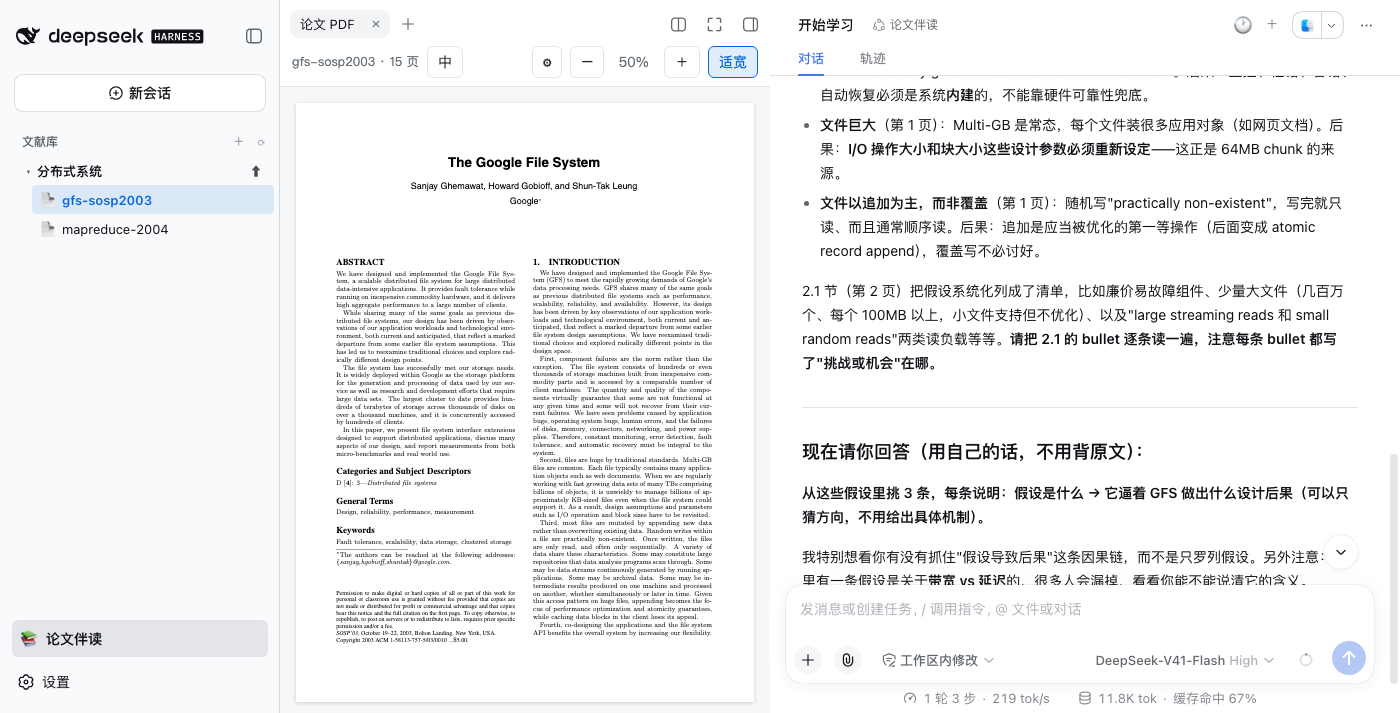
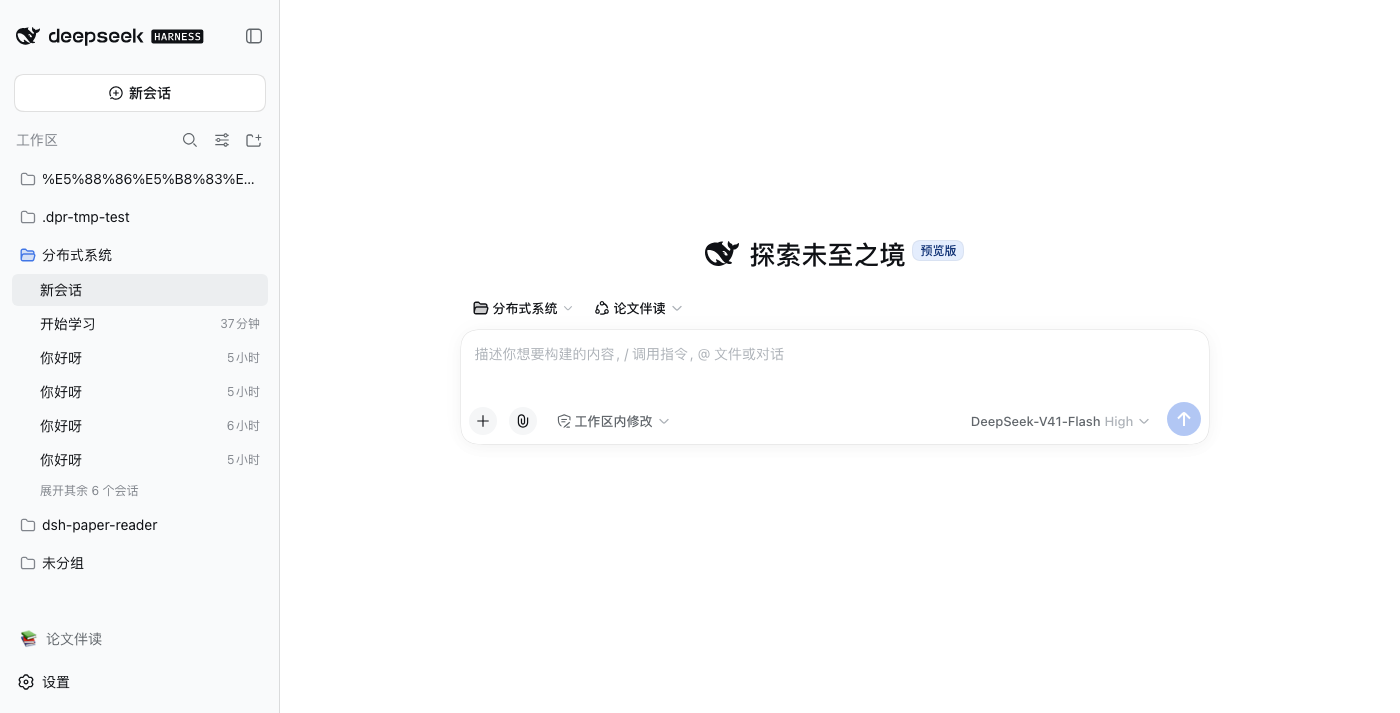

README
中文: README.md
A DeepSeek Harness (dsh) plugin that turns your agent workspace into a paper reading workbench: PDF transcription & search, native chat-based companion reading, and a built-in PDF reader — with answers that cite page numbers and jump back to the exact highlighted passage in the PDF.
👉 Just want a working app? Skip this page and grab PaperReader — a desktop app with this plugin preinstalled. Download the DMG, drag it into Applications, done. No environment setup. This repository is for people who want to install the plugin themselves or hack on the code.
The agent loop, model layer, and session persistence are all handled by the dsh framework; this plugin is a thin shell composing transcription + retrieval + reader UI.
Does not modify the official UI on install — a single "📚 Paper Reading" toggle appears at the bottom of the sidebar. Click it to enter reading mode (sidebar becomes a paper library tree), click again to restore the official workspace list:
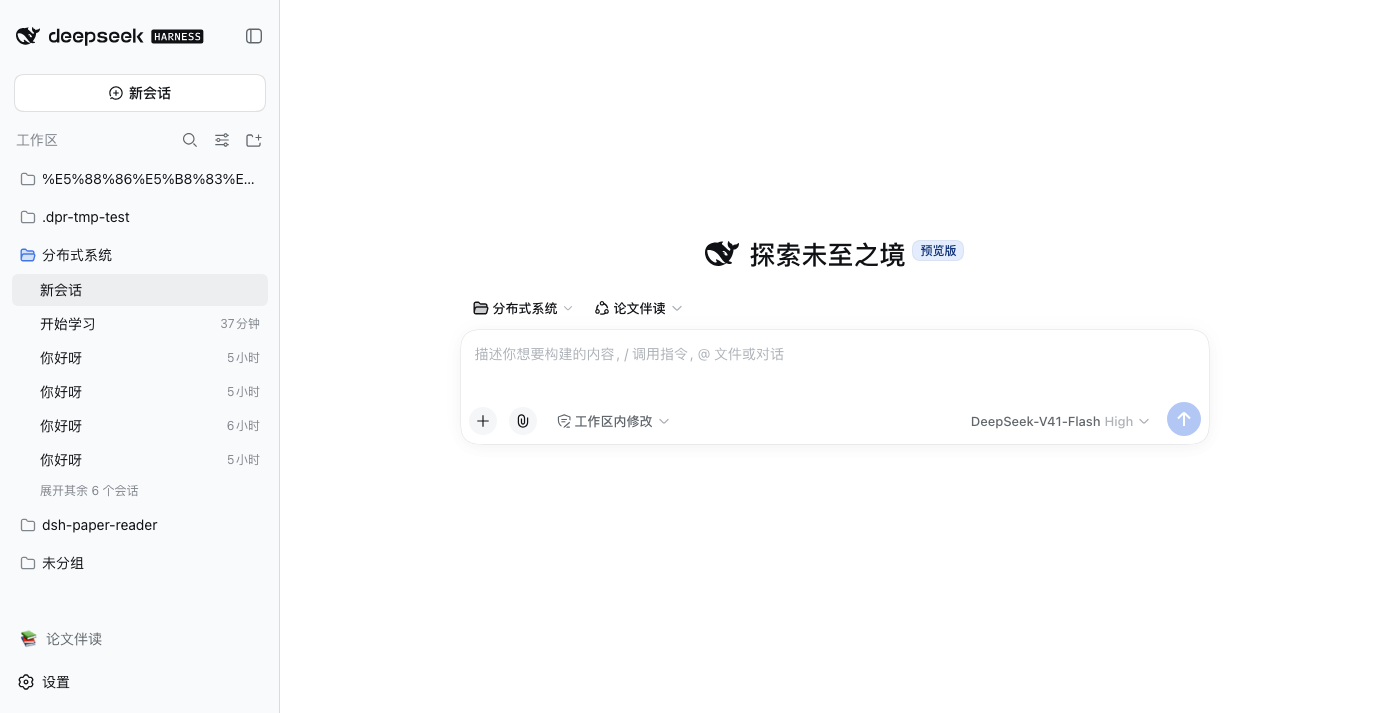
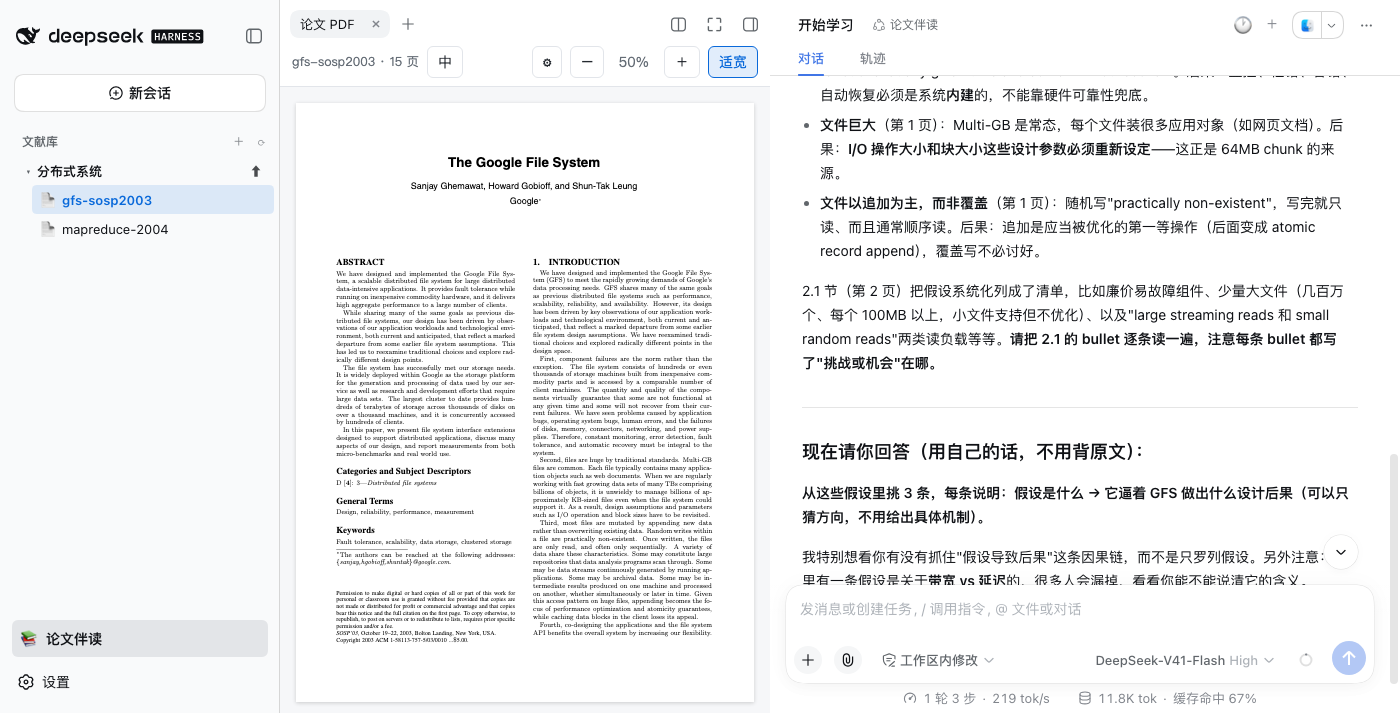
Features
- 📚 Sidebar paper library: when reading mode is on, the workspace sidebar shows Topics → Papers; create topics and upload PDFs (off by default — the official UI is never overwritten)
- 💬 Native chat companion: clicking a paper opens its own native dsh conversation (streaming / tool cards / usage bars are all official UI); the 🕐 dropdown in the chat header replays conversation history with real titles and dates; + starts a new conversation
- 🔗 Sessions bound to papers: the session id encodes the paper's identity, so tool calls auto-locate the current paper — just ask questions in the input box without naming the paper; every answer cites page numbers
- 🤖 Dedicated agent preset "Paper Tutor": paper sessions automatically use a tutor-style preset — like a teacher guiding your reading: builds a step-by-step reading plan (each step with page numbers and reflection questions) → guides section by section, comments on your answers → quizzes you and grades each answer → scores and weak points are recorded in a
<paper>.study.jsonstudy profile that accumulates across sessions; quick Q&A (select-to-ask) gets a direct answer, no lecture - 📖 Centered PDF reader: the paper sits in the middle (PDF.js zoom / Retina rendering / text-layer selection / fit-width mode), its native chat on the right — implemented via visual swapping, so column dragging/collapsing stays native dsh behavior; closing the PDF tab restores the official layout
- 💬 Select-to-ask: select text in the reader → a question box pops up → injects into the current session, answered live in the native chat
- 📍 Citation jumping: "Page N" in an answer is clickable — smooth-scrolls back to that PDF page and flashes the cited passage
- 🀄 Chinese/English toggle: the "中" button in the top bar switches original ↔ full Chinese; if no translation exists, one click generates it in the background (babeldoc) — no Python preinstall required: first use auto-downloads uv + managed Python + babeldoc (macOS / Linux / Windows, a few minutes), everything stays in the user directory
- 🔍 PDF transcription + search: local extraction (pdf.js, pure Node, no Python), header/footer stripping / ligature / hyphenation repair / paragraph reflow, with a page-offset table; compatible with pdfqa's
data/cache layout
Install
Option 1: PaperReader desktop app (one-click, recommended)
PaperReader is a desktop app with this plugin preinstalled (packaged on top of the community desktop client DSH Desktop):
- Download the DMG from Releases (macOS Universal — Intel and Apple Silicon; Windows build coming)
- Open the DMG, drag PaperReader into Applications
- On first launch use right-click → Open (unsigned release — it only asks once); the first launch also runs a one-time initialization of a few minutes
You get the library + reader + companion chat out of the box — no commands needed.
Option 2: Install the plugin into an existing DSH Desktop
If you already use DSH Desktop (the community DeepSeek Harness desktop client for macOS / Windows, no Node.js required):
- Launch DSH Desktop
- Tray menu → Open DSH Terminal (that terminal comes with
dsh/pnpm) - Run
dsh plugin add @ggboy123/dsh-paper-reader@1.1.0 - Quit and reopen DSH Desktop (plugin changes need a restart to enter the Loader composition)
Option 3: CLI dsh (developers)
dsh plugin --profile web add @ggboy123/dsh-paper-reader
The package lives under the
@ggboy123scope: the bare namedsh-paper-readeris taken by a different plugin (a one-shot "feed a paper, get a report" analyzer — different positioning from this plugin's "reader + conversational companion"). Do NOT install viagithub:GGboya/dsh-paper-reader— dist is not committed to git, so a git install leaves the profile unable to start (build artifacts ship only with the npm package).
Upgrading
Existing users must pass an explicit version — a bare add is a no-op for an already-installed dependency (pnpm resolves from the range recorded at first install and won't chase newer releases):
dsh plugin --profile web add @ggboy123/dsh-paper-reader@1.1.0
# Restart dsh web; hard-refresh the browser (Cmd+Shift+R) to avoid cached reader pages
Check which version you currently have:
grep '"version"' ~/.dsh/profiles/web/node_modules/@ggboy123/dsh-paper-reader/package.json
If pnpm has the supply-chain policy
minimumReleaseAgeenabled (rejects packages published within N hours): either wait out the window, or addminimum-release-age-exclude[]=@ggboy123/dsh-paper-readerto~/.dsh/profiles/web/.npmrc(exempts only this plugin).
Local development:
git clone https://github.com/GGboya/dsh-paper-reader
cd dsh-paper-reader && pnpm install && pnpm run build
dsh plugin --profile web add ./dsh-paper-reader   # run from the parent dir, or use an absolute path
dsh --profile web
The library directory defaults to ~/.dsh-paper-reader/data; override it in the profile's cordis.patch.yml:
- id: dsh-paper-reader
  config:
    dataDir: /path/to/pdfqa/data   # point at a pdfqa library to reuse all caches
    # translate:                    # optional: OpenAI-compatible endpoint for Chinese
    #   baseUrl: https://api.deepseek.com/v1   # translation via babeldoc. Usually you
    #   apiKey: sk-...                          # don't need it here — click "中" or ⚙
    #   model: deepseek-chat                    # in the reader to fill it in; saved to
    #                                           # ~/.dsh/.dsh-paper-reader/translate.json
    #                                           # (mode 0600).
Translation endpoint: prefer filling it in the reader UI (click "中" — a form pops up if unset — or ⚙). The connection is tested before saving; takes effect without a restart. The
translateconfig above falls back to a deployer-side default, effective only when the UI is unset. babeldoc only speaks the OpenAI protocol — Anthropic-protocol endpoints (e.g.api.kimi.com/coding/) can't be used directly.
Translation engine zero preinstall: when babeldoc is missing, it auto-installs via the uv chain — standalone uv binary (GitHub Releases API download + sha256 verification) → uv-managed Python 3.12 →
uv pip install babeldoc, landing in~/.dsh/.dsh-paper-reader/bin/and a sibling.venv-pdf2zh/, never touching system Python. Existing uv / babeldoc installs (including pdfqa's.venv-pdf2zh) are reused. Windows auto-install is not supported yet — install uv manually and retry.
Reading mode is opt-in: by default
sidebar.workspacesis not registered (official workspace/session list untouched); the "📚 Paper Reading" toggle at the bottom of the sidebar takes over only when clicked, and restores on second click; the mode choice is remembered in localStorage. Open PDF tabs and companion sessions are unaffected when leaving the mode.
Architecture
src/
  index.ts      Cordis shell: injects tools; mounts routes once webServer etc. are ready
  tools.ts      5 agent tools: list_papers / transcribe_pdf / search_paper / study_progress / study_update
  host.ts       webServer routes (/paper-reader/*), connection.requestRejection auth;
                sessionController.create/prompt (agentPreset=paper-reader) + follow SSE bridge
  library.ts    pure functions: library directory conventions & parsing
  transcribe.ts pure functions: pdf.js extraction + page-offset table
  search.ts     pure functions: chunking + keyword scoring (fast search) + page mapping
  study.ts      pure functions: study profile (plan + quiz scores) I/O
  translate.ts  pure functions: babeldoc invocation (Chinese / bilingual PDF generation)
  babeldoc-install.ts  pure functions: auto-install babeldoc without a Python env (uv → managed Python → venv)
  translate-config.ts  pure functions: translation endpoint config I/O (0600) + pre-save connection check
  preset.ts     pure functions: installs the bundled agent preset into $DSH_HOME/.agent-presets/
presets/paper-reader/  the "Paper Tutor" agent preset (full persona prompt + compaction)
reader/index.html      the reader page (pdf.js, independent of the React host, iframe-carried)
lib/client.js          browser half: library tree (sidebar.workspaces takeover) + PDF tab + main panel
License
MIT
Comments
Comments live in GitHub Discussions. Sign in with GitHub to post or react.