
Install
Inside DeepSeek Harness, with dsh-market
dsh plugin --profile web add dshmarket
Or from the command line
dsh plugin --profile web add @xbzbing/dsh-git-panel
Installing runs third-party code with your own permissions — it can read your files, use your credentials and reach the network. Review the source first, and pin a commit (github:owner/repo#sha) when you can.
Screenshots
README
English | 简体中文
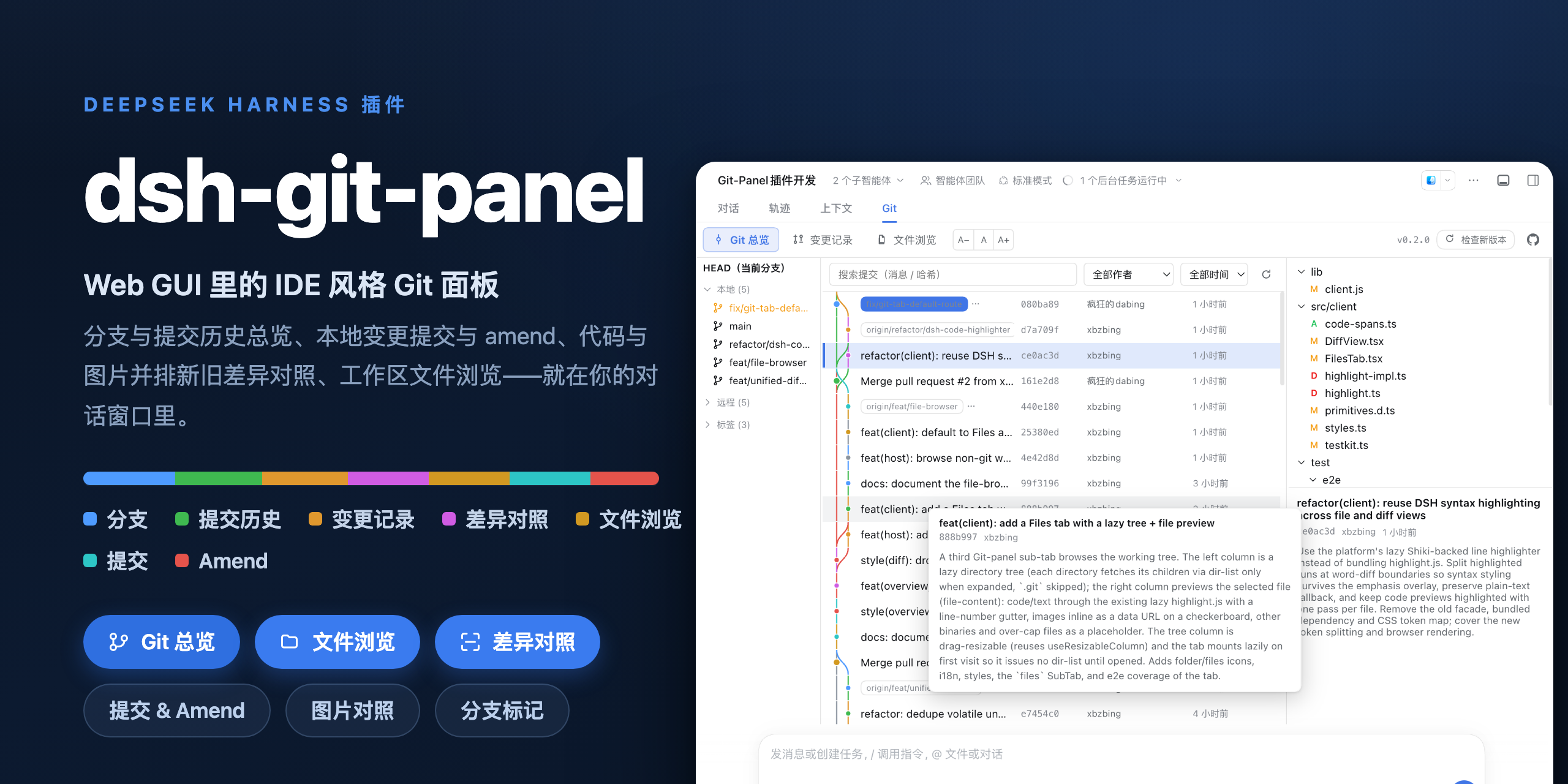
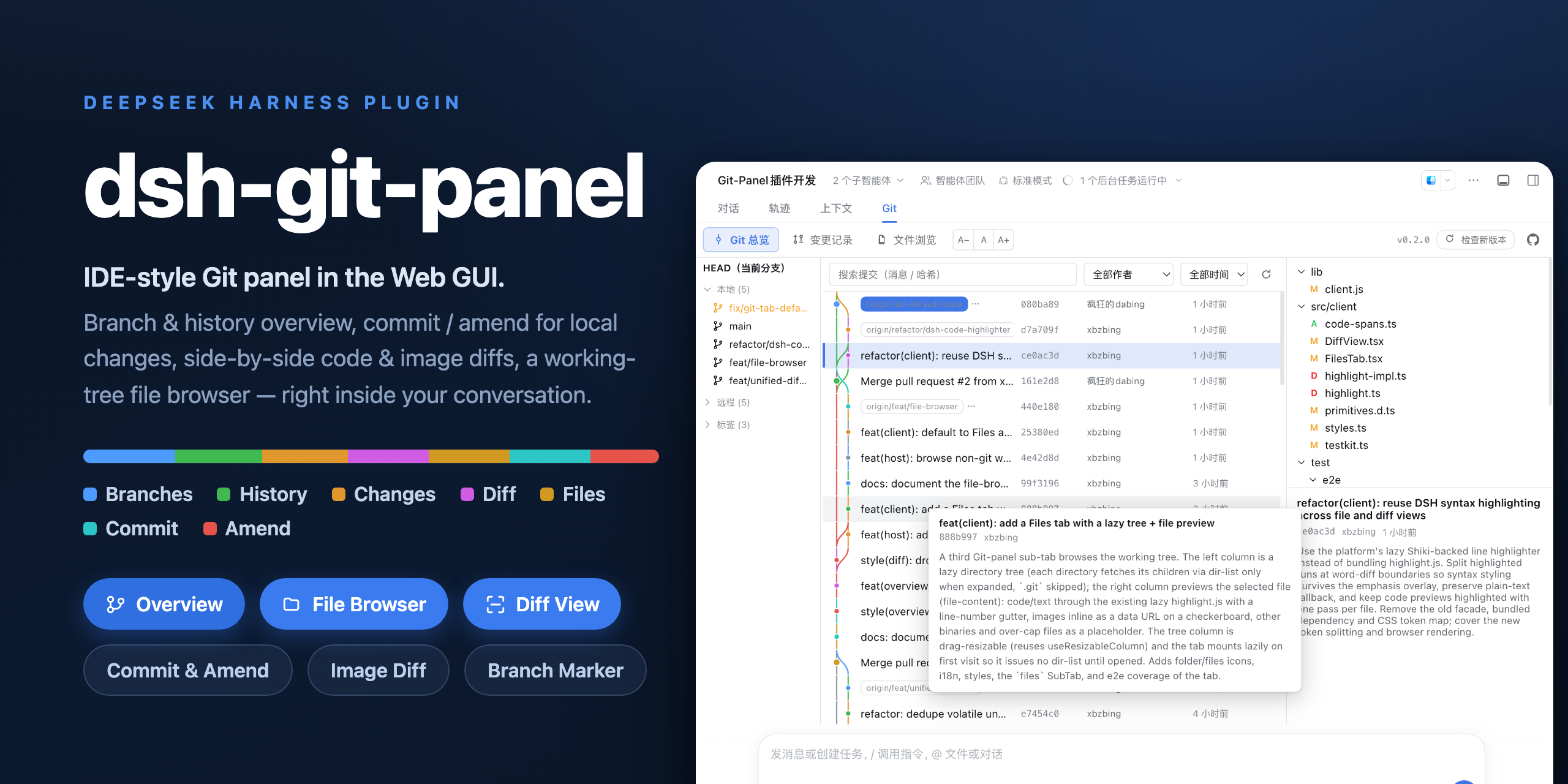
dsh-git-panel is a DSH Web GUI plugin that brings an IDE-style Git panel into the conversation workspace. It gathers the branch list, commit history graph, uncommitted-change commit & amend, and syntax-highlighted diffs into one resident tab, and puts a zsh-style branch marker at the left of the input bar — so you can check repo status and commit changes mid-conversation without switching to a terminal or a separate IDE.
The panel only reads the Git repository at the current session's working directory. Every git command runs through the host subprocess service as an argv array — no shell string concatenation — with the working directory locked to the repository root and per-command timeout and output caps. The plugin never touches your git config, and every write (commit, amend, stage, discard) has an explicit entry point.
Install
# npm (default)
dsh plugin --profile web add @xbzbing/dsh-git-panel@latest

# or from the GitHub repository (the built tree is committed, no local build needed)
dsh plugin --profile web add github:xbzbing/dsh-git-panel
After installing or updating, restart the dsh web service and refresh the page; the Git panel then appears in the workspace tab bar (after Chat and Trajectory). The plugin has a host half and a client half, and both the host mount and the client bundle manifest are fixed when the service starts, so code updates (installing, or an add that overwrites lib) usually need a service restart — a page refresh alone may not pick them up. In-panel settings (the input-bar marker toggle and the default diff view on the detail page) are hot-written and apply immediately without a restart.
Features
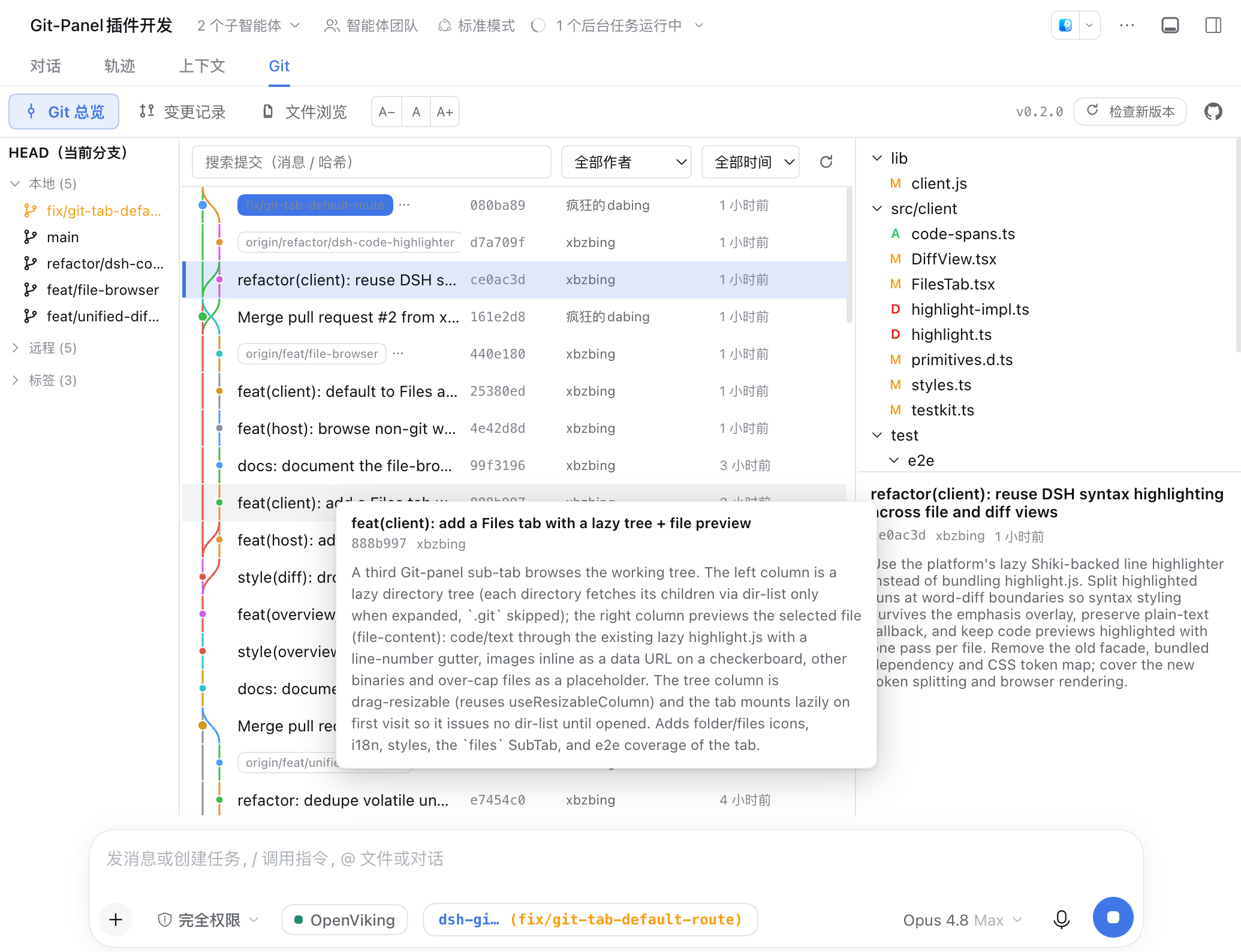
- Overview — three columns. The left column is the branch / tag list; clicking a ref filters history by it. The middle column is the commit history graph, searchable by commit message, commit hash, author, or date; hovering a commit shows a card with its full commit message (comment). The right column is the selected commit's changed-file tree and commit message; click a file to see its diff within that commit in a modal.
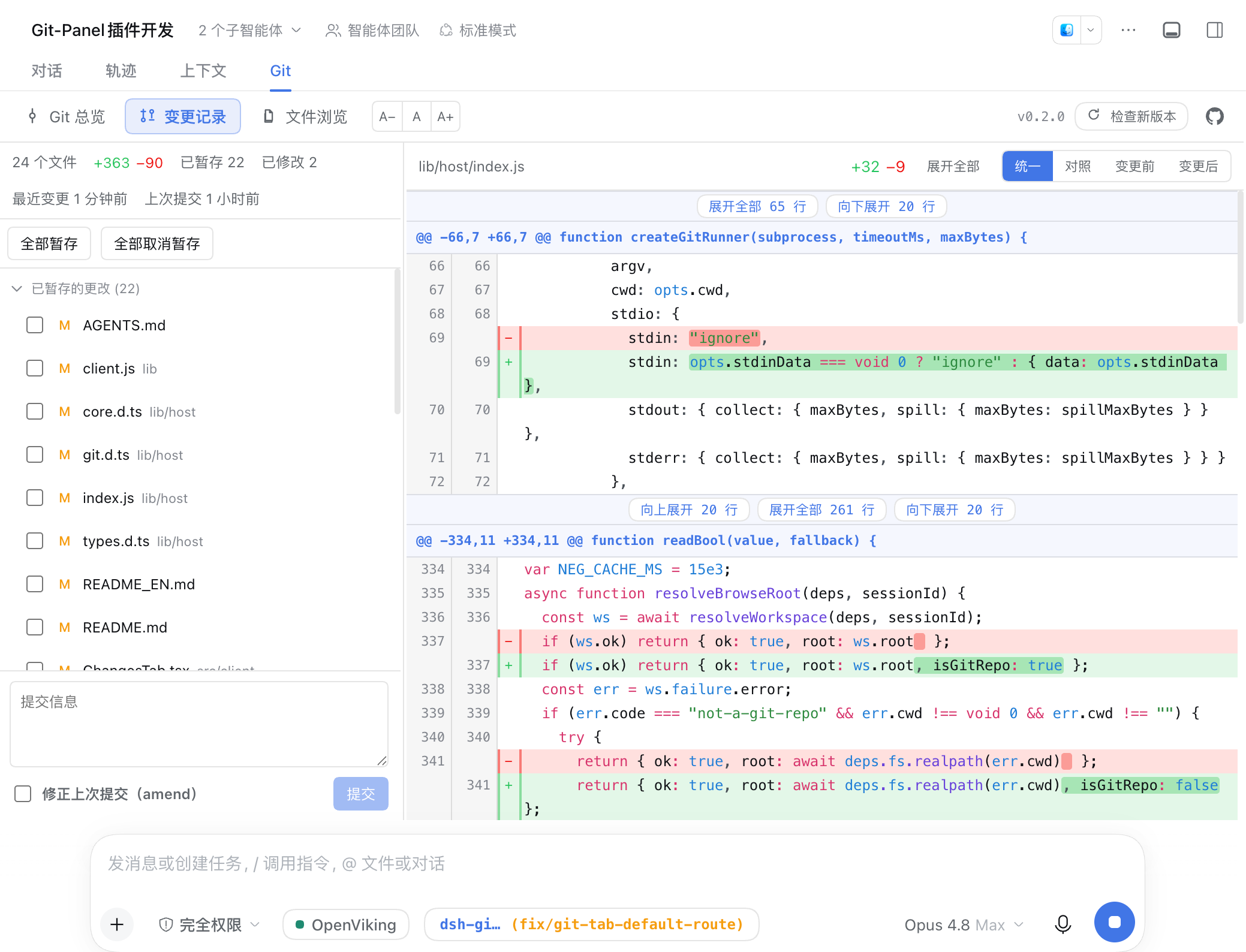
- Changes — the local working tree. The left column has a statistics bar (file count / added·deleted lines / last-change time), the uncommitted change list with per-file checkboxes, and a commit box with an Amend checkbox; per-file stage / unstage / discard and manual commit are supported. The right column is the selected file's diff.
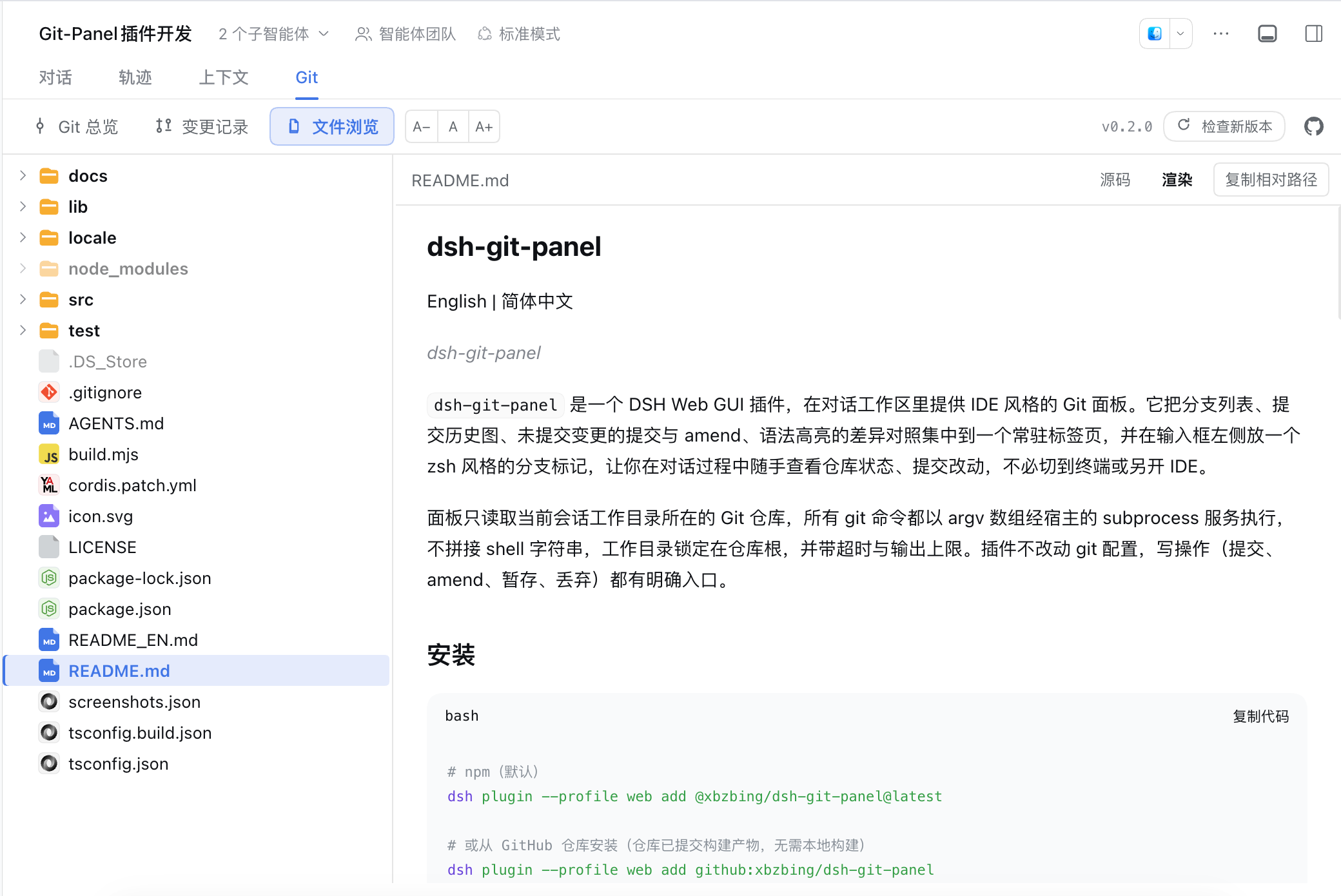
- File browser — opening the workspace Git tab selects Files outside a Git repository, Overview in a clean repository, or Changes when there are uncommitted changes. Non-Git directories use the current directory as the browse root. The resizable tree loads one directory at a time and hides
.git, shows dsh's official type icons per file, and dims entries excluded by.gitignore; the preview shows code/text or images, with a button to copy the file's relative path and placeholders for oversized or binary files. Markdown defaults to source; choose Rendered to use dsh's built-in Markdown view. HTML also defaults to source; choose Rendered to preview the page inside a locked-down sandbox (allow-scripts, no same-origin) — it never auto-runs. The source view is row-virtualized for large files (only the visible rows render); very large files disable highlighting and over-long lines are truncated, keeping it responsive. - In-code find — the file source preview and the diff views support Ctrl/⌘+F to find in place: every match is highlighted preserving syntax colors, with an active/total count, Enter / Shift+Enter or
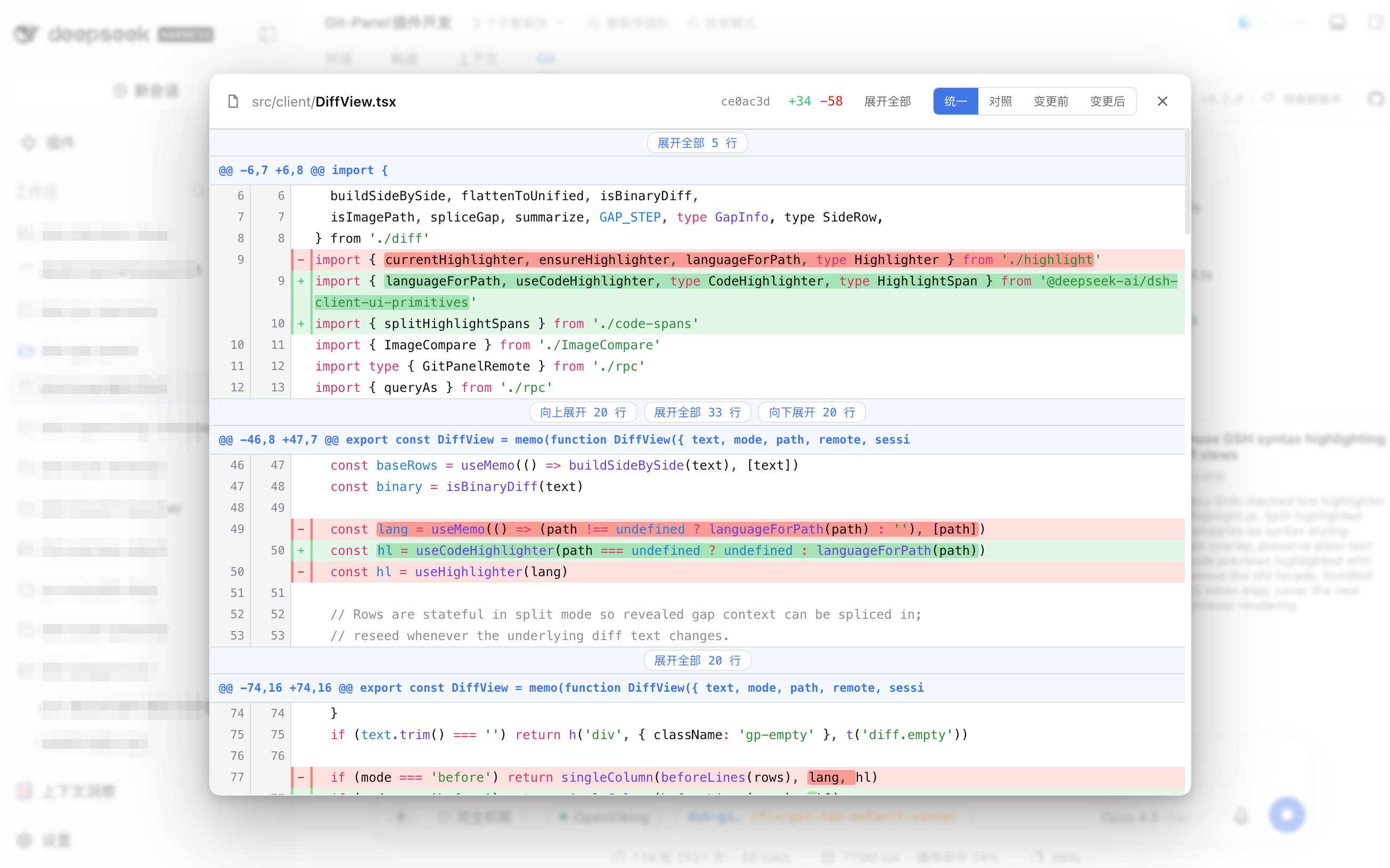
‹›to walk matches, a case-sensitivity toggle (insensitive by default), and Esc to close. Match counting scans the whole content, so matches outside the viewport are counted and reachable too. - Syntax-highlighted diffs — the overview modal, changes page, and file browser share dsh's built-in highlighter. Languages are selected by file extension and grammars load on demand; word-level change emphasis remains available in the diff views.
- Diff modes — unified / split / before / after views. Unified is a single inline column (each change shown as adjacent
-/+lines, saving horizontal space); split is side-by-side. Both carry on-demand expansion of hidden between-hunk context and word-level emphasis on changed lines. The default view is selectable on the plugin detail page (unified / split) and can be switched per diff from the toolbar. - Show input-bar marker toggle — the plugin detail page can toggle the input-bar marker; when off, the input bar stays clean and the Git tab shows a status dot instead (green = synced, orange = dirty). The two are mutually exclusive and changes apply immediately. The same config section also sets the default diff view (unified / split).
- Input-bar Git marker — a zsh-theme
<repo> (<branch>)marker: the repo name is cyan,(branch)is green when in sync and orange when there are uncommitted changes; hover shows the full repository path, and clicking jumps to the panel (to Changes when dirty, otherwise to Overview); in non-Git directories the input-bar marker is hidden, while the workspace Git tab still opens the file browser. - The UI follows the DSH system language, in Simplified Chinese and English.
Screenshots
| Overview | File-diff modal |
|---|---|
|
|
| Changes | File browser |
|
 |
Architecture
Two halves communicating over the typert Remote gateway.
- Host (
lib/host/) — a Cordis + typertGitPanelServiceon thegitPanelnamespace, exposingsnapshot/run/query/versionand doing only endpoint delegation and lifecycle wiring; git runs through the hostsubprocessservice (argv arrays, no shell, cwd locked to the repository root, timeout + output caps). - Client (
lib/client.js) — a React bundle that registers theconversation.viewpanel and theconversation.input.leftmarker. One snapshot controller per session (polling + a refresh after each turn + a reload on connection reset) feeds the marker, the changes page, and the stats bar from a single snapshot, avoiding duplicate git commands.
Development
node build.mjs      # tsc (host d.ts) + esbuild (host bundle + client bundle + testkit)
npm run typecheck   # type check
npm run test:unit   # pure-algorithm and host-endpoint unit tests (node --test)
npm run test:e2e    # isolated file:// headless-browser e2e (never touches a running instance)
npm test            # unit + e2e
The host bundle is not minified: the typert gateway validates arguments by method parameter name, and minification would rename them and break the wire contract. Client changes are not hot-reloaded — rebuild and refresh the page. lib/ is committed as a build artifact so dsh plugin add github:… installs the built tree directly; after editing src/ you must rebuild and commit, or a GitHub install loads a stale entry. The test-time lib/testkit.mjs is not committed. For local development, add the plugin to a dsh web profile's dsh.profile.bundles with a file: dependency pointing at this directory; a rebuild makes it effective.
Project structure
src/
  host/
    types.ts        the single source of truth for the wire data model (reused by the client)
    index.ts        GitPanelService: endpoint delegation + lifecycle wiring
    git.ts          subprocess → a GitRunner with timeouts
    core.ts         workspace resolution + snapshotForSession
    actions.ts      GitAction → git command sequences (commit / amend / stage …)
    queries.ts      history / diff / file-lines / image-diff / dir-list / file-content / show / branches / tags / worktree-stats
    parser.ts       git output parsed into structured data
    version.ts      package version + GitHub release update check
  client/
    rpc.ts          the client face of the gitPanel endpoints
    controller.ts   per-session snapshot controller
    Panel.tsx       panel shell: sub-tab routing + version bar
    OverviewTab.tsx Overview three columns + hover card
    ChangesTab.tsx  changes page
    FilesTab.tsx    file browser (lazy directory tree + file preview)
    DiffView.tsx    diff view (unified / split / before / after)
    GitPill.tsx     input-bar marker
    code-spans.ts   split syntax tokens at word-level change ranges
    git-graph.ts    commit-graph lane layout
    file-tree.ts    file paths folded into a tree
    diff.ts         unified diff → side-by-side rows + inline rows + stats
License
Comments
Comments live in GitHub Discussions. Sign in with GitHub to post or react.