
Install
Inside DeepSeek Harness, with dsh-market
dsh plugin --profile web add dshmarket
Or from the command line
dsh plugin --profile web add dsh-attach-picker
Installing runs third-party code with your own permissions — it can read your files, use your credentials and reach the network. Review the source first, and pin a commit (github:owner/repo#sha) when you can.
Screenshots

README
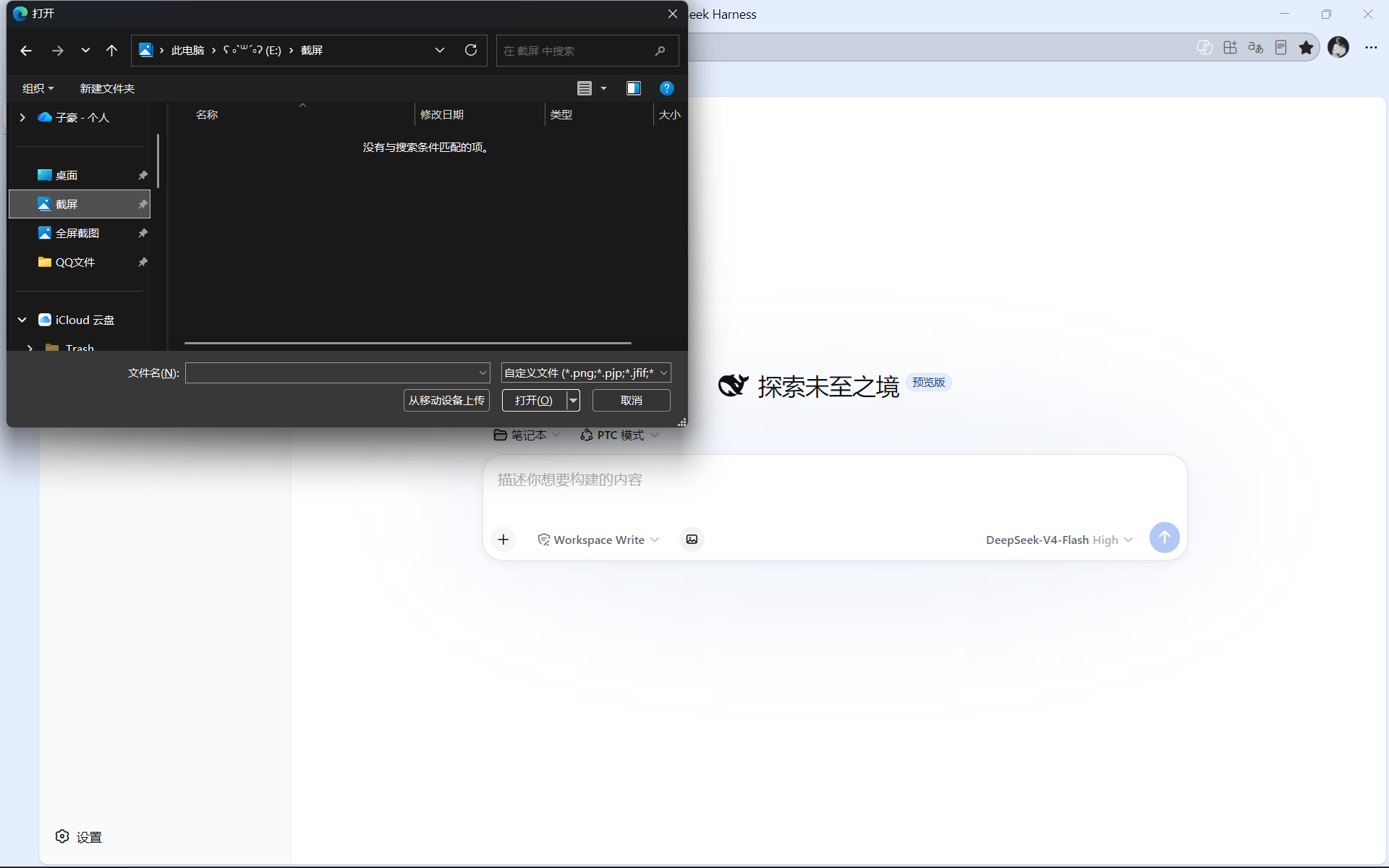
Adds a picture button to the DeepSeek Harness Web composer toolbar. Click it to open the system file dialog and pick one or more images — no drag-and-drop or paste needed. The chosen images land in the same draft-image rail that drag-and-drop and paste fill, and send with the message like any other attachment.
中文说明见 README.zh.md
Features
- One-click picture icon in the composer tool row (slot
conversation.input.left) - Native OS file picker, multi-select, filtered to the host's supported image types
- Honours the host's
imageLimits: supported formats, max images per message, max bytes per image — with inline error toasts (e.g.单张图片不能超过 X MB) - Uses the same draft-attachment pipeline as drag-and-drop and paste —
conversation.createDrafts(sessionId, files)theninputActions.addAttachments(ids)— so no special handling anywhere else - Works on both composer generations (DSH 0.2 and 0.1) from one build; the available pipeline is probed at render time
- Browser-side only; zero dependencies, tiny footprint
Install
From npm (recommended, prebuilt):
dsh plugin --profile web add dsh-attach-picker
From GitHub:
dsh plugin --profile web add github:qwerty-k-de/dsh-attach-picker
Restart dsh web (or just refresh the page — hot reload usually applies it).
Usage
- Open a conversation in DSH Web.
- Click the picture button in the composer tool row — the OS file dialog opens.
- Pick one or more images. They appear in the draft-image rail.
- Send the message; the images are attached like any others.
The button is disabled while a request is in flight.
How it works
- Client plugin registered via
package.json→dsh.client(platform: "web",exports["./client"]). - Injects into the composer slot
conversation.input.leftwithorder: -50. - On selection: limits come from the host projection
imageLimits(mediaTypes,maxImagesPerMessage,maxImageBytes) and are checked locally first; admitted files then go through the host's own intake path:- DSH 0.2 (
dsh0.2.x, the published contract):conversation.createDrafts(sessionId, files)yields draft descriptors, theninputActions.addAttachments(ids)fills the rail. WhenaddAttachmentsanswersfalse(adjudicating/submitting),conversation.releaseDraftAttachments(drafts)releases the drafts so nothing leaks. - Fallback: the parent composer entry's injected
addFiles(files, directories)— a host-internal channel, used only when that verb pair is absent. - DSH 0.1: the legacy
conversation.createDraftImages(files)+inputActions.addImages(...).
- DSH 0.2 (
- The outer element carries
data-dsh-attach-picker="<build>:<pipeline>"so the active path is identifiable from the DOM. - The Node side (
lib/index.js) is intentionally empty — all logic is browser-side.
Screenshots
Storefronts (e.g. dsh-market) show App-Store style screenshots. Declare them in this repo:
// screenshots.json
["assets/screenshot-1.png", "assets/screenshot-2.png"]
(1–8 images; paths relative to the file, inside this repo. Without it, storefronts fall back to images found in this README.)
Requirements
- DSH Web (
dsh web) with the standard conversation / slots client services. - Both 0.1.x and 0.2.x work; 0.1.1 onwards targets the 0.2 attachment API.
- No runtime dependencies.
Changelog
See CHANGELOG.md.
License
MIT
Comments
Comments live in GitHub Discussions. Sign in with GitHub to post or react.