
Install
Inside DeepSeek Harness, with dsh-market
dsh plugin --profile web add dshmarket
Or from the command line
dsh plugin --profile web add @paicat1/dsh-screenshot
Installing runs third-party code with your own permissions — it can read your files, use your credentials and reach the network. Review the source first, and pin a commit (github:owner/repo#sha) when you can.
README
Zero-dependency screen capture for DeepSeek Harness: Lightweight: zero deps, zero binaries; Stage & shoot: one-click full screen, window layout, hover-snap capture of occluded windows; Agent self-service: path-only delivery; paths are universal, pair with modlens (optional) for one-call structured evidence.
- Lightweight — pure PowerShell, zero dependencies, zero binary payload; capture is maintained independently and never breaks on upstream updates.
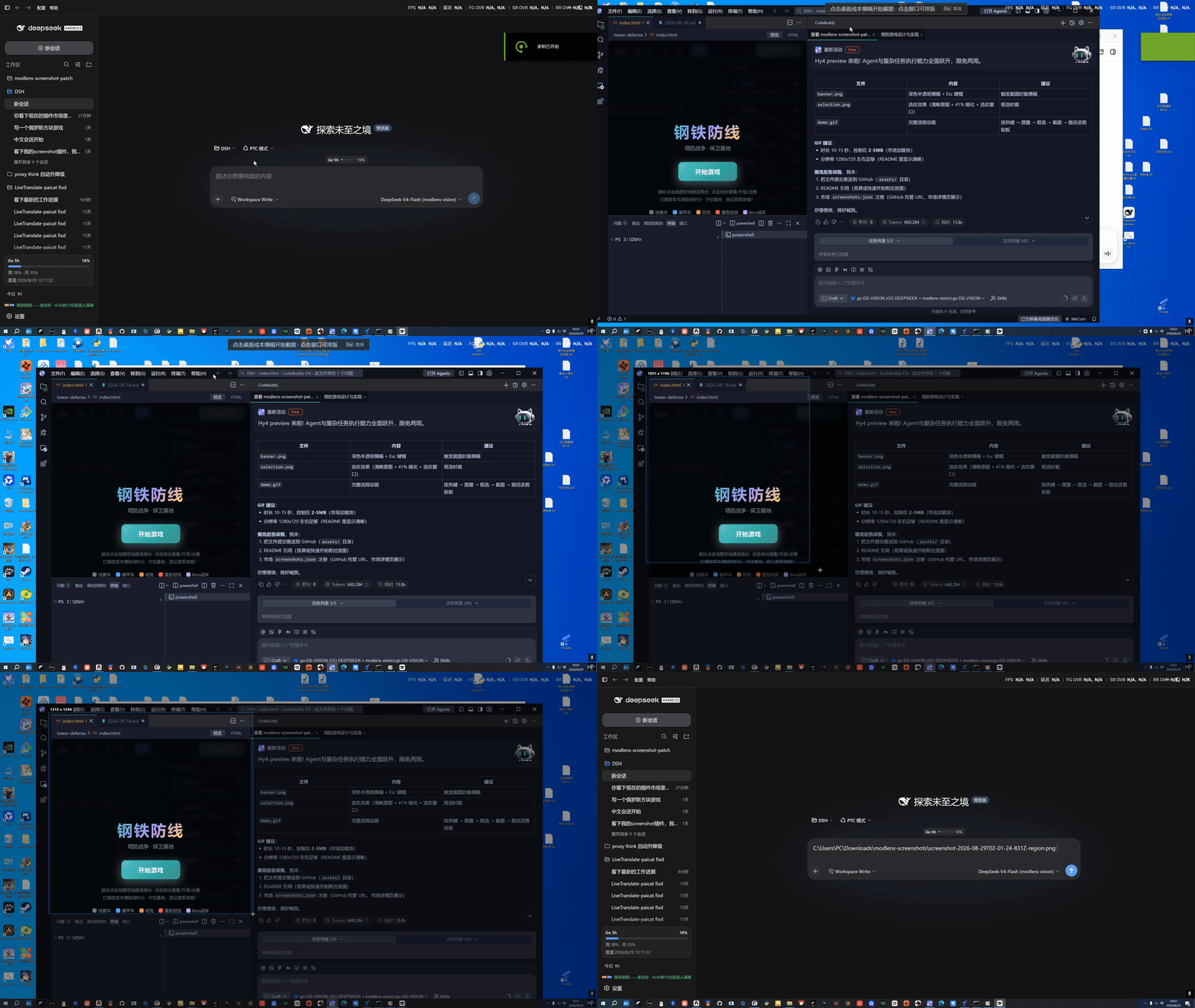
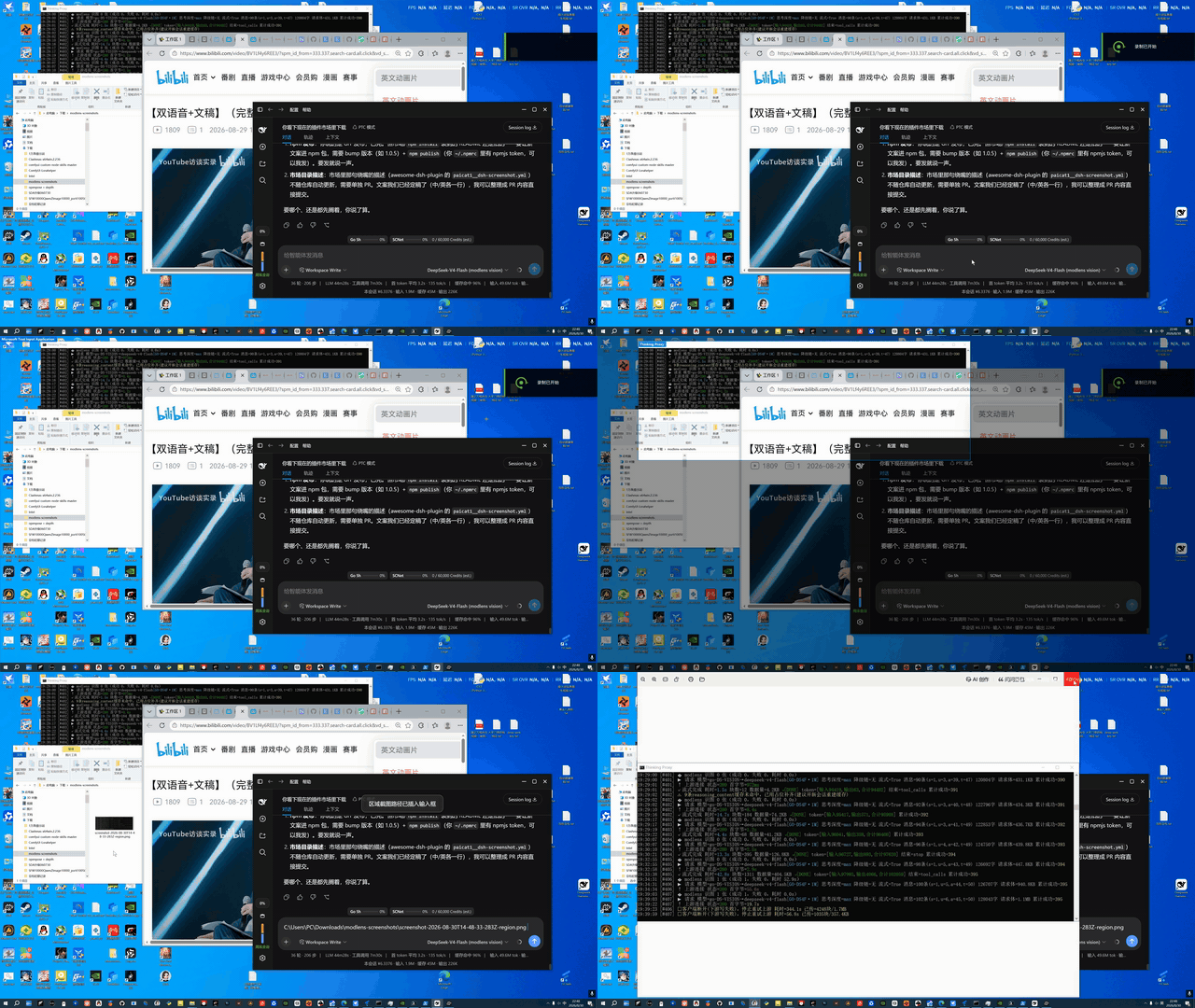
- Stage & shoot — one-hotkey full-screen capture, or keep the desktop live and arrange any window before box-selecting a region; hover any window and it glows with a snap outline — one click captures that window's full content, even when occluded (except a standalone PowerShell, see below) — what you stage is what you get.
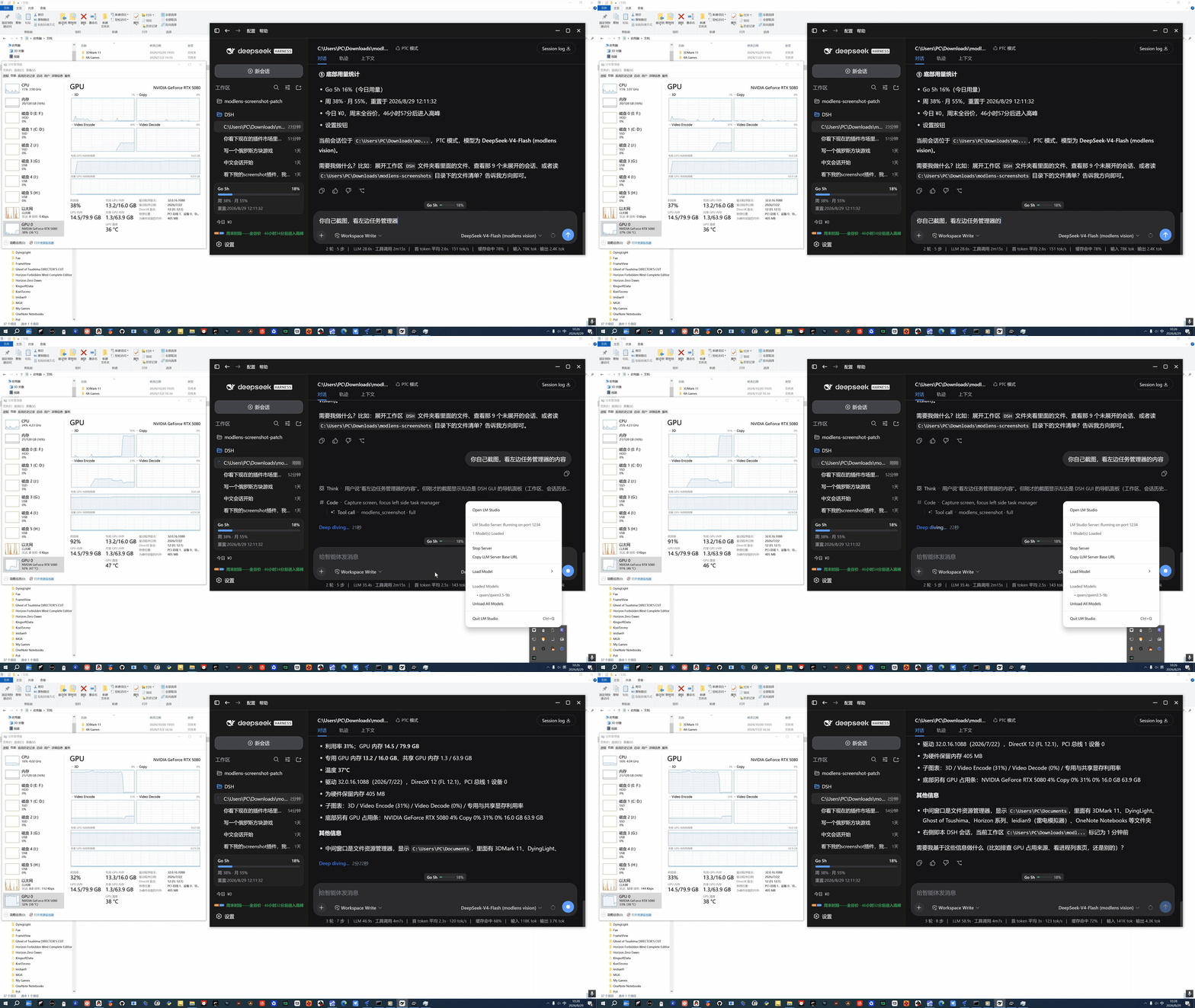
- Agent self-service — the model can capture the screen on its own; with modlens (optional) installed, capture + read happen in one call, returning structured content (OCR/layout/semantics) that text-only models can consume directly.
Quick start
dsh plugin --profile web add @paicat1/dsh-screenshot
# restart dsh web
Ctrl+Alt+S— capture: once armed, click the desktop = full screen; hover a window = snap outline, one click captures that window's full content (even when occluded, except a standalone PowerShell); drag = free region (Esc to cancel)Ctrl+Shift+Alt+S— full-screen capture: no interaction, captures the whole virtual desktop- Want the agent to screenshot on its own? Just tell it to use the
modlens_screenshottool.
Video tutorial (Bilibili): Using DeepSeek Harness to build a Dsh screenshot plugin for DeepSeek Harness
Two doors: hotkey for humans, tool for agents
| Entry | Best for | Notes |
|---|---|---|
| Browser hotkey (human) | "Here's the screen I want to show you" | Full / region capture; the PNG path is auto-inserted into the DSH input box and copied to the clipboard |
modlens_screenshot tool (agent) |
"Let me look at the screen myself" | Model-invoked: capture + (with modlens present) in-call structured read, returning evidence + the shot path |
| Manual capture demo | Agent self-capture demo | Window-snap demo |
|---|---|---|
 |
 |
 |
Why pass the path, not the image?
Screenshots are saved to %USERPROFILE%\Downloads\modlens-screenshots\ (a dedicated, easy-to-clean directory), and only the PNG path is handed to the agent — not the image stuffed into a chat box or temp directory. Deliberate design:
- No image litter: many agent frameworks copy pasted images into their own temp/attachment directories, accumulating untrackable junk. A path keeps the image in exactly one place (
modlens-screenshots/); cleaning up is deleting one directory. - Paths are universal: any image-capable agent (native multimodal models, or modlens-style bridges) can read an image from a path — paths are universal, image formats are not.
- Clean context: a path is tens of bytes of text; an image is hundreds of KB of binary. Paths keep the context clean and traceable.
Capture once, reuse the path in any agent, produce zero junk.
Capability split: what's the plugin's, what's modlens's
| Layer | Capability | Owned by |
|---|---|---|
| Capture | Full / region / window-snap capture / staged-window layout, zero-dep PowerShell | This plugin |
| Delivery | Path-only, clipboard, dedicated save dir | This plugin |
| Entry points | Browser hotkeys + agent-callable capture tool | This plugin |
| Reading | OCR / layout / semantics structured evidence | modlens (optional) |
| Consumption | Who understands the image | any multimodal model / vision bridge — agnostic |
Capture and delivery are fully self-contained and work standalone; reading is an ecosystem combo — install modlens (or hand the path to any image-capable model/bridge) to unlock it. Without modlens, capture still works.
Why can window-snap capture "occluded" windows? On hover the plugin enumerates the on-screen windows and outlines the one under the cursor; on click it uses PrintWindow to ask the window to render itself — the shot is the window's own content, not the on-screen pixels, so being covered by other windows or wrapped in a DWM shadow doesn't matter. It then crops to the DWM content bounds to drop the shadow, for clean edges.
Known exception: a standalone PowerShell window: its console (conhost) implementation does not respond to PrintWindow, and does not render its GDI surface while covered — both see-through-occlusion paths are unavailable, so it falls back to the visible on-screen pixels (including whatever covers it). Bring it to the foreground and click, or just drag-select over it. All other windows (including cmd and other console windows) capture normally.
Configuration
Optional cordis config (all enabled by default):
route: false— disable the browser capture routetool: false— disable themodlens_screenshottool
MODLENS_DSH_CLI explicitly sets the modlens CLI path (default probe: ~/.dsh/profiles/{web,headless}/node_modules/@liustack/modlens/dist/main.js).
Platform & License
- Platform: Windows (relies on PowerShell
System.Drawing.CopyFromScreen) - License: MIT
Relationship with modlens
| Layer | Depends on modlens? | Notes |
|---|---|---|
| Capture action | No | Pure PowerShell CopyFromScreen, zero dependencies |
| Browser hotkeys / path insert | No | Standalone route /dsh-screenshot/screenshot |
modlens_screenshot tool reading |
Yes (optional) | If the modlens CLI is missing, the tool is not registered; capture still works |
| Multimodal models | No | After the path is inserted, multimodal models (e.g. go-mimo) can read the image directly, no modlens needed |
Background & credits
The capture capability was originally implemented as an enhancement to the dsh plugin of @liustack/modlens (by Leon Liu): the original modlens dsh plugin integrated capture (this repo's fork of the feat/dsh-screenshot branch), and the author marked it as not planned in issue #48. It was split into this standalone plugin to decouple capture from modlens updates.
Many thanks to the original author for giving DSH image-reading ability — modlens lets text-only models (DeepSeek/GLM) "see" images, and this plugin's modlens_screenshot tool reuses the modlens pipeline to combine "capture + read" into one step. The capture half is maintained separately, but the image-reading ability always belongs to the modlens project.
Comments
Comments live in GitHub Discussions. Sign in with GitHub to post or react.