
Install
Inside DeepSeek Harness, with dsh-market
dsh plugin --profile web add dshmarket
Or from the command line
dsh plugin --profile web add github:hust-open-atom-club/oh-dsh
Installing runs third-party code with your own permissions — it can read your files, use your credentials and reach the network. Review the source first, and pin a commit (github:owner/repo#sha) when you can.
README
Oh-DSH packages DeepSeek Harness, Node.js, local development tools, and bundled plugins as installable Desktop, Web, and TUI distributions. Model services can still run in the cloud; the local workbench organizes workspaces, terminals, Git review, browser, files, sessions, and plugin state.
Features
Download and install
Preferred: command-line installation
Use the repository's root-level install.sh on Linux and macOS to install the
latest stable release. It installs TUI by default and registers ohdsh under
~/.local/bin; open a new terminal and run:
curl -fsSL \
  https://raw.githubusercontent.com/hust-open-atom-club/oh-dsh/main/install.sh \
  | bash
Choose Web or Desktop explicitly when needed:
curl -fsSL \
  https://raw.githubusercontent.com/hust-open-atom-club/oh-dsh/main/install.sh \
  | bash -s -- --surface web

curl -fsSL \
  https://raw.githubusercontent.com/hust-open-atom-club/oh-dsh/main/install.sh \
  | bash -s -- --surface desktop
On Windows, use the root-level install.ps1; it also installs TUI by default:
irm https://raw.githubusercontent.com/hust-open-atom-club/oh-dsh/main/install.ps1 | iex
After installation, use the unified command for any installed surface:
# Terminal UI
ohdsh tui

# Web UI
ohdsh web

# Desktop application
ohdsh desktop
ohdsh starts only surfaces that have been installed; the direct
oh-dsh-desktop entry point remains available. On Linux/macOS, open a new
terminal if the current shell has not loaded the new PATH; on Windows, use a
new terminal.
The installers verify the published SHA-256 digest before touching the
previous installation, so a failed download, checksum mismatch, or interrupted
extraction keeps the old install usable. Re-running the command upgrades in
place, and --uninstall removes a surface. Options, environment overrides,
and the surface matrix are documented in the
installation guide.
Manual installation from a GitHub Release
Choose a distribution from the latest GitHub Release:
| Distribution | Includes | Best for |
|---|---|---|
| Full | Oh-DSH Desktop, Web, TUI, Node runtime, and bundled plugins | Local development workbench |
| Web-only | Oh-DSH Web, Node runtime, and bundled Web plugins; no Electron | Browser, server, or small installs |
| TUI-only | Oh-DSH TUI, Node runtime, and terminal plugins; no Electron | SSH and terminal-only environments |
- macOS: open the DMG and drag Oh-DSH Desktop into Applications.
- Windows: run the installer, or extract and launch the portable package.
- Linux: run the AppImage, or install the deb with
apt.
The installer is the recommended entry point; Release assets are useful when you need to choose a package manually or distribute it offline.
Usage
ohdsh desktop          # Start Oh-DSH Desktop
ohdsh gui              # Alias for Oh-DSH Desktop
ohdsh web              # Start Oh-DSH Web
ohdsh web --port 3080  # Choose the Web port
ohdsh tui              # Start Oh-DSH TUI
All three surfaces use ~/.ohdsh for caches, configuration, sessions,
credentials, and plugin state by default. Set OH_DSH_HOME to move the shared
data root. Run ohdsh web --help or ohdsh tui --help for surface-specific
options.
Image input is handled directly by natively multimodal models such as DeepSeek V4 Flash: DSH's native attachment rail owns image copy, paste, thumbnails, and submission, with no extra vision bridge plugin or separate API key. See the image input guide for details.
Node.js, pnpm, and the platform build tools are required:
git submodule update --init --recursive
pnpm install
pnpm run build:dsh
pnpm run build
pnpm run stage:dsh
export PATH="$PWD/bin:$PATH"

ohdsh desktop
ohdsh web
ohdsh tui
For local source development, use the repository Makefile to start one surface quickly:
make build
make tui ARGS="--lang en"       # stage and start TUI only
make web ARGS="--port 3080"     # stage and start Web only
make desktop                     # stage and start Desktop only
make tui uses inline mode by default and renders from the current terminal
cursor position; pass ARGS="--fullscreen" to use the alternate screen.
Each Make target stages only its own Oh-DSH surface packages, so unrelated
interaction surfaces are not added to the development runtime. Make uses
~/.ohdsh by default; override it with OH_DSH_HOME=/tmp/ohdsh make tui.
Desktop, Web, and TUI share the same Agent preset roster. The bundled
liangshen preset keeps the root and delegated agents on Minimal's two-tool
surface for the first request, promotes to the full catalog after the first
tool call, and re-anchors after compaction. Select it from the Agent preset
settings in Web/Desktop, or run /preset liangshen in TUI.
Build the full distribution with the platform-specific dist:mac,
dist:linux, or dist:win script. Build only Web with pnpm run dist:web,
or only TUI with pnpm run dist:tui.
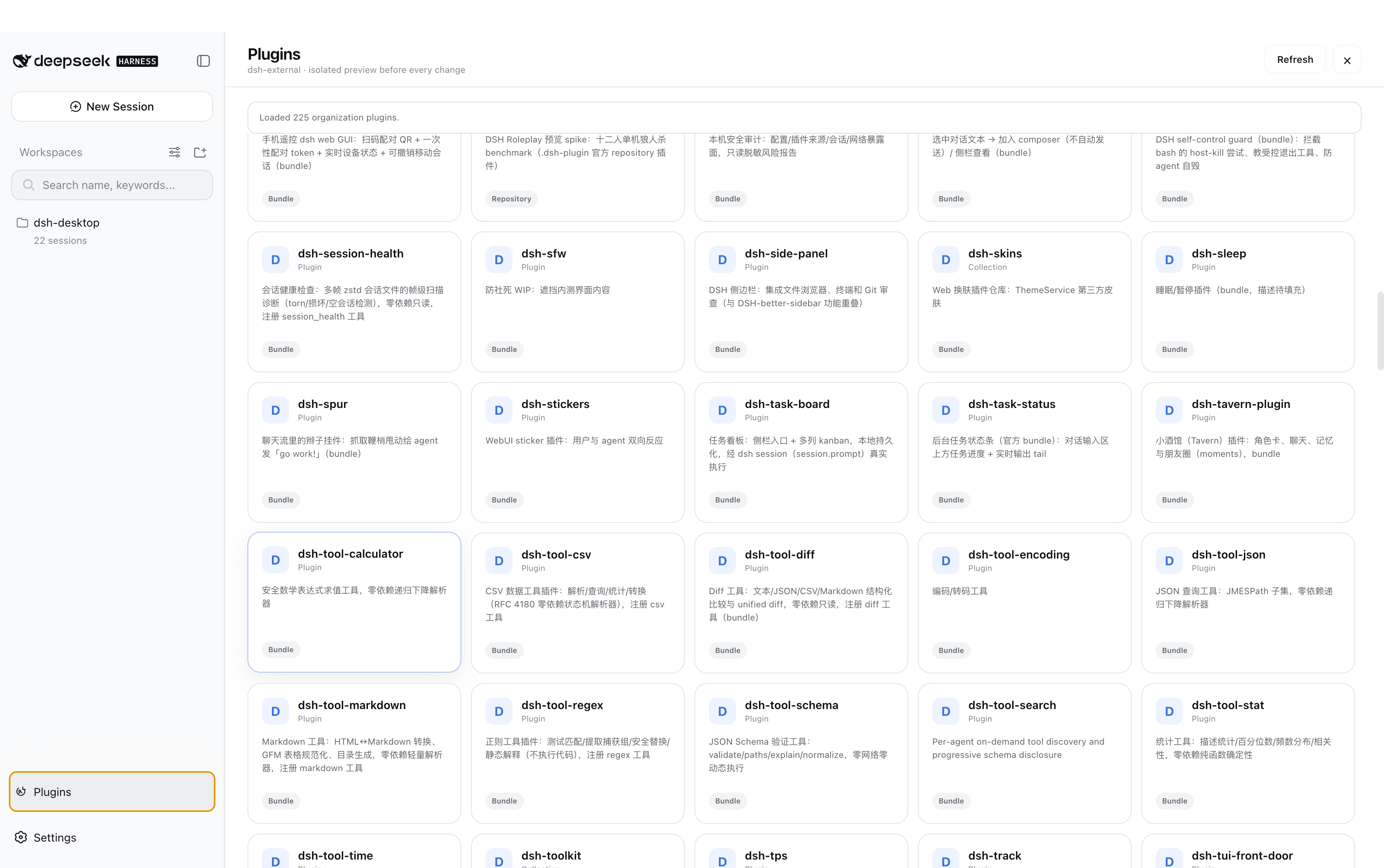
Plugin marketplace
Oh-DSH skins
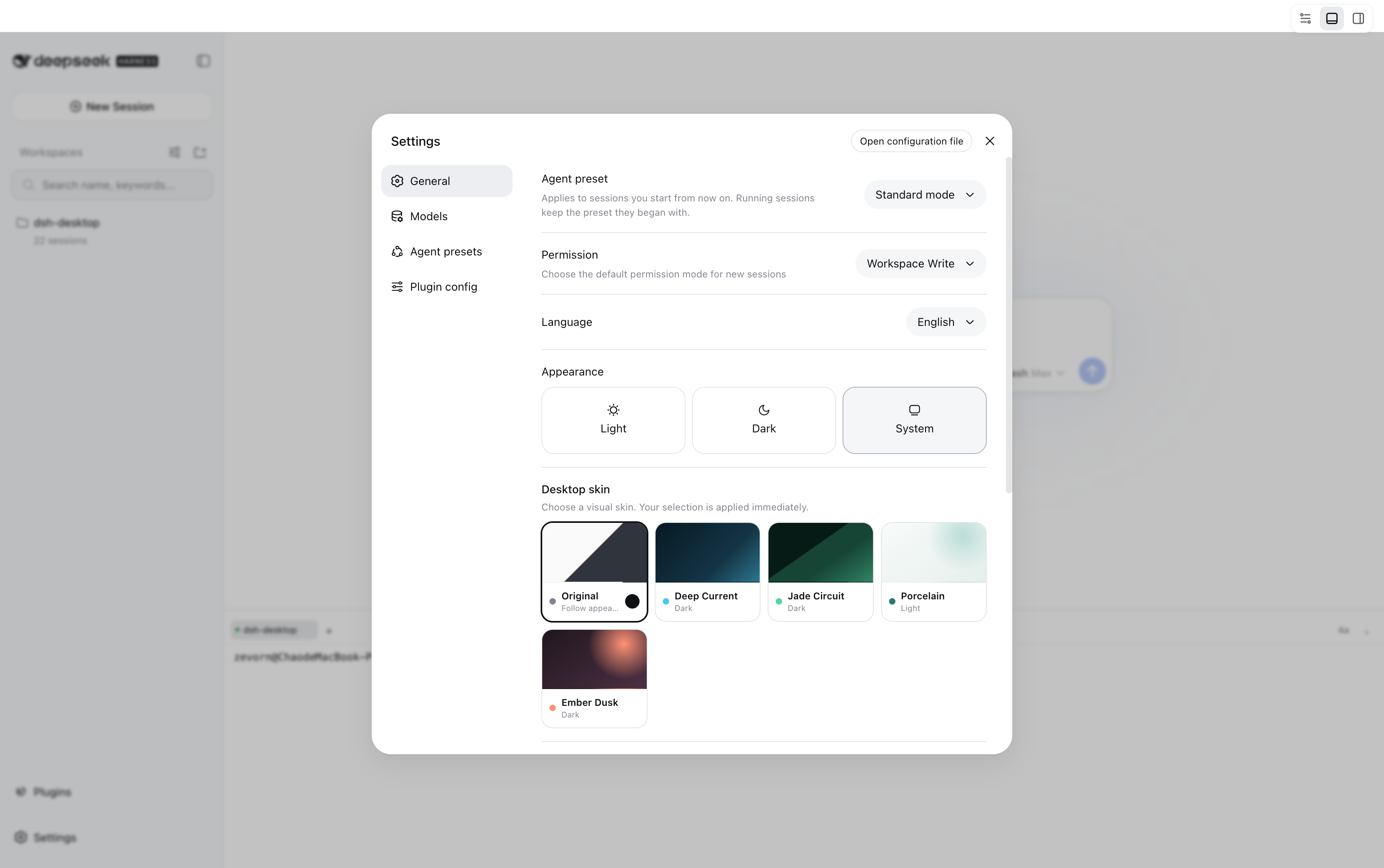
Documentation
Plugin recommendations
| Recommended project | Description |
|---|---|
| DeepSeek Harness | DSH runtime, sessions, and plugin loader |
| dsh-TUI | Direct upstream plugin for Oh-DSH TUI, providing terminal rendering, interaction, and commands |
| DSH-better-sidebar | Git review, files, and PTY host capabilities |
| dshfind | DSH plugin marketplace and learning community with plugin, ecosystem, and DeepSeek Harness peripheral recommendations |
Oh-DSH preserves upstream implementations and attribution, then provides the unified launcher, Profiles, data root, cross-surface skins, interface adaptations, and distribution packaging. See the design guide for the exact boundaries.
License
Comments
Comments live in GitHub Discussions. Sign in with GitHub to post or react.