
Install
Inside DeepSeek Harness, with dsh-market
dsh plugin --profile web add dshmarket
Or from the command line
dsh plugin --profile web add dsh-update-plugin
Installing runs third-party code with your own permissions — it can read your files, use your credentials and reach the network. Review the source first, and pin a commit (github:owner/repo#sha) when you can.
README
English | 中文
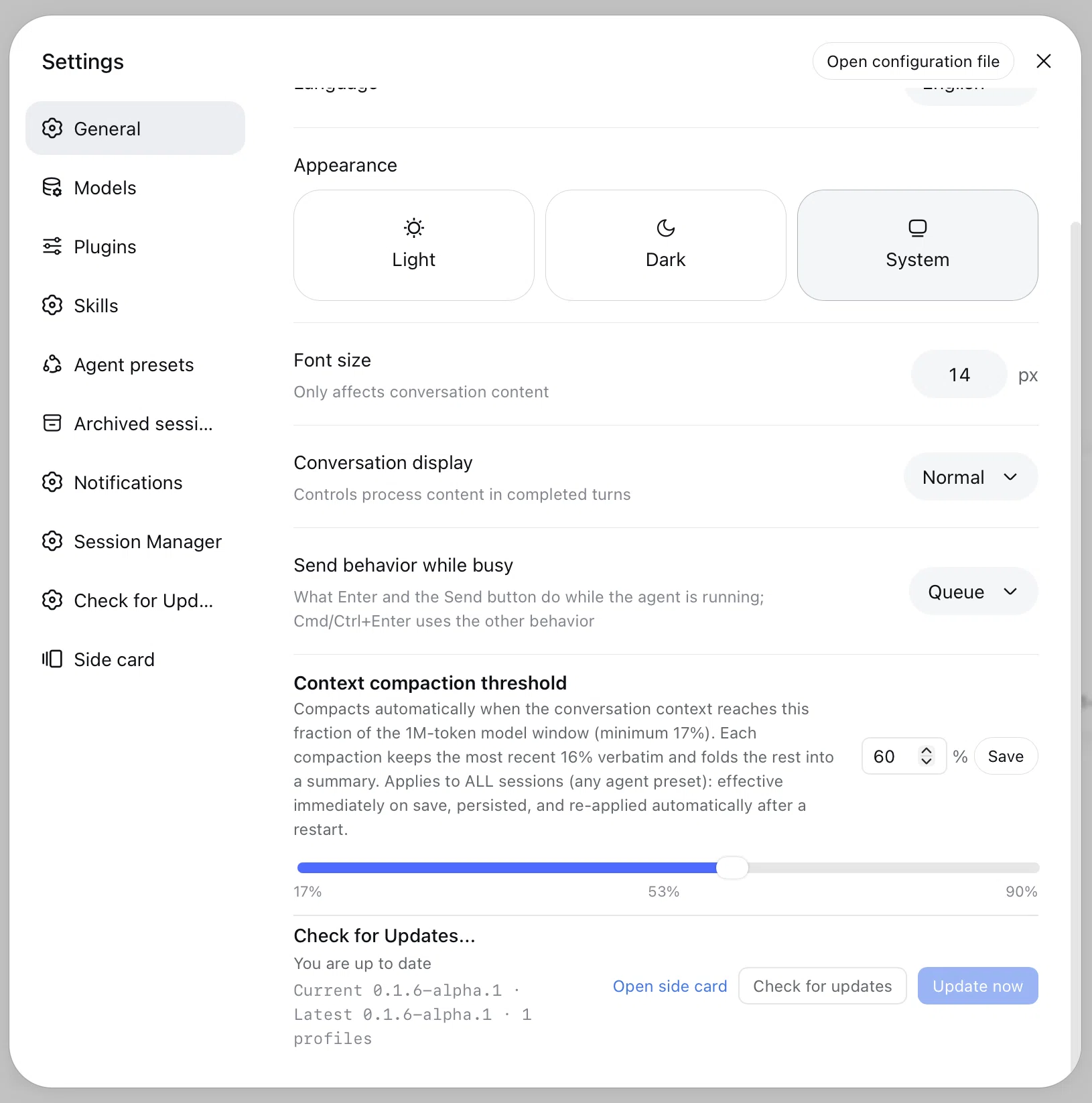
A DSH Web plugin that adds Check for Updates... (「检查更新」in Chinese) to Settings → General, right next to Permission, Language, Appearance and Font Size.
From one row you can check for a newer DeepSeek Harness release and update:
- the global
@deepseek-ai/dshCLI and every bundled@deepseek-ai/dsh-*package; - every profile's plugins under
~/.dsh/profiles/*.
The update logic is built into the plugin: it does not require Homebrew, and
it does not need the standalone dsh-update-plugin CLI to be installed either.
Install
# from npm
dsh plugin --profile web add dsh-update-plugin

# from a local checkout (development)
dsh plugin --profile web add /path/to/dsh-update-plugin/plugin
If pnpm refuses the install because its minimumReleaseAge policy rejects an
already-updated lockfile entry (for example right after you ran the
dsh-update-plugin CLI with --min-age 0), rerun the command with the policy
relaxed for that single install:
dsh plugin --profile web add /path/to/dsh-update-plugin/plugin --config.minimum-release-age=0
Always mount with
dsh plugin add, not plainpnpm add. The official command also appends the package todsh.profile.bundles; a barepnpm addonly installs the dependency, so the Settings row never appears. If you already usedpnpm add, run thedsh plugin ... addcommand again — it is idempotent and performs the bundle reconciliation.
Then restart DSH Web, open Settings → General, and look for the Check for Updates... row.
Usage
- Settings → General shows a quick Check for Updates... row.
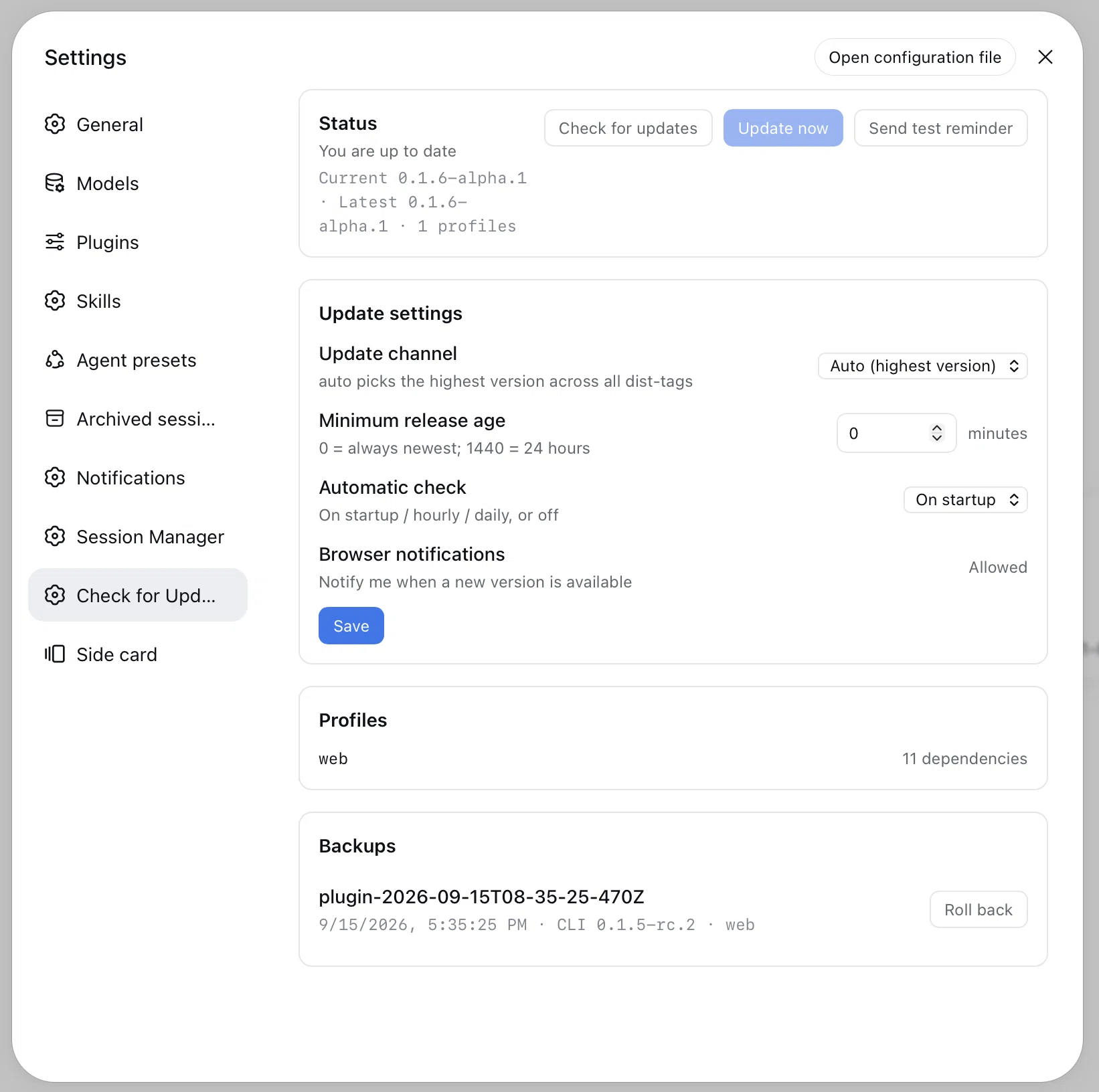
- Settings → Check for Updates... (left navigation) is the full page: status, update channel, minimum release age, profiles, backups and rollback.
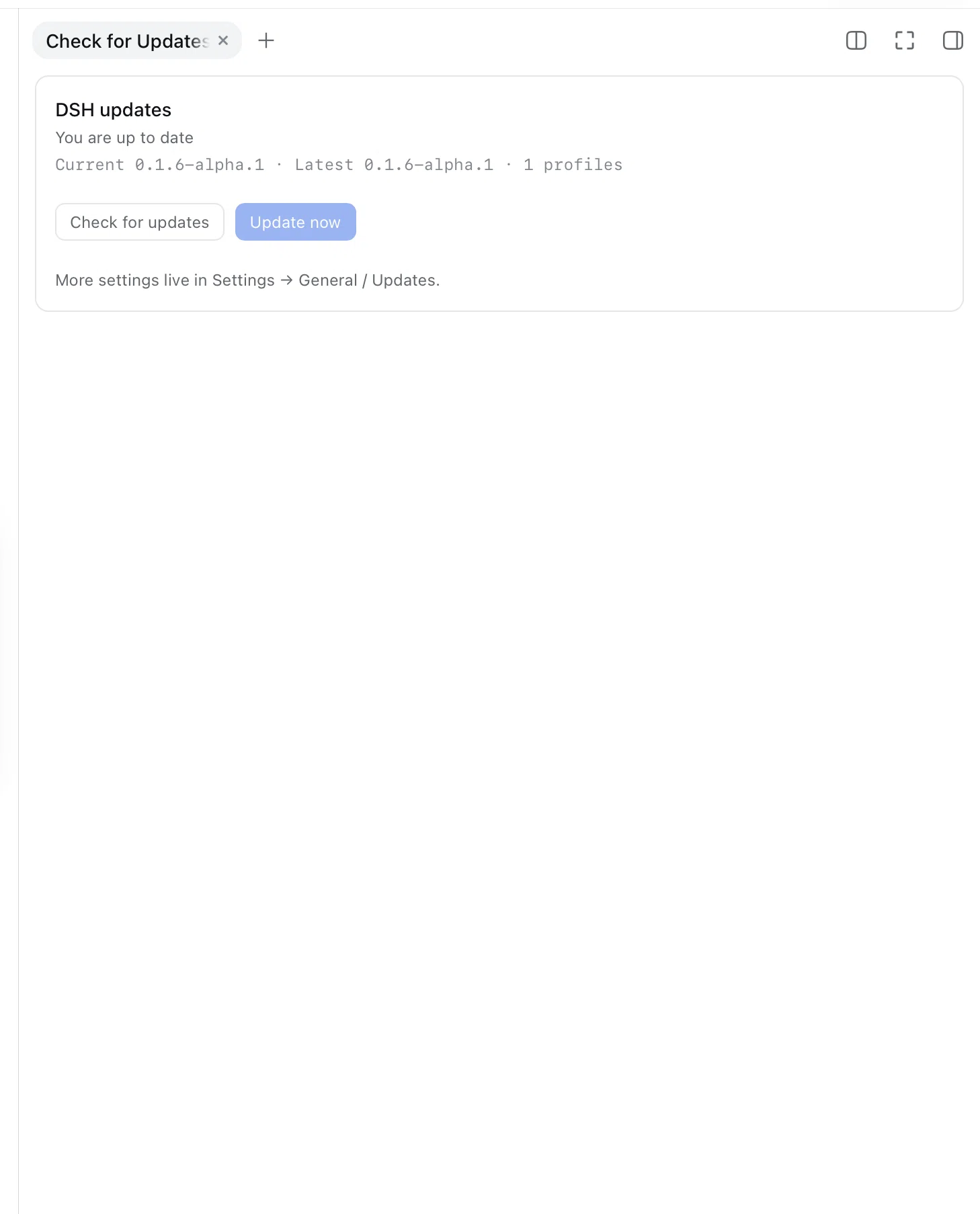
- A native right-sidebar tab shows a badge when an update is available; click it to check or update without leaving the conversation.
- The status card has a Send test reminder button: it opens the sidebar tab, sends a browser notification (permission required), and shows the update badge for 10 seconds so you can verify the reminder without a real release.
- The row shows the current and newest versions plus the number of profiles.
- Automatic update checks can run on startup, hourly or daily, or be turned off; pick the interval in the settings page.
- When a real update is available and browser notifications are allowed, the plugin sends a notification once per new version.
- Check for updates refreshes the status (it also refreshes after reconnecting).
- Update now updates the CLI and then every profile with dependencies.
The host creates a backup under
~/.dsh/update-backups/before changing anything. - The full page lets you choose the update channel (
auto,stable,next,alpha), set aminimumReleaseAge(minutes), list profiles, and roll back to any backup. - After a successful update or rollback, restart DSH Web to load the new code.
The update only runs when the page is loopback and same-origin; a remote DSH Web session can read the version but cannot start an update.
Fallbacks
Two fallbacks are built in on purpose:
- The plugin can always be upgraded from the terminal, even when the
Settings row is broken or hidden:
dsh plugin --profile web add dsh-update-plugin@latest - A broken plugin never breaks DSH itself. If the Settings slot or the
browser bundle contract changes, the row disappears or shows an error; the
rest of DSH keeps working. The manual commands shown in the row are always:
dsh plugin --profile web update --latest
dsh plugin --profile web add dsh-update-plugin@latest
Troubleshooting
- The Settings row/page is missing, or Save/backups return
HTTP 404. The browser half can hot-reload, but the host half (lib/index.js) is loaded when DSH starts. Fully restart DSH (stop and startdsh web, or restart DSH Desktop), then hard-refresh the browser. - The right-sidebar tab is not in the
+menu. It is registered through the nativesidebarRightTabsAPI, which requires DSH 0.1.5-rc.1 or newer. - The install command is rejected by pnpm
minimumReleaseAge. Add--config.minimum-release-age=0to that singledsh plugin addcommand.
Compatibility
| DSH version | Status |
|---|---|
0.1.0-rc.8 |
expected to work |
0.1.1-rc.2 |
expected to work |
0.1.2-rc.1 |
expected to work |
0.1.5-rc.1 |
expected to work |
0.1.5-rc.2 |
tested |
DSH is pre-1.0, so a major release may rename a client slot or change a public service. When that happens this plugin needs a small compatibility release; the fallback commands above keep users unblocked meanwhile.
How it works
- Client half (
lib/client.js) registers into the publicsettings.general.itemslot used by the native General rows, and talks to two loopback endpoints. - Host half (
lib/index.js,lib/update-core.js) resolves the newest version across all npm dist-tags (or a chosen channel), discovers profiles, backs them up, updates the CLI with npm or pnpm, and updates each profile throughdsh plugin --profile <name> update --latest(with apnpm updatefallback). - Host endpoints:
/status,/update,/config,/backupsand/rollbackunder/api/dsh-update-plugin/. - Only Node built-ins are used, so there is no extra dependency to trust.
Release
- Bump
versioninplugin/package.jsonand add the release notes. - Commit, then tag and push:
git tag plugin-vX.Y.Z git push origin plugin-vX.Y.Z - The Publish plugin workflow publishes the package to npm. It needs a
repository secret named
NPM_TOKENwith publish rights fordsh-update-plugin.
Development
cd plugin
npm test                # node --test test/*.test.mjs
node --check lib/index.js
node --check lib/client.js
node --check lib/update-core.js
License
Comments
Comments live in GitHub Discussions. Sign in with GitHub to post or react.