
Install
Inside DeepSeek Harness, with dsh-market
dsh plugin --profile web add dshmarket
Or from the command line
dsh plugin --profile web add @falser101/mascot
Installing runs third-party code with your own permissions — it can read your files, use your credentials and reach the network. Review the source first, and pin a commit (github:owner/repo#sha) when you can.
Screenshots
README
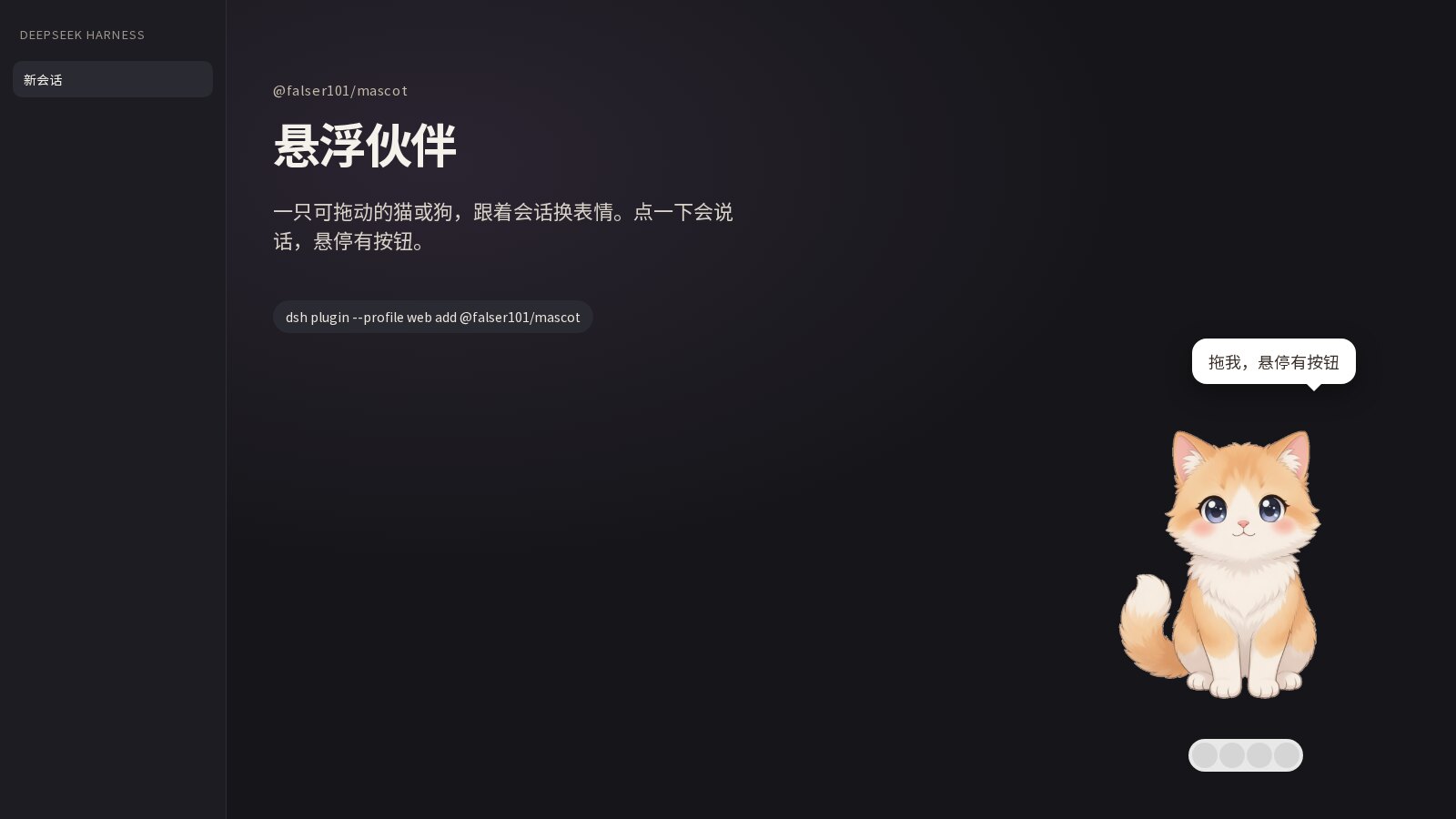
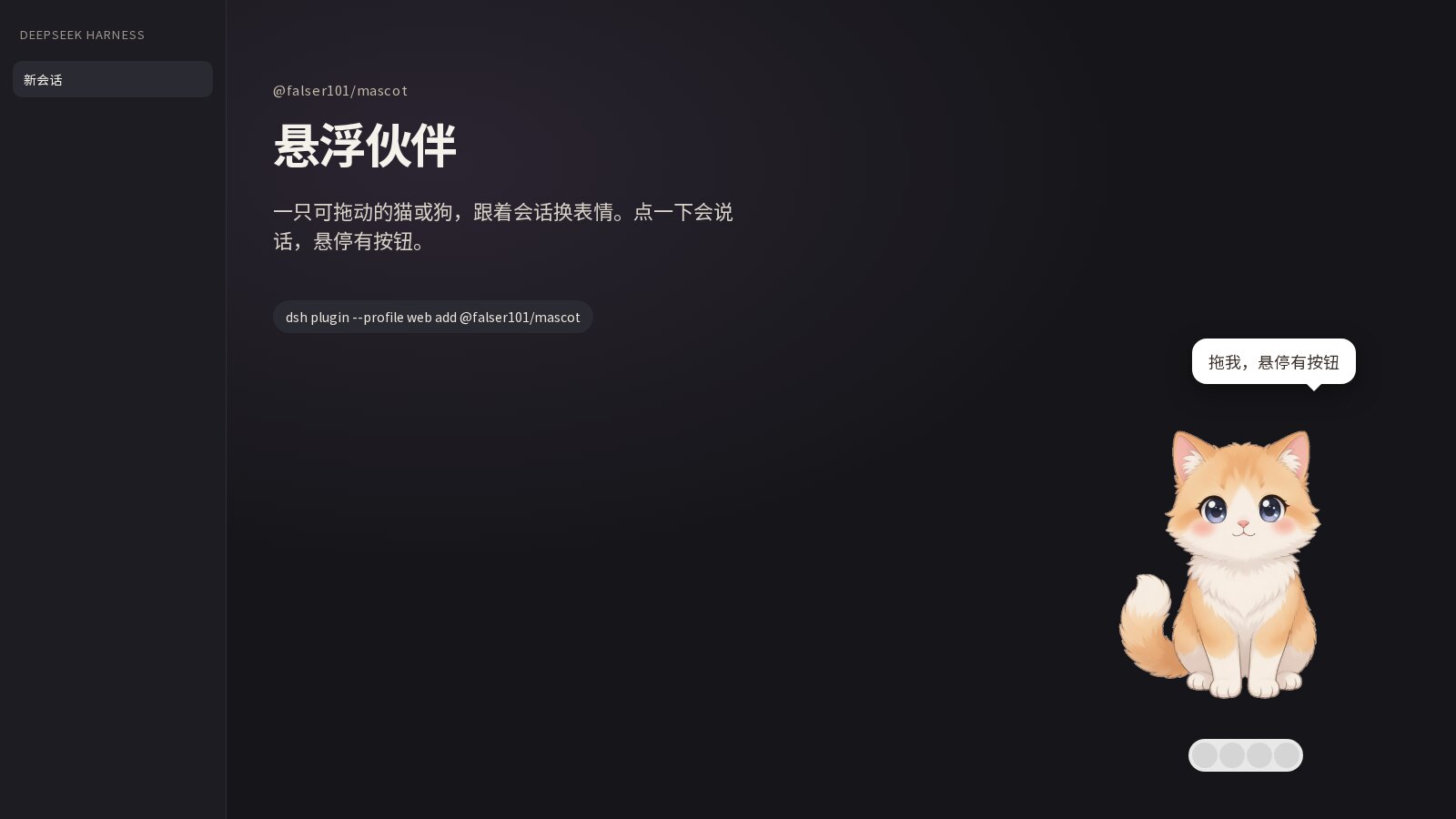
A floating companion for the DeepSeek Harness web GUI (dsh web). A draggable cartoon cat or dog sits on the UI, changes expression with the current session, and chats in short lines. Drag it, click it, or double-click to tuck it away. Skins live on their own Companion settings page, picked from a thumbnail grid.
https://github.com/user-attachments/assets/3e2c4737-ffda-43fd-96af-e79537123468
Looks
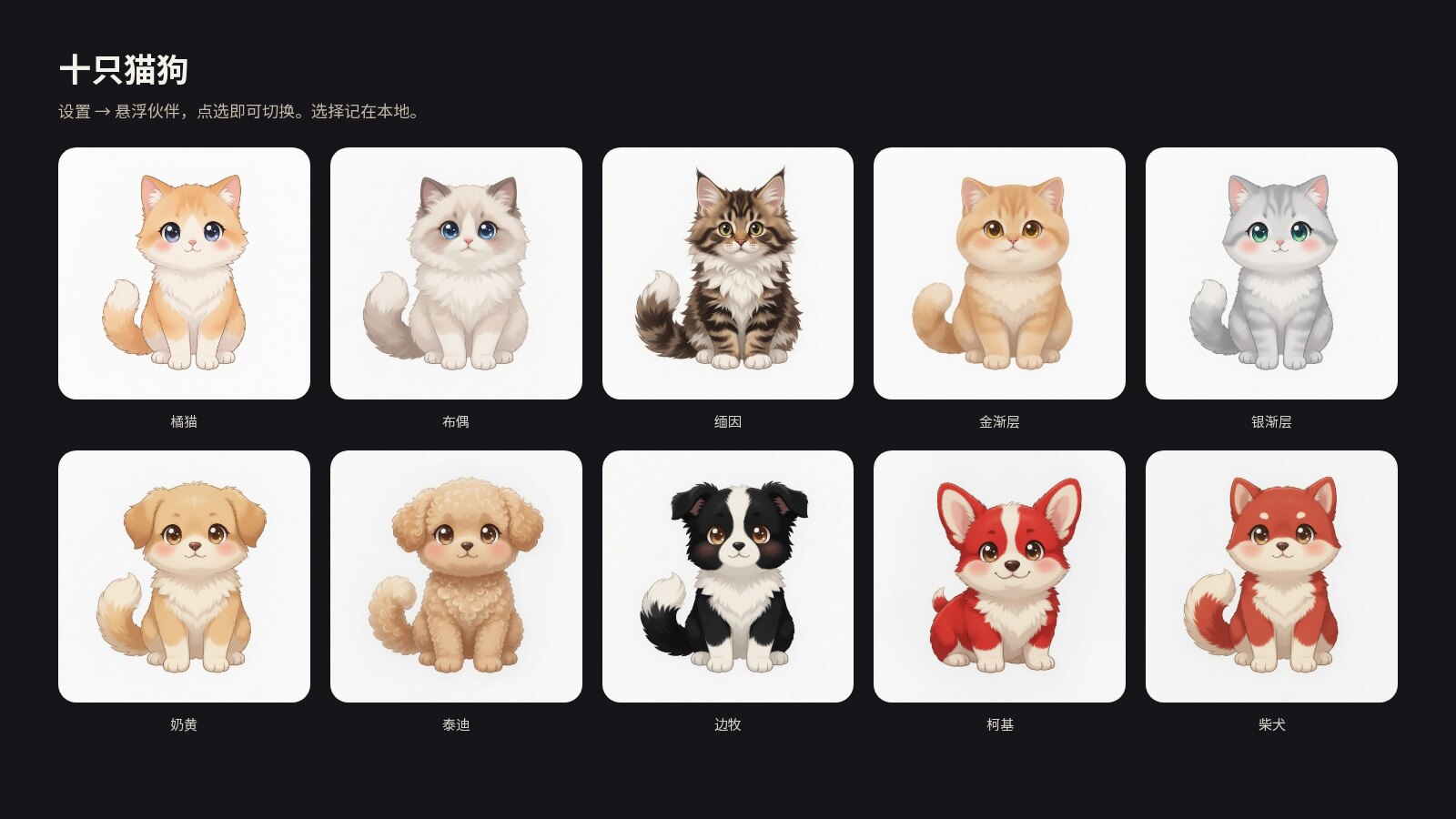
Open Settings → Companion and tap a breed. The choice is remembered locally.
Cats
| Orange | Ragdoll | Maine Coon | Golden shaded | Silver shaded |
|---|---|---|---|---|
Dogs
| Cream | Poodle | Border Collie | Corgi | Shiba |
|---|---|---|---|---|
Expressions
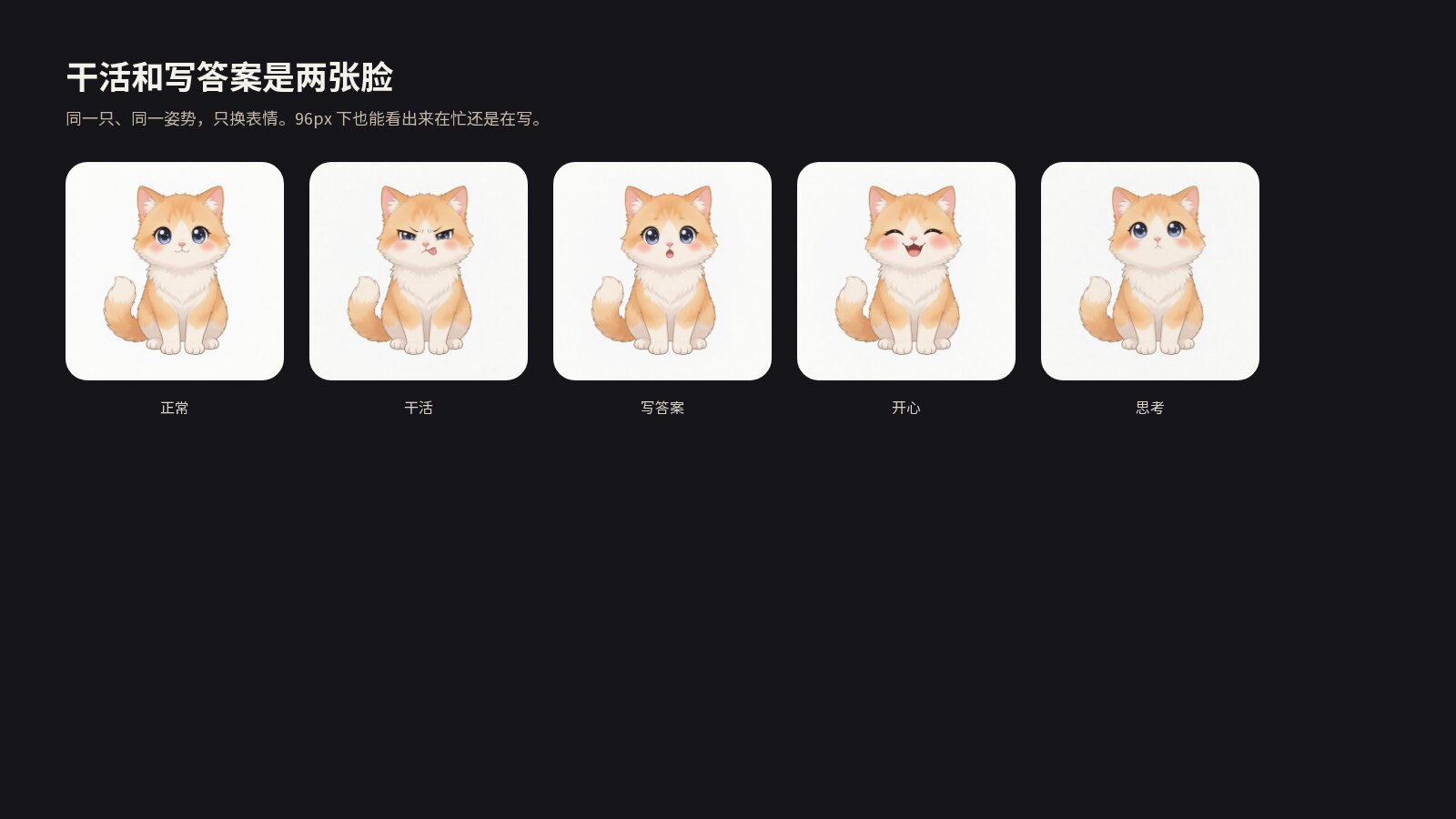
Same character, same pose — only the face changes. The orange cat as an example:
| Neutral | Working | Writing | Happy | Thinking | Sad |
|---|---|---|---|---|---|
It blinks while idle. Whole-body motion kicks in for thinking, tool calls, streaming, done, and errors.
Features
- Session-aware. Queued, waiting for you, thinking, calling a tool, writing, done, or errored — each has its own face and line. Display-only: it never emits session events.
- Draggable. It stays where you drop it. A resize clamps it back into the viewport.
- Shrinks while you type. Focus in the composer while it is idle tucks it into a mini face in the same corner; it expands again after you send.
- Status bubble. Busy lines are companion copy (“Still busy, hang on”). Tool names stay off unless you hover or turn them on in settings. While idle it can pop on a quiet / standard / lively cadence. The first appearance says “Drag me — hover for buttons” once.
- AI vignettes (off by default). When on, idle lines may come from the current default model (and use that model’s quota). Missing keys or a failed call fall back to the built-in pool.
- Hover comfort. The bubble switches to a softer line, e.g. “Hold on, I am thinking hard.”
- Parallel work. A badge appears when several sessions or sub-agents are running. Hover for the list; click a row to jump there.
- Show / hide. Settings → General, or Settings → Companion, has a “Show floating pet” switch. Off removes it from the UI. Right-click → Hide does the same.
- Entries on the pet. Click for a playful line (cats meow, dogs woof). Double-click collapses to a mini face. Hover shows a small dock: next look, jump to the current task, hide, open Settings. Right-click pins the dock. On the bottom edge the dock opens above the pet; on the left it opens to the right, so it stays on screen.
- Working and writing have their own faces. Tool calls squint; streaming opens a small speaking mouth — not the same neutral face with a CSS wobble.
- The longer the wait, the bigger the pose. A yawn, then a stretch, while the model is working. Ambient clips still play while idle. Cadence follows Quiet / Standard / Lively.
- Copy follows the UI language (Chinese / English). Motion stops when the system asks for reduced motion.
Moods
| Mood | When | What you see |
|---|---|---|
| Idle | Nothing running | Breathe + blink, “Here whenever you need me~” |
| Queued | Message sent, not started | A hop, “Got it! Joining the queue” |
| Confirming | Approval or a question waiting | Head tilt, “Waiting for your approval~” |
| Thinking | Running, no output yet | Thoughtful, “Let me think…” |
| Working | A tool is running | A sway, “Still busy, hang on~” |
| Streaming | Answer tokens arriving | “Writing the answer…” |
| Done | Turn just finished (~4 s) | A cheer, “Done! 🎉” |
| Error | Turn failed | A shake, “Oops, something went wrong…” |
| Greeting | You just switched sessions (~4 s) | “Hi there!” |
Install
You need a DeepSeek Harness that can run dsh --profile web (@deepseek-ai/dsh-client-* ≥ 0.1.0-rc.5).
Add it to the web profile with the official command:
dsh plugin --profile web add @falser101/mascot
Restart dsh --profile web. The companion appears in the lower-right corner; Settings gains a Companion page. Without npm: dsh plugin --profile web add github:falser101/dsh-mascot.
For a local checkout:
dsh plugin --profile web add /path/to/dsh-mascot
Remove it with:
dsh plugin --profile web remove @falser101/mascot
Develop
pnpm build        # emit lib/ (host half + browser bundle)
pnpm watch        # hot-reload the client half
pnpm test
lib/ is committed, so git and npm installs need no extra build step.
To swap art: overwrite the same-named jpgs under docs/<breed>/ → node scripts/build-art-assets.mjs → rebuild. Prompt pack: docs/character-art-prompts.md.
License
MIT
Comments
Comments live in GitHub Discussions. Sign in with GitHub to post or react.