
Install
Inside DeepSeek Harness, with dsh-market
dsh plugin --profile web add dshmarket
Or from the command line
dsh plugin --profile web add dsh-session-steward
Installing runs third-party code with your own permissions — it can read your files, use your credentials and reach the network. Review the source first, and pin a commit (github:owner/repo#sha) when you can.
Screenshots

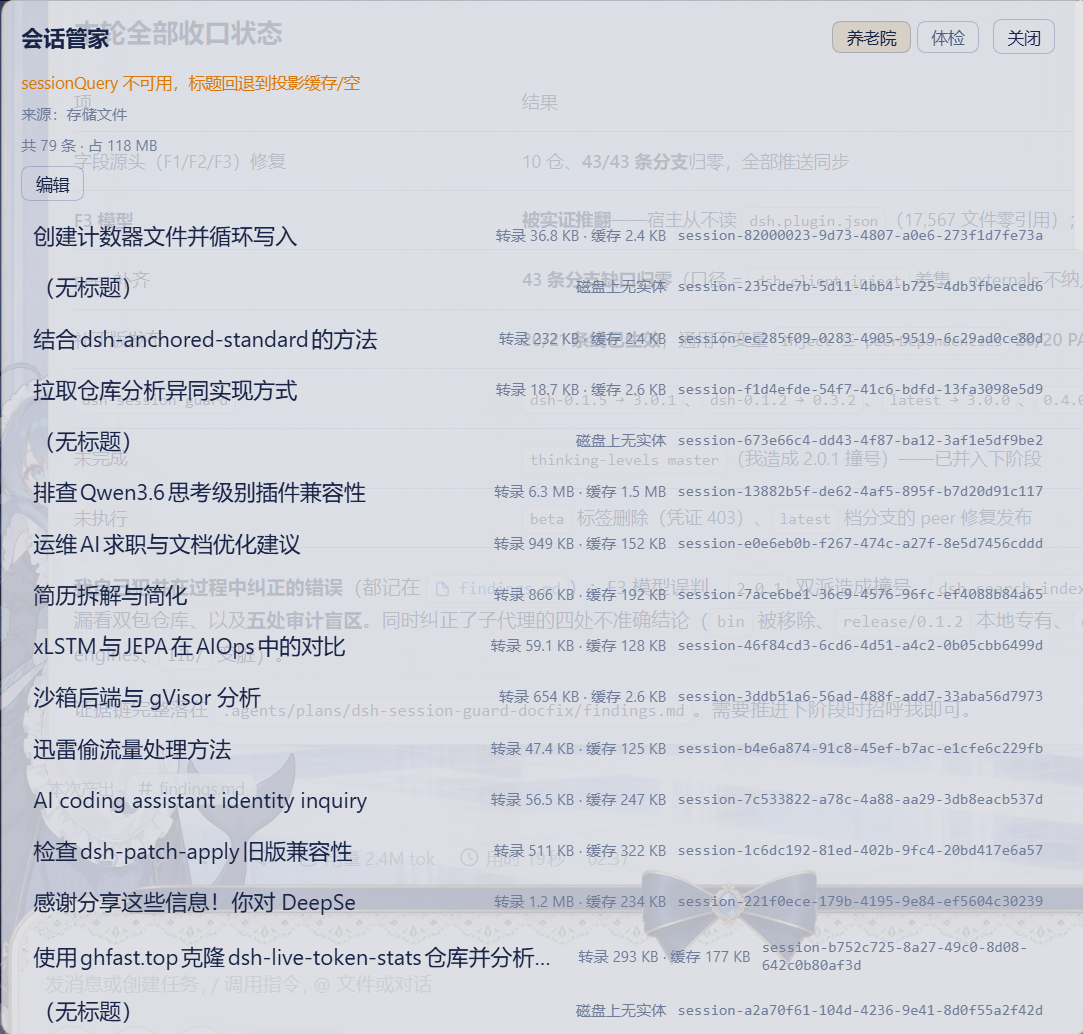

README
- 中文 README
- English README
- 日本語 README
- 한국어 README
- Français README
- Deutsch README
- Italiano README
- Русский README
- Español README
A DSH web plugin for session history files and session health checks. It never touches session data itself.
This release (0.5.0) targets the DSH 0.2.0 line (peer/engines
>=0.2.0-rc.1 <0.2.1-0, npm dist-tagdsh-0.2.0, branchcompat/0.2.0). The DSH 0.1.7 line remains served by 0.4.8 (dist-tagdsh-0.1.7, branchcompat/0.1.7). Every host surface this plugin consumes (session V4 format and thedsh-session-format-v3-to-v4first-party producer lists, thedsh-sessiondecode exports, the archive layoutsession.jsonl.zstd/session.v3.jsonl.zstd+storages/session_projcache+ the two id lists inworkspace.json) was verified unchanged in 0.2.0-rc.1 — zero code changes; this release is metadata-only.
- Retirement Home (history files) — browse the official archive set and prune ids in bulk (backup + atomic replace; a DSH restart is required for the host to reload it).
- Checkup (health) — four gates → prescription (command list) → discharge (reversible repair with a before/after comparison).
Naming boundary: this package ships no search or index features. Search/indexing belongs to
dsh-search-index; neither side mentions or re-interprets the other's fields.
Screenshots
A Session Steward entry sits next to Search and Settings at the bottom of the sidebar:
Retirement Home (history files) — the official archive set, each row carrying its size and whether the on-disk entity still exists; select rows to un-archive or purge:
Checkup — the entry point of the four-gate checkup, which ends in a reversible prescription:
Install
dsh plugin --profile web add dsh-session-steward
Restart the host process afterwards (refreshing the page is not enough).
Routes
Prefix /session-steward/api; every method name is session-* (never index-*), and an unrecognized
method returns an explicit error instead of failing silently.
| Method | Domain | Purpose |
|---|---|---|
session-history-list |
history | list the official archive set (with source and degradation notes) |
session-history-prune |
history | bulk-remove ids from the archive array (auto backup, restart required) |
session-health-status |
health | switch state and method table (panel polling) |
session-health-scan |
health | batch checkup (defaults to non-ok sessions only) |
session-health-session |
health | one session's four-gate report plus prescription |
session-health-repair |
health | reversible repair (quarantine the projection-cache record) with before/after |
Settings namespace session-steward; sidebar entry id dsh-session-steward.
Switches (feature gates)
| Switch | Field | When off |
|---|---|---|
| Session history files | historyFiles (default true) |
session-history-* is not registered and the Retirement Home tab is not rendered |
| Health check | healthCheck (default true) |
session-health-* is not registered and the Checkup tab is not rendered |
Closed domains return { ok: false, error: '子域已关闭(…=false):<method> 未注册' } — no empty shells.
Contract with dsh-search-index
The archive file format (global.archivedSessionIds of ~/.dsh/storages/workspace.json):
this plugin writes, the search-index plugin reads only. See
dsh-docs-deliverables/dsh-归档文件格式契约-20260914.md.
Development
pnpm install
pnpm typecheck
pnpm test
pnpm build
License
MIT
Comments
Comments live in GitHub Discussions. Sign in with GitHub to post or react.