
Install
Inside DeepSeek Harness, with dsh-market
dsh plugin --profile web add dshmarket
Or from the command line
dsh plugin --profile web add dsh-chat-import
Installing runs third-party code with your own permissions — it can read your files, use your credentials and reach the network. Review the source first, and pin a commit (github:owner/repo#sha) when you can.
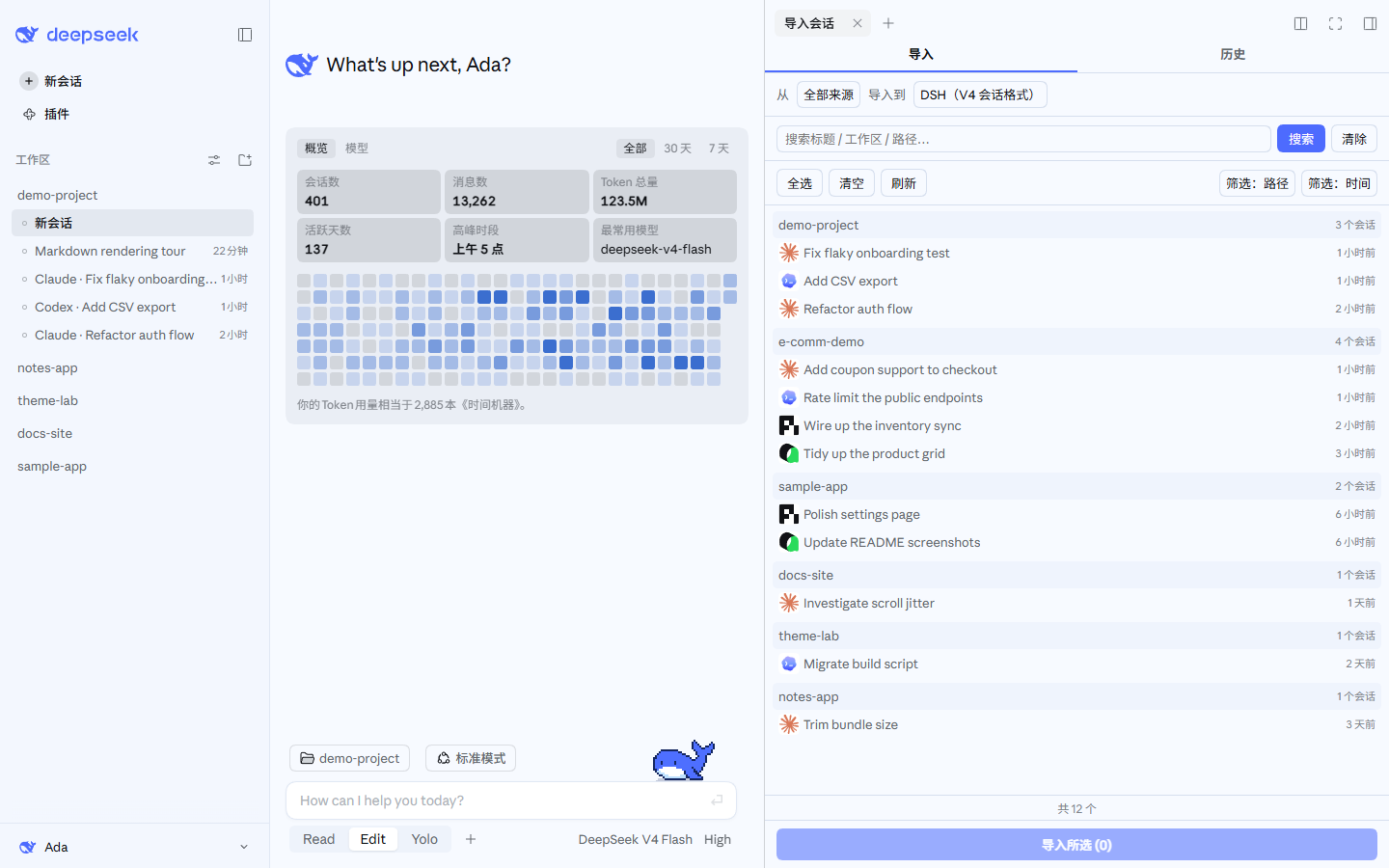
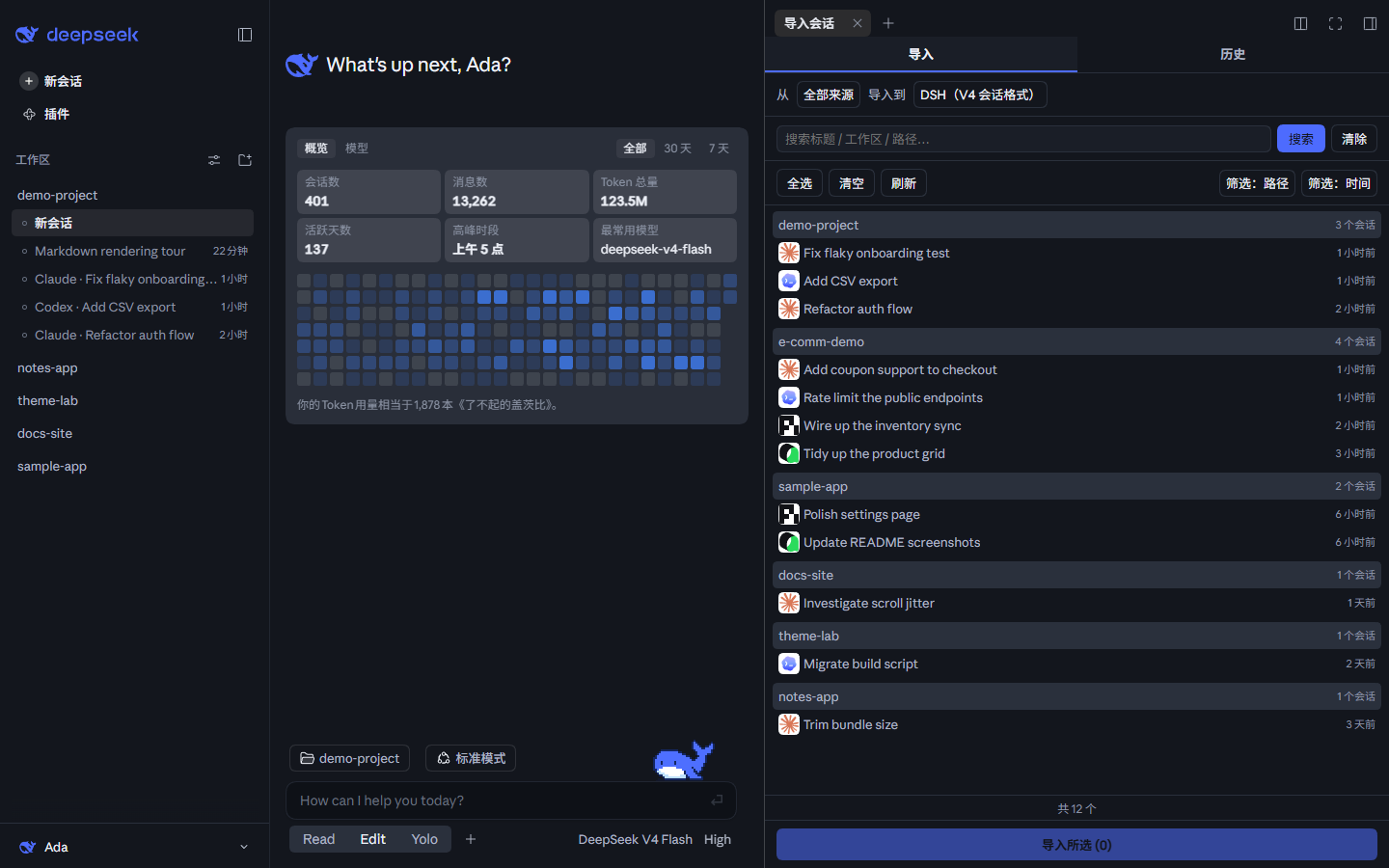
Screenshots
README
DSH Chat Import
A session import plugin built on DeepSeek Harness: import conversation history from external agents with one click and continue chatting in DeepSeek Harness.
All sessions, continued in DSH.
Supported Data Sources
Install
Requires dsh ≥ 0.1.5-rc.1 — verified on the 0.1.x line and on 0.2.0-rc.1 (dsh-tools must satisfy
>=0.1.0-rc.6 <0.3.0)
- Install via terminal
dsh plugin --profile web add dsh-chat-import # npm package
- Install via Plugin Marketplace
Usage
- Import conversations via GUI Open the import window from the "Import sessions" button at the bottom of the left sidebar (with the DSH Claude Style theme, that button sits in the account menu at the bottom left), select the conversations you want to import, and import with one click.
These screenshots also use the DeepSeek palette of the author's other theme plugin, DSH Claude Style: it recreates the look and feel of Claude Code Desktop inside DSH, in a Claude palette and a DeepSeek one. If the default theme is not quite your taste, give it a try. The workspaces and sessions in the screenshots are sample data.
- Import via Agent tool calls
# Example call formats
import_chat({ format: "claude", path: "~/.claude/projects" })
import_chat({ format: "chatgpt", path: "~/Downloads/chatgpt-export/conversations.json" })
import_chat({ format: "local-jsonl", path: "D:\downloads\session.jsonl" })
Configuration
For TUI compatibility, plugin-provided tools are injected into context by default. You can configure the import tools in Settings to not inject into context or inject partially, which saves a significant amount of tokens.
For full tool / command usage, see docs/USAGE.md.
Features
| Capability | Entry Point | Description |
|---|---|---|
| Import | Sidebar panel "Import" tab | Import conversations from other agents, preserving reasoning, tool call results, and system prompts (optional) |
| Retract Import | Sidebar panel "History" tab | View import history and delete sessions created by this plugin with one click |
| Export | Context tool | Serialize DSH sessions back to external agents |
| Ignore | Automatic + /ignores commands |
Archive / delete / workspace-removal auto-registers the source so rescans skip it; /ignore, /unignore manage the table |
Docs
| Document | Description |
|---|---|
| Usage Reference | Full parameters, examples, and edge cases for every tool / command |
| Interchange Protocol | Interchange v1 protocol and bundle format |
| Settings Migration | DSH 0.1.5 → 0.1.7 plugin settings-page migration (measured errors, compatibility recipe) |
| Changelog | Version history |
| Roadmap | Shipped / planned |
| Contributing | Development setup, commit rules, security & privacy |
Related Links
Only need to migrate configuration (skills, hooks, global settings, etc.) rather than conversation history? Recommended: dsh-movein
Star History
Comments
Comments live in GitHub Discussions. Sign in with GitHub to post or react.