
Install
Inside DeepSeek Harness, with dsh-market
dsh plugin --profile web add dshmarket
Or from the command line
dsh plugin --profile web add dsh-roleplay
Installing runs third-party code with your own permissions — it can read your files, use your credentials and reach the network. Review the source first, and pin a commit (github:owner/repo#sha) when you can.
Screenshots
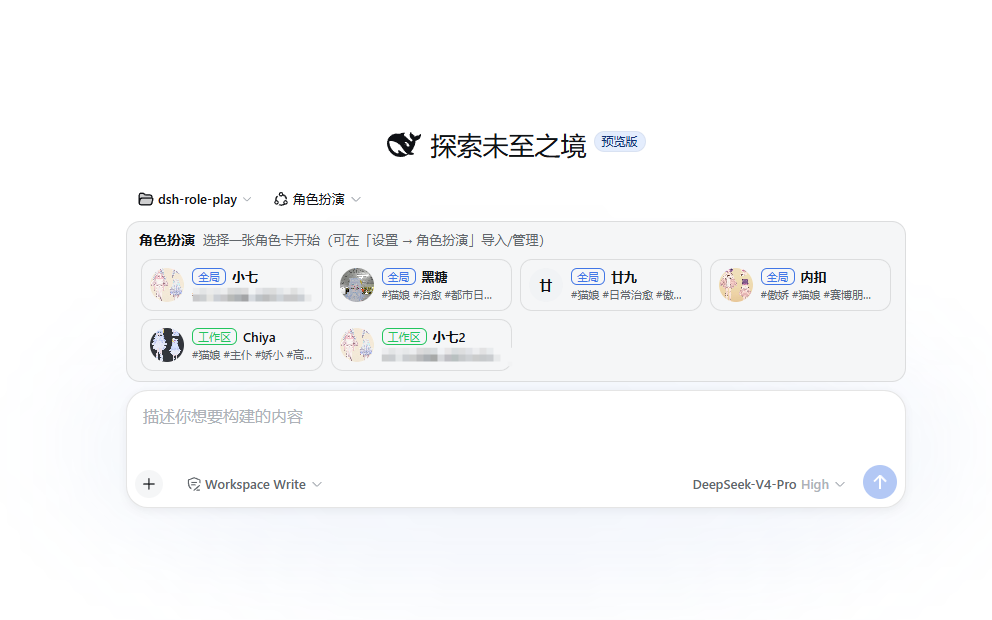
README
English | 简体中文
- DeepSeek Harness role-play plugin
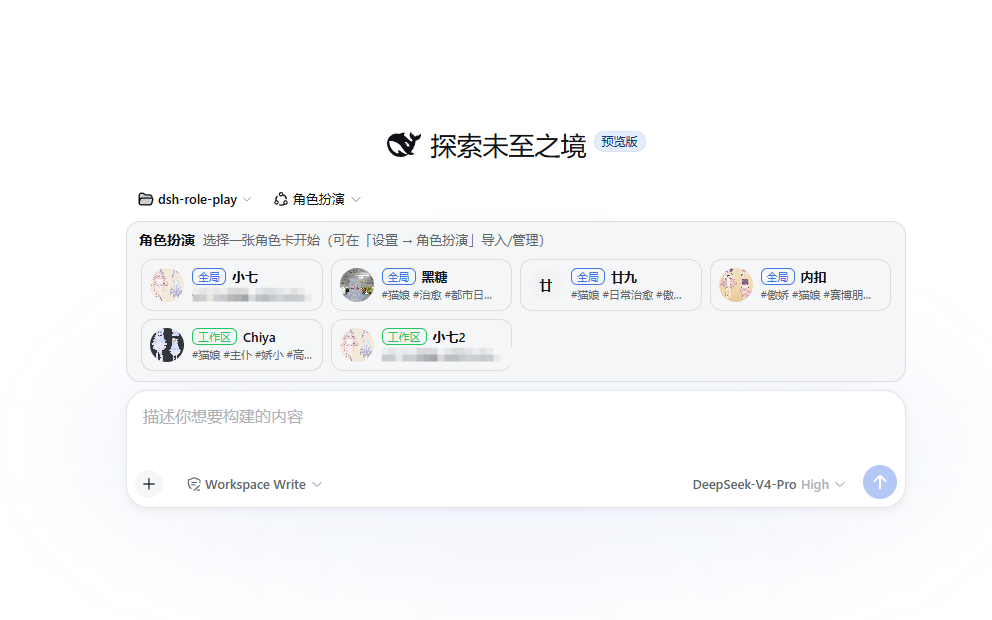
Features
Character card generation / import, with interactive character card creation
Image generation, supporting:
- Official NAI API
- ai.erp.sex third-party API
- Local Stable Diffusion WebUI API
Requirements
Install
From npm
dsh plugin --profile web add -w dsh-roleplay
From GitHub
dsh plugin --profile web add -w github:chinosk6/dsh-roleplay
You can also pin a branch or tag:
dsh plugin --profile web add -w github:chinosk6/dsh-roleplay#v0.1.0
Git installs run prepare to build lib/. If pnpm reports that the build script was ignored, add this to ~/.dsh/profiles/web/pnpm-workspace.yaml:
allowBuilds:
  dsh-roleplay: true
Update
dsh plugin --profile web update dsh-roleplay
Then restart dsh.
Uninstall
dsh plugin --profile web remove dsh-roleplay
- Character cards and generated image caches remain in
$DSH_HOME/roleplay/and must be removed manually.
Build
pnpm install
pnpm run build
On Windows, if npx / pnpm is blocked by the execution policy, you can run:
node node_modules/typescript/bin/tsc -p tsconfig.json --noEmit
node node_modules/typescript/bin/tsc -p tsconfig.client.json --noEmit
node scripts/build.mjs
Add a local checkout to dsh:
dsh plugin --profile web add -w .
Then restart dsh web.
Credits
- Character cards from RP-Hub can be imported. Some prompts were adapted from that project.
Comments
Comments live in GitHub Discussions. Sign in with GitHub to post or react.