
Install
Inside DeepSeek Harness, with dsh-market
dsh plugin --profile web add dshmarket
Or from the command line
dsh plugin --profile web add github:TZHR-invest/dsh-plugins#path:/packages/dsh-lan-access
Installing runs third-party code with your own permissions — it can read your files, use your credentials and reach the network. Review the source first, and pin a commit (github:owner/repo#sha) when you can.
Screenshots
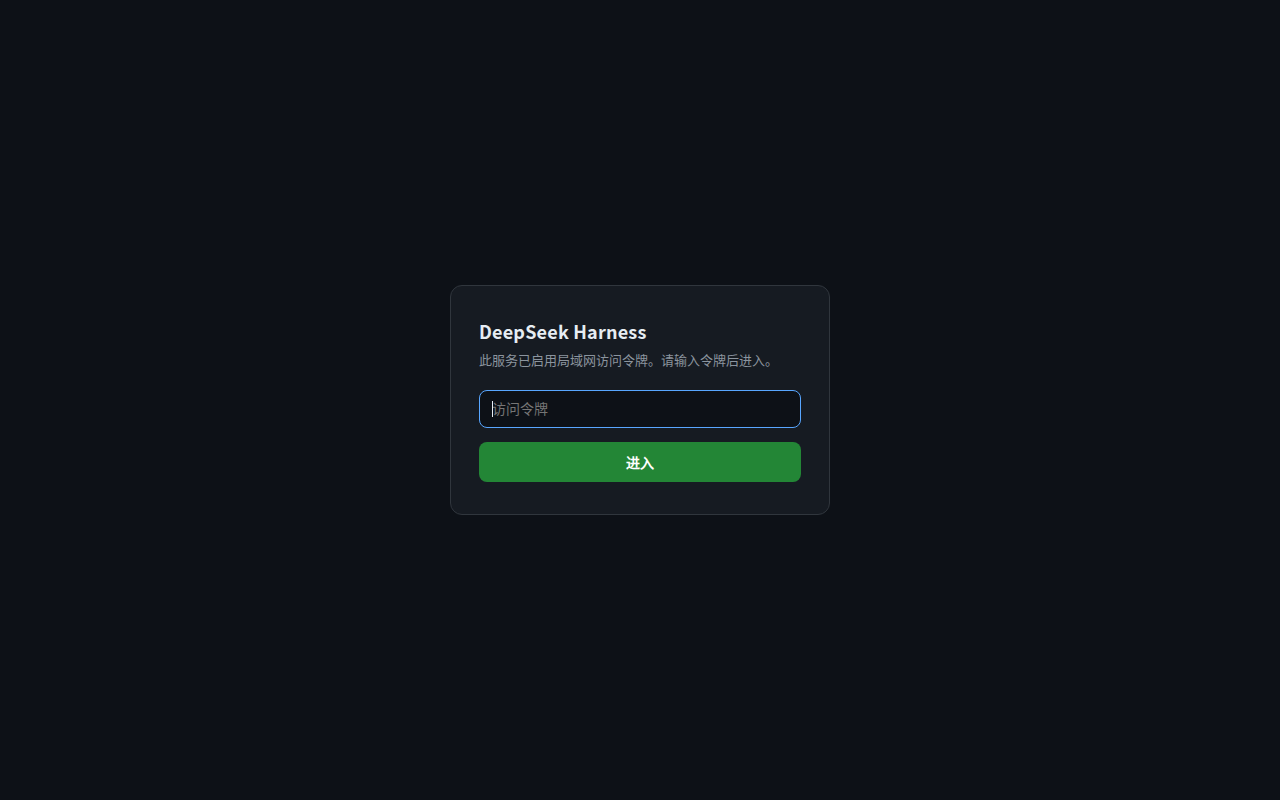
README
LAN / remote access gateway for the DeepSeek Harness Web UI — a complete, token-gated solution:
- 0.0.0.0 binding — reach the Web GUI from any device on your LAN (or via Tailscale, etc.)
crypto.randomUUIDpolyfill — the browser only exposes this API in secure contexts (HTTPS / localhost); plain-HTTP LAN access would otherwise crash the client-side RPC layer. The polyfill is mounted in the browser bundle (and as a host-side tap as fallback).- Token gate — every request must present an access token (cookie /
?token=/X-DSH-Token/ login form): a 401 login page for browsers, WebSocket handshakes are destroyed without a valid token. Since v3 loopback is no longer short-circuited (the local user used to be the only one who could not reach the login form); the WebSocket handshake alone stays loopback-exempt. - Privileged-fence exemption — one-line patch so the host's privileged-method fence keeps working over LAN access.
- Settings persistence — forces the settings scope to host mode so General settings (language, appearance, …) are read/written even when reached via a LAN IP.
- Idempotent installer + upgrade recovery —
install.sh(apply / --check / --restart / --uninstall) andreapply-lan-patches.shto restore the node_modules patches after every dsh upgrade.
⚠️ Trusted networks only. Binding to 0.0.0.0 lets any device that can reach the port drive the agent (execute commands). The token gate keeps unauthorized devices out, but tokens travel in plain HTTP — add an HTTPS reverse proxy if you need protection from sniffing. Do not expose this to the public internet.
Install (tarball, 3 steps)
On the target machine (must have run @deepseek-ai/dsh web at least once):
scp dsh-lan-gateway-install.tar.gz user@target:~/
cd ~ && tar xzf dsh-lan-gateway-install.tar.gz
cd dsh-lan-gateway-install && bash install.sh --restart
During install a random access token is generated once and shown once (saved to ~/.dsh/lan-access-token, chmod 600). After restart, visiting http://<target-ip>:3080 or http://127.0.0.1:3080 shows the token login page (v3: loopback is no longer exempt — seeing the login page means the service is healthy; HTTP 401 is expected).
Install (npm)
dsh plugin --profile web add dsh-lan-gateway
# then apply the privileged-fence / settings / webserver patches via the bundled installer:
bash ~/.dsh/plugins/dsh-lan-gateway/install.sh --restart
Access token
- Token file:
~/.dsh/lan-access-token(single line, chmod 600). Changes take effect immediately — the file is read on every request, no restart needed. - Same rules for loopback and LAN (v3): without credentials both show the login page. Only the WebSocket handshake remains loopback-exempt.
- Access, any of:
- Browser: first visit shows the login page — paste the token (sets a 30-day HttpOnly cookie)
curl -H "X-DSH-Token: <token>" http://<ip>:3080/api/<method>(API channel only — the root/accepts?token=or the cookie, not this header)http://<ip>:3080/?token=<token>(auto-sets the cookie)- WebSocket connections inherit the cookie automatically
- Login form posts to
POST /__lan_auth(valid token → 302 to/?token=→ host browserAuth exchange + Set-Cookie). - v3 index-401 fallback: when the gate lets a request through but host browserAuth rejects it (expired cookie, rotated cookie-signing secret, stale cookie from another origin), the plain-text English 401 on
/is replaced by the same login page — the user always has a way back in. - Delete the token file to disable the gate (fail-safe); regenerate by deleting the file and re-running
bash install.sh.
Commands
| Command | Effect |
|---|---|
bash install.sh |
Apply/complete all six layers (idempotent) |
bash install.sh --check |
Status check only, changes nothing |
bash install.sh --restart |
Install, restart dsh web, curl-verify |
bash install.sh --uninstall |
Remove wiring + revert patches |
What it installs
| # | Layer | Location |
|---|---|---|
| 1 | Web server binds 0.0.0.0 | ~/.dsh/cordis.patch.yml |
| 2 | Plugin source + profile install | ~/.dsh/plugins/dsh-lan-gateway/, ~/.dsh/profiles/node_modules/dsh-lan-gateway/ |
| 3 | Profile bundle wiring | ~/.dsh/profiles/web/cordis.patch.yml insert line |
| 4 | Access token | ~/.dsh/lan-access-token (random, 600) |
| 5 | Privileged-fence exemption | one-line patch in node_modules/@deepseek-ai/dsh-client-connection/lib/index.js |
| 6 | Settings-persistence exemption | one-line patch in node_modules/@deepseek-ai/dsh-client-ui-settings/lib/client.js (settingsScope forced to host) |
| 7 | Token gate v3 (401 login page incl. loopback + index-401 fallback + WS interception) | entry patch in node_modules/@deepseek-ai/dsh-host-webserver/lib/index.js (via token-gate.js + patch-webserver.mjs, --revert to roll back) |
reapply-lan-patches.sh is copied to ~/.dsh/ — after a dsh upgrade or reinstall (layers 5–7 get overwritten), run:
bash ~/.dsh/reapply-lan-patches.sh --restart
Verify
curl -i http://127.0.0.1:3080/                         # 401 + text/html login page (v3)
curl -i http://<ip>:3080/                              # 401 + login page (no token)
curl -i "http://<ip>:3080/?token=<token>"              # 303 + Set-Cookie
curl -H "X-DSH-Token: <token>" -X POST http://<ip>:3080/api/<method>   # not 401/403 (API only)
In the browser console: crypto.randomUUID() returns a valid v4 UUID.
Unit tests
node --test packages/dsh-lan-access/tests/token-gate.test.mjs
16 cases: loopback/non-loopback, the three token channels, form submission, and the index-401 fallback.
Troubleshooting
- "web profile not initialized": run
dsh webonce, then re-runbash install.sh. - Privileged-fence sed failure ("code structure changed"): dsh version too new — adapt the interception logic near
PRIVILEGED_METHODSindsh-client-connection/lib/index.js. - Token-gate patch failure ("anchor not found"):
dsh-host-webserverinternals changed — adapt the anchors inpatch-webserver.mjs. - Forgot the token:
cat ~/.dsh/lan-access-token, or delete the file and re-runbash install.sh. - Disable the token gate:
rm ~/.dsh/lan-access-token; remove the patch fully withnode ~/.dsh/plugins/dsh-lan-gateway/patch-webserver.mjs <webserver lib> --revert. - LAN still 403 after install: check
~/.dsh/cordis.patch.ymlwebserver entry took effect (ss -ltnp | grep 3080should show 0.0.0.0:3080, not 127.0.0.1:3080).
Compatibility
Patches target the current @deepseek-ai/dsh rc line (anchor-based, verified against dsh 0.1.0-rc.x). Upgrades that change dsh-client-connection / dsh-client-ui-settings / dsh-host-webserver internals may require anchor updates — the installer detects and reports this instead of silently corrupting files.
Security model
- No built-in keys. The token is generated at install time and stored in your home directory (600).
- Loopback is not exempt since v3 for HTTP requests (it still is for WebSocket handshakes) — the local session pastes the token once and keeps a 30-day cookie.
- Constant-time token comparison (SHA-256 +
timingSafeEqual), HttpOnly + SameSite=Strict cookie, 30-day expiry. - The token gate is authorization, not encryption — plain-HTTP LAN traffic can be sniffed. Use an HTTPS reverse proxy (Caddy/nginx) in front for untrusted networks.
License
MIT. Chinese documentation: README.zh.md
Part of dsh-plugins — a small monorepo of DSH plugins: dsh-lan-gateway, dsh-vision-tool, dsh-mobile-ui.
Comments
Comments live in GitHub Discussions. Sign in with GitHub to post or react.