
安装
在 DeepSeek Harness 里通过 dsh-market 安装
dsh plugin --profile web add dshmarket
或使用命令行
dsh plugin --profile web add @yuquexianzhou/solarized-dsh-theme
装任何插件都等于在你的机器上跑第三方代码,权限和你本人一样大——能读你的文件、用你的凭据、访问网络。请先审阅源码,并尽量锁定 commit(github:owner/repo#sha)。
截图
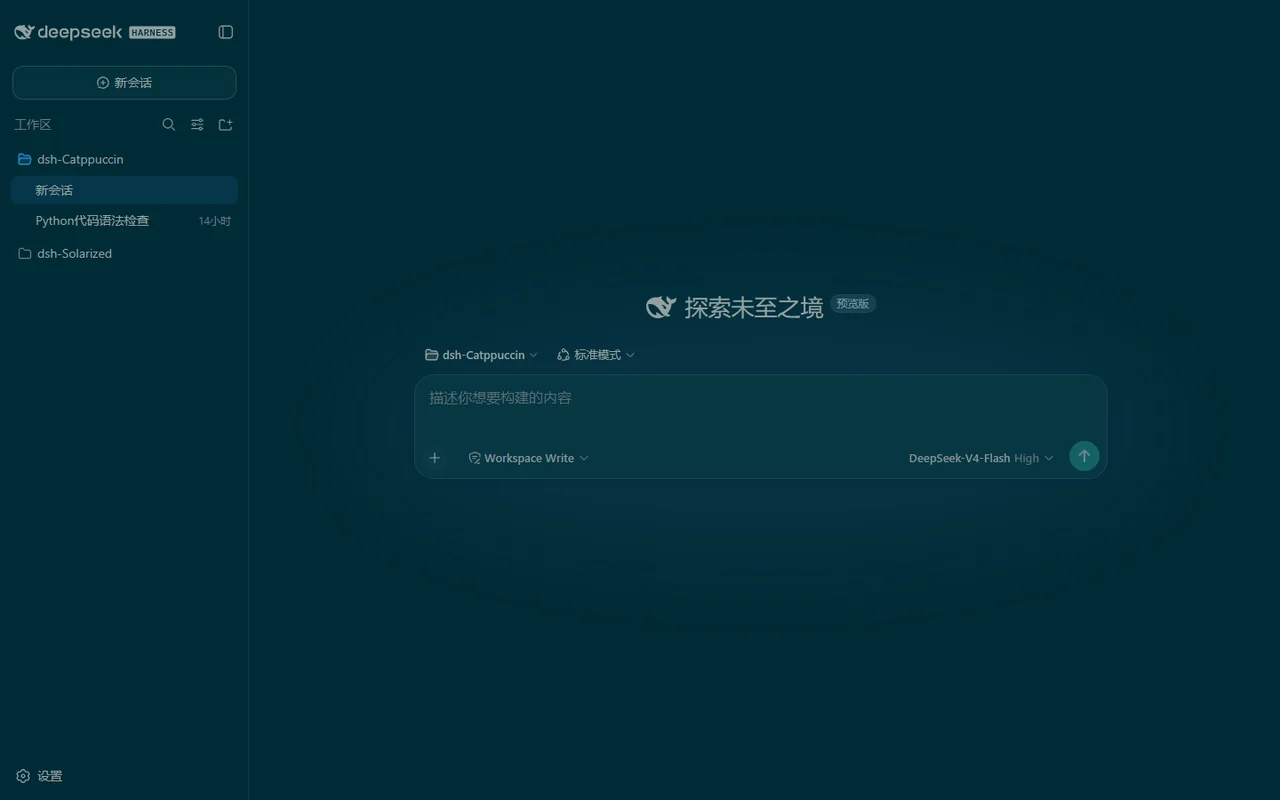
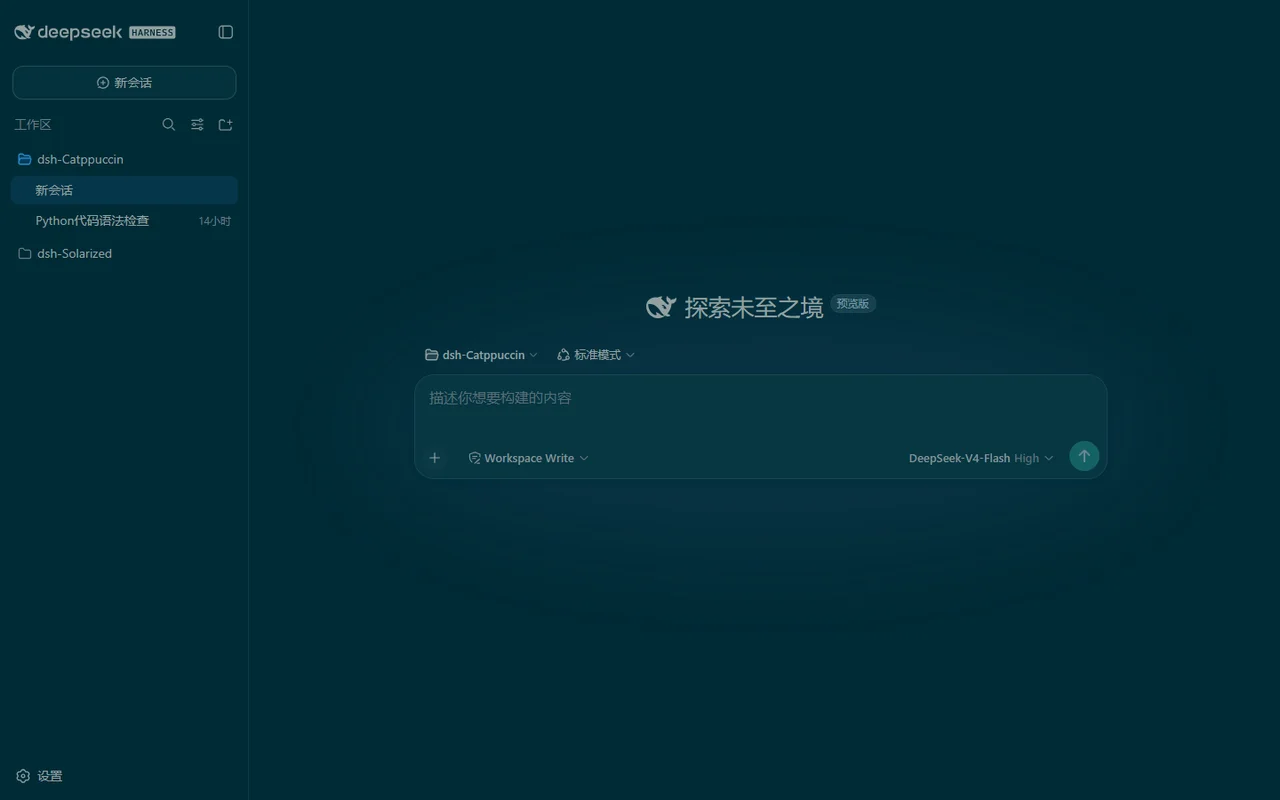
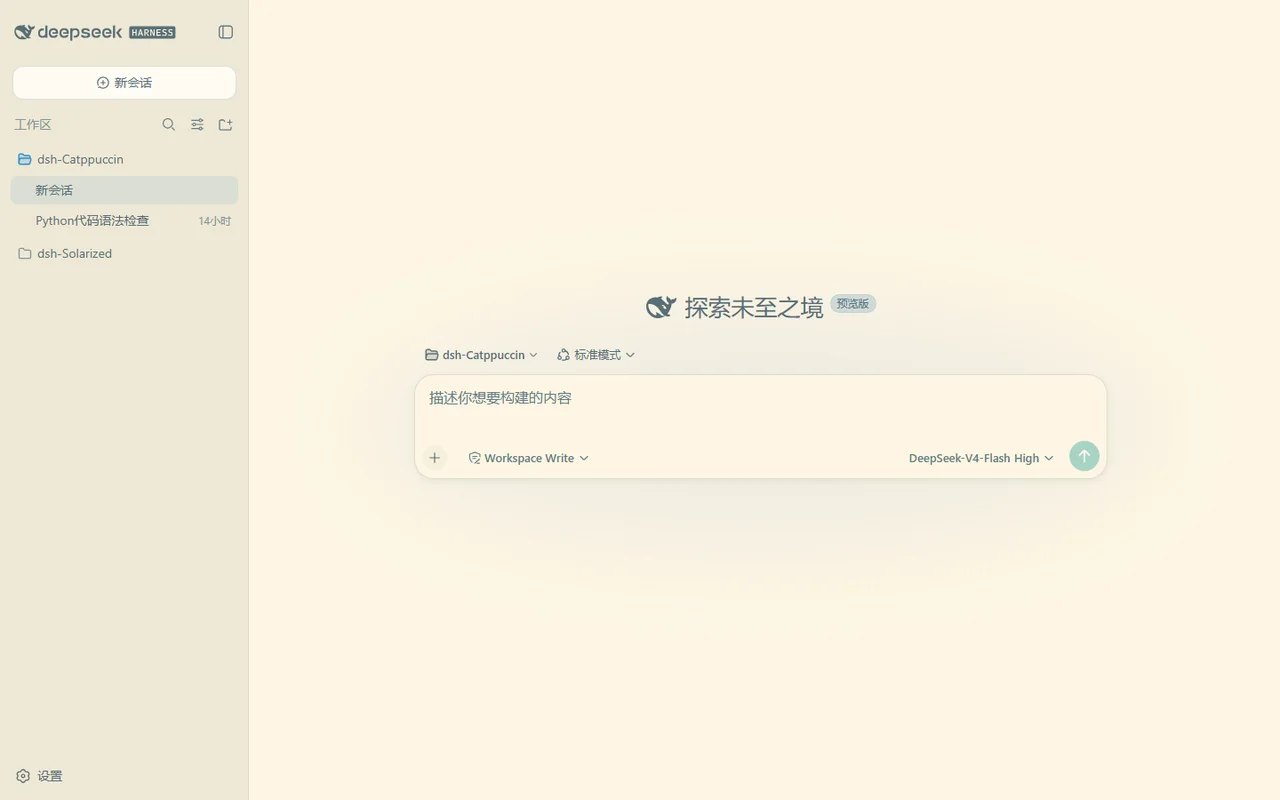
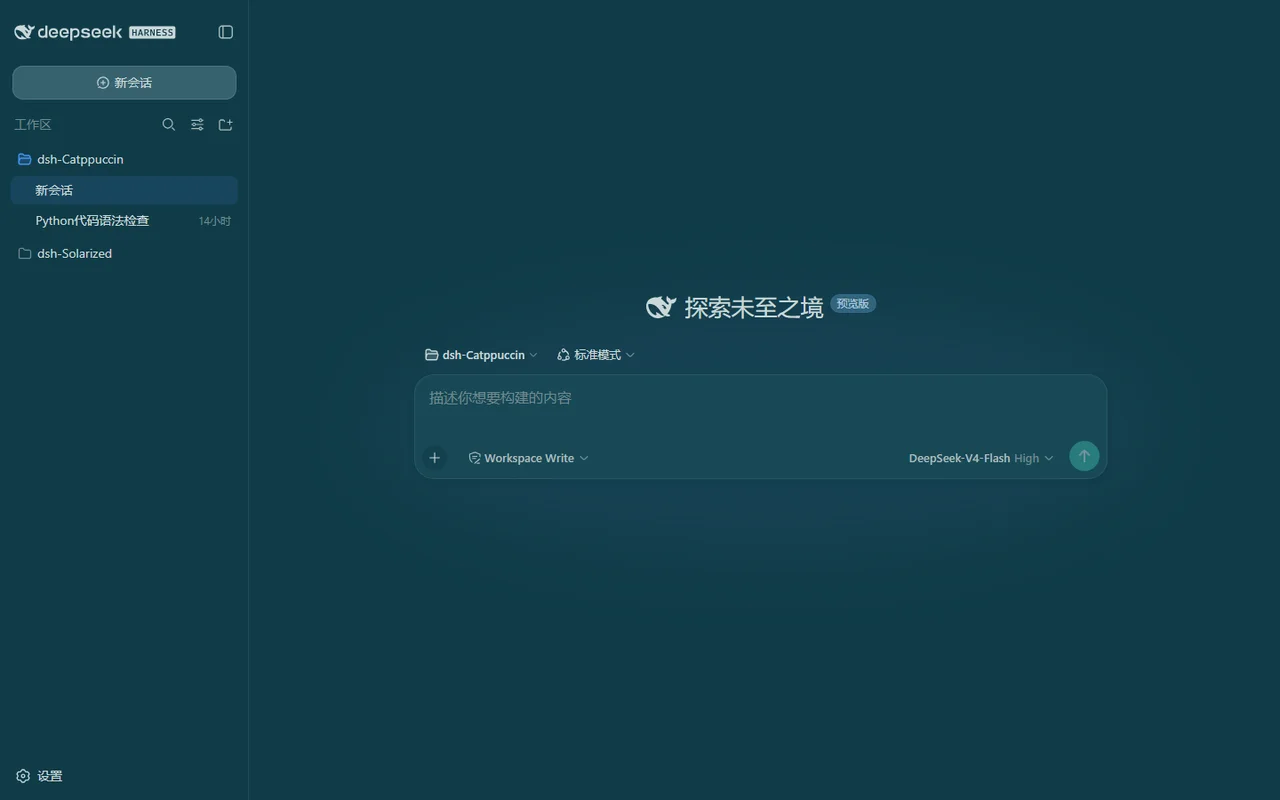
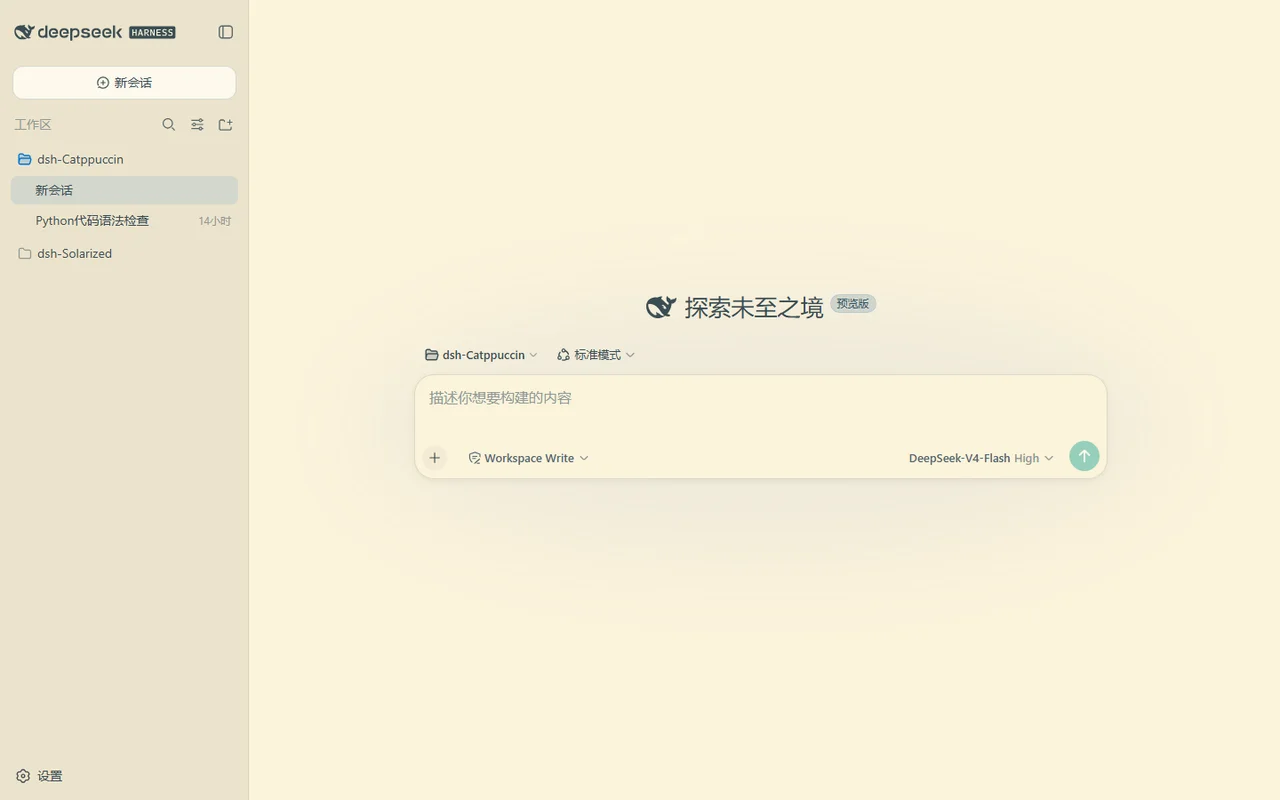
README
目录
简介
DeepSeek Harness
的经典低对比护眼配色主题——一个包同时适配 Web GUI(dsh web)、
DSH Desktop 与 dsh-TUI 终端:
- ☀️ Solarized — Ethan Schoonover 精心调校的 16 色体系,为长时间阅读设计,不伤眼。
- 🟢 Selenized — 它的改良版: 同样的低对比理念,更现代的色相与更好的颜色区分度。
两者各有深浅两套,接入官方主题系统,与内置浅色 / 深色 / 跟随系统平级; 代码块遵循经典语法配色,设置 → 常规 提供一行 Solarized / Selenized 一键切换,选择自动保存、重启自动恢复。
特性
- 👁️ 为护眼而生 — Solarized 的色板按亮度精调(不是随手挑色相), 长时间阅读不疲劳;Selenized 在舒适的基础上提供更干净、更易区分的强调色。
- 🎨 忠实的色板 — 每个颜色都是 Solarized / Selenized 官方值, 界面没有默认的 DeepSeek 蓝灰。
- 🖥️ 经典语法配色 — 代码块遵循 Solarized 惯例 (关键字品红、字符串青色、数字蓝色…)。
- 🖱️ 组件级染色 — 气泡、工具调用行、代码标签、时间戳、hover 交互都按色板上色。
- 💻 dsh-TUI 终端主题 — 一条命令装进终端客户端,启动自动同步四套主题。
- 🔄 更新检查 — 设置页静默检查 npm 新版本(另有手动按钮), 有新版直接给出可复制的升级命令。
- 🧠 记住你的选择 — 重启、切模型都不丢;关闭时还原你原本的
浅色 / 深色偏好,而不是强制"跟随系统"。Desktop 换端口由
$DSH_HOME下的耐久状态兜底。 - ⚙️ 零侵入 — 切回默认逐像素还原,不留任何注入样式。
预览
安装
从 GitHub 安装(推荐——始终最新):
dsh plugin --profile web add github:zhijun-dai/Solarized-dsh-theme
从 npm 安装:
dsh plugin --profile web add @yuquexianzhou/solarized-dsh-theme
💡 npm 版本可能比 GitHub 滞后一点。想要最新版用上面的 GitHub 安装 (可用
#分支名锁定分支)。
DSH Desktop 用户装到桌面 profile:
dsh plugin --profile desktop add @yuquexianzhou/solarized-dsh-theme
dsh-TUI 终端主题
同一个包也会把四套主题同步进 dsh-TUI。装进 TUI profile,首次启动即生效:
dsh plugin --profile dsh-tui add @yuquexianzhou/solarized-dsh-theme
在 TUI 里切换:/theme solarized-dark。
💡 如果你同时用 Web / Desktop 和 dsh-TUI,装到 web profile 也会在每次 启动时保持 TUI 主题同步,无需二次安装。磁盘上没有
~/.dsh-tui? 严格 no-op,不会创建任何东西。
装完重启 web 服务:
dsh web
使用
打开 Web UI,进入 设置 → 常规,选择四套主题之一(选「默认」恢复内置外观)。 选择按浏览器保存,启动时自动恢复。
常见问题
Q:为什么颜色看起来"发灰"?
这正是设计意图——Solarized 刻意压低对比度,让文字长时间阅读不疲劳。 想要更鲜明的观感,Selenized 在同样舒适的基础上提供了更强的强调色。
Q:选择是怎么记住的?
浏览器 localStorage(即时)+ Desktop 场景下 $DSH_HOME 的小文件(耐久)——
重启、切模型、Desktop 换端口都不丢。你在内置外观行显式选的浅色 / 深色永远优先。
Q:怎么升级?
重跑一次安装命令(会拉到最新版),或者看设置页——它会在有新版本时静默提示,
并给出可直接复制的升级命令。然后重启 dsh web。
💝 致谢
- zhijun-dai
- Ethan Schoonover — Solarized
- Jan Warchoł — Selenized
- KinGao294/dsh-skin — 本插件的参考实现
- DeepSeek
评论
评论存放在 GitHub Discussions。用 GitHub 账号登录后可发表评论或点表情。