
Install
Inside DeepSeek Harness, with dsh-market
dsh plugin --profile web add dshmarket
Or from the command line
dsh plugin --profile web add github:yunxiiQwQ/dsh-maid-whale-UI#path:/maid-whale-webui
Installing runs third-party code with your own permissions — it can read your files, use your credentials and reach the network. Review the source first, and pin a commit (github:owner/repo#sha) when you can.
Screenshots
README
English | 中文
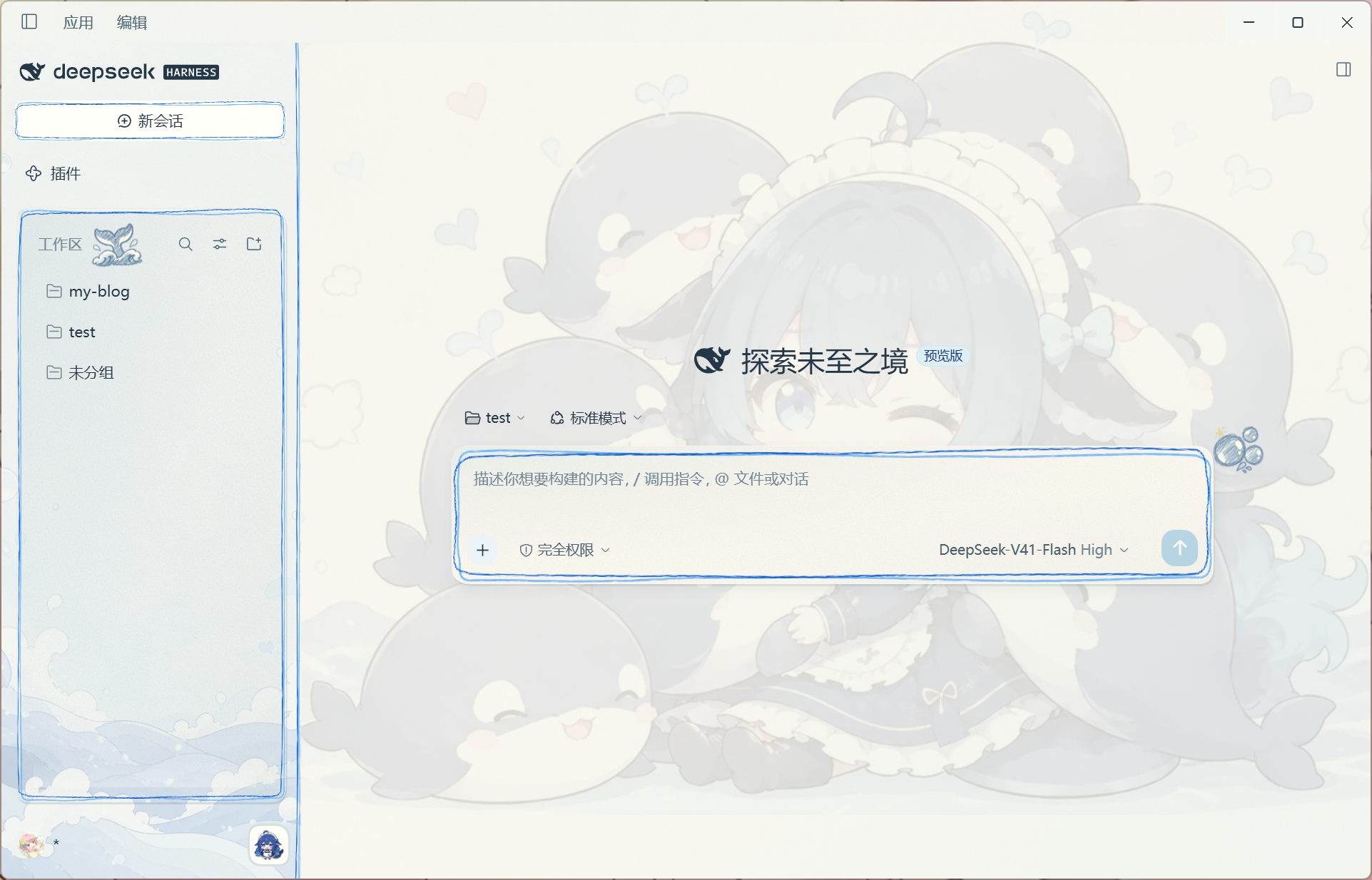
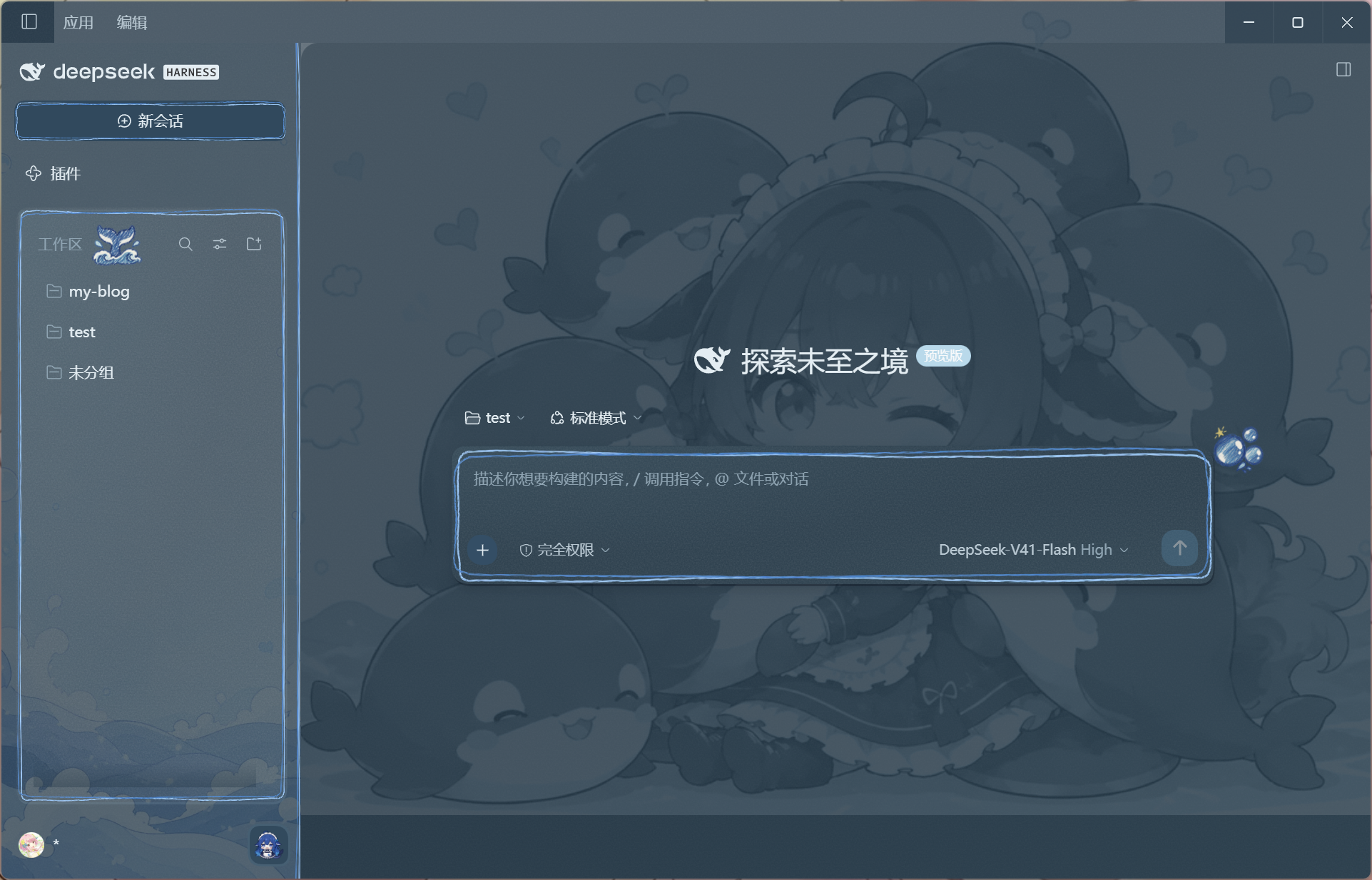
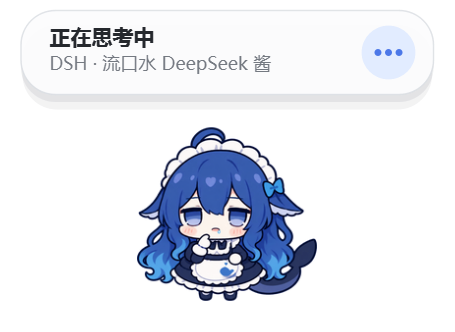
A whale-maid theme plugin for the DeepSeek Harness desktop app and Web UI, featuring light and dark themes, ocean illustration wallpapers, hand-drawn frames, and a native Windows cloud-whale companion that starts and stops with DSH.
Theme and Pet Preview
Theme screenshots were captured in DeepSeek Harness Desktop 0.1.7-rc.2.
| Light mode | Dark mode |
|---|---|
 |
 |
Pet Preview
Installation
Requirements
- A working DSH (DeepSeek Harness) desktop app or Web UI.
- Windows 10/11 x64 for the native companion; the Web UI theme itself is platform-independent.
- No separate Python or Node installation is required: the companion helper is included in the plugin package.
Ask DSH to install it
Tell DSH:
Install this skin package: https://github.com/yunxiiQwQ/dsh-maid-whale-UI/tree/main/maid-whale-webui
Desktop installation
Fully exit DSH, including its tray process. Run these commands in a terminal with the DSH CLI available:
git clone https://github.com/yunxiiQwQ/dsh-maid-whale-UI.git
cd dsh-maid-whale-UI
dsh plugin --profile desktop add ./maid-whale-webui
Then open DeepSeek Harness from its desktop shortcut. Desktop and Web use separate profiles. The companion menu's Open DSH entry brings the desktop window forward through dsh://open; no fixed localhost port is needed.
Web installation
# 1. Fully exit DSH, including the tray process
# 2. Clone the repository and add the plugin
git clone https://github.com/yunxiiQwQ/dsh-maid-whale-UI.git
cd dsh-maid-whale-UI
dsh plugin --profile web add ./maid-whale-webui

# 3. Start the DSH Web UI
dsh --profile web
The theme applies automatically and the companion appears when DSH starts. If the companion is missing, check Settings → Plugins → Plugin config → Cloud-whale companion. The whale button at the bottom-right of the workspace panel also toggles it immediately. Only one UI theme should be enabled at a time.
On Windows, if a Low integrity label prevents the helper from creating its temporary directory, the plugin checks the label and retries using %USERPROFILE%\AppData\LocalLow\DSH\maid-whale-webui for temporary files and layout storage. An explicit DSH_DAFEIYU_LAYOUT_PATH takes precedence and must be writable by a Low integrity process.
Startup diagnostics are saved to %LOCALAPPDATA%\DSH\maid-whale-webui\helper-startup.json, overwritten each time the companion is enabled. They include the executable path, startup time, ready status, exit code, and up to 4096 characters of startup stderr. Attach this file when reporting startup failures; it contains local paths, so you can redact your username before sharing.
Update and uninstall
# Update either edition: fully exit DSH, pull in the repository, then reopen it
git pull

# Uninstall: fully exit DSH first
# Desktop
dsh plugin --profile desktop remove @yunxii/dsh-client-ui-skin-maid-whale-webui

# Web
dsh plugin --profile web remove @yunxii/dsh-client-ui-skin-maid-whale-webui
Pet Actions and Triggers
| Action | Trigger |
|---|---|
| Idle | DSH is idle with no active session |
| Sleeping | The companion is disconnected from DSH |
| Thinking | A turn starts, the Agent is analysing, or tool results are being reviewed |
| Working | The Agent edits files, uses a general tool, or enters a generic work phase |
| Searching | Search, read, fetch, or open operations |
| Commanding | Shell, terminal, PowerShell, or command execution |
| Testing | Tests, checks, builds, linting, or verification |
| Waiting | The Agent asks a question, requests approval, or becomes blocked |
| Success | Briefly shown when a turn completes normally |
| Error | A tool fails, a turn ends abnormally, or a limit is reached |
| Dragging | The pointer moves beyond the drag threshold while holding the companion |
| Head pat | Click the upper part of the companion, or double-click it |
| Poke | Click the main body area |
| Tail touch | Click the tail area on the right |
| Idle micro-actions | Randomly shown while idle when reduced motion is disabled |
After an interaction ends, the companion returns to the latest Agent state. When several sessions are active, the display priority is: waiting → error → working → thinking → idle.
Project structure and development
The repository root provides documentation and command shortcuts. The installable plugin lives in maid-whale-webui/:
| Path | Purpose |
|---|---|
src/client/ |
Theme styles, frames, ornaments, and companion settings |
src/index.ts, src/host/ |
Host entry, DSH events, and companion process bridge |
runtime/ |
Python/Qt companion and Windows executable |
assets/, preview/ |
Source artwork and UI previews |
build/, scripts/ |
Bundle configuration, artwork embedding, and packaging checks |
tests/, runtime/tests/ |
Client/Host and Python tests |
lib/ |
Committed client and Host bundles loaded by DSH |
Use Node.js 22.19+ and pnpm 11.21.0. From the repository root:
cd maid-whale-webui
pnpm install --frozen-lockfile
pnpm art:embed:check
pnpm lint
pnpm typecheck
pnpm test
pnpm build
pnpm pack:check
After editing artwork, run pnpm art:embed before building. Commit updated lib/ bundles with source changes. For companion development, install requirements.txt and requirements-test.txt, then run pnpm test:python. On Windows, pnpm build:helper:windows builds the executable and its SHA-256 file using the build requirements.
The desktop app and Web UI share the client bundle. Message styling supports both the ui-chat and ui-conversation modules; desktop windows retain their application title and icon.
Disclaimer
- The code is licensed under BSD-3-Clause.
- This is an unofficial community theme with community fan-created character and illustration assets. It is not affiliated with or endorsed by DeepSeek.
- The Node-side companion code and Python runtime are based on QCYTSN/dsh-dafeiyu (MIT). See
NOTICEfor full attribution. - The plugin uses only the official DSH client plugin mechanism. It does not modify the DeepSeek Harness source code or intercept model requests.
- The companion stores no keys, takes no screenshots, sends no telemetry, and opens no extra network ports. It only reacts to DSH events.
Comments
Comments live in GitHub Discussions. Sign in with GitHub to post or react.