
Install
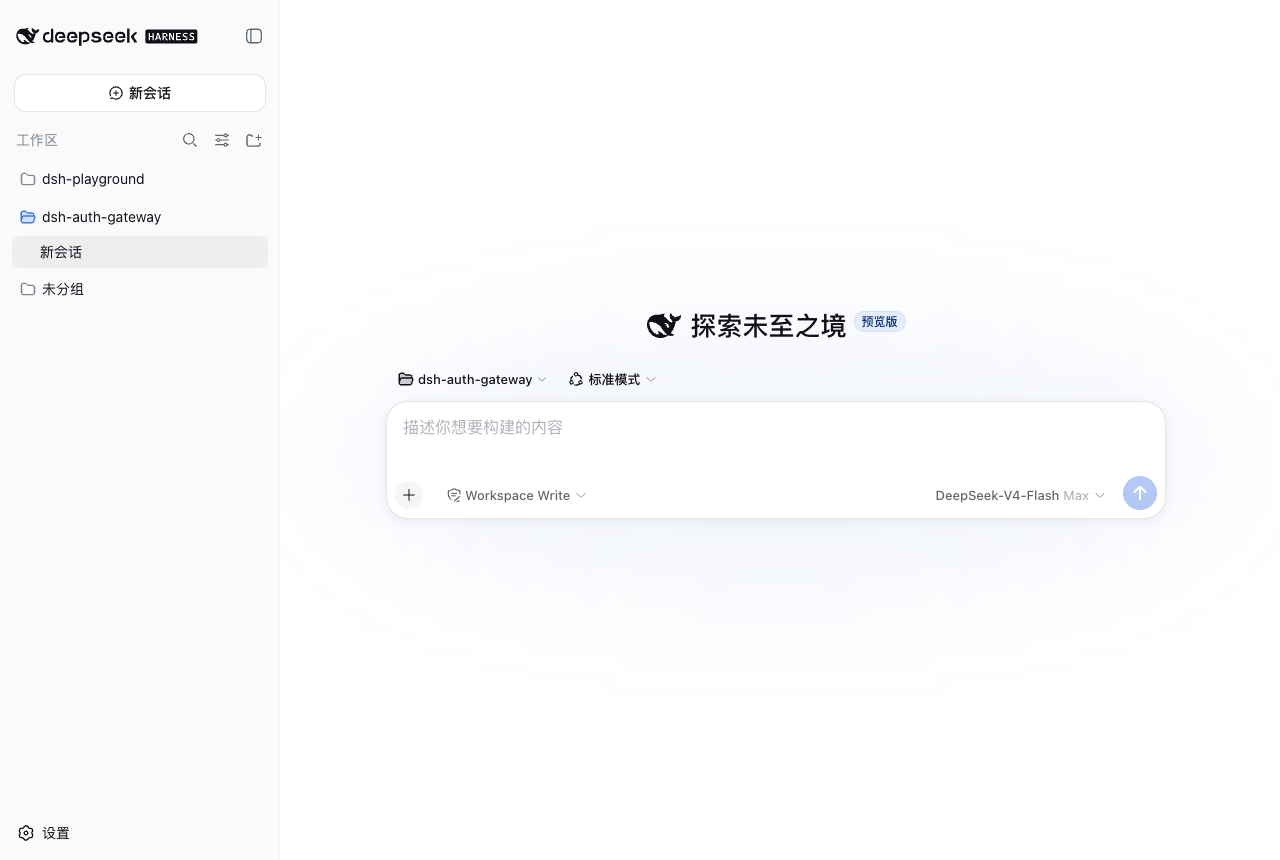
Inside DeepSeek Harness, with dsh-market
dsh plugin --profile web add dshmarket
Or from the command line
dsh plugin --profile web add dsh-auth-gateway
Installing runs third-party code with your own permissions — it can read your files, use your credentials and reach the network. Review the source first, and pin a commit (github:owner/repo#sha) when you can.
Screenshots
README
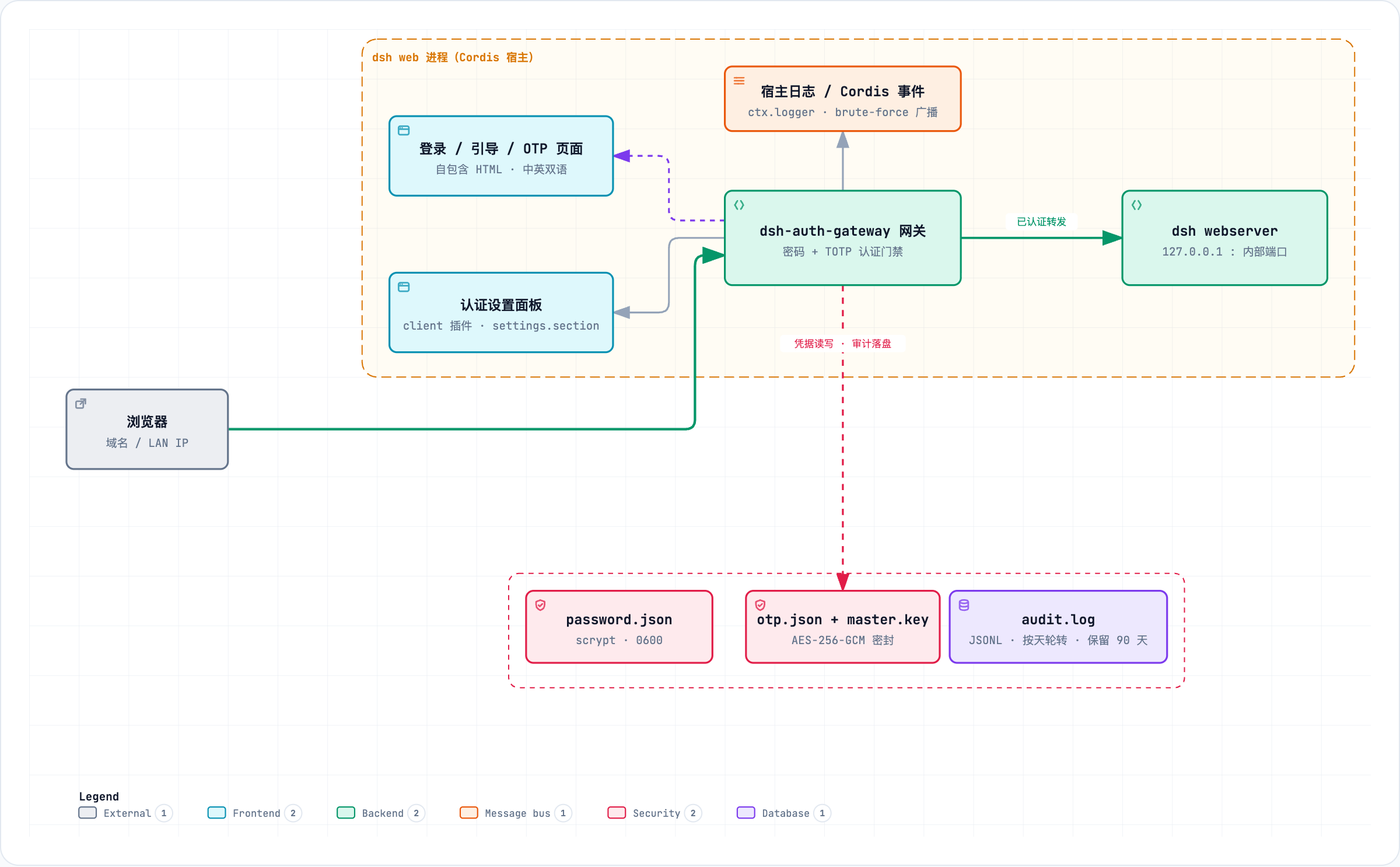
A Cordis plugin that puts an authentication gate in front of the DeepSeek Harness Web UI: password auth + TOTP two-factor authentication + layered brute-force protection + session management + login audit, with real interception of every request (HTTP and WebSocket) at the gateway layer — unauthenticated traffic never reaches the backend.
dsh web's official authentication targets the local loopback only: since dsh 0.1.2 the internal webserver enforces built-in browser authentication (BrowserAuth), yet its design note states explicitly "There is no logout operation" and that "Authentication does not imply supported network deployment, TLS, forwarding-header interpretation, or proxy configuration", while the CLI still rejects --host 0.0.0.0 — dsh never envisioned or supports remote access, and reserved no integration channel for putting another gateway in front of it. This plugin fills that role itself, as an in-process gateway: the gateway exclusively owns the external port, the bundle patch binds the internal webserver to the loopback address, and the gateway is the only way in.
This project supports 0.1.5-rc.2 <= dsh <= 0.2.0-rc.2, all verified.
Installation and Uninstallation
# Install (from npm registry)
dsh plugin --profile web add dsh-auth-gateway

# Start (external port 8080, internal webserver auto-moves to 8081)
dsh web --port 8080

# Uninstall (clean credentials first, then remove)
~/.dsh/profiles/web/node_modules/.bin/dsh-auth-gateway-uninstall
dsh plugin --profile web remove dsh-auth-gateway
- Supports installation from GitHub / local directory — see docs/en/INSTALL.md;
- Forgot your password? Use
dsh-auth-gateway-resetto reset (restart prints a new initial password to the console); - Deployment guide: docs/en/DEPLOYMENT.md
Features
- Password auth: on first deployment an initial password is auto-generated and printed to the console (one-time credential); after login you are guided to set a personal password (scrypt-hashed), and every subsequent visit requires login;
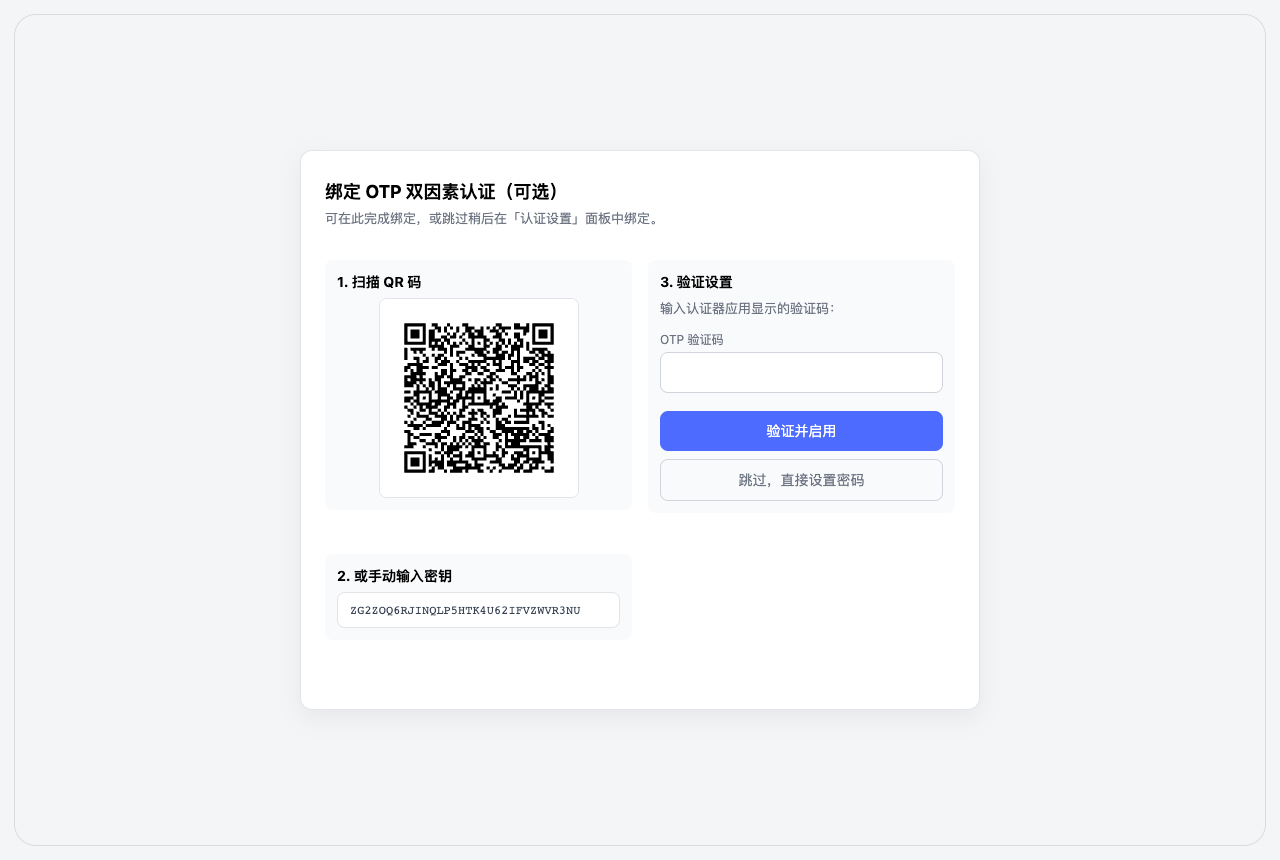
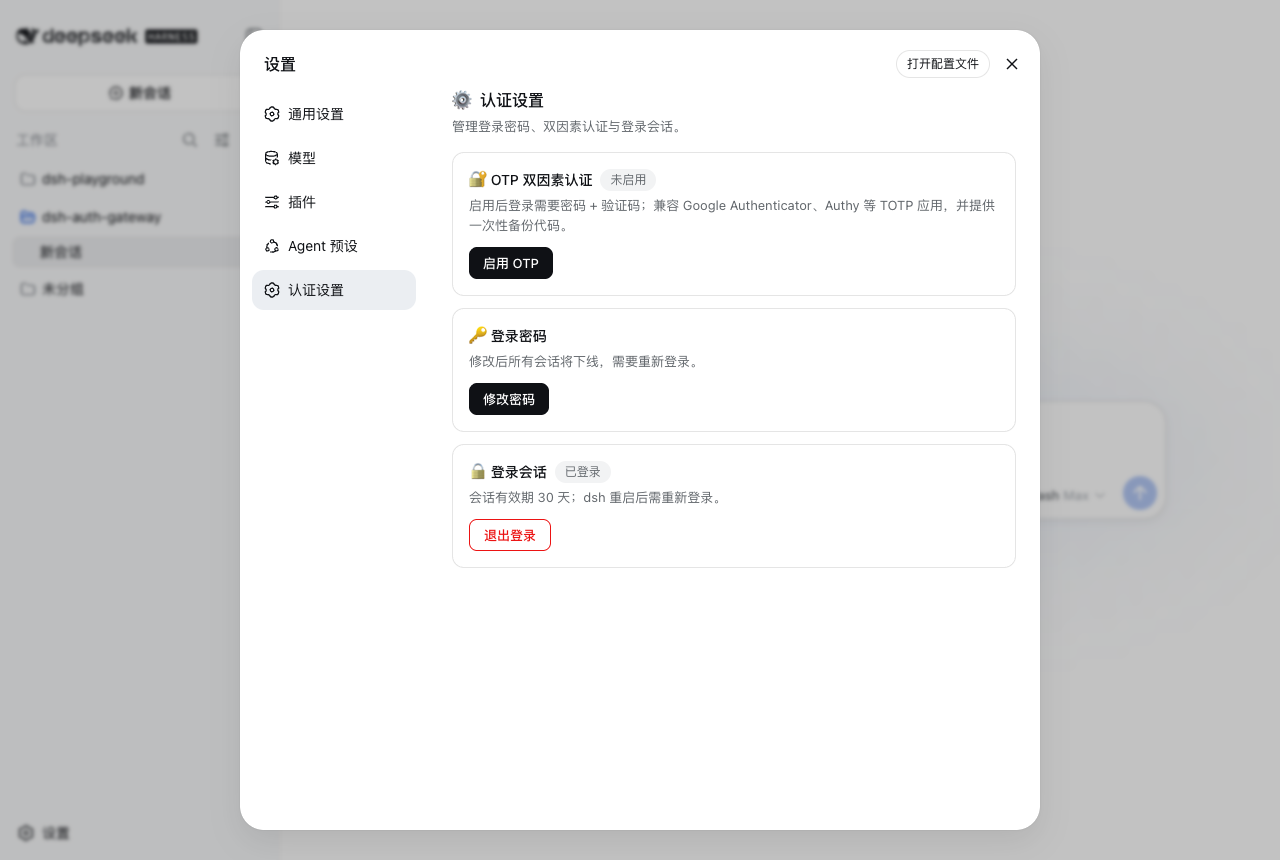
- Two-factor authentication (TOTP): optional; works with Google Authenticator, Authy, 1Password and other mainstream authenticators; ships with one-time backup codes (scrypt-hashed, single-use) for recovery when a device is lost; the OTP secret is stored encrypted at rest with AES-256-GCM (master key from the
DSH_AUTH_GATEWAY_MASTER_KEYenv var or an auto-generatedauth-gateway/otp-master.key), so a disk disclosure no longer exposes the second-factor root key; - Real request interception: unauthenticated
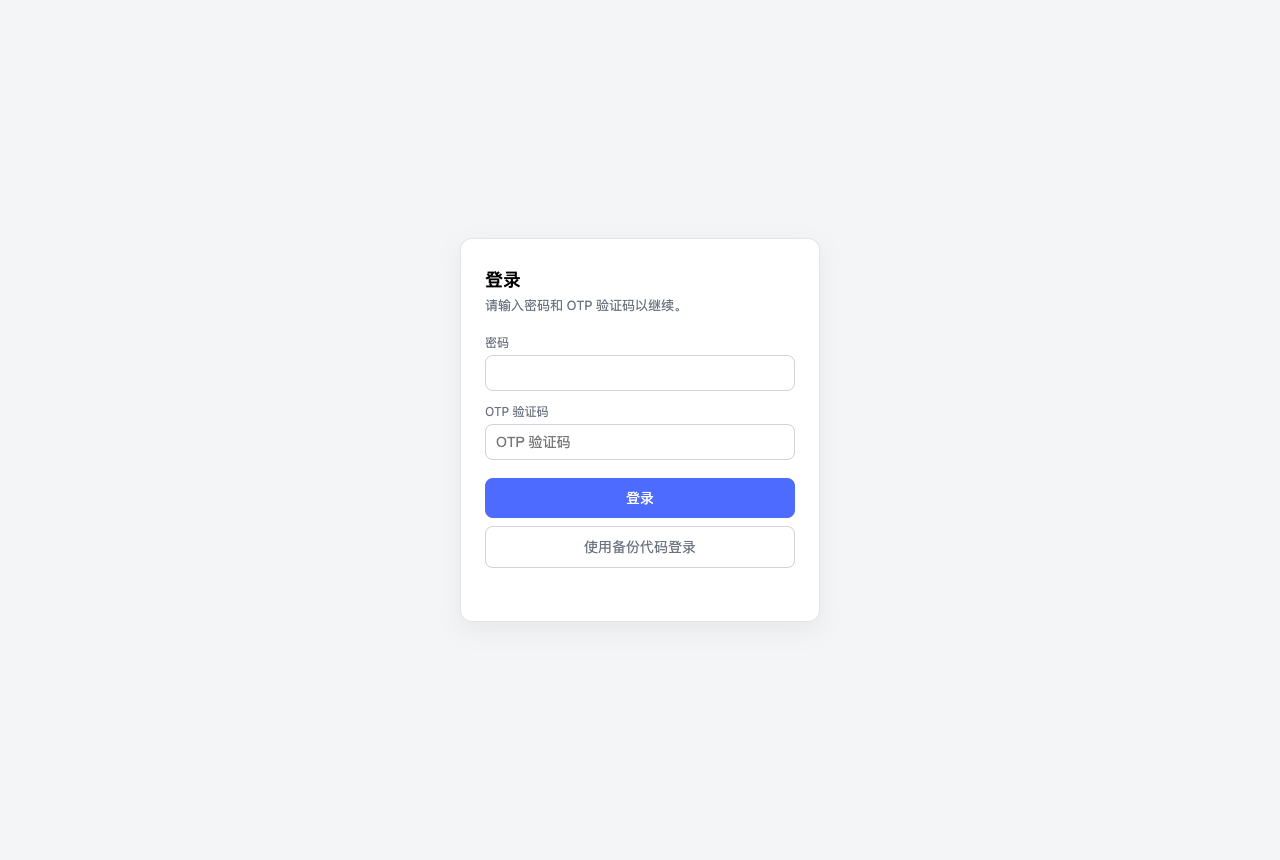
/api/*returns 401, page paths 302 to the login page, WebSocket upgrades are rejected outright; authenticated traffic is forwarded transparently (Host/Origin normalization, compatible with the internal trust fence); - Login audit: login success / failure / logout / password change and brute-force alerts (lockouts / rate limits) are logged via
ctx.logger.info/warn(with source IP and failure reason — never any credentials) and persisted to$DSH_HOME/auth-gateway/log/audit.log(JSONL, rotated daily, 90-day retention), forming a complete audit trail; - Layered brute-force protection: per-source lockout on password failures (default 5 failures / 5 min) + global rate limit (default 60 attempts/min) + per-source OTP/backup-code limit (default 10/min); scrypt runs asynchronously on the libuv thread pool, so login floods never block the event loop;
- Session management: in-memory 256-bit tokens (30 days), HttpOnly + SameSite=Strict cookies; changing the password or disabling OTP revokes all sessions;
- Compliant shape: a host-only plugin (zero build, zero runtime dependencies) plus an optional client half (settings panel, source-built); the bulk goes through official dsh extension points (
ctx.effect,webServer.tapIndex,ctx.slots) — with one recorded security exception: LAN trust (minimal interception of the connection registration so the Models settings page works on domain/reverse-proxy access; see TROUBLESHOOTING §1).
What this plugin does not do
The following requirements cannot truly be delivered on a single instance — they presuppose process/OS-enforced execution and storage isolation (separate OS accounts, containers, or a sandbox), and this plugin, an authentication gateway running inside the dsh process, cannot provide that layer. They are listed here so expectations stay honest:
- Multi-account login / multi-tenancy: dsh is a single-user tool — one Home, one set of model credentials, and every session and data file (
sessions/,workspace/,.credentials.yaml) lives on local disk under the authority of the OS account running dsh. An account layer on top of the gateway can only distinguish who is logging in (access control + audit); it cannot isolate who can see what: any authenticated user can read every session and credential of the same Home through dsh's tool execution. Without OS/container/sandbox isolation there is no real multi-tenancy — this plugin does not and cannot do it. - Role-based permission limits (user/admin): likewise, roles can only take effect at the gateway's own HTTP routing layer (e.g. restricting gateway-admin features); they cannot constrain dsh's internal capability surface — once a normal user passes the authentication gate, they hold the full power of that instance (tool execution, session read/write, configuration and credential access). For scenarios that need "restricted users", deploy OS-isolated instances and manage accounts yourself. This plugin's job is: the authentication gate (who may enter) + interception and audit (who did what) — it does not and cannot implement authorization or isolation models.
How it works
flowchart LR
    B[Browser] --> G["dsh-auth-gateway gateway<br/>external port · inside the dsh process"]
    G --> C{"Auth check<br/>O(1) session table"}
    C -->|unauthenticated| U["/api/* → 401<br/>pages → 302 /login<br/>WS upgrade → rejected"]
    C -->|2FA not passed| O["/otp/verify"]
    C -->|authenticated| F["Forward<br/>Host/Origin rewritten to loopback"]
    F --> W["dsh webserver<br/>127.0.0.1:internal port"]
- The gateway's lifecycle is bound to dsh: it starts/stops with dsh, no separate process;
- The bundle patch moves the webserver to a loopback port (external =
--port, internal = external + 1), so remote clients cannot bypass the gateway and reach the backend directly; - The gateway establishes client-side loopback trust while dsh's
__ModuleLoader__loads the connection module, before Settings consumers start — this is the single recorded security exception (it intercepts only the connection registration; every other plugin passes through untouched). This compatibility layer does not replace login, the HTTP/WebSocket gates, or the server-side fence; see TROUBLESHOOTING §1; - Auth state machine:
first deploy → initial-password login → onboarding (set a personal password) → login → (optional) OTP verification → session; sessions that have not finished onboarding or 2FA can only reach their verification endpoints.
Screenshots
Quick start
- Start
dsh web: on first deployment an initial password is auto-generated and printed to the console (a prominent notice block); copy it and keep it safe; - Open the Web UI and log in with the initial password — you land on the onboarding page: set your own access password (at least 8 characters, mixed case or a special character; mandatory — all functionality stays locked until it is set). The initial password is one-time and invalidated once set;
- After login you can visit
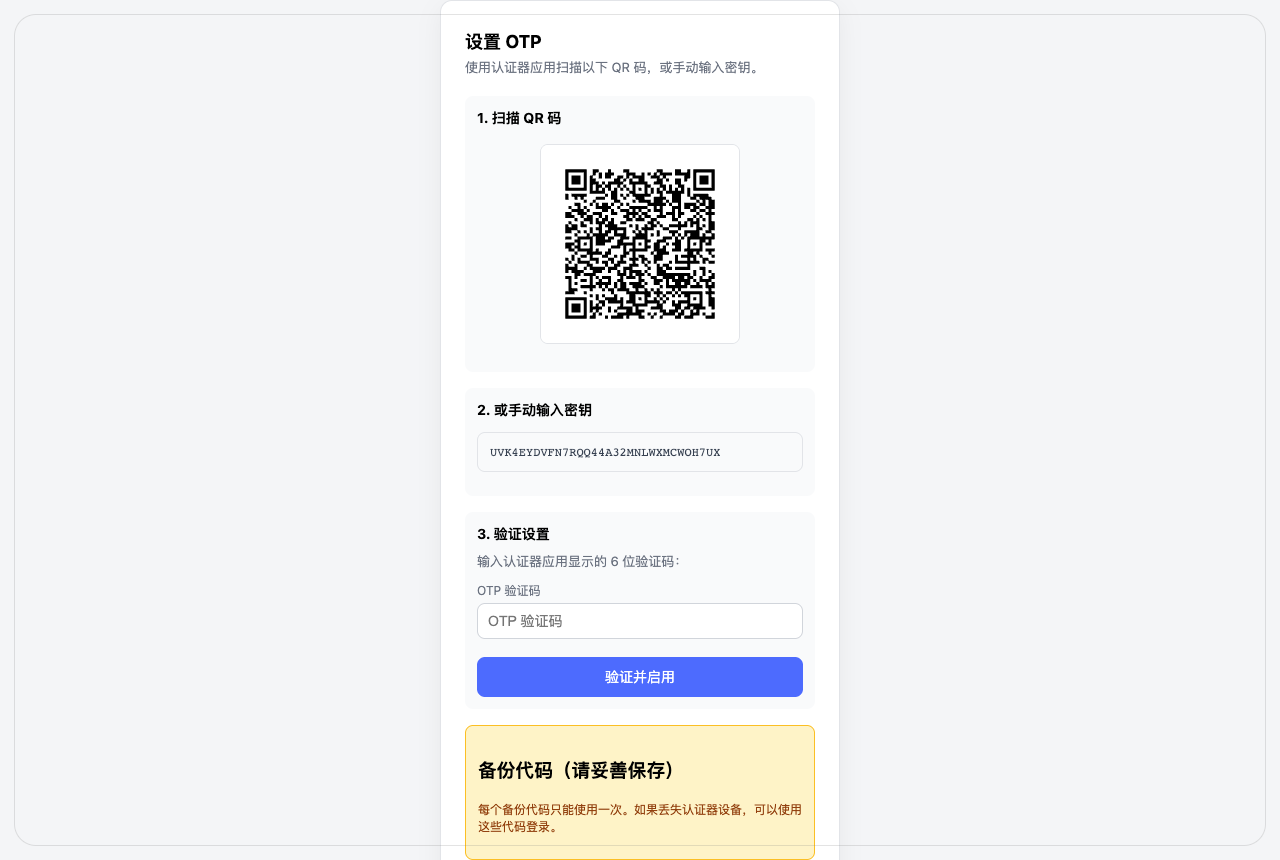
/otp/setupto enable TOTP (scan the QR code or enter the secret manually, confirm with a verification code; backup codes are generated at the same time — store them safely); - Once OTP is enabled, login requires password + verification code (or a backup code);
- Change password: visit
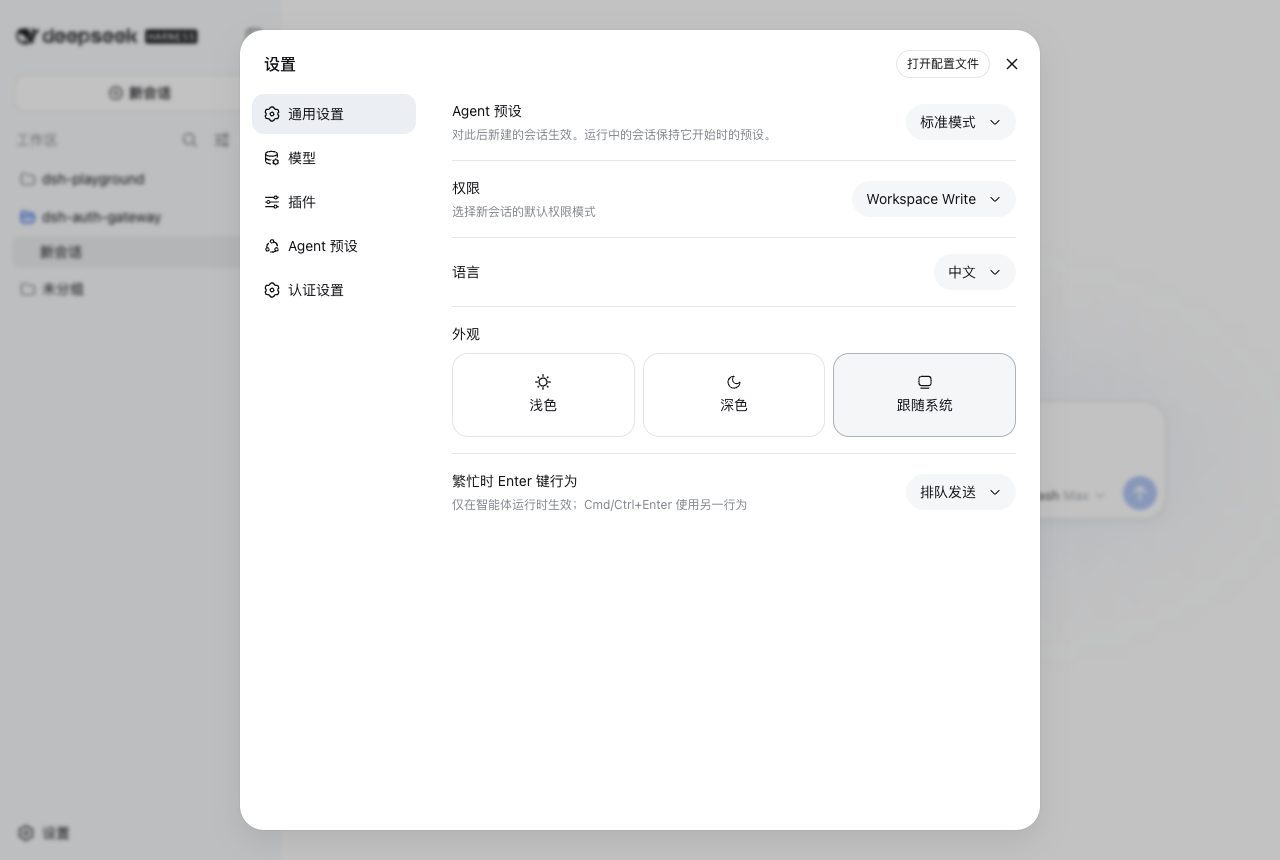
/login(shows the change form when logged in), or use the "Auth Settings" panel.
Configuration
The fields below are the config of the dsh-auth-gateway row in the bundle patch / profile patch (validated by Standard Schema):
| Field | Default | Meaning |
|---|---|---|
listenHost / listenPort |
0.0.0.0 / 3080 |
Gateway external listen address and port |
upstreamHost / upstreamPort |
127.0.0.1 / 3081 |
Internal webserver address and port |
basePath |
/ |
Reverse-proxy sub-path prefix (e.g. /dsh); default / (root path). Charset is limited to A-Za-z0-9._~/-: .., //, quotes, whitespace and angle brackets are rejected (the value is embedded into page scripts and links, so it is allowlist-validated; a non-conforming value is refused at load). For sub-path deployment, set in the deployer's profile patch, not shipped with the plugin |
cookieSecure |
auto |
Whether the session cookie carries Secure. auto: add it for TLS requests (a reverse proxy forwards X-Forwarded-Proto: https); true: force it; false: disable it. Browsers reject the cookie when it is forced over plain HTTP. The panel can change it at runtime: its credential-record override takes precedence until restored |
minPasswordLength |
8 |
Minimum password length (4–128) |
requireMixedCase / requireSpecial |
true / true |
Password complexity: mixed case OR special character |
maxLoginFailures / lockMinutes |
5 / 5 |
Password-failure lockout threshold and duration |
maxGlobalAuthAttemptsPerMinute |
60 |
Global auth-attempt rate cap |
maxOtpAttemptsPerMinute |
10 |
Per-source OTP/backup-code verification rate cap |
otpIssuer / otpPeriod / otpDigits / otpWindow |
dsh-auth-gateway / 30 / 6 / 1 |
TOTP parameters (display name, period, digits, window) |
backupCodeCount / backupCodeLength |
10 / 8 |
Backup-code count and length |
updateCheck |
false |
Automatically check for a new version when Auth Settings → About opens. Off by default: a fresh install makes no outbound request. Set true to also query the public npm registry's latest on open (the plugin's only outbound request — 6h success / 15min failure cache, 3s timeout, no credentials). Whatever this is set to, the panel's check for updates button can run a check on demand |
Security model
Authentication-state changes (enable/disable OTP, change password) always require a fully verified session: disabling OTP while 2FA is active additionally requires the current password plus a verification code or an unused backup code; sessions that have not completed 2FA cannot reach sensitive endpoints. OTP verification is replay-protected (accepted time-steps are recorded) and spoof-resistant (x-forwarded-for never counts toward the source). The OTP secret is sealed with AES-256-GCM before it is written to disk and can only be read with the master key — by default an auto-generated auth-gateway/otp-master.key (0600), or injected via DSH_AUTH_GATEWAY_MASTER_KEY (hex/base64, 32 bytes) to isolate disk disclosure. Login audit records only event kind, source IP and failure reason — never any credentials. The full threat model, known limitations and recovery paths are in docs/en/SECURITY.md.
Documentation
| Doc | Content |
|---|---|
| docs/en/INSTALL.md(简体中文) | Install, update, uninstall, credential reset — full step-by-step |
| docs/en/NGINX-DEPLOYMENT.md(简体中文) | nginx deployment: bare-metal / subdomain / sub-path / Docker nginx container — four topologies with full config examples |
| docs/en/SECURITY.md(简体中文) | Threat model, OTP security design, known limitations, recovery paths |
| docs/en/DEPLOYMENT.md(简体中文) | Ports & listening, LAN deployment, HTTPS advice, nginx reverse proxy, troubleshooting |
| docs/en/TROUBLESHOOTING.md(简体中文) | Real-world cases: Models page over domain, blocked native builds, bundle load failures, version-line credentials, cross-border tuning |
| docs/en/TESTING.md(简体中文) | Unit tests, end-to-end (Playwright), API/WebSocket gate verification |
| docs/en/DEVELOPMENT.md(简体中文) | Architecture, build, development stats |
All docs are bilingual (简体中文 / English).
Acknowledgements
- @adra2n — implemented OTP two-factor authentication (PR #1) and added AES-256-GCM encryption at rest for the OTP secret with error classification (PR #6);
- @meowtech — reported and initially implemented a fix for LAN browser settings becoming unavailable on newer dsh releases (rc8+ moved the configuration plane to loopback) (PR #7); that implementation (loader wrapping + provide hijacking) was later proven to break coexisting plugins, so this repository rewrote it with a minimal-intervention approach.
- @LuckVd — fixed the forwarded-request 401s caused by dsh ≥ 0.1.2 upstream browser authentication (BrowserAuth) (PR #12): reading the secret through the official
credentialschannel and minting an identical cookie for the loopback hop; after review, merged with the official-channel read, immediate re-mint on rotation, the deploy manifest and bilingual docs in place.
Verification overview
- Unit & contract tests:
npm test(covering basePath route/redirect/forward, PWA metadata pass-through, login audit, audit-log rotation/pruning, OTP security regressions, client contract, patch port derivation) - Deploy pipeline:
npm run deploy(syntax check → full test suite → sync to DSH install dir → post-install verification) - End-to-end against a real instance:
node scripts/e2e.mjs(Playwright; login/2FA/password-change flows) - Gate verification:
./scripts/verify.sh(curl; 401/302/WS rejection/lockout)
See docs/en/TESTING.md for details.
Model Experience
None — this package is an authentication carrier between the browser and the internal dsh webserver; it never enters any model request.
KV Cache effect
None — this package neither assembles nor sends provider requests.
License
MIT
Comments
Comments live in GitHub Discussions. Sign in with GitHub to post or react.