
Install
Inside DeepSeek Harness, with dsh-market
dsh plugin --profile web add dshmarket
Or from the command line
dsh plugin --profile web add dsh-passwords
Installing runs third-party code with your own permissions — it can read your files, use your credentials and reach the network. Review the source first, and pin a commit (github:owner/repo#sha) when you can.
Screenshots
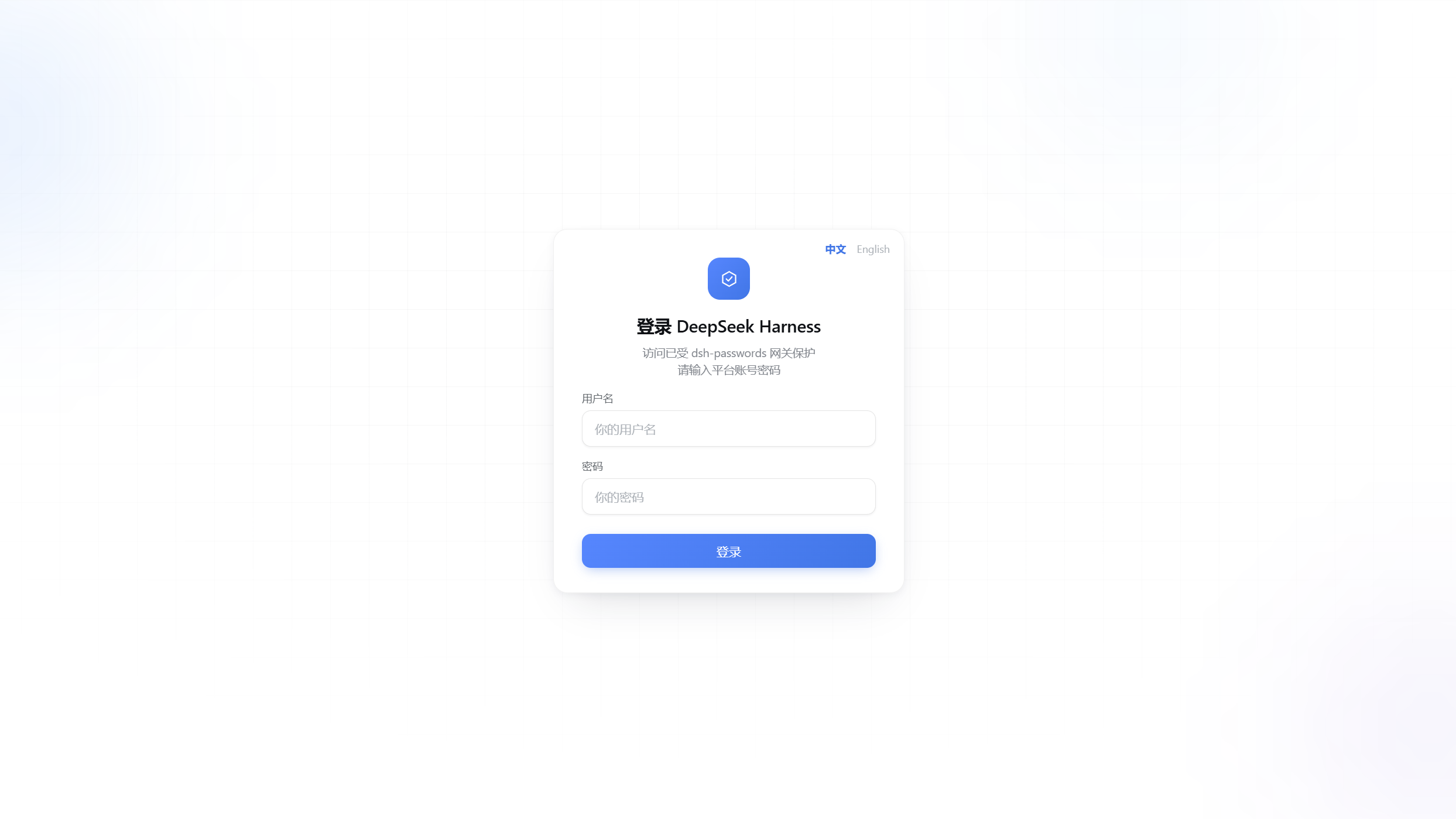
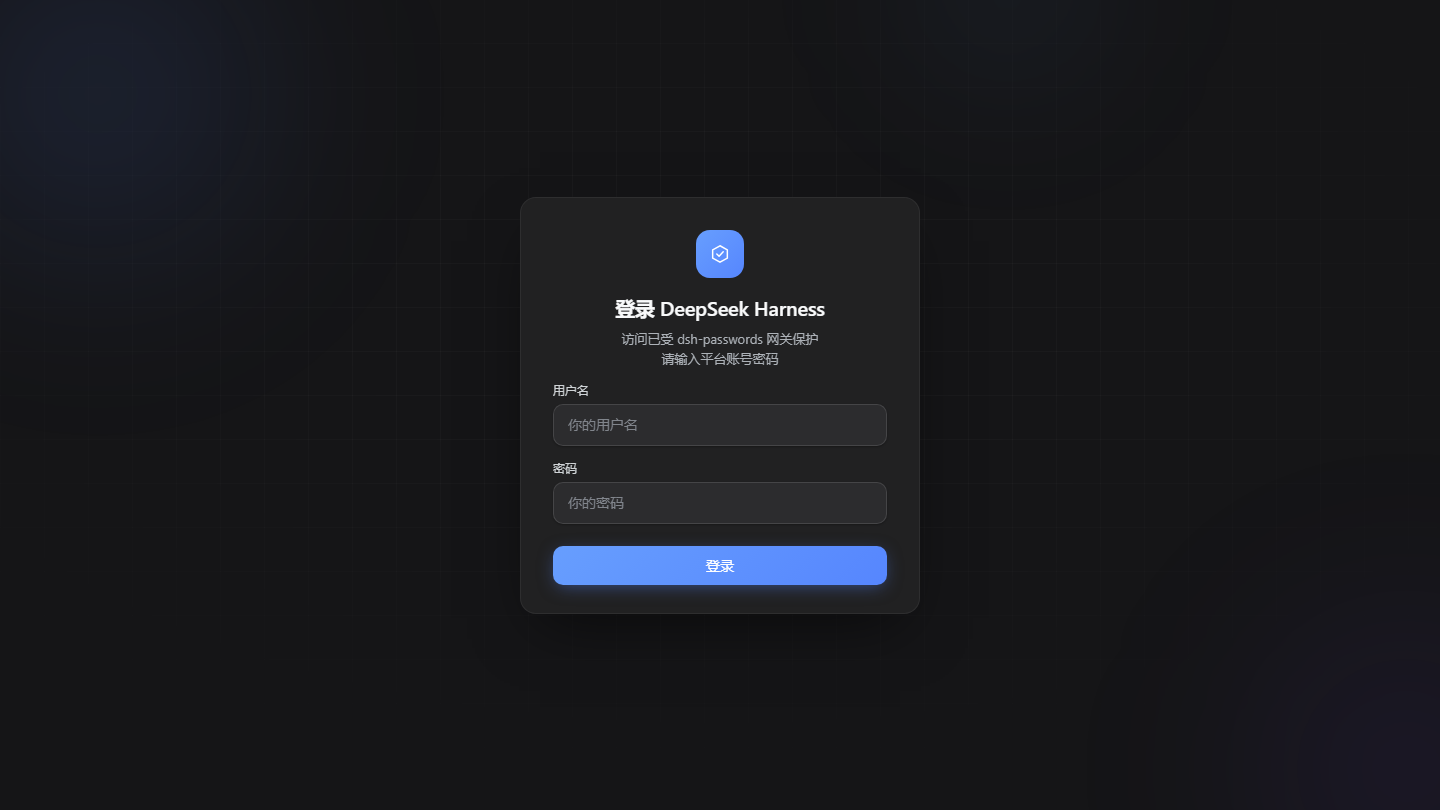
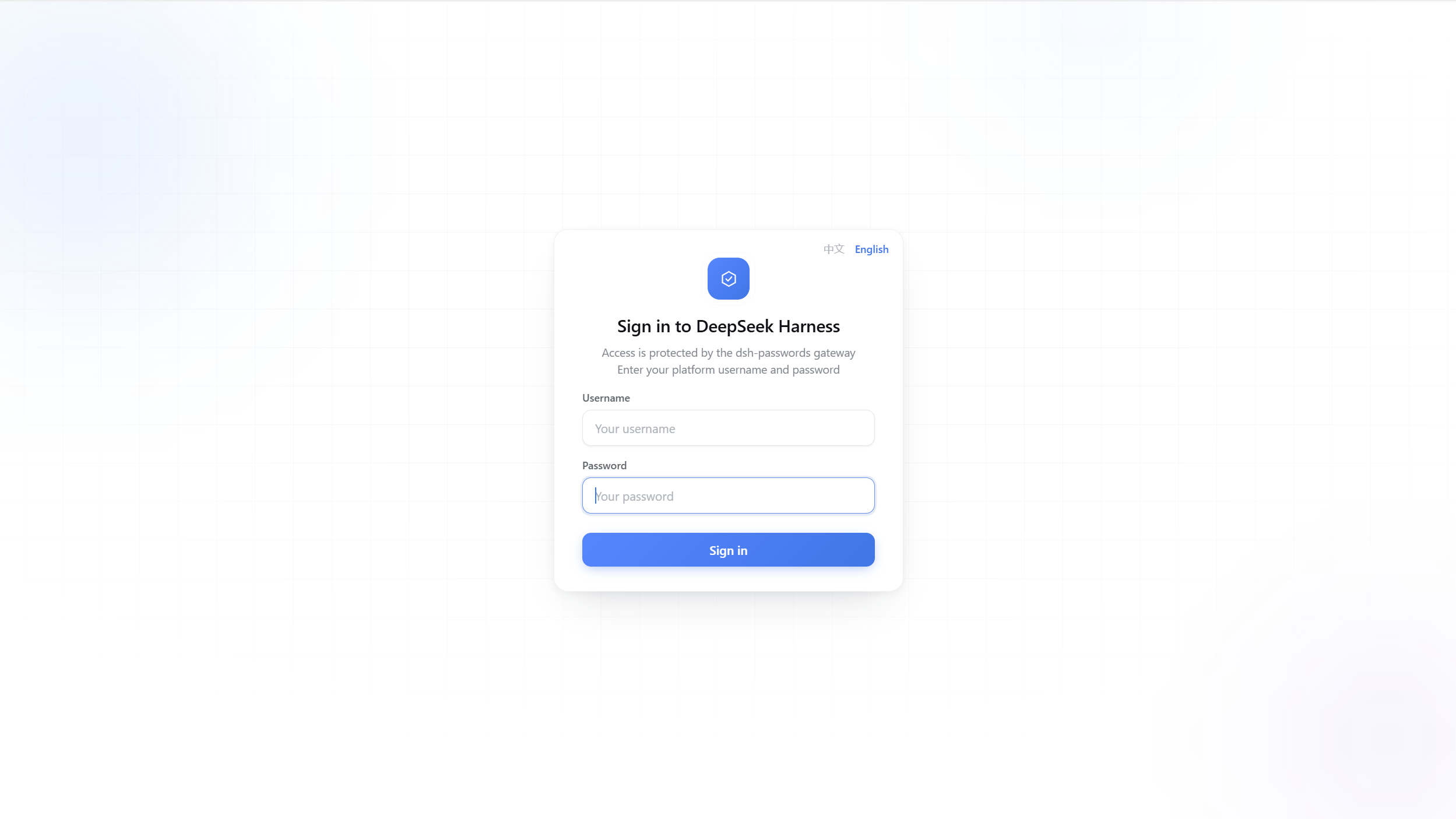
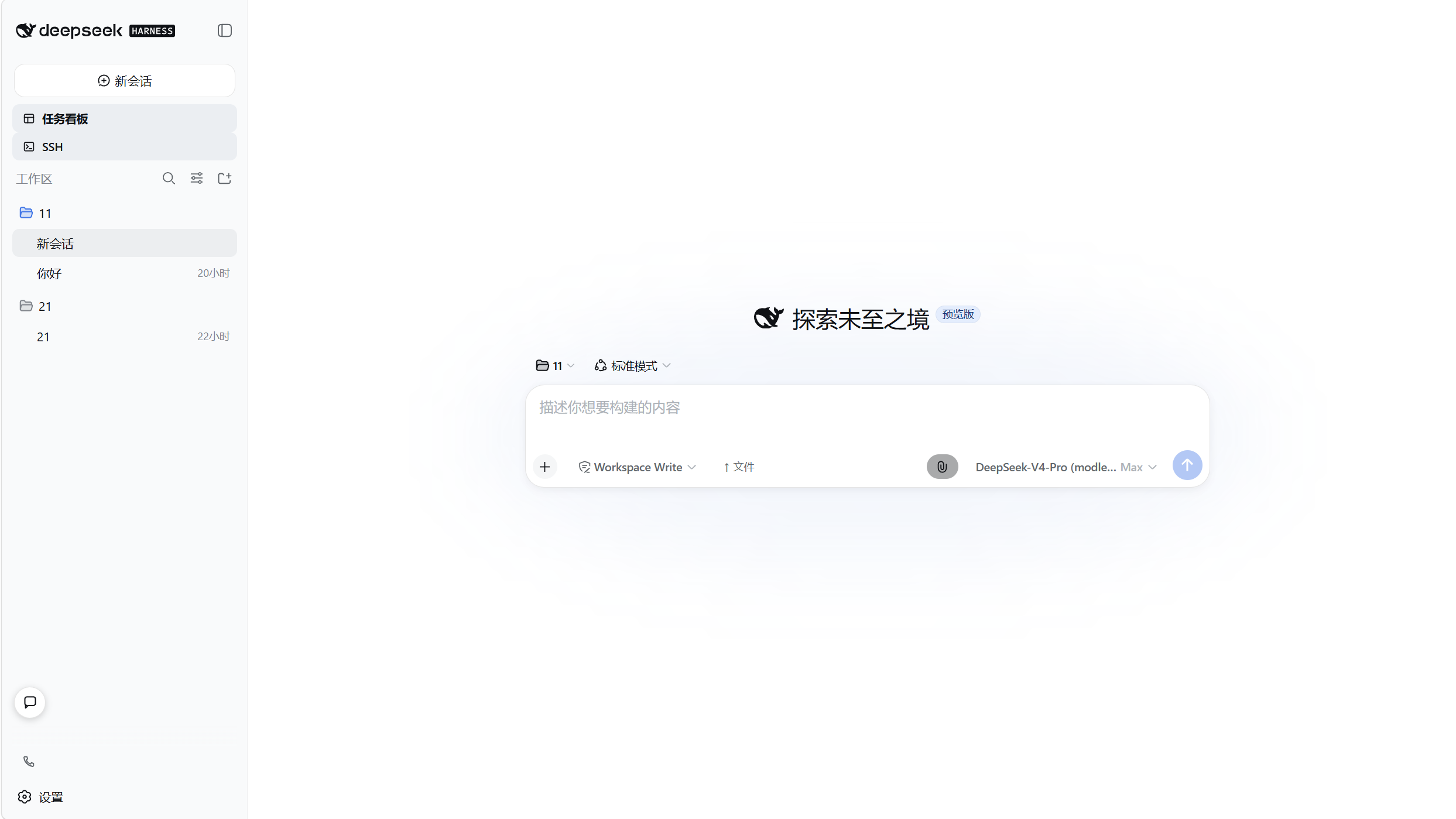
README
简体中文 | English
Features · Quick start · First-run setup · Uninstall · Automatic HTTPS · Deployment topologies · Configuration · FAQ · Security · Contributing
Features
- Login: first-run setup creates the owner account; every later visit goes through the login page; sessions last 12 hours
- Automatic HTTPS: issues and renews Let's Encrypt certificates, redirects port 80 to 443, zero configuration
- Multi-tenant: one owner plus any number of subusers; account management lives in the dsh settings page
- Permissions and quotas: workspace allowlists, per-session toggles, hourly token caps, daily time caps, three sandbox tiers, upload/download switches, ban
- Session grants: workspace permission no longer implies access to every session; the owner grants sessions individually; archive state stays consistent between workspace and session lists
- Operator view: the owner sees all workspaces and sessions and can download non-sensitive regular files
- Auditing and security: login rate limiting and lockout, audit log, SQLite encryption at rest, logout revokes sessions
- Settings card: patch reload, software updates, account and permission management, in-app messaging, bilingual zh/en UI
Screenshots
| Login · Light | Login · Dark | Login · English |
|---|---|---|
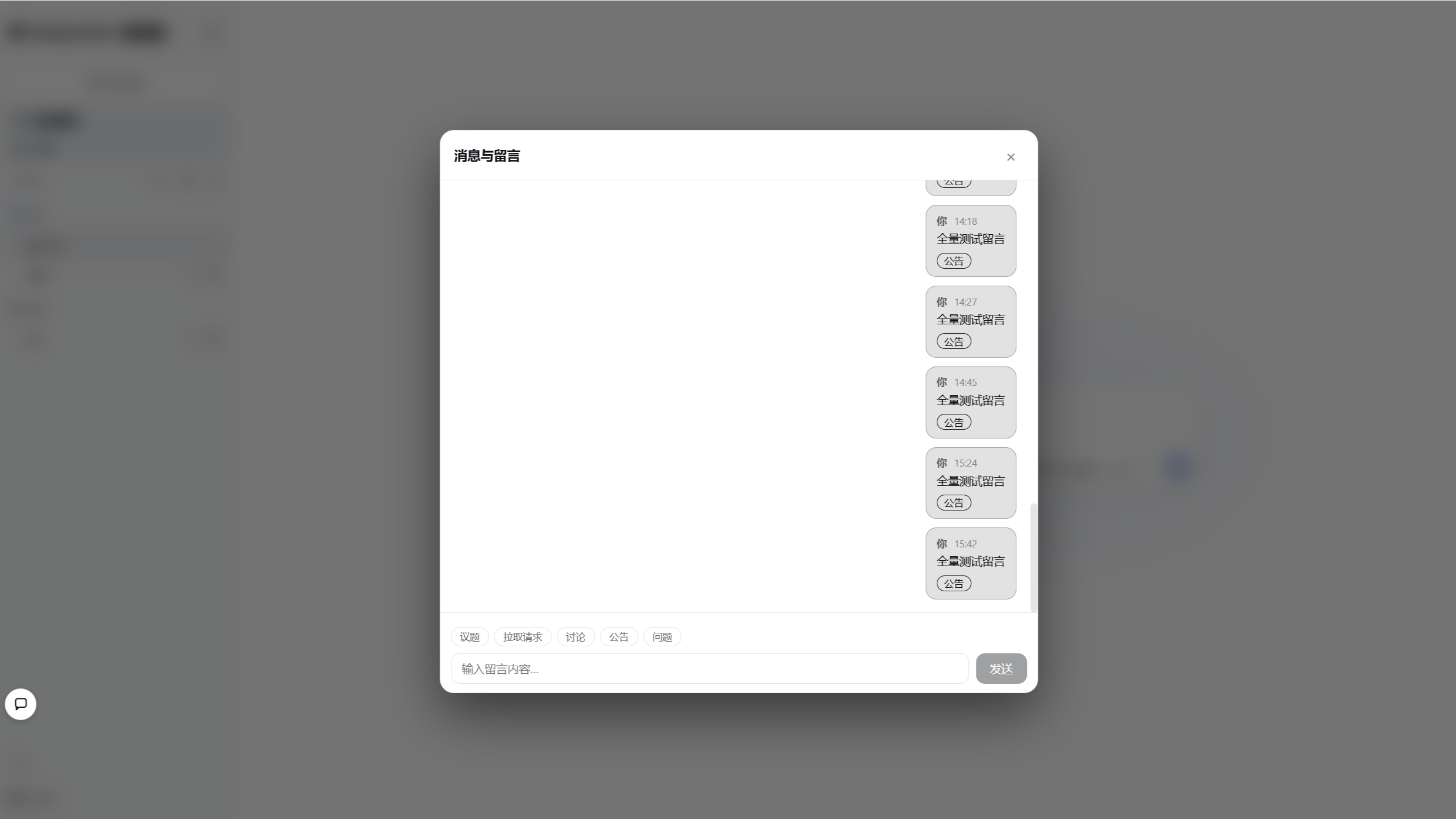
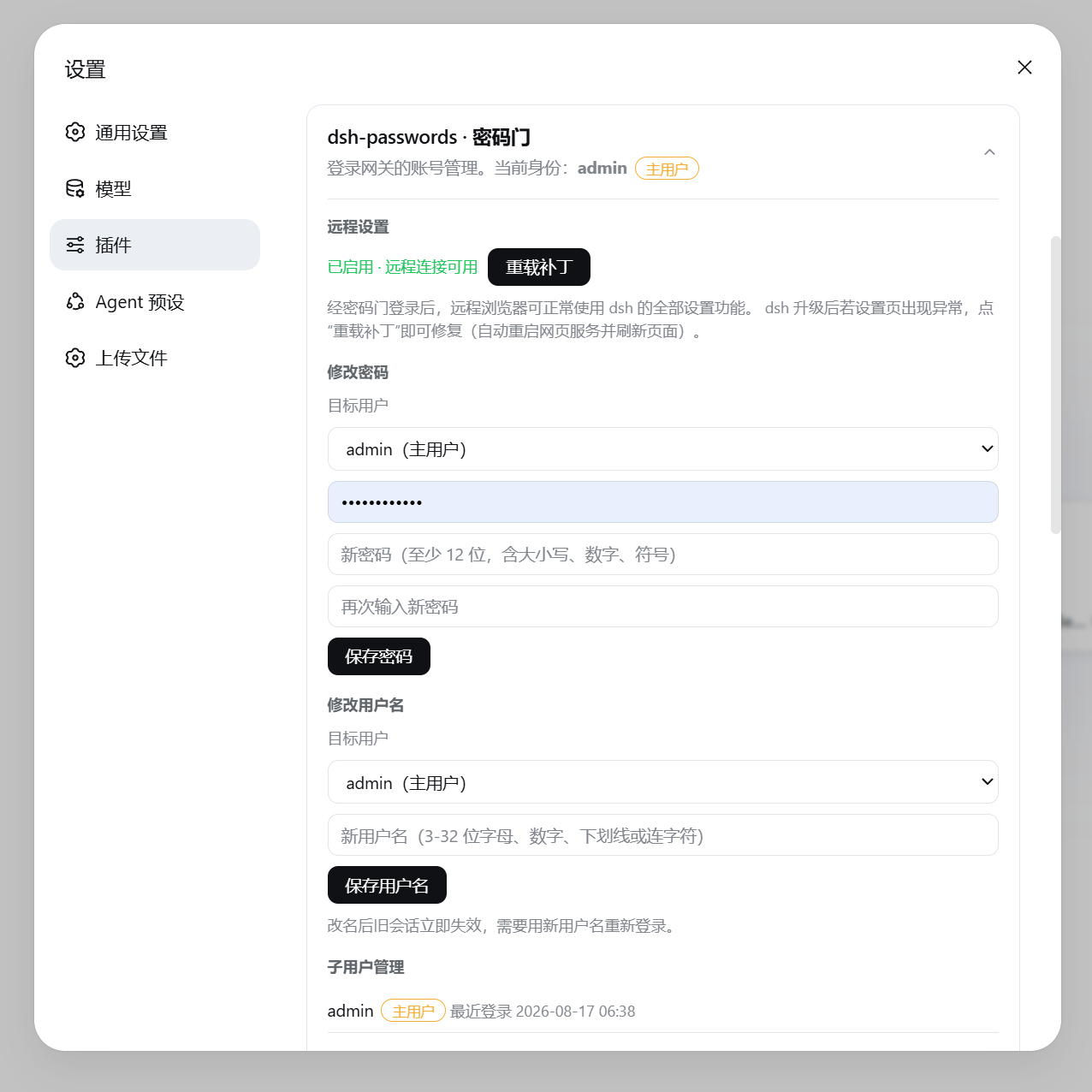
| dsh main UI · signed in | Chat / Messaging | Settings card · Accounts |
|---|---|---|
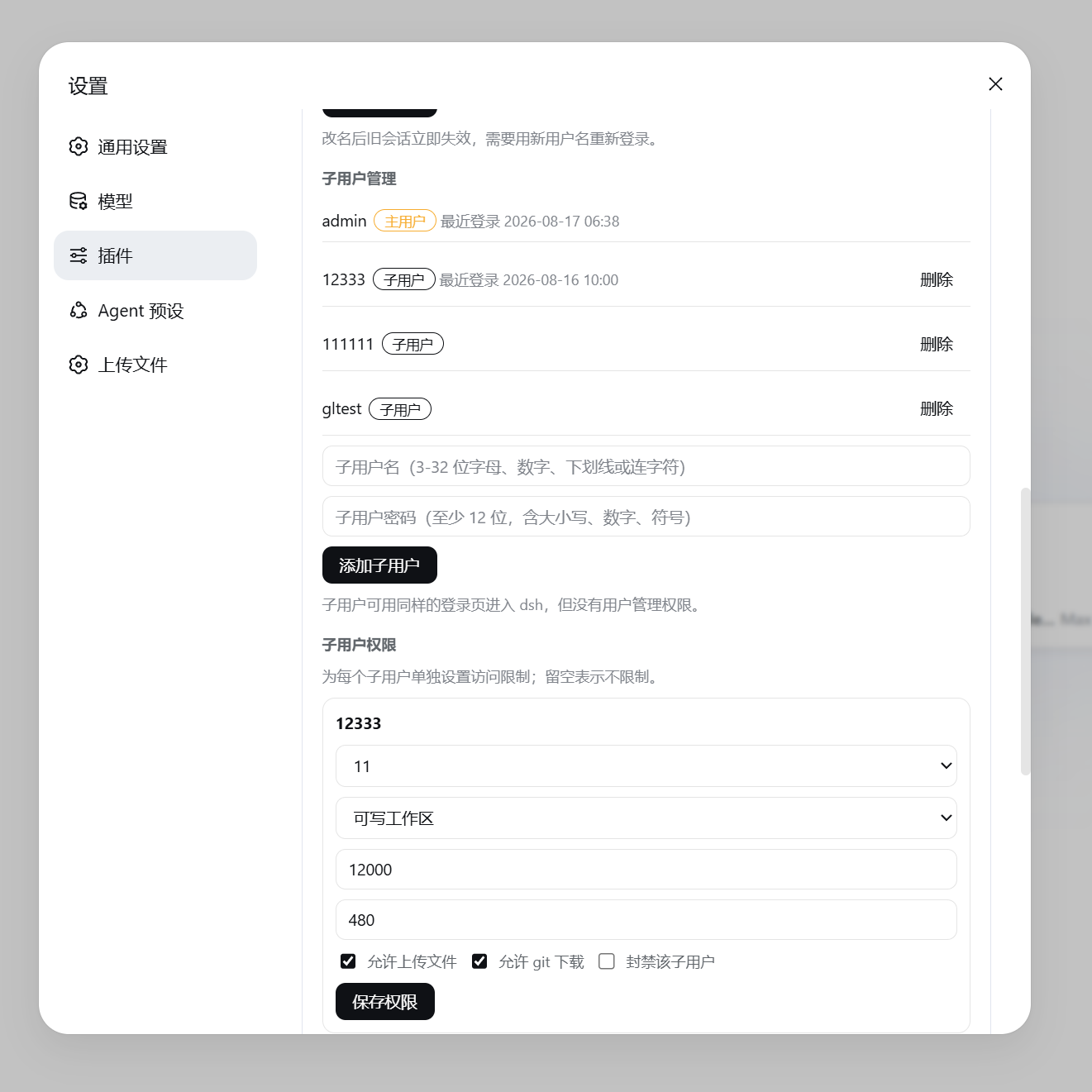
| Settings card · Permissions and quotas | ||
|---|---|---|
Quick start
Prerequisites
Host installs need Node.js 22.19+ or 24+, a working dsh installation, and git. The compatibility gate accepts stable DSH 0.1.7 and its alpha/beta/rc prereleases, and also accepts the 0.2.0 line; the current working tree pins development and bundled Docker to 0.2.0-rc.1. Compatibility targets also retain the full 0.1.6 / 0.1.5 lines and the 0.1.2 / 0.1.3 API boundaries. The published 2.7.5 deployment (DSH 0.1.7-rc.2) has been validated on the test server. Docker installs only need Docker Engine or Docker Desktop and a DeepSeek API key.
Install
Five install methods, pick one. Host installs automatically install dependencies, build, generate a SETUP_KEY, register the dsh plugin and apply the remote-settings patch; an existing .env is never overwritten, so re-running is safe.
# 1. Linux / macOS one-liner
curl -fsSL https://raw.githubusercontent.com/slywalker2006/dsh-passwords/main/install.sh | sudo bash

# 2. Clone first, then install
git clone https://github.com/slywalker2006/dsh-passwords && cd dsh-passwords
sudo bash install.sh

# 3. npm global install, works on any platform
npm install -g dsh-passwords
dsh-passwords install
On Windows download install.bat from the repository and run it. The default install directory is %USERPROFILE%\dsh-passwords.
# 4. Docker
docker run -d \
  --name dsh-passwords \
  --restart unless-stopped \
  --env-file .env \
  -p 127.0.0.1:3088:3088 \
  -v dsh-home:/data/dsh \
  -v dsh-passwords-state:/data/dsh-passwords \
  skywalker237234/dsh-passwords:2.7.6
.env needs at least DEEPSEEK_API_KEY. Set MCP_GATEWAY_PUBLIC_HOST to the domain you actually use. The host publishes port 127.0.0.1:3088 only while the container listens on 0.0.0.0:3088; terminate TLS on nginx or Caddy for public access. The image bundles DSH 0.2.0-rc.1 (the pinned release of the DSH 0.2.0 line; image runtime acceptance has not been performed for this pin); initialization is complete when healthz and readyz both return ok:true.
Notes:
- Host installs default to
/opt/dsh-passwords; override withDSH_PASSWORDS_DIR. A recognized existing dsh-passwords directory resumes the idempotent installer in place; another existing target aborts - The SETUP_KEY is printed when the install finishes and written to
setup-key.txtin the install directory - The two Docker volumes hold the dsh profile and the
.env, database and certificates; deleting them deletes your data - Emergency cleanup does not self-delete from inside Docker. For Compose deployments run
docker compose down -v; for the documenteddocker rundeployment, rundocker rm -f dsh-passwordsfollowed bydocker volume rm dsh-home dsh-passwords-state(both permanently remove volume data) - For split-container deployments set
MCP_DSH_PATCH_ALLOW_BIND_ALL=1on the dsh container so the gateway container can reach dsh web
First-run setup
- Start dsh:
dsh web. Docker users skip this; the container starts it automatically. - Open
https://<server address>in a browser; the first visit enters the setup page. - Enter the SETUP_KEY to create the owner account. Every later visit to this address goes through the login page.
After setup completes, setup-key.txt is deleted automatically and the keys in .env are consolidated and rotated.
Docker users need nginx or Caddy to proxy 80/443 to http://127.0.0.1:3088 first; read the one-time SETUP_KEY with docker exec dsh-passwords cat /data/dsh-passwords/setup-key.txt.
Uninstall
For a host installation, run this from the dsh-passwords installation directory:
node dist/cli.js uninstall
# A global npm installation can also use:
dsh-passwords uninstall
The command removes only the dsh-passwords link and bundle from the DSH web profile, then rolls back dsh patches managed by this plugin. Other plugins and bundles remain in place. Restart dsh-web when prompted.
It does not delete the installation directory, .env, database, TLS/ACME certificates, or other plugins. If profile dependency reconciliation or patch rollback fails, the original profile is restored to avoid a partial uninstall. For Docker, stop and remove the deployment using its Compose or container configuration; do not remove named volumes unless you also intend to permanently erase data.
Automatic HTTPS
By default the gateway detects the public IP and issues a 90-day Let's Encrypt certificate for <IP>.sslip.io, renewing automatically 30 days before expiry with hot reload. For your own domain set MCP_GATEWAY_DOMAIN. Issuance failure refuses to start and never falls back to plaintext; renewal failure keeps the still-valid old certificate and retries in the background.
| Code | Meaning | Action |
|---|---|---|
| 30 | Certificate issuance failed | Check 80/443 availability and that Let's Encrypt is reachable |
| 31 | No public IP or domain | Set MCP_GATEWAY_DOMAIN, or use HTTP mode |
| 32 | Port occupied | Change MCP_GATEWAY_PORT or free the port |
The <IP>.sslip.io name exists because Let's Encrypt does not issue certificates for bare IPs. Visiting the bare-IP https address warns about a hostname mismatch; entering through port 80 redirects to the correct address.
Deployment topologies
| Scenario | Approach |
|---|---|
| Public server with 80/443 open | Default configuration, automatic HTTPS |
| Existing domain certificate | Set MCP_GATEWAY_TLS_CERT / MCP_GATEWAY_TLS_KEY; port 80 not needed |
| Existing nginx / Caddy reverse proxy | Terminate TLS at the proxy, set MCP_GATEWAY_AUTO_TLS=0 and a high port, gateway listens on loopback only |
| Cloudflare | CF terminates TLS and forwards to origin, same approach as a reverse proxy |
| Internal network / bare IP without port 80 | Use HTTP mode |
http-01 validation only touches port 80 during issuance and renewal, about once every 60 days.
HTTP mode
Plaintext HTTP is refused by default. When an internal-only deployment truly needs it:
node scripts/start-http.mjs [port] # default 8080, asks for confirmation
Alternatively, set MCP_GATEWAY_AUTO_TLS=0 and MCP_GATEWAY_PORT=8080 in .env; the plugin starts the gateway in HTTP mode. This mode needs no public IP, DNS, ACME, or external CDN and is suitable for an internal network. The initial installation still needs npm/GitHub access, or a prepared project tarball, dependency cache, and local DSH installation. Model replies still require an upstream provider such as DEEPSEEK_API_KEY; without a model service, login, permissions, files, and administration remain available but model generation does not.
The gate card in dsh settings
After signing in, open Settings to find the "dsh-passwords" card.
| Feature | Who | Notes |
|---|---|---|
| Patch reload | Owner only | Re-applies the patch and restarts the web service when a dsh upgrade breaks the settings page |
| Software updates | Status visible to all, actions owner only | Auto check, throttled download, idle-window install and restart, see below |
| Change password / username | Self; owner can act on anyone | Password change revokes all old sessions |
| Subuser management | Owner only | Create and delete subusers |
| Subuser permissions | Owner only | Workspace allowlist, per-session grants, token and time caps, sandbox tier, upload/download switches, WebSocket path grants, ban |
| Chat / messaging | All signed-in users | Tagged messages; subuser messages default to DMs to the owner, only the owner can broadcast |
| Sign out | All signed-in users | Ends the current session |
Passwords require at least 12 characters with upper, lower, digit and symbol.
Software updates
- Version discovery uses GitHub Releases; packages always come from the npm registry, verified against the release's
dist.integritysha512 - Automatic mode: checks every 24 hours, downloads throttled after finding a new version, installs and restarts after the platform has been idle for one hour; the owner can install immediately
- Manual mode: check only discovers versions; the first click downloads, the second click installs and restarts
- Installs preserve
.env,data/, the database, TLS material and the dsh profile; failures roll back - Docker updates require explicit
MCP_DSH_DOCKER_SELF_UPDATE=1plus the Compose variables; without them only host-side manual commands are shown. A Docker socket grants the container control of the host; enable only in trusted deployments
Configuration reference
| Variable | Default | Description |
|---|---|---|
SETUP_KEY |
Generated by installer | First-run setup key, rotated automatically after setup |
MCP_JWT_SECRET |
Derived from SETUP_KEY | Session signing key; set independently with openssl rand -hex 32 in production |
MCP_DB_PATH |
./data/platform.db |
SQLite database path |
MCP_DB_ENC_KEY |
empty | Field encryption key; cannot be changed once set. Back up the database together with .env |
MCP_GATEWAY_HOST / MCP_GATEWAY_PORT |
0.0.0.0 / 443 |
Gateway listen address and port |
MCP_GATEWAY_UPSTREAM |
http://127.0.0.1:3080 |
dsh web address, pointed automatically |
MCP_GATEWAY_SSH_ENDPOINTS |
empty | Registry for legacy HTTP/WS host endpoints that are not observable through the DSH runtime. Rules use [owner:][ws:|http:]path; both owner: and ordinary SSH/host entries are owner-only; a legacy allowSsh value cannot grant subuser SSH access. Normal DSH extension surfaces registered by the host are synchronized through a generic runtime manifest and are available without endpoint registration or allow_ssh; workspace/session authorization and terminal, host-execution, and plugin-management boundaries remain enforced. When DSH_PASSWORDS_ENV_FILE is set, the registry is hot-reloaded every 5 seconds; otherwise restart the gateway after editing. |
MCP_GATEWAY_REDIRECT_PORT |
80 |
ACME validation and 301 redirect port |
MCP_GATEWAY_DOMAIN |
empty | Custom domain; empty uses <public IP>.sslip.io |
MCP_GATEWAY_AUTO_TLS |
on | 0 disables automatic HTTPS |
MCP_GATEWAY_TLS_CERT / MCP_GATEWAY_TLS_KEY |
empty | Your own certificate, takes precedence over automatic HTTPS |
MCP_GATEWAY_PUBLIC_HOST |
empty | Fixed redirect target, guards against Host spoofing |
MCP_GATEWAY_ACME_EMAIL / MCP_GATEWAY_ACME_STAGING |
empty / off | Renewal contact email / LE staging |
MCP_DSH_ROOT |
auto-detected | dsh installation directory |
MCP_DSH_RESTART_SERVICE |
Linux dsh-web; Windows empty |
systemd service restarted after patch reload; on Windows, restart DeepSeek Harness manually after an update |
MCP_DSH_AUTO_UPDATE |
on | Deployment-level auto-update master switch |
MCP_DSH_UPDATE_MAX_BPS |
1MiB/s | Automatic download throttle; can only be lowered |
MCP_DSH_DOCKER_SELF_UPDATE / _COMPOSE_DIR / _COMPOSE_FILE / _IMAGE / _SOCKET |
off / empty | Docker in-app update switch and Compose settings |
MCP_DSH_PATCH_ALLOW_BIND_ALL |
off | Allows dsh web to bind 0.0.0.0 for split-container topologies |
DSH_PASSWORDS_ENV_FILE |
empty | Explicit .env path |
Common commands
node dist/cli.js audit --limit 20        # last 20 audit entries
node dist/cli.js patch status            # remote-settings patch status
node dist/cli.js patch                   # reload patch and restart dsh-web
node dist/cli.js serve-gateway --port 9000   # start the gateway manually
DSH_PASSWORDS_NO_AUTOSTART=1 dsh web     # keep the gateway from auto-starting
curl -s https://address/gateway/healthz      # liveness check
curl -s https://address/gateway/readyz       # readiness check, includes database
FAQ
The users table is empty; enter the SETUP_KEY to recreate the owner account.
Stop the service, clear the users table and restart:
node -e "const {DatabaseSync}=require('node:sqlite');const db=new DatabaseSync('data/platform.db');db.exec('DELETE FROM users;')"
See the table under "Automatic HTTPS".
Ports below 1024 require root on Linux; switch to a high MCP_GATEWAY_PORT and forward as needed.
dsh plugin add adds every bundle-declaring dependency to the bundles layer and conflicts. Uninstall and register precisely with node scripts/register-plugin.mjs.
Allow install scripts and reinstall:
npm config set allow-scripts=@deepseek-ai/dsh-subprocess-local,koffi,node-pty,@google/genai,protobufjs --location=user
No. Sensitive fields are encrypted or hashed, passwords exist only as bcrypt hashes, and decryption requires the .env keys.
No; changing it makes all existing data undecryptable.
The gateway force-caches content-hashed static assets for one year; the first visit after an upgrade downloads fully once, later loads are instant. The gateway adds about 1-2ms per request; check the TLS handshake first:
curl -so /dev/null -w "TLS:%{time_appconnect}s\n" https://address/gateway/login
The bottleneck is usually the network path to the server.
Manual install
Release 2.7.6 accepts stable DSH
0.1.7and its alpha/beta/rc prereleases and also supports the0.2.0line, with development and bundled Docker pinned to0.2.0-rc.1; it retains compatibility targets for the full0.1.6/0.1.5lines and the0.1.2/0.1.3API boundaries. Release 2.7.6 has been checked locally on Windows and on the test server. The installer requires Node.js22.19+or24+, registers the plugin, detects dsh, and applies the compatibility patch.
git clone https://github.com/slywalker2006/dsh-passwords && cd dsh-passwordsnpm install && npm run buildcp .env.example .envand set SETUP_KEY toopenssl rand -hex 24node scripts/register-plugin.mjsto register the pluginnode dist/cli.js patchto apply the patch; setMCP_DSH_ROOTif the dsh directory is not found
Then start dsh, the gateway comes up automatically, and "First-run setup" finishes initialization.
Security and privacy
Passwords are stored only as bcrypt hashes; usernames, IPs and audit records are encrypted at rest; certificate issuance failure refuses to start the gateway.
- Failed-login lockout backs off per round from 1 to 60 minutes; the owner account cannot be globally locked out by rotating IPs
- 30 failures from one IP within 15 minutes trigger a 30-minute IP-level throttle, countering cross-username password spraying
- Logout revokes the token server-side; password and username changes invalidate all old sessions
- Third-party plugin operator endpoints are owner-only; uploads and downloads are permission-gated and new subusers start with downloads disabled
- Request timeouts and connection limits mitigate slowloris; path normalization blocks
%2fand double-encoding variants - After first-run setup the system deletes
setup-key.txtand consolidates independent secret variables automatically
Language
The UI is bilingual zh/en and follows the dsh language setting. The login page has a manual switch that persists; the CLI follows LANG / LC_ALL.
Version compatibility
Current release: 2.7.6. Development and bundled Docker default to the resolved runtime DSH 0.2.0-rc.1 — the only identity published on the npm 0.2.0 line so far, and the exact version the nine @deepseek-ai/dsh* dev dependencies resolve and lock to. The declared dev range is >=0.2.0-alpha.0 <0.2.1-0, which accepts 0.2.0-alpha.0 and later alpha/beta/rc prereleases plus stable 0.2.0, and rejects 0.1.7 and the 0.2.1 line; because npm has published no 0.2.0 alpha/beta package, that alpha acceptance is only a SemVer-range and version-identity claim — no alpha build has been run or passed full gateway acceptance. The DSH compatibility gate accepts the stable 0.1.7 line and SemVer alpha/beta/rc prereleases, and also accepts the 0.2.0 line. Compatibility targets also retain the whole DSH 0.1.6 / 0.1.5 lines and the 0.1.2 / 0.1.3 API boundaries. The npm package ships prebuilt dist, TypeScript sources, and all scripts; Docker and npm are built from the same source revision.
Contributing
- Before opening an issue, read the community checklist and use the bug or feature template
- For code contributions, read CONTRIBUTING.md and use the PR template; keep changes focused and include test evidence
- Run
npm ci && npm run build && npm testbefore submitting; CI runs automatically on Node 22/24
Contributors
If you find this useful, give it a star.
Report an issue · Releases · npm package · Awesome listings
License
GNU GPL v3.0 only, full text in LICENSE.
This project is an independent extension of dsh and is not affiliated with DeepSeek.
Comments
Comments live in GitHub Discussions. Sign in with GitHub to post or react.