
Install
Inside DeepSeek Harness, with dsh-market
dsh plugin --profile web add dshmarket
Or from the command line
dsh plugin --profile web add dsh-xiaomi-tts
Installing runs third-party code with your own permissions — it can read your files, use your credentials and reach the network. Review the source first, and pin a commit (github:owner/repo#sha) when you can.
Screenshots
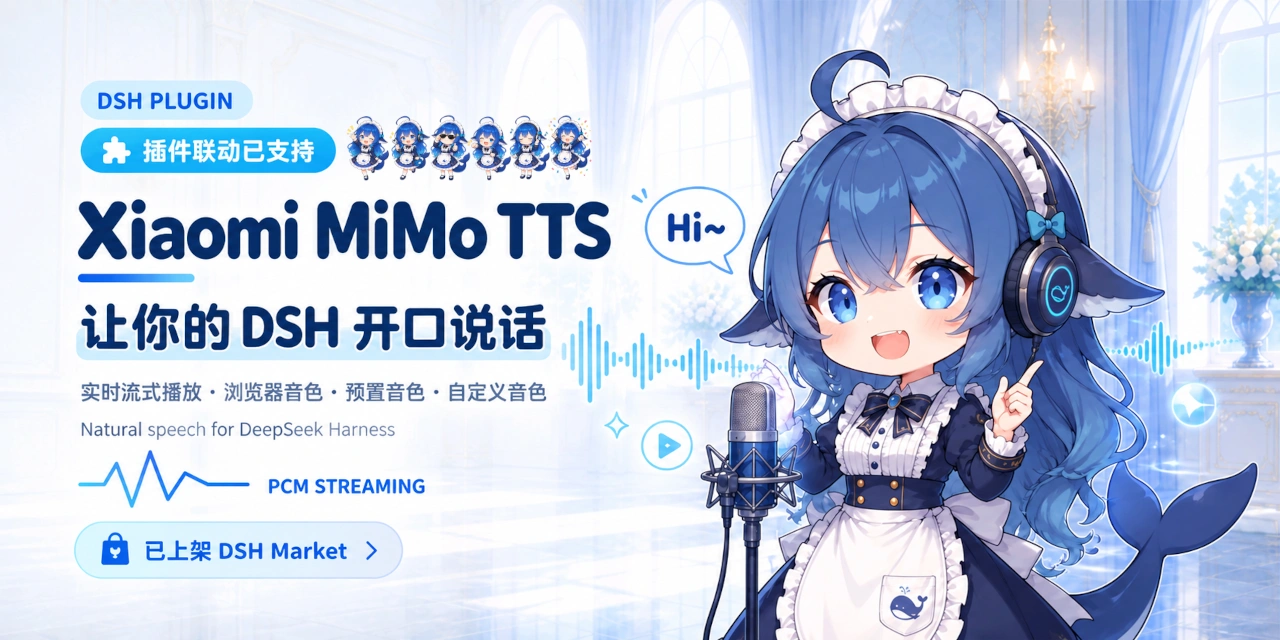
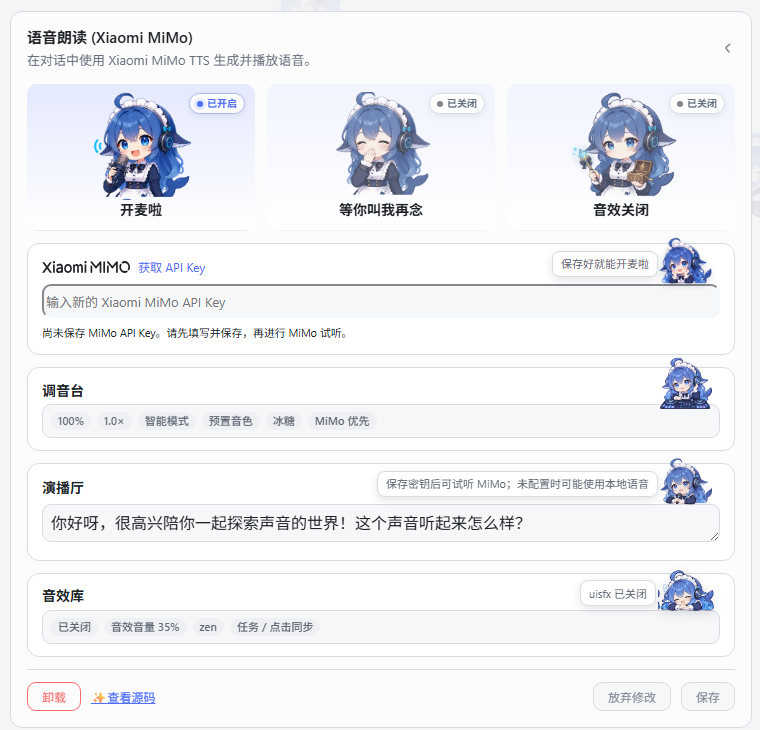
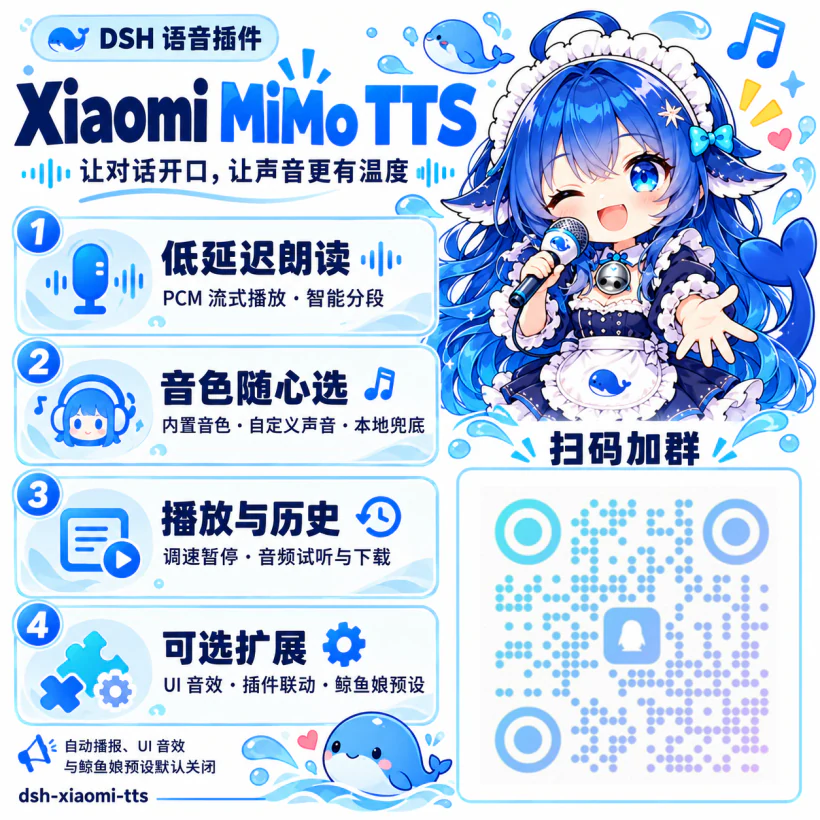
README
MiMo TTS availability and pricing may change. Check the official Xiaomi MiMo platform for the current policy.
🎨 Preview
✨ Features
- One-click read-aloud action on assistant messages.
- Low-latency PCM streaming for
mimo-v2.5-tts, with complete-audio or browser-speech fallback when appropriate. - Official built-in voices and text-described custom voices through
mimo-v2.5-tts-voicedesign. - MiMo-first, local-first, or MiMo-only speech strategies.
- Smart, full, and first-segment read-aloud ranges.
- 0.5×–2.0× playback speed, voice volume, pause, resume, and stop controls.
- Text preparation that removes URLs, paths, code blocks, emoji, and control characters before synthesis.
- Optional task and semantic click sounds, disabled by default.
- An optional PCM playback service for other DSH Web plugins.
- An optional Whale Girl Agent preset, disabled by default: a whale maid for conversation, companionship, light humor, and local memory tools.
📋 Requirements
@deepseek-ai/dsh0.2.1-rc.1(the current target; compatible with0.1.7-rc.1through0.2.xreleases)- Node.js 22+
- A Xiaomi MiMo API key for MiMo speech
- Official TTS API documentation
🚀 Installation
Official installation (desktop/web) (recommended)
Open the desktop or web client, go to the Plugin Manager, and search for dsh-xiaomi-tts.
Install from npm (web)
dsh plugin --profile web add dsh-xiaomi-tts@latest
Install from the DSH Plugin Manager
The plugin is published to npm. In DSH Web's sidebar, open the Plugin Manager, choose Add plugin, then search for dsh-xiaomi-tts.
Install from the plugin marketplace
The plugin marketplace includes this plugin. If you have the community marketplace installed, search for xiaomi-mimo-tts under Settings → Plugin marketplace.
Sidebar → Plugins → dsh-xiaomi-tts → Text To Speech (MiMo TTS)
🐋 First use
New installations start with:
- the manual Read aloud action available;
- automatic playback disabled;
- UI sound effects disabled;
- browser-local fallback available under the default MiMo-first strategy, even before a MiMo key is saved.
Recommended setup order:
- Create a Xiaomi MiMo API key.
- Enter it in the plugin settings and click Save.
- Open Mixing Console and choose a model and voice.
- Test it in Broadcast Studio.
- Enable automatic playback and UI sounds only if wanted, then save again.
⚙️ Configuration
Official built-in voices
mimo-v2.5-tts currently provides:
- Chinese female:
冰糖,茉莉 - Chinese male:
苏打,白桦 - English female:
Mia,Chloe - English male:
Milo,Dean
Custom voices
mimo-v2.5-tts-voicedesign generates a voice from a description. The settings panel includes presets and an editable custom description:
Browser-local speech
- MiMo first: tries browser speech if MiMo fails before audio starts.
- Local first: uses browser speech first, then tries MiMo if local speech fails.
- Disable local speech: uses MiMo only.
Browser voices come from the Web Speech API. Offline availability, language coverage, and actual voice output depend on the browser, operating system, and their speech services.
Read-aloud range
- Smart mode: automatic playback prefers the opening two semantic segments and may add a short closing cue when substantial text remains. Manual playback reads the full reply.
- Full mode: automatic and manual playback both read the full reply.
- First-segment mode: automatic and manual playback both read only the opening segment.
PCM requests and semantic segments accumulate complete sentences toward 160 spoken characters, with a preferred maximum of 240. An individual long sentence may exceed that maximum, and the final shorter tail is also played. PCM streaming can begin when unfinished prose reaches the target size, without repeating already queued text. History saves one WAV per synthesis slice, combining all PCM data chunks received by that request.
The settings panel supports keyboard navigation: use Tab to move focus, arrow keys to adjust sliders and options, and Space to activate buttons and switches.
🔌 Third-party plugin integration

The plugin exposes an optional PCM streaming service to Web plugins:
ctx.get('xiaomiMimoTts')?.play('Welcome back')
Use ctx.get() dynamically instead of declaring a required injection. The call safely does nothing when the plugin is missing, unavailable, or disabled. New playback interrupts the current read-aloud session, and stop() stops it explicitly.
For TypeScript types:
import type { XiaomiMimoTtsService } from 'dsh-xiaomi-tts/client-api'

const tts = ctx.get('xiaomiMimoTts') as XiaomiMimoTtsService | undefined
tts?.play('Welcome back')
🐳 Whale Girl Agent preset
The Whale Girl component is disabled by default. After installation, open this plugin's details in Settings → Plugins and enable Whale Girl under its included components. You can then choose Whale Girl (鲸鱼娘) from the Agent preset list when creating a session. She is a whale-maid companion with light tsundere humor and occasional rice, tail, and work jokes. She can proactively send local memes that fit the conversation.
The persona and meme cues are informed by the community DeepSeek-chan Meme Pack. The plugin bundles 44 local memes; the catalog describes when to use each image.
The preset keeps file access, web lookup, interactive questions, and conversation compaction for user-authorized tasks and non-sensitive local memory. Missing or undisplayable images fall back to text.
🔒 Privacy and network access
- The DSH Host stores the API key. The browser reads only whether a key is configured and whether its prefix is recognized, not the secret itself.
- Browser-local speech uses the Web Speech API. Voices marked online may send text to browser, operating-system, or network speech services.
- Generated MiMo audio is saved in this browser's IndexedDB. Settings → Audio history supports replay, download, deletion, and clearing, including after a page refresh. The latest 100 entries / 100 MB are retained, with oldest entries removed when full. Records include audio and up to 500 characters of text, never API keys.
- Streaming PCM is saved as 24 kHz mono WAV. Streaming batches and generated segments appear separately; only successfully completed generation requests are saved, so cancelled or failed streams are not presented as complete audio. Web Speech API speech has no exportable audio file. Replay and download do not call MiMo again. History belongs to this browser and site address, does not sync across devices, and is removed when site data is cleared. If browser storage is unavailable or full, the list warns that it lasts only for the current visit.
- The sound core is migrated from uisfx 0.4.0 under the MIT License; see
NOTICE.
🏗️ Architecture
- Shared layer: defaults, text processing, segmentation, SSE, and playback contracts.
- Host plugin: settings and static assets, plus complete-audio and PCM streaming proxies for MiMo.
- Web Client: settings, message actions, browser-speech fallback, previews, and the optional third-party playback service.
flowchart LR
    DSH["DSH Web"] --> CLIENT["Web Client<br/>Settings and playback"]
    THIRD["Third-party Web plugin"] -. "ctx.get('xiaomiMimoTts')" .-> CLIENT
    CLIENT -->|"Complete audio / PCM stream"| HOST["Host plugin<br/>Settings and API proxy"]
    HOST --> MIMO["Xiaomi MiMo API"]
    CLIENT -->|"Web Speech API"| SPEECH["Browser / system speech service"]
    SHARED["Shared layer<br/>Configuration, text, SSE"] -.-> CLIENT
    SHARED -.-> HOST
🛠️ Development
pnpm install
pnpm dev
pnpm dev starts the local UI Lab and renders src/client/settings/card.tsx directly. Saving, remote speech, and update checks are mocked locally; the preview does not call the real MiMo service.
Select Text filter lab from the page dropdown in the toolbar to compare sections from test/fixtures/*.md with their filtered output, or paste Markdown into the live input. It calls the current prepareTtsText source and Vite updates the page when the source or fixture changes.
Common checks:
pnpm typecheck
pnpm test
pnpm dev:build
pnpm pack:check
pnpm build: normal build.pnpm build:debug: build with PCM-path debug logging enabled.pnpm profile:check: verify the installation in the local DSH Web profile.
On Windows, stop DSH Web before replacing a local development link with the npm package so the running Node process does not hold the Junction:
.\start\dsh-plugin-reinstall.bat 3.0.9
For a DSH Desktop profile, close Desktop and remove a stale local link with:
.\start\dsh-plugin-uninstall-local-link.bat desktop
🤝 Recommended
The Whale Maid artwork is inspired by community projects and generated with GPT. The UI sound effects reference the implementation in
dsh-plugin-uisfx.
- dsh-deep-whale: Whale Maid theme and skin series.
- dsh-whale-musume: energetic Whale Maid desktop companion.
- dsh-plugin-uisfx: semantic UI sound effects.
- dsh-dream-skin: native skins, wallpapers, accent colors, and theme packs.
- dsh-TUI: a plugin for the dsh-TUI ecosystem.
Comments
Comments live in GitHub Discussions. Sign in with GitHub to post or react.