
Install
Inside DeepSeek Harness, with dsh-market
dsh plugin --profile web add dshmarket
Or from the command line
dsh plugin --profile web add github:mingzeng21/dsh-notion
Installing runs third-party code with your own permissions — it can read your files, use your credentials and reach the network. Review the source first, and pin a commit (github:owner/repo#sha) when you can.
README
Connect DeepSeek Harness (dsh) to Notion through the official Notion MCP server, using OAuth 2.0 (authorization code + PKCE). After a one-time browser authorization, your dsh agent can search, read, and write Notion pages, databases, and comments through the standard mcp__notion__* tools.
中文 | English
What it does for you
Once installed, your dsh agent can read and write Notion directly. You authorize once in your browser, and the plugin takes care of everything after that: it runs the full OAuth 2.0 (authorization code + PKCE) flow, stores the tokens securely in dsh's credential seam, refreshes them silently in the background, and mounts Notion's search, page, database, and comment tools under mcp__notion__*.
Features
- Zero-config OAuth — dynamic client registration (RFC 7591) registers a client at runtime; no
client_idor secret to copy. - One-time browser login —
dsh notion loginprints an authorization URL and waits for the callback on127.0.0.1:53007. - Silent token refresh — access tokens (~8 h) refresh automatically before expiry; the rotated refresh token is persisted atomically.
- Terminal
invalid_granthandling — an expired or rotated-away refresh token is never retried; the plugin clears it and asks you to re-authorize. - No secrets in the repo — tokens live in dsh's credential store, not in this repository.
Screenshots
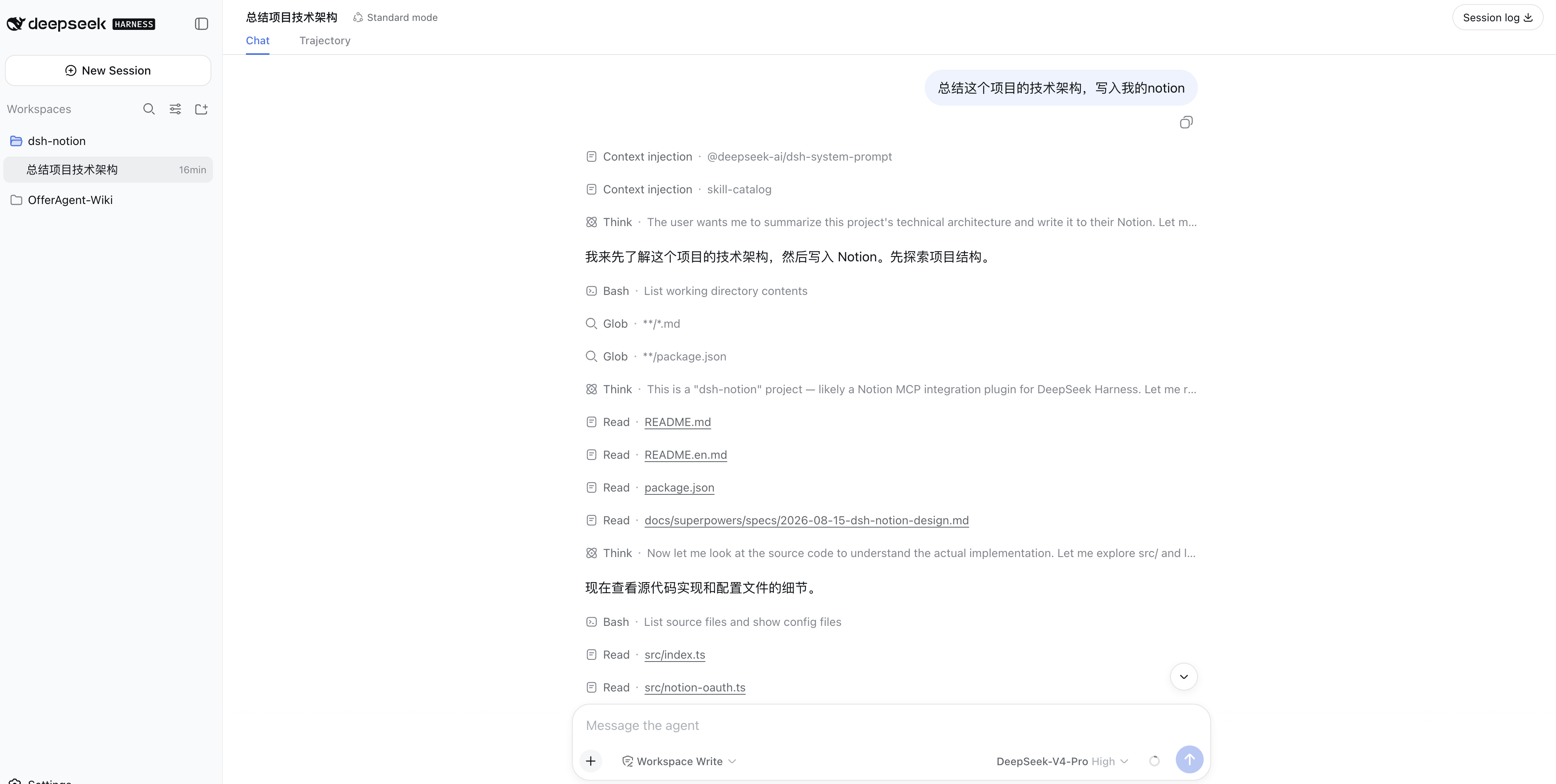
Ask the dsh agent to summarize a technical architecture and write it into Notion:
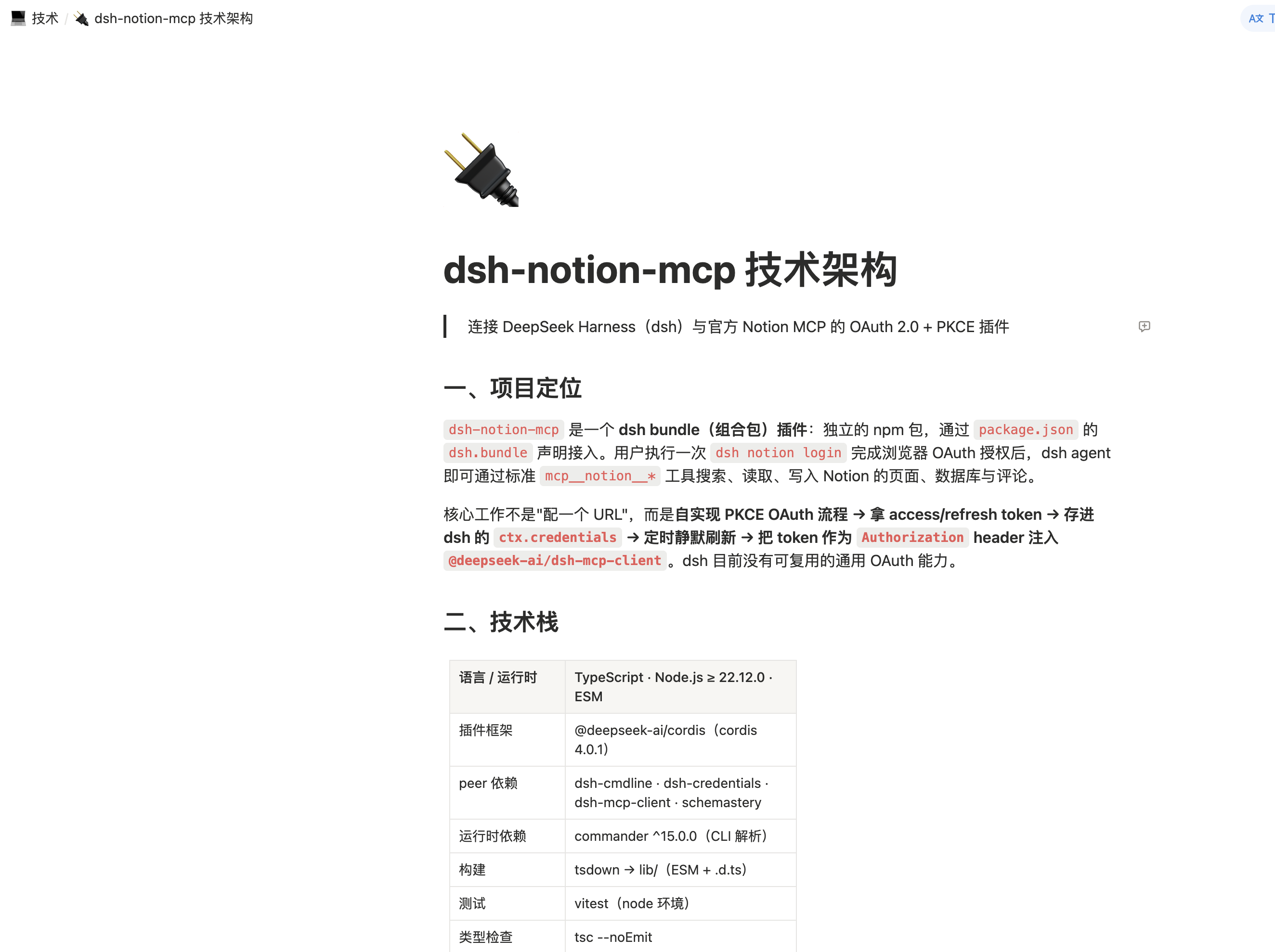
The resulting Notion page:
How it works
dsh notion login
   │  1. OAuth discovery (RFC 9470 / RFC 8414)
   │  2. Dynamic client registration (RFC 7591)
   │  3. PKCE S256 + state → authorization URL
   ▼
browser approves → callback on 127.0.0.1:53007
   │  4. Exchange code (plus PKCE verifier) for tokens
   ▼
tokens persisted → Notion MCP mounted as mcp__notion__*
On startup the plugin loads the stored tokens and mounts the MCP client; as they near expiry it refreshes them in the background (serialized, so a rotated refresh token is never replayed concurrently).
Install
dsh plugin --profile web add dsh-notion-mcp
Replace web with whichever profile you run the agent in (web, headless, tui, …).
Authorize
The notion command runs in a minimal profile — a UI app such as web owns its own command line and does not forward notion to the plugin. Tokens are stored globally, so authorize once from a minimal profile and every profile that has the plugin installed picks it up:
dsh plugin --profile notion add dsh-notion-mcp
dsh --profile notion notion login
The command registers a dynamic OAuth client, starts a temporary local HTTP server on 127.0.0.1:53007, and prints an authorization URL. Open it in your browser and approve the request; Notion redirects to http://127.0.0.1:53007/callback, and the plugin validates the state, exchanges the code (plus the PKCE verifier) for tokens, stores them, and mounts the client.
After authorization, Notion tools are available under mcp__notion__*.
Uninstall
dsh plugin --profile web remove dsh-notion-mcp
Configuration
| Key | Default | Description |
|---|---|---|
mcpUrl |
https://mcp.notion.com/mcp |
Notion MCP server URL |
port |
53007 |
Local OAuth callback port (127.0.0.1) |
Security
- Tokens are stored through dsh's credential seam (
ctx.credentials) as a single atomic entry and are never committed to this repository. Noclient_idor secret is embedded — the client is registered at runtime via dynamic client registration. - Notion rotates the refresh token on every refresh; the new token is persisted atomically together with the access token.
- If Notion returns
invalid_grant(refresh token expired or rotated away), the plugin clears the stored tokens and stops retrying — re-authorize withdsh notion login.
Requirements
- DeepSeek Harness (
dsh) — verified compatible withv0.1.0-rc.8,v0.1.1-rc.1,v0.1.1-rc.2, andv0.1.2-alpha.1; Notion MCP tool discovery and registration were verified in a local Web profile launched fromv0.1.7-rc.2source - Node.js
^22.19.0or>=24.0.0(matching dshv0.1.7-rc.2; Node 23 is outside the supported range)
Development
npm install
npm run build      # tsdown → lib/
npm run typecheck  # tsc --noEmit
npm test           # vitest
License
MIT © 2026 mingzeng
Comments
Comments live in GitHub Discussions. Sign in with GitHub to post or react.