
Install
Inside DeepSeek Harness, with dsh-market
dsh plugin --profile web add dshmarket
Or from the command line
dsh plugin --profile web add @lrplrplrp/dsh-live2d
Installing runs third-party code with your own permissions — it can read your files, use your credentials and reach the network. Review the source first, and pin a commit (github:owner/repo#sha) when you can.
Screenshots
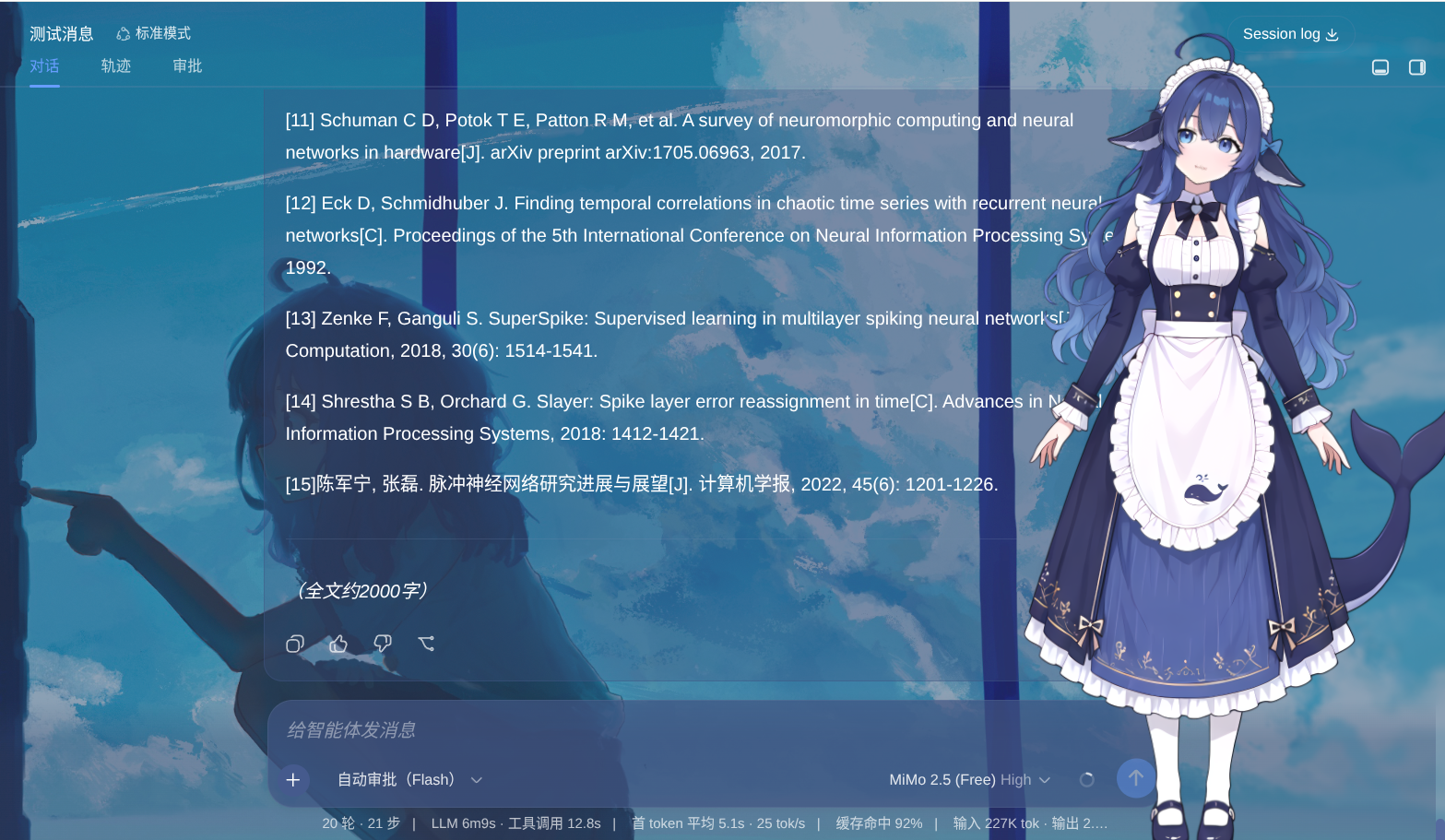
README
Render draggable Live2D models in the DeepSeek Harness Web GUI, animated in real time by actual DSH work states, with mouse-following eyes.
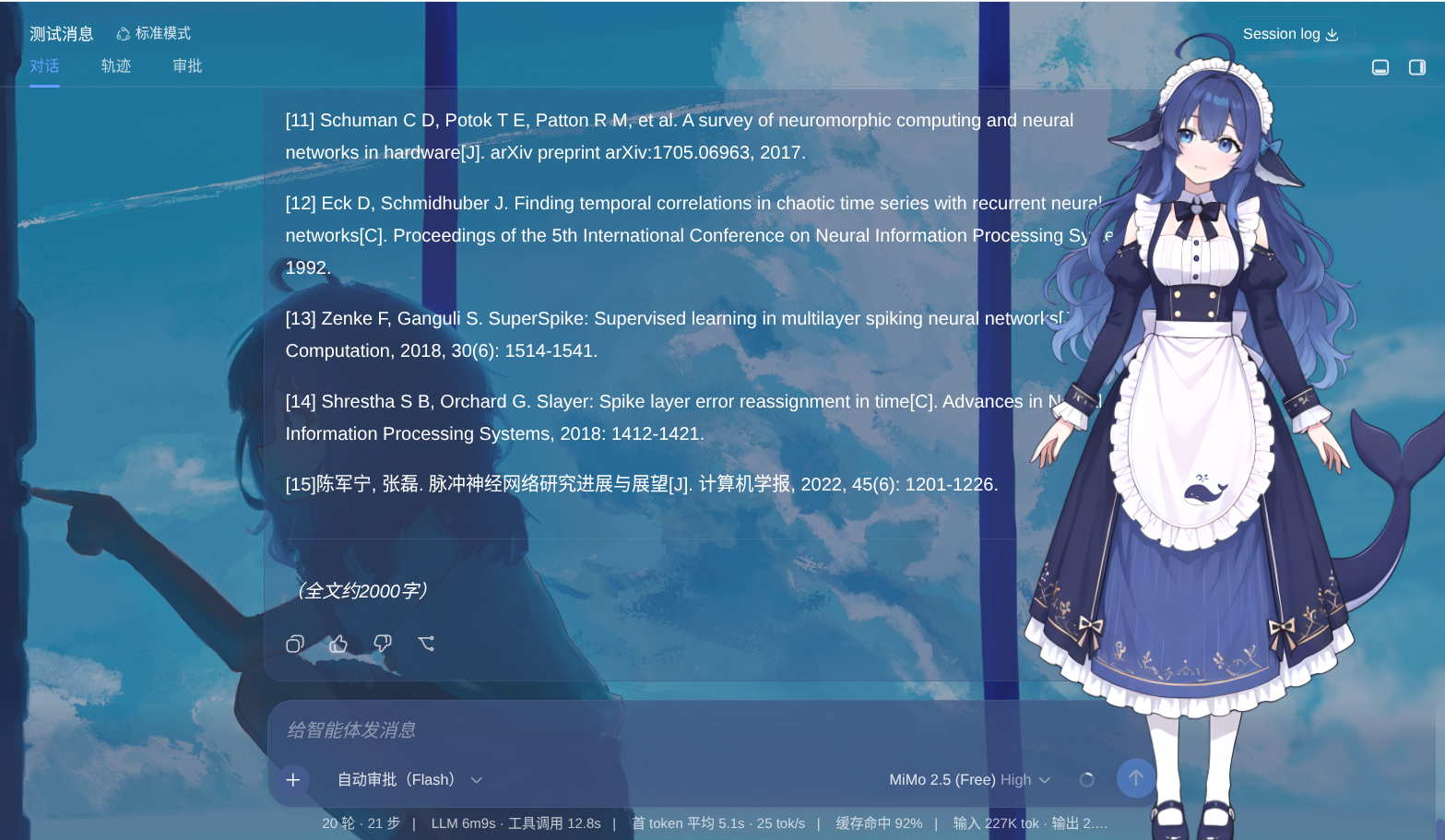
Features
- 🎭 Live2D Model Rendering — Display a Live2D waifu in the DSH Web GUI
- 🖱️ Drag to Move — Drag the handle at the bottom-right corner to move the waifu; position is auto-saved
- 🎡 Scroll to Zoom — Mouse wheel zooms the model in real time; zoom is auto-saved
- 📐 Canvas Resize — Hover the canvas to reveal a bottom-right handle for resizing the canvas
- 👀 Eye Tracking — The model's gaze follows the cursor (toggleable in settings)
- 🎬 DSH State-Driven Animations — Animations switch based on Agent state (thinking/working/done/error)
- ⚡ Real-Time Push — State changes are pushed over SSE, so animation switching has zero polling delay
- 📦 Built-in Default Model — Ships with a DeepSeek Live2D model and full animation mapping, ready out of the box
- 📂 Auto Model Discovery — Drop a folder containing
.model3.jsonintoassets/and it is detected automatically - ⚙️ Full Settings Page — Live2D configuration inside the DSH settings panel
Installation
1. Fully exit DSH
Close the DSH Host (not just the browser tab).
2. Install via command
# From local directory (development/debug)
dsh plugin --profile web add link:/path/to/dsh-live2d
3. Start DSH
dsh web
The waifu appears at the bottom-left of the page automatically, running with the built-in DeepSeek model and its animation mapping.
Interaction
| Action | How |
|---|---|
| Move the waifu | Drag the ✥ handle at the bottom-right corner |
| Zoom the model | Mouse wheel while hovering over the drag handle |
| Resize canvas | Hover the canvas, then drag the blue corner handle at the bottom-right |
| Eye tracking | On globally; gaze follows the cursor. Toggle off in settings |
Model & Animation Configuration
Config lives in browser localStorage (key: dsh-live2d.v1) and can be edited visually in DSH Settings → Live2D 看板娘.
Built-in Default Animation Mapping
The bundled DeepSeek model ships with the following mapping, ready to use on install:
| DSH State | Description | Default Animation |
|---|---|---|
IDLE |
Idle standby | Idle group motion |
THINKING |
Agent starts thinking | Anima group thinking motion |
THINK_END |
Thinking done, ready to output | Anima group thinkend motion |
WORKING |
Tool calls in progress | Anima group speak motion |
SPEAKING |
Starts outputting dialogue | Anima group speak motion |
SUCCESS |
Task completed | happy expression |
ERROR |
Task failed | unhappy expression |
Each model can be configured independently:
motion:{ "group": "GroupName", "index": 0 }— Play a motion (index is the position within the group; empty = random)expression:"ExpressionName"— Set an expression
Adding Local Models
- Copy a model folder containing
.model3.jsoninto the plugin'sassets/directory (e.g.assets/my_model/). - Open DSH Settings → Live2D 看板娘 and click "刷新模型列表" (Refresh model list).
- The model appears in the tab list; configure its animation mapping below.
No manual path editing needed — scanning auto-detects every model3.json under assets/.
General Settings
The "通用设置" (General Settings) card at the top of the settings page provides:
- Eye tracking — When checked, the model's gaze follows the cursor; when off, the gaze returns to center. Takes effect immediately and persists.
Relationship to the Original Project
This plugin is based on lrplrplrp/live2d, with the dialog box, mini-games, and external APIs removed, and DSH state-driven animation, drag/zoom/canvas controls, eye tracking, and real-time push added, deeply integrated into the DSH settings page.
Tech Stack
- PIXI.js 7.x — 2D rendering engine
- pixi-live2d-display — Live2D Cubism SDK for Web (includes
model.focusfor gaze tracking) - DSH Plugin System —
window.__ModuleLoader__+ctx.slots+webServerSSE
License
MIT
Comments
Comments live in GitHub Discussions. Sign in with GitHub to post or react.