
Install
Inside DeepSeek Harness, with dsh-market
dsh plugin --profile web add dshmarket
Or from the command line
dsh plugin --profile web add dsh-plugin-autoevo
Installing runs third-party code with your own permissions — it can read your files, use your credentials and reach the network. Review the source first, and pin a commit (github:owner/repo#sha) when you can.
Screenshots

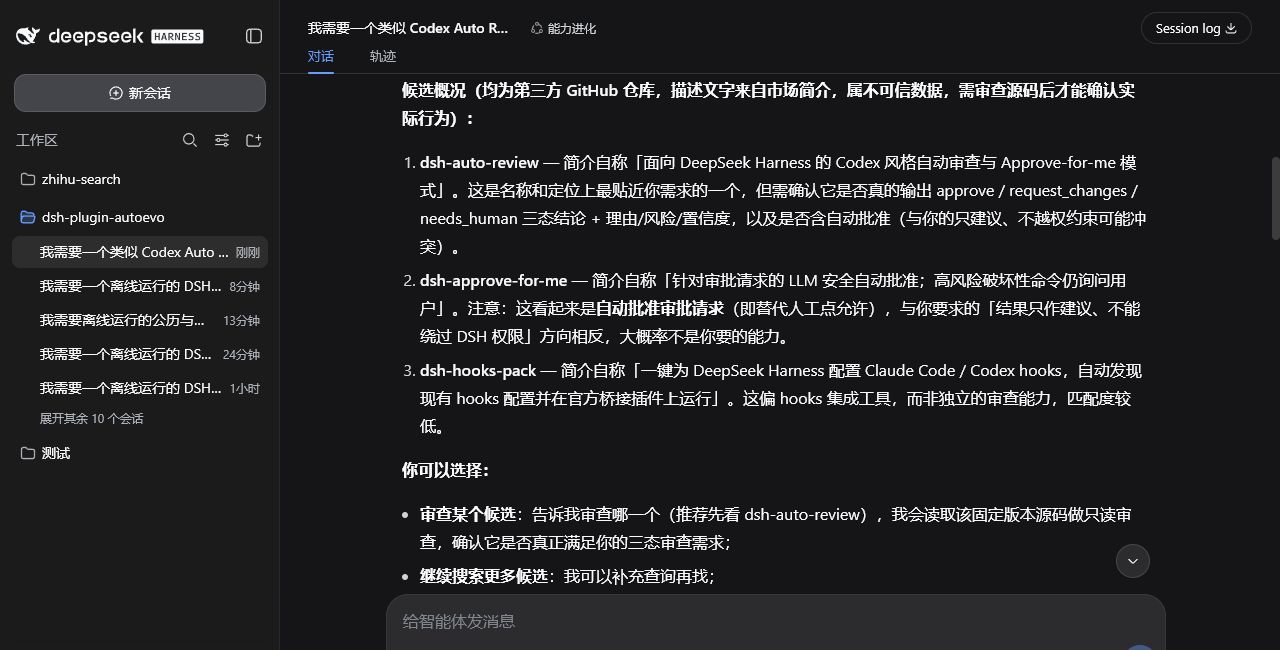
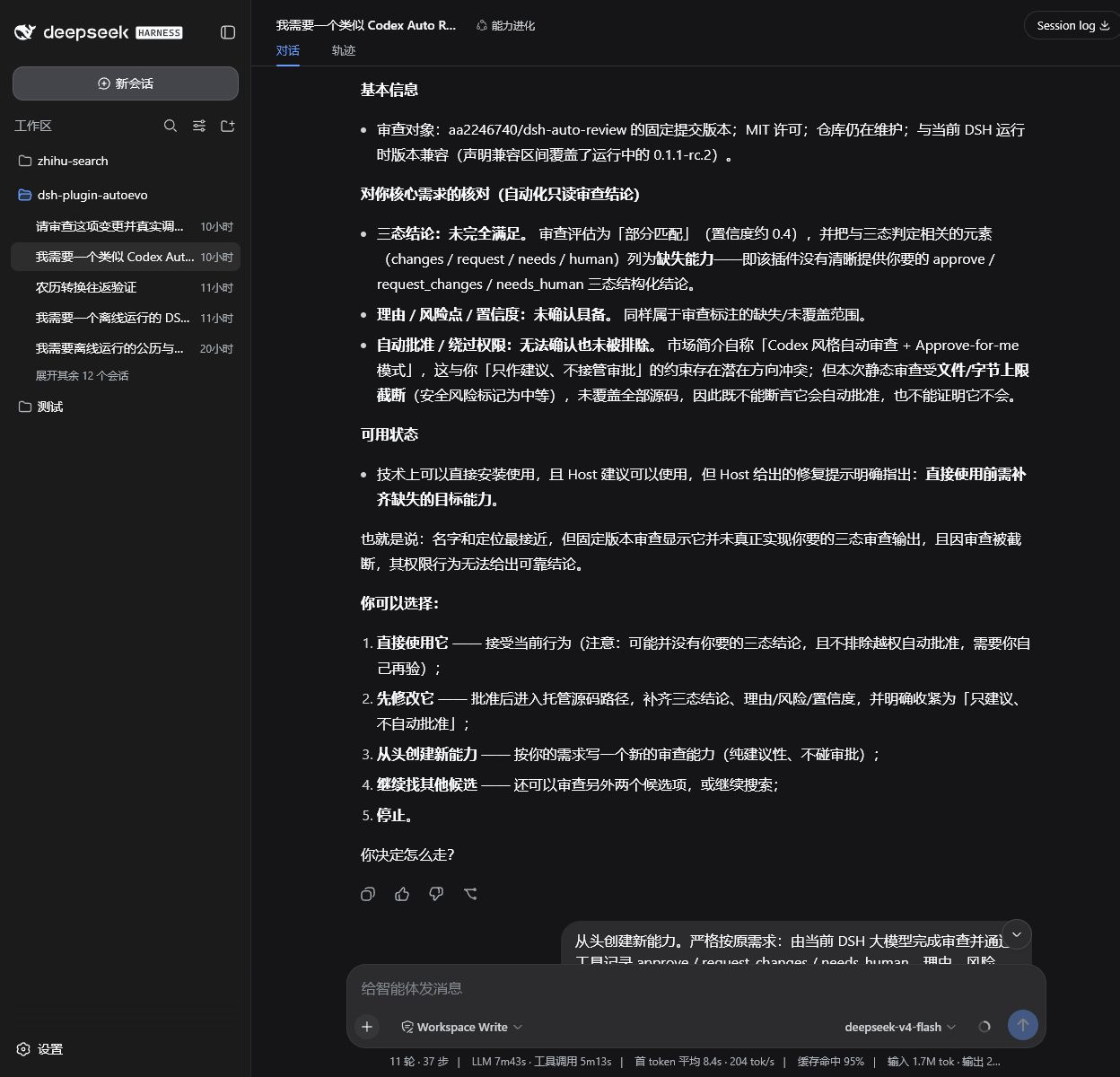
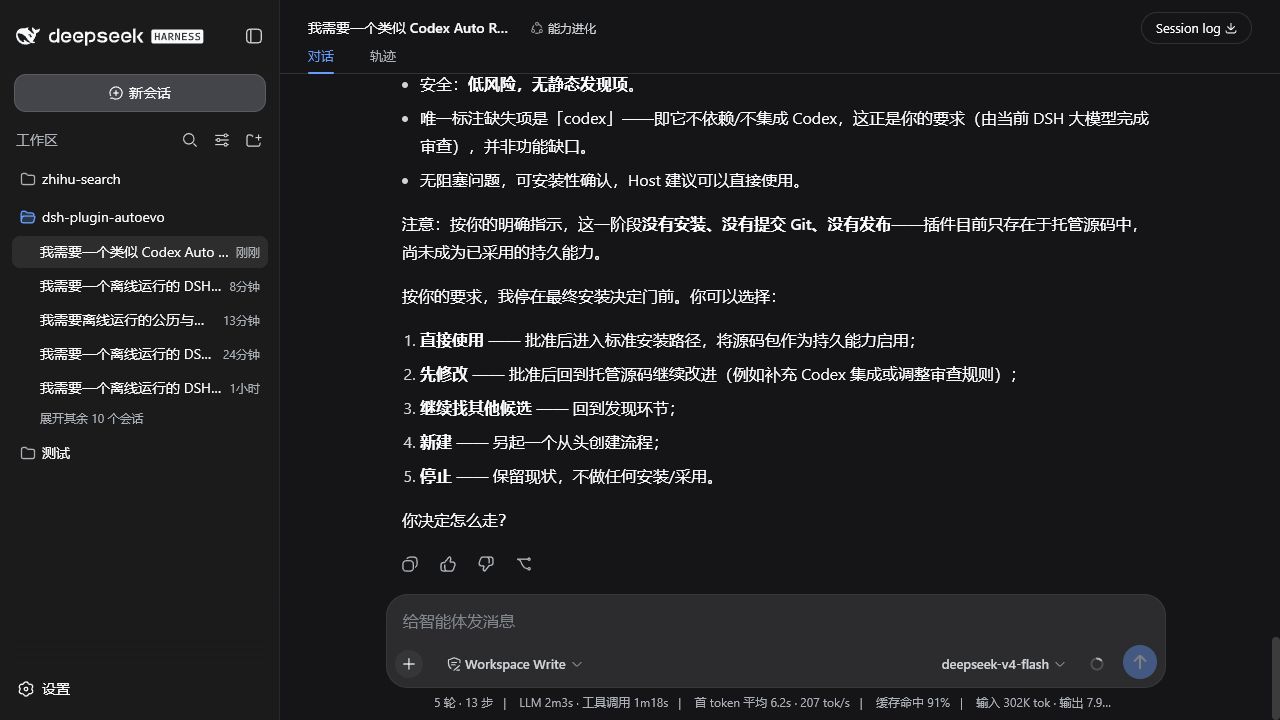
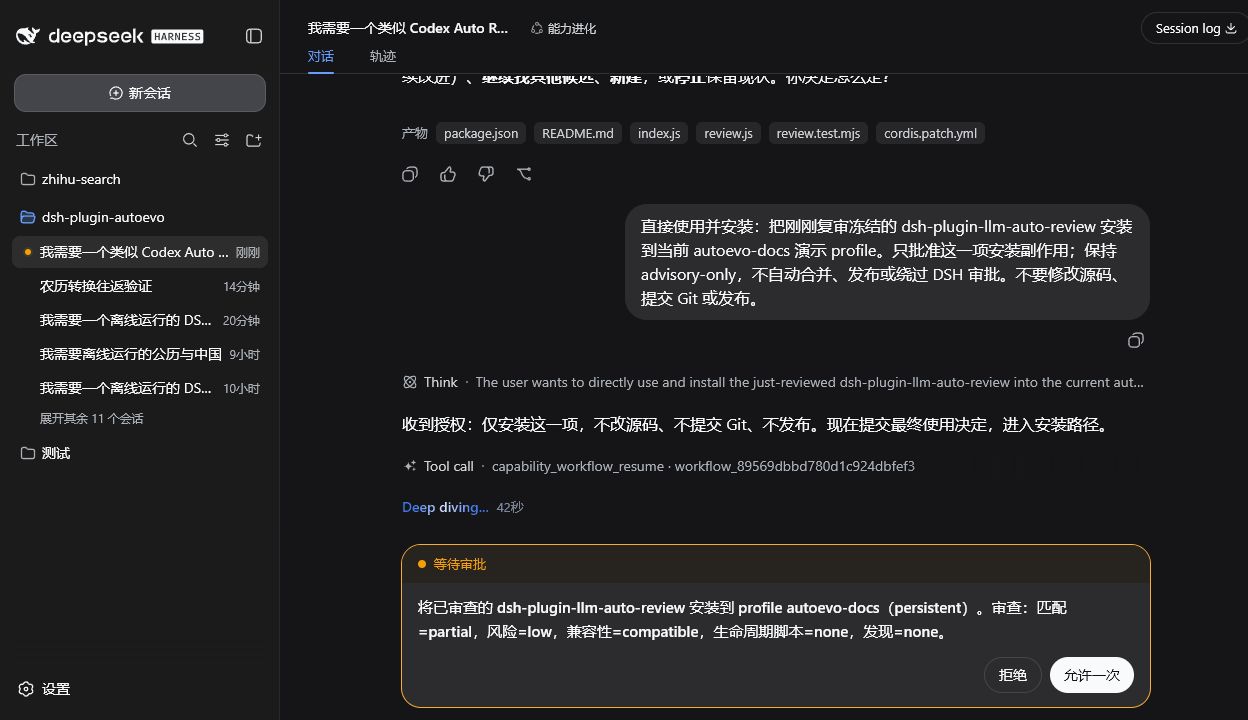
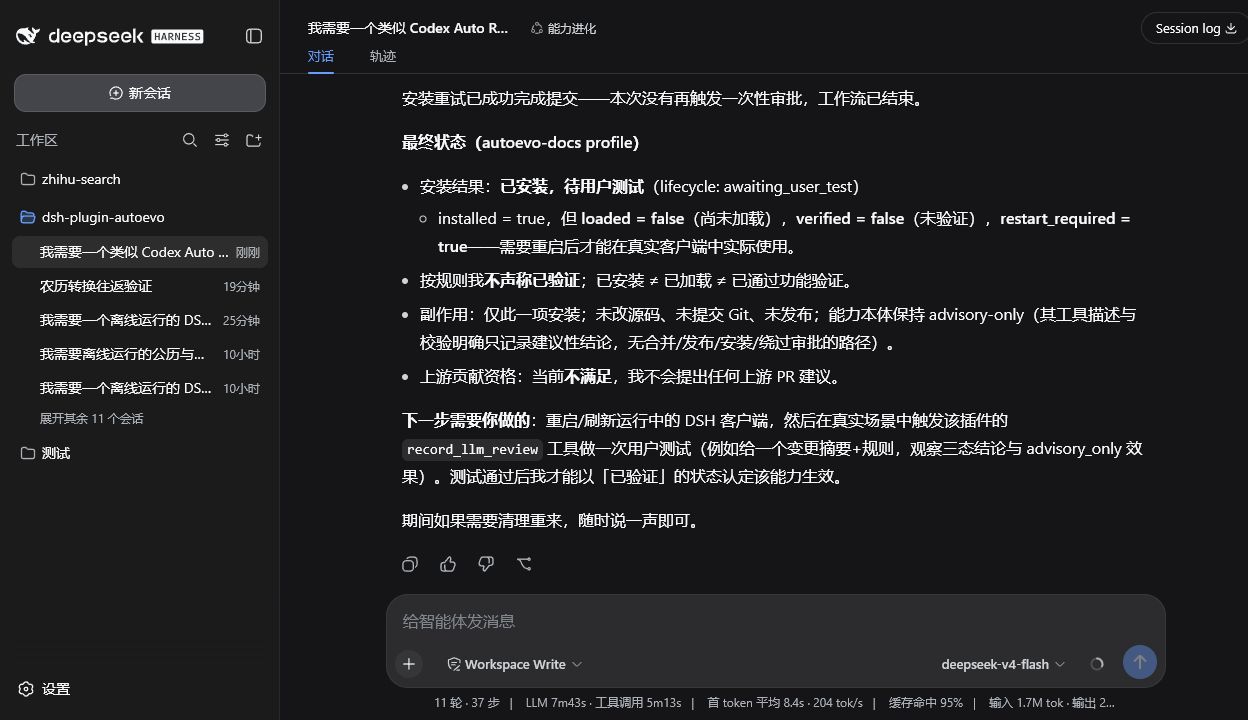
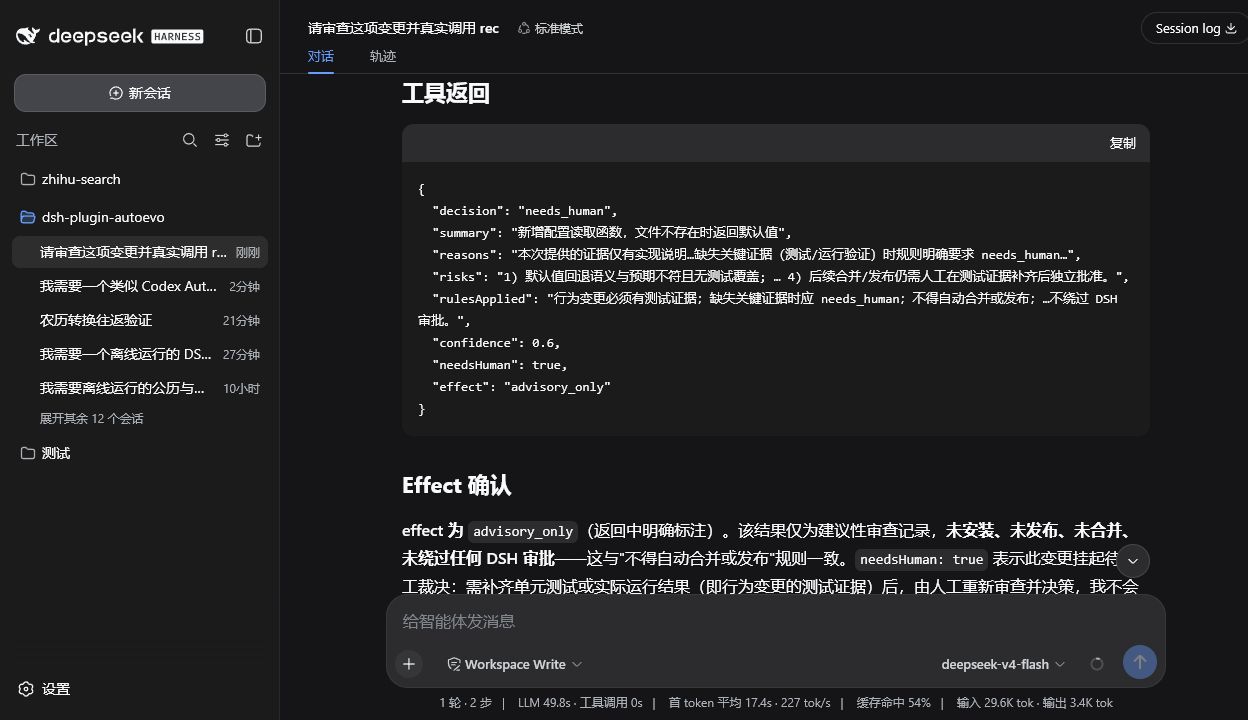
README
English | 中文
Evolution continues.
dsh-plugin-autoevo is a capability-reuse workflow plugin for DeepSeek Harness (DSH). In the Capability Evolution preset, every capability request goes Search-first: check local and remote candidates first, and reuse wins over building; when a candidate is almost right, improve it in a managed source, re-review, and then install. Every adopted capability carries an inspectable outcome receipt.
Resolve → Search → Review → Deploy → Verify → Upgrade
Reuse before build. Improve before replace.
Documentation
| Topic | Entry point |
|---|---|
| Install, first run, two confirmation gates, outcomes, recovery | User Guide |
| Local setup, source entry points, tests, debugging, contribution | Developer Guide |
| State machine, data layout, runtime seams | Architecture (Chinese) |
| Trust boundaries, install gates, verification evidence | Security Model (Chinese) |
Each topic has one canonical home. Interactive flow diagrams (standalone HTML with pan/zoom, search, and export): main workflow · install outcome state machine · managed construction.
Install
npx @deepseek-ai/dsh plugin --profile web add --save-exact dsh-plugin-autoevo@1.4.0
- Replace
--profile webwith the profile you actually use; keep the@deepseek-ai/prefix (the unscopeddshpackage on npm is an unrelated project). - Restart the profile after installing or upgrading so it loads the new bundle; start it day to day with
npx @deepseek-ai/dsh web. - Discovery searches both GitHub's
dsh-plugintopic and npm'sdsh-pluginkeyword. npm candidates must link to a verifiable GitHub repository; formal review pins an exact commit from that repository. - Requires Node.js
^22.19.0 || ^24.0.0and DSH>=0.1.0-rc.6 <0.2.0.
Quick start
Start a new DSH session and select the user preset Capability Evolution (id
evolution).Describe the needed capability in ordinary language, for example:
I need a DSH plugin that can synchronize project records. Search for an existing one first.
AutoEvo presents 1–5 candidates or explicitly reports no match. Use a fresh message to choose one for review — this is the first confirmation gate.
After review, use another fresh message to decide: reuse, install, improve, search again, create from scratch, or stop — the second gate.
The full flow is in User Guide §3; step-by-step screenshots of real runs are in example/README.md.

Understand the outcome
| Result | Meaning | Next step |
|---|---|---|
verified |
The Host completed the expected tool round trip | Use the capability |
activated / awaiting_user_test |
Loaded without round-trip evidence, or needs a manual test | Try it once in the target profile |
restartRequired: true |
A non-failure install result exists, but the current process did not fully hot-load it | Restart the target profile |
failed_absent / recovery_required |
Installation failed, or state cannot be determined safely | Inspect diagnostics; recover first when the state is unclear |
installed and loaded do not mean functionally verified. Only verified supports that claim. See User Guide §5.
Version-chain tools: capability_versions lists versions, capability_rollback restores a historical version, capability_adopt registers manually installed plugins, and capability_updates checks upstream releases read-only. See User Guide §4.6.
When an ordinary workflow, project permission, plugin/Profile, or DSH Host fault still prevents completion, AutoEvo can propose a full-access fault repair. After explicit confirmation in a fresh user message, the Host launches a temporary standard Agent with the official danger-full-access preset and no per-command prompts. It may work across projects, plugins, Profiles, and the Host environment without a predefined repair-action list. See the User Guide.
Safety boundary
AutoEvo owns workflow, warnings, and evidence records; DSH Core enforces permissions, sandboxes, and approvals. The default flow remains read-only or managed. Full-access fault repair also uses DSH Core's official permission preset and requires fresh user confirmation. Installed or repaired code ultimately runs with the current user's authority. See the Security Model (Chinese) for the full trust boundary.
In a Capability Evolution session, the Host also watches the same Agent for tool failures, consecutive identical tool calls, and LLM request-error events. After 3 hits inside 5 minutes, the next system prompt includes a read-only hint (no raw arguments, error text, or raw error codes) suggesting the existing capability_workflow only when it is relevant to the user's current capability need. The hint is not authorization and does not start the workflow. This observation style is inspired by the MIT project dsh-auto-evolve.
Develop
pnpm install --frozen-lockfile
pnpm check:fast
See the Developer Guide.
License
SATA. See LICENSE.
Comments
Comments live in GitHub Discussions. Sign in with GitHub to post or react.