
Install
Inside DeepSeek Harness, with dsh-market
dsh plugin --profile web add dshmarket
Or from the command line
dsh plugin --profile web add dsh-qol
Installing runs third-party code with your own permissions — it can read your files, use your credentials and reach the network. Review the source first, and pin a commit (github:owner/repo#sha) when you can.
Screenshots
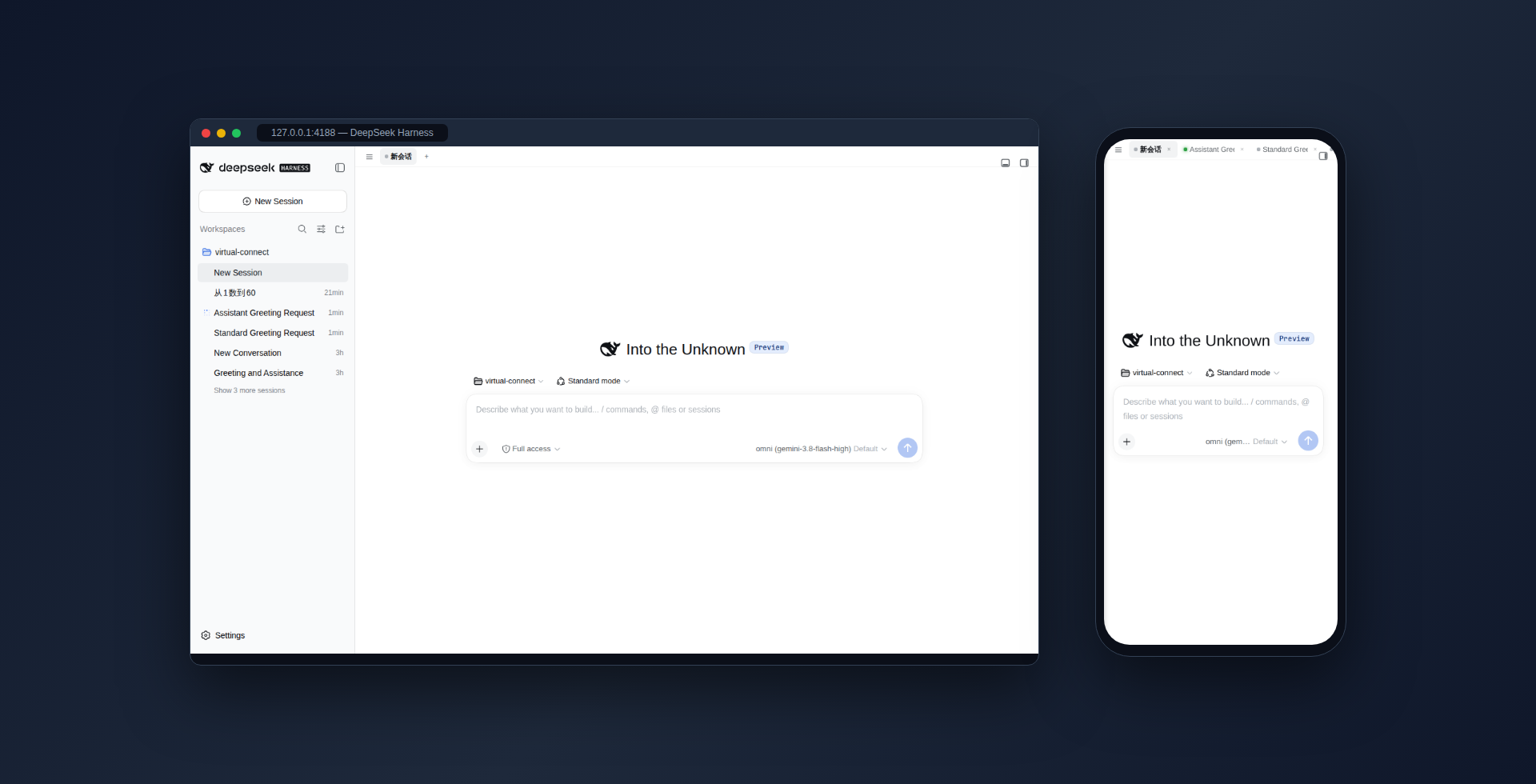
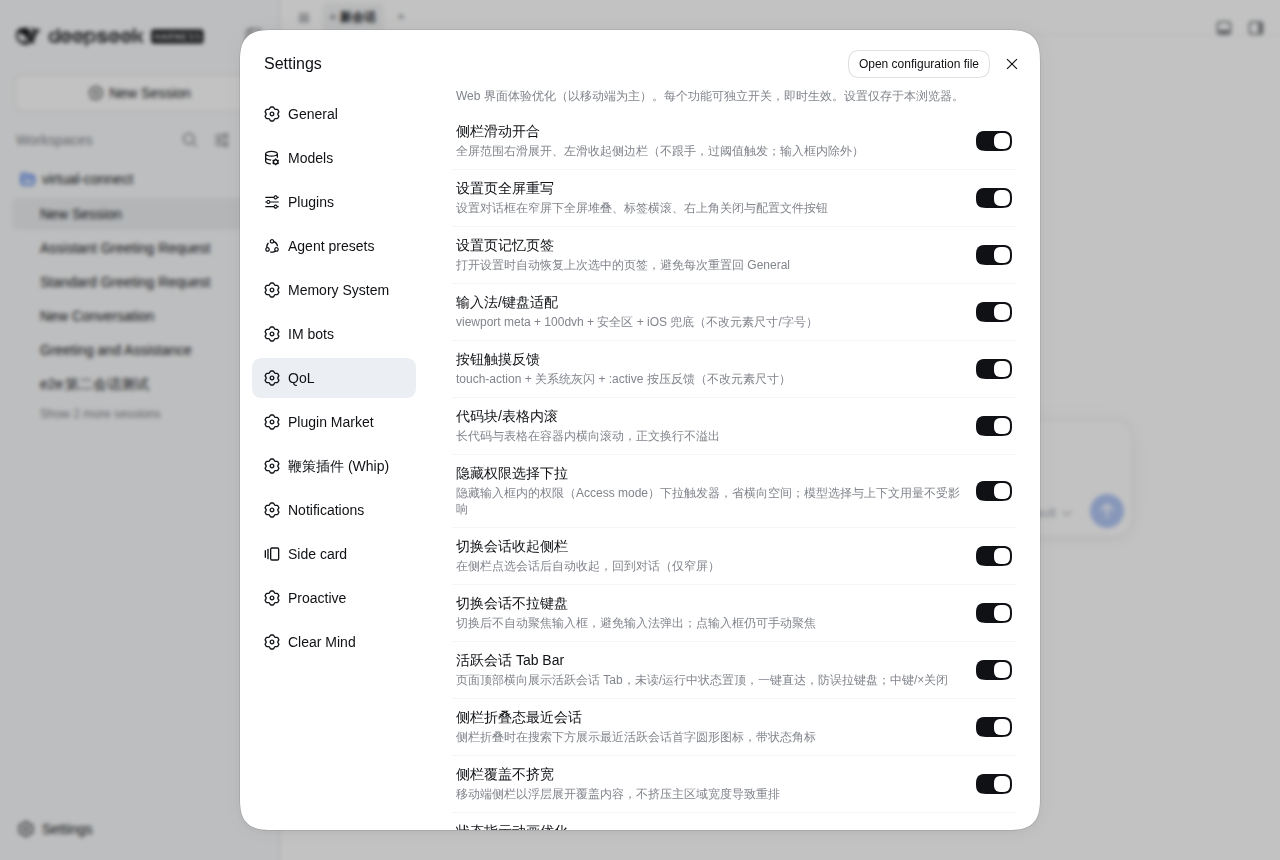
README
Quality-of-life tweaks for the DeepSeek Harness (dsh) Web GUI: a session tab bar, sidebar swipe gestures, IME/keyboard adaptation, touch feedback, a full-screen settings rewrite and more — each independently toggleable from Settings → QoL, taking effect instantly and persisted per browser. Mobile-first; some features (tab bar, status animation, etc.) apply on desktop too.
Features
All toggles in Settings → QoL are organized into 4 groups (click a group header to collapse it):
Navigation & switching
| Feature | Description | Default |
|---|---|---|
| Active-session Tab Bar | Horizontally shows session tabs at the top of the page; one-tap switching, no accidental keyboard pull-up; supports context menu (Close tab, Pin/Unpin tab, Close other tabs); supports pinned tabs (pinned tabs stay at the far left with a pin icon and won't be evicted by the window limit); supports drag-and-drop reordering (drag tabs with mouse to reorder, dragging across pinned/unpinned boundaries automatically updates pin status); supports mouse wheel horizontal scrolling (wheel down/up translates to horizontal scroll, preventing scroll leak to the page below); fresh sessions show as "New Session" until the first message is sent; the + button is pinned at the bar's right edge (it never scrolls away). Display mode (switchable in Settings → QoL): both modes share the same open/close tab set (middle-click/× to close, states update live) and differ only in ordering — Standard = fixed open order; Recent = by activity — colored-status tabs (yellow = awaiting you, green = finished unread, blue = running) as a group first, idle ones after, newest-active leftmost within each zone | On (mode defaults to Standard) |
| Sidebar swipe | Expand the sidebar by swiping right and collapse by swiping left anywhere on screen (64px threshold, non-following; the left 16px edge yields to the system back gesture; input fields / horizontal scrollers skipped; no response while a dialog is open; swiping over buttons is safe — it never triggers a click) | On |
| Sidebar overlay | On mobile the sidebar opens as an overlay covering content instead of squeezing the main area into a reflow | On |
| Collapse sidebar on switch | On narrow screens, picking a session in the sidebar auto-collapses it and returns to the conversation (≤768px only) | On |
| No keyboard on switch | Switching sessions never auto-focuses the input box, so the IME never pops up; covers sidebar session rows, active tabs and archive jumps; tapping the input box directly still focuses it manually | On |
| Previous user message button | Adds a circular button right above the "Back to bottom" floating button (bottom-right); clicking it scrolls to the previous user message (the nearest one scrolled past above the viewport) for quick history review; click again to keep jumping up through a long conversation | On |
| Auto load older on top | Long sessions lazy-load history: arriving at the very top of the conversation auto-clicks the host's "Load earlier" pill with viewport anchored (no jump); one shot per arrival, re-arms after leaving the top | On |
| Pin workspace to top | Adds "Pin to top" / "Unpin" entries to the ⋯ menu on each workspace row in the sidebar: multiple workspaces can be pinned, pinned ones are fixed at the top of the list (order persisted server-side, surviving reloads) and show a small pin icon at the row's right edge; unpinning moves a workspace back after the pinned section | On |
Input & keyboard
| Feature | Description | Default |
|---|---|---|
| IME/keyboard adaptation | viewport meta (viewport-fit=cover + interactive-widget=resizes-content), a 100dvh height chain, composer safe area, iOS visualViewport CSS-variable fallback (never changes element sizes/fonts) |
On |
| Enter inserts newline | Enter in the input box inserts a newline instead of sending; send with Ctrl/⌘+Enter (steer/queue while the agent runs), Shift+Enter still inserts a newline; IME candidate confirmation and the @ menu are unaffected | Off |
| Hide permission dropdown | Hides the permission (Access mode) dropdown trigger inside the input box to save horizontal space; model selection and context usage are unaffected | On |
Touch & feedback
| Feature | Description | Default |
|---|---|---|
| Touch feedback | touch-action: manipulation (kills the 300ms delay and double-tap zoom), disables the system tap highlight, :active press feedback, iOS :active fix, respects prefers-reduced-motion (never changes element sizes) |
On |
| Disable touch long-press drag | On Android, long-pressing a sidebar session row triggers a system drag (a side effect of the desktop reorder feature), and Chromium touch drags frequently hang the page — nothing responds until reload; dragstart is cancelled while touching, so desktop mouse drag-reorder is unaffected. Finger drag-reordering on touch-screen laptops is also disabled (mouse/trackpad reordering still works) | On |
Display & settings page
| Feature | Description | Default |
|---|---|---|
| Full-screen settings rewrite | The settings dialog stacks full-screen at ≤768px with horizontally scrolling tabs, a collapsed-tab-width bugfix and safe-area adaptation | On |
| Settings tab memory | Reopening settings restores the last selected tab instead of resetting to General | Off |
| Prevent horizontal scroll | Prevent horizontal scrolling in the main content area at all times; blockquotes, unbroken text and code blocks are constrained within their container to wrap or scroll internally | On |
| Code/table inner scroll | Long code blocks and tables scroll horizontally inside their containers; body text wraps without overflowing | On |
| Status animation optimization | Replaces the SVG opacity chase-dot animation with a CSS transform pulse on the compositor thread, zero main-thread cost. Measured idle FPS via rAF: 35 → 55 | On |
Install
dsh plugin --profile web add dsh-qol
No manual configuration needed after install — the bundled cordis.patch.yml mounts automatically; once installed, a QoL section appears on the settings page after refreshing the web UI.
Install straight from GitHub (source install; lib/ is hand-written source and needs no local build, but the package declares a prepare syntax-check script, which pnpm ≥10 blocks the first time):
dsh plugin --profile web add github:john-walks-slow/dsh-qol
# Add the package name pnpm prints to allowBuilds in
# ~/.dsh/profiles/web/pnpm-workspace.yaml, then re-run
Usage
- Open the dsh Web GUI (best on mobile).
- Settings → QoL: all toggles are organized into 4 groups (Navigation & switching / Input & keyboard / Touch & feedback / Display & settings page); click a group header to collapse it. Each click takes effect instantly, no page refresh needed.
- Toggles persist automatically in browser
localStorage(keydsh.qol.v1) for this browser only; deleting that key restores the defaults. Group collapse state lives in a separate key,dsh.qol.groups.
What a saved toggle set actually looks like (localStorage["dsh.qol.v1"]):
{ "active-tabbar": true, "active-tabbar-mode": "recent", "sidebar-gesture": true, "ime-viewport": true, "tap-feedback": true }
active-tabbar-mode is the tab bar's display mode (not a toggle): "standard" (default) or "recent". You can also switch it via the Display mode segmented control under the "Active-session Tab Bar" toggle in Settings → QoL — it takes effect instantly.
The implementation is an attribute total-gate: every feature maps to an html[data-qol-<feature-id>] attribute that both the CSS rules and the JS event handlers read — toggling just sets/removes the attribute, which is why it applies instantly with no reload.
Permissions & compatibility
- Pure client plugin: the host-side
applyis empty, zero npm runtime dependencies; all logic runs in the browser half (lib/client.js) - Zero permissions: no external services, no network requests, no filesystem writes, no reading of session content — it only touches browser-side CSS, DOM events and the viewport meta
- Config never leaves the browser: toggle state lives only in this browser's
localStorage; nothing is uploaded or written server-side - Zero desktop impact: all mobile-specific rules are locked inside
@media (max-width: 768px); cross-platform features (tab bar, status animation) behave the same on both - Never changes element sizes/fonts: a deliberate design constraint (touch feedback and IME adaptation only touch behavior/compositor layers)
- Degrades, never blocks: every host-service lookup is wrapped in
ctx.get()+ try/catch; a missing service only logs aconsole.warn; if a structure-anchor selector stops matching after a host redesign, the matching rules silently stop applying and the page is unaffected - Coexists with dsh-web-mobile-fix (see below)
- Tested baseline: current dsh stable (0.1.x) web profile + Chromium/Firefox engine mobile emulation; real-device (iOS Safari / Android Chrome) touch feel and IME details are worth a manual pass
Relationship with dsh-web-mobile-fix
The two coexist: dsh-web-mobile-fix provides the compact mobile layout (32px session-header buttons, hidden breadcrumbs, etc.); this plugin adds the toggleable QoL layer (gestures / IME / tab bar, etc.). Their settings-dialog rules overlap but are visually equivalent — the union is safe. If you don't need mobile-fix's compact layout, you can remove it on its own — this plugin's settings-mobile covers the settings-page CSS.
How it works
- Pure client: the empty host-side
applyexists only to mount the package into the profile; the browser half is loaded through awindow.__ModuleLoader__.loadfactory (viaexports["./client"]and thedsh.clientdeclaration in package.json). - Attribute total-gate: see above — the key to instant toggles.
- Structure anchors: CSS uses structural selectors like
data-slot/:has(> nav)with zero hash-class dependency (the status-animation rule's hash-class match is a deliberate exception; a mismatch just means a silent fallback — see the comments in client.js). - Shape defense: every service lookup is try/catch-wrapped; any missing service degrades silently instead of blocking load.
Local development
npm install
npm run build     # syntax-checks both artifacts: lib/index.js (host entry) + lib/client.js (browser bundle)
E2E (development only, targets a running dsh instance; tokens are read from environment variables so no credentials land in the repo):
export DSH_E2E_TOKEN_4175=<live instance token>   # printed by `dsh web` on startup
export DSH_E2E_TOKEN_4176=<temp instance token>
node e2e/mobile.mjs mobile     # Phase-1: mock harness against the real DOM
node e2e/mobile.mjs desktop    # desktop zero-impact verification
node e2e/integration.mjs       # Phase-2: real-plugin integration on a temp instance
Note: e2e depends on a local camoufox + playwright-core (paths are hardcoded at the top of each script; adjust for your machine). This repo has no unit tests; npm test is intentionally not provided.
- Feature docs:
docs/features/(research / plan / validation / summary). - Adding a feature: register one entry in the
FEATURESregistry inlib/client.js(with itsgroup, group order lives inGROUPS) plus its CSS block / JS hooks.
License
MIT
Release a new version
One command runs tests, bumps the version and packs (npm version also commits and tags):
npm run release # patch; for bigger changes: npm version minor or major
Then publish with the fingerprint flow and push:
node ~/.agents/skills/npm-publish/scripts/publish-webauthn.cjs /tmp/dsh-qol-<newver>.tgz
git push --follow-tags
Verify with npm view dsh-qol version. When releasing several packages, check "do not challenge for the next 5 minutes" on the webauthn page to publish them all with one fingerprint.
Comments
Comments live in GitHub Discussions. Sign in with GitHub to post or react.