
Install
Inside DeepSeek Harness, with dsh-market
dsh plugin --profile web add dshmarket
Or from the command line
dsh plugin --profile web add github:jiangnanquan/dsh-ux
Installing runs third-party code with your own permissions — it can read your files, use your credentials and reach the network. Review the source first, and pin a commit (github:owner/repo#sha) when you can.
README
中文 | English
A UI enhancement suite for DeepSeek Harness (DSH) Web, consisting of two parts:
| Component | Description |
|---|---|
| dsh-enhance (repository root) | DSH plugin for theming, layout, collapsible capsules, and usage information; installs into both the web profile and the official desktop app |
desktop/) |
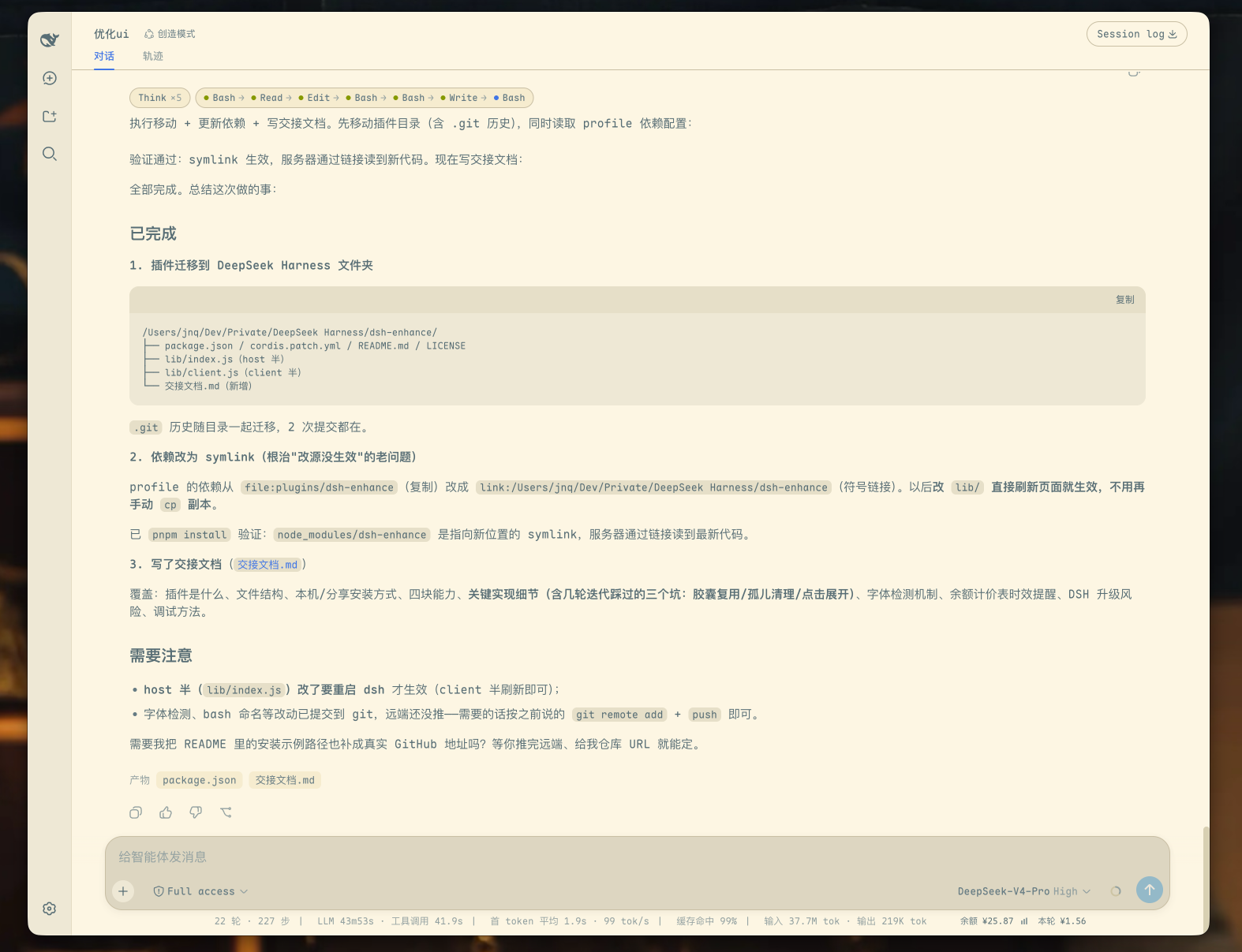
Features (dsh-enhance)
| Category | Description |
|---|---|
| Theme | Solarized light palette (the official dark theme is preserved) and a Maple Mono font stack that is enabled only when the font is available |
| Layout | Wider message column, tighter spacing, a compact composer dock, and disabled rubber-band scrolling |
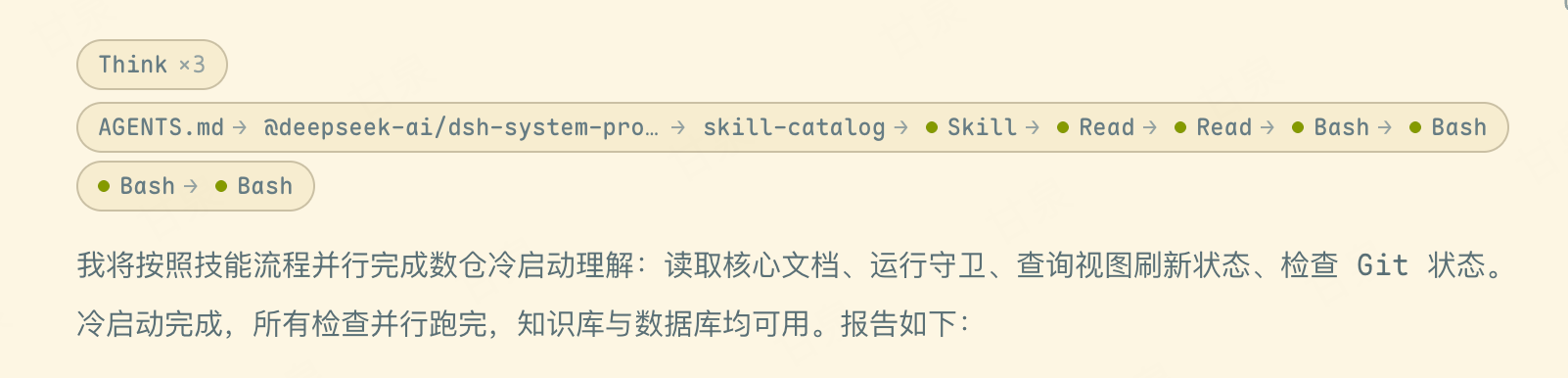
| Collapsible capsules | Aggregates reasoning blocks into a Think ×N capsule and tool calls into an A → B → C chain; long chains wrap according to the available width, with each visual line rendered as its own capsule |
| Usage information | Shows the official account balance, estimated cost for the current session, and a local 30-day usage chart in the footer |
Long tool chains automatically reflow with the message column while preserving a complete, independent capsule around each visual line:
Installation
Prerequisite: DSH is already running through its profile mechanism (dsh web).
dsh plugin --profile web add github:jiangnanquan/dsh-ux#main
The package declares both dsh.bundle.patch and dsh.client. dsh plugin add automatically adds the plugin to the profile bundle list. Restart DSH to activate it; no manual configuration edits are required. Running the installation command again is safe and idempotent. To update, run dsh plugin --profile web update dsh-enhance.
The official desktop app does not use this command: the
desktopprofile is owned exclusively by the Electron application anddsh plugin --profile desktop …is rejected outright. See INSTALL.md for the desktop path.
Hand It to Your AI Agent
If you prefer not to run the commands manually, paste the following prompt into any AI coding agent (Claude Code, DSH, Gemini CLI, and others) and ask it to follow INSTALL.md:
Follow the instructions in https://github.com/jiangnanquan/dsh-ux/blob/main/INSTALL.md to install and verify the dsh-enhance plugin on my machine using the web profile. Run the documented health checks and report the results. If any step fails, follow the rollback instructions and explain the cause.
Desktop App (dsh-desktop)
The official desktop app bundles its own dsh runtime and Electron shell (@deepseek-ai/dsh-desktop-host) and uses a dedicated desktop profile (~/.dsh/profiles/desktop, listening on 127.0.0.1:19387). Installing there differs from the web profile; see INSTALL.md.
The
desktop/directory in this repository (the lightweight dsh-desktop wrapper) is deprecated. The official shell already covers everything it did — frameless window, backend startup, authentication. It no longer needs to be installed and is kept for historical reference only.
Requirements and Notes (dsh-enhance)
- Font: Maple Mono is preferred. If it is not installed, the plugin falls back to PingFang SC, SF Mono, Menlo, or another monospace font. Install Maple Mono for the intended appearance.
- Balance, current-session cost, and usage chart: These features call the official DeepSeek API and require
DEEPSEEK_API_KEYto be configured in DSH. If credentials are unavailable, the fields show an unavailable or failed state without affecting the other features. - The pricing table is hard-coded in
pricingForinsidelib/index.jsusing official peak and off-peak rates (peak hours in Beijing time: 09:00–12:00 and 14:00–18:00; half price at other times). Update it if DeepSeek changes its pricing.
Uninstallation
dsh plugin --profile web remove dsh-enhance
License
MIT
Comments
Comments live in GitHub Discussions. Sign in with GitHub to post or react.