
Install
Inside DeepSeek Harness, with dsh-market
dsh plugin --profile web add dshmarket
Or from the command line
dsh plugin --profile web add dsh-tool-approval
Installing runs third-party code with your own permissions — it can read your files, use your credentials and reach the network. Review the source first, and pin a commit (github:owner/repo#sha) when you can.
README
English | 中文
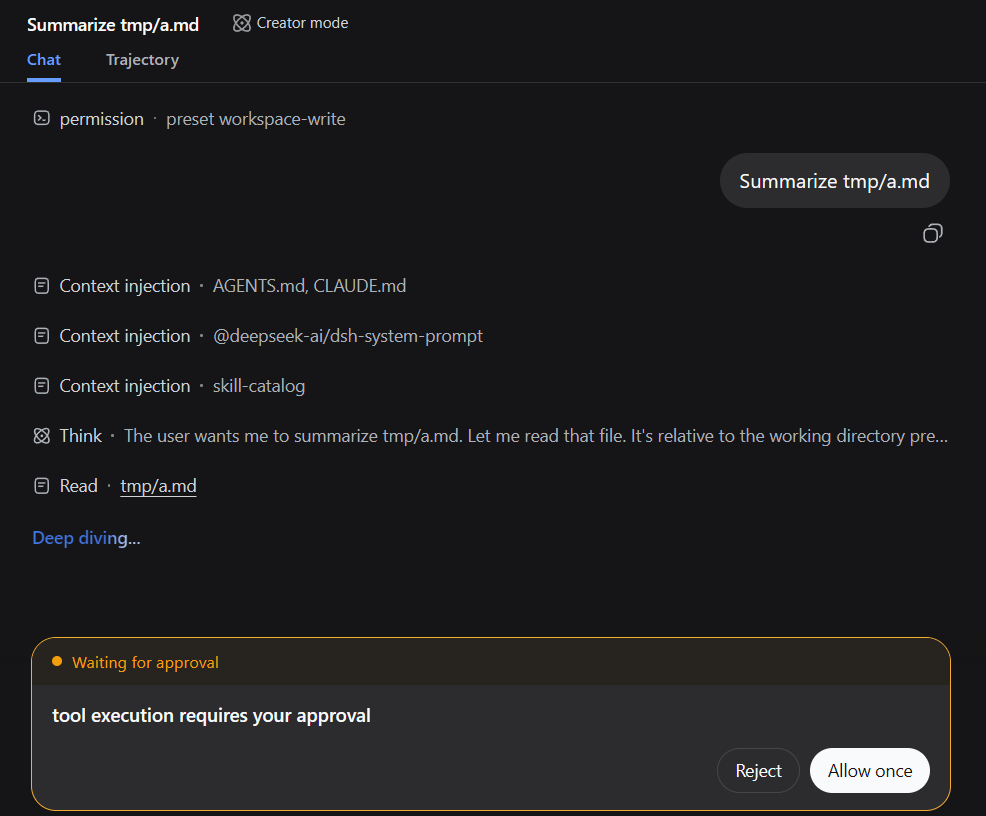
Add pre-approval to any Tool Calling, aka "Manual Mode"/"Ask Mode".
Install
dsh plugin --profile web add dsh-tool-approval
Config
Default config
- id: tool-approval
  name: dsh-tool-approval
With the default config, every Tool Calling goes through pre-approval.
Custom config
- id: tool-approval
  name: dsh-tool-approval
  config:
    include: [fs_*, web_*]
    exclude: [task_output]
    reason: tool execution requires your approval
Only tools specified in include get pre-approval; tools in exclude pass through. Wildcards are supported.
LICENSE
Comments
Comments live in GitHub Discussions. Sign in with GitHub to post or react.