
Install
Inside DeepSeek Harness, with dsh-market
dsh plugin --profile web add dshmarket
Or from the command line
dsh plugin --profile web add github:etony668/dsh-task-board
Installing runs third-party code with your own permissions — it can read your files, use your credentials and reach the network. Review the source first, and pin a commit (github:owner/repo#sha) when you can.
Screenshots
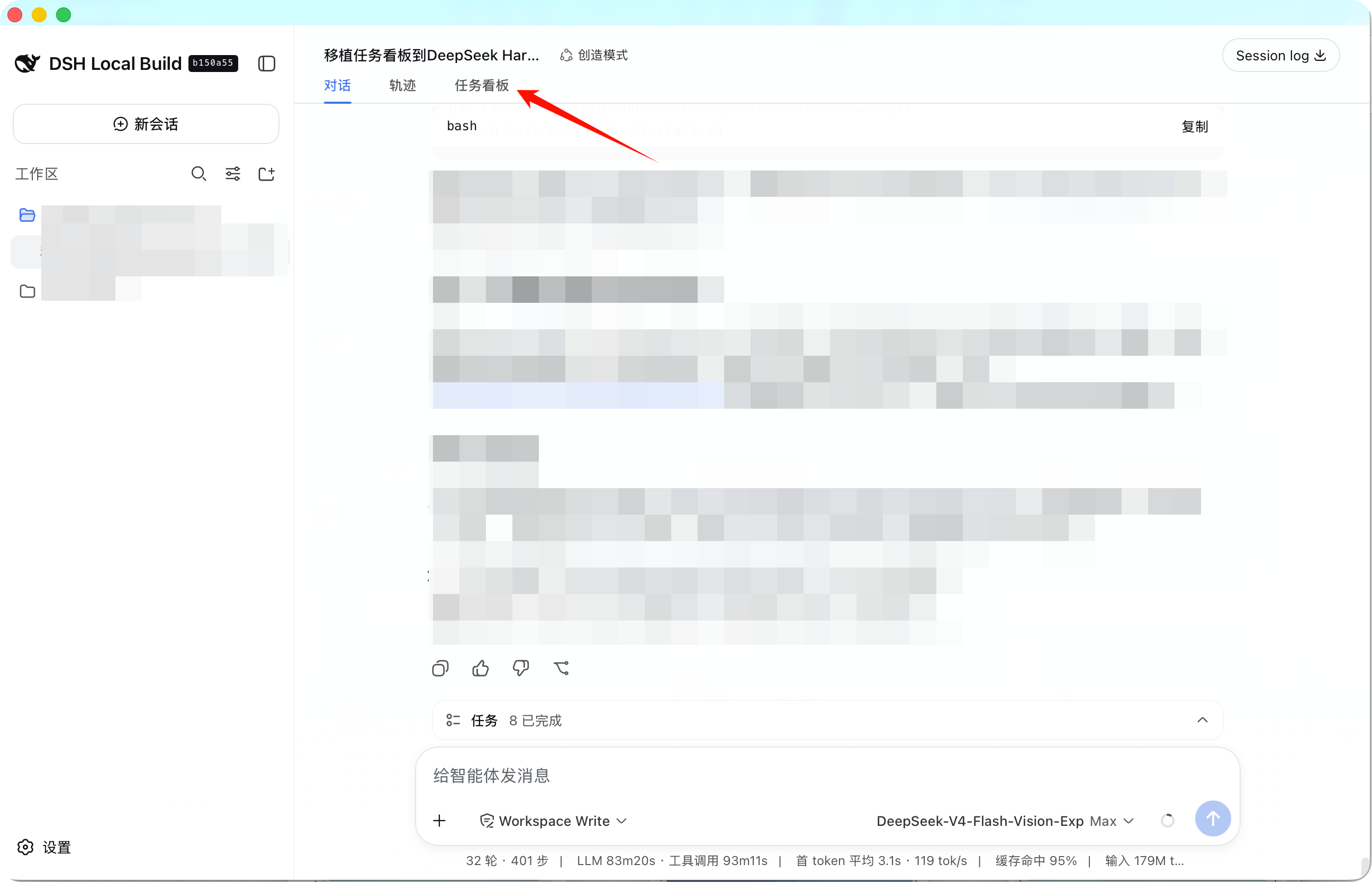
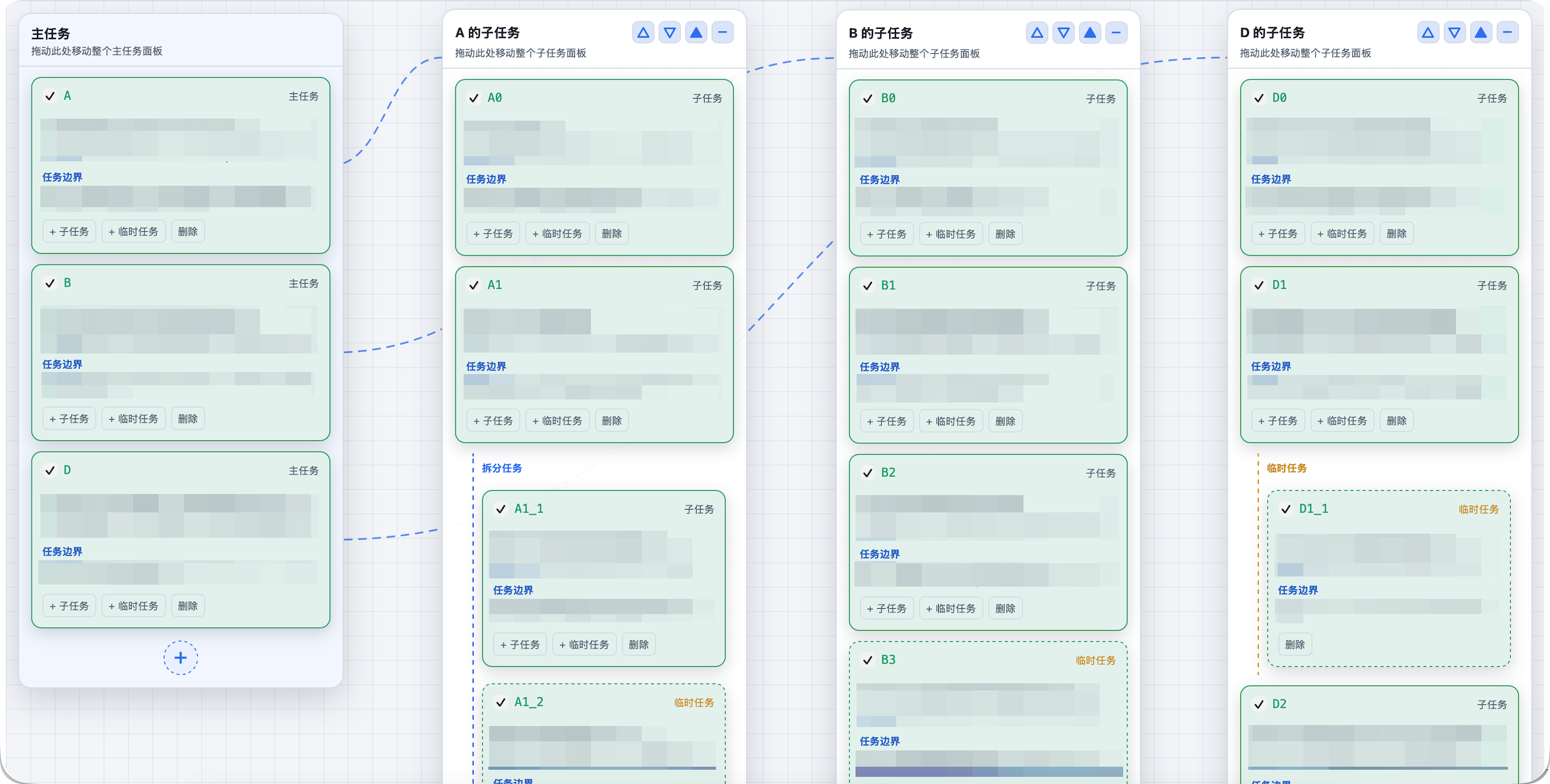
README
English | 中文
DSH Task Board plugin (dsh-task-board)
A port of the CodexFF project task board for DeepSeek Harness (DSH): a new
Chat → Trajectory → Task Board tab in the conversation view, canvas-style
draggable panels, agent tools and a sync skill, with local JSON storage and no
external services.
Features
- Conversation view tab:
Chat → Trajectory → Task Board(conversation.view, order 20). - Canvas board: one child panel per main task; panels are draggable with snap alignment (25px base gap, top-row alignment, auto horizontal centering for vertical stacks), collapsible; temporary tasks are color-marked.
- Task model: parent/child task tree, task boundaries (goal / scope / out of scope / acceptance), checkbox completion; a parent task auto-closes when all its subtasks are complete, and adding an incomplete child reopens all of its ancestors.
- Agent tools (same semantics as the CodexFF MCP server):
board_get/board_revision— read the board and its revisionboard_sync— batch create/update tasks (supportskeyreferences in one call)task_create/task_update/task_delete— single task operations
- Skill:
dsh-task-board(task splitting and sync discipline), auto-loaded by the agent. - Storage:
<project>/.dsh-taskboard/board.json— the board travels with the project (safe to commit). Every change first snapshots the previous revision into<project>/.dsh-taskboard/backups/(last 10 kept, ignored via a generated.gitignore), and a global mirror is written to$DSH_HOME/taskboards/<sha256(project path)>.json. Reads fall back project file → latest backup → global mirror → empty board, re-writing the main file whenever a fallback is used; all writes are atomic. CodexFF-compatible format; if the project directory is read-only the plugin degrades to the global mirror only.
Installation
⚠️ Always install and update through the plugin manager (the Plugins panel, or
dsh plugin add <path-or-package>). Do not hand-edit your profile'spackage.jsonto add alink:dependency: when a plugin appears in bothdsh.profile.bundlesanddependencies, the plugin manager refuses to update it withambiguous-install(DSH 0.20+). If you already did that, delete the hand-written entry and install once more — the manager will write the correct dependency itself.
Option 1: One command (recommended)
dsh plugin --profile web add @etony668/dsh-task-board
Then open or refresh the DSH web UI — the Task Board tab appears after
Trajectory. The plugin is also listed in the plugin market (workflow category).
Option 2: Clone from GitHub (backup)
macOS / Linux (bash)
git clone https://github.com/etony668/dsh-task-board.git
cd dsh-task-board
./install.sh
Windows (PowerShell)
git clone https://github.com/etony668/dsh-task-board.git
cd dsh-task-board
.\install.ps1
Windows users can also run
./install.shfrom Git Bash (same result).
Then refresh the DSH page (or restart DSH) to see the Task Board tab.
If the tab does not appear after a refresh, restart DSH once — the patch always
applies at startup.
Option 1b: One-click install from the plugin market
This plugin has been submitted for listing on
awesome-dsh-plugin (category workflow; takes
effect once merged). With the
dsh-market plugin installed, open
DSH Settings → Plugin Market, search for task-board and install with one
click — no manual clone needed.
Option 2: Manual install
Put this repository's contents into
~/.dsh/plugins/dsh-task-board/(or any directory).Run
./reinstall.sh— it copies the package into the current runtime'snode_modules/@etony668/dsh-task-board/and creates the profile fallback symlink.Make sure
~/.dsh/cordis.patch.ymlcontains (create it if missing):- insert: - id: task-board name: '@etony668/dsh-task-board'
reinstall.sh/reinstall.ps1auto-detect common DSH runtime directories on macOS / Windows / Linux. If detection fails, specify the path explicitly:
- bash:
DSH_TASK_BOARD_RUNTIME="/path/to/runtime" ./reinstall.sh- PowerShell:
.\reinstall.ps1 -RuntimeRoot "C:\path\to\runtime"
Usage
- Switch to the board via the top tab; there is no back button inside the
board — go back with the top
Chattab, or via keyboardTab/Esc(not hijacked while focus is in an input). - The bottom message composer is hidden on the board view to avoid overlap.
- After task changes, the agent appends a clickable “view task board” link that switches to the board tab without a page refresh.
Upgrade
A DSH upgrade creates a new runtime version directory; the node_modules copy
and the profile symlink must be rebuilt:
cd ~/.dsh/plugins/dsh-task-board && ./reinstall.sh
Windows:
cd $env:USERPROFILE\.dsh\plugins\dsh-task-board
.\reinstall.ps1
cordis.patch.yml lives in ~/.dsh and is unaffected by upgrades.
Uninstall
# 1) Remove the plugin row from the patch (edit ~/.dsh/cordis.patch.yml, drop the - insert: part)
# Official desktop app: uninstall from Settings → Plugins, or
#   plugin_manager remove_bundle @etony668/dsh-task-board
# Legacy (copied into a runtime version directory):
# 2) Delete the source and runtime copies
rm -rf ~/.dsh/plugins/dsh-task-board
rm -rf <runtime>/versions/*/node_modules/@etony668/dsh-task-board
rm -f  ~/.dsh/profiles/node_modules/@etony668/dsh-task-board
# 3) Data (optional): <project>/.dsh-taskboard/ and ~/.dsh/taskboards/*.json
Repository layout
index.js        package root entry (loader resolves <pkg>/index.js; re-exports lib/index.js)
lib/index.js    host plugin (node ESM): storage + tools + skill + /api/task-board route
lib/client.js   web plugin bundle (hand-built __ModuleLoader__, react only)
package.json    dsh.client: { platform: web }, exports ./client; dsh.bundle patch
install.sh      one-click install (copy + install + patch write; macOS/Linux bash)
install.ps1     one-click install (Windows PowerShell)
reinstall.sh    reinstall into runtime node_modules + profile fallback symlink (bash)
reinstall.ps1   reinstall (Windows PowerShell)
Development
The plugin follows the DSH dual-end structure: the host side (Node ESM) provides
storage/tools/skill/route, and the client side (browser bundle) registers the
conversation.view tab and renders the board. After changes, run ./install.sh
and refresh the page; host-side changes need a DSH restart.
License
Comments
Comments live in GitHub Discussions. Sign in with GitHub to post or react.