
Install
Inside DeepSeek Harness, with dsh-market
dsh plugin --profile web add dshmarket
Or from the command line
dsh plugin --profile web add dsh-session-colorful-unread-pin-jobs
Installing runs third-party code with your own permissions — it can read your files, use your credentials and reach the network. Review the source first, and pin a commit (github:owner/repo#sha) when you can.
Screenshots
README
中文 | English
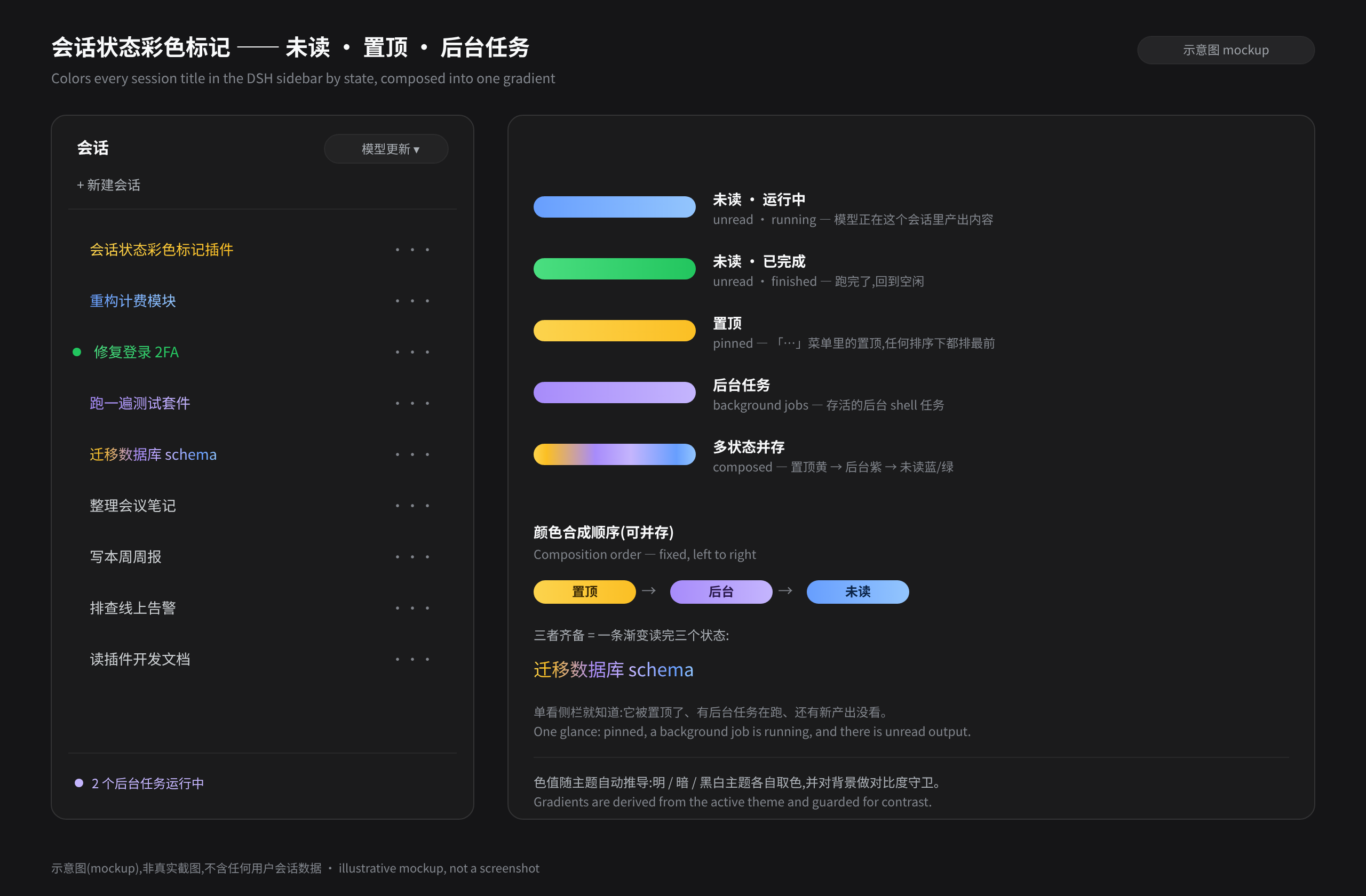
See at a glance which sessions in the DSH sidebar still hold output you have not looked at, and which have finished. Session titles are painted by state: unread (blue while the model is running, green once it has finished) and pinned (yellow, read from DSH's own pinned set). When both apply they are composed into one gradient — pin yellow on the left, unread blue/green on the right. Colors are derived from the current theme's brand color and adapt to light, dark, and monochrome themes automatically.
Pinning, archiving, and ordering belong to DSH itself (built in since 0.1.7-alpha.2): the menu entry, the pin icon, the pinned set, and pinned-first ordering are all official, and this plugin deliberately reimplements none of them — it only reads the official pinned set to tint titles. It also never rewrites official bundles: the menu uses an official slot and painting uses the session row DOM, so uninstalling leaves nothing behind.
What it looks like
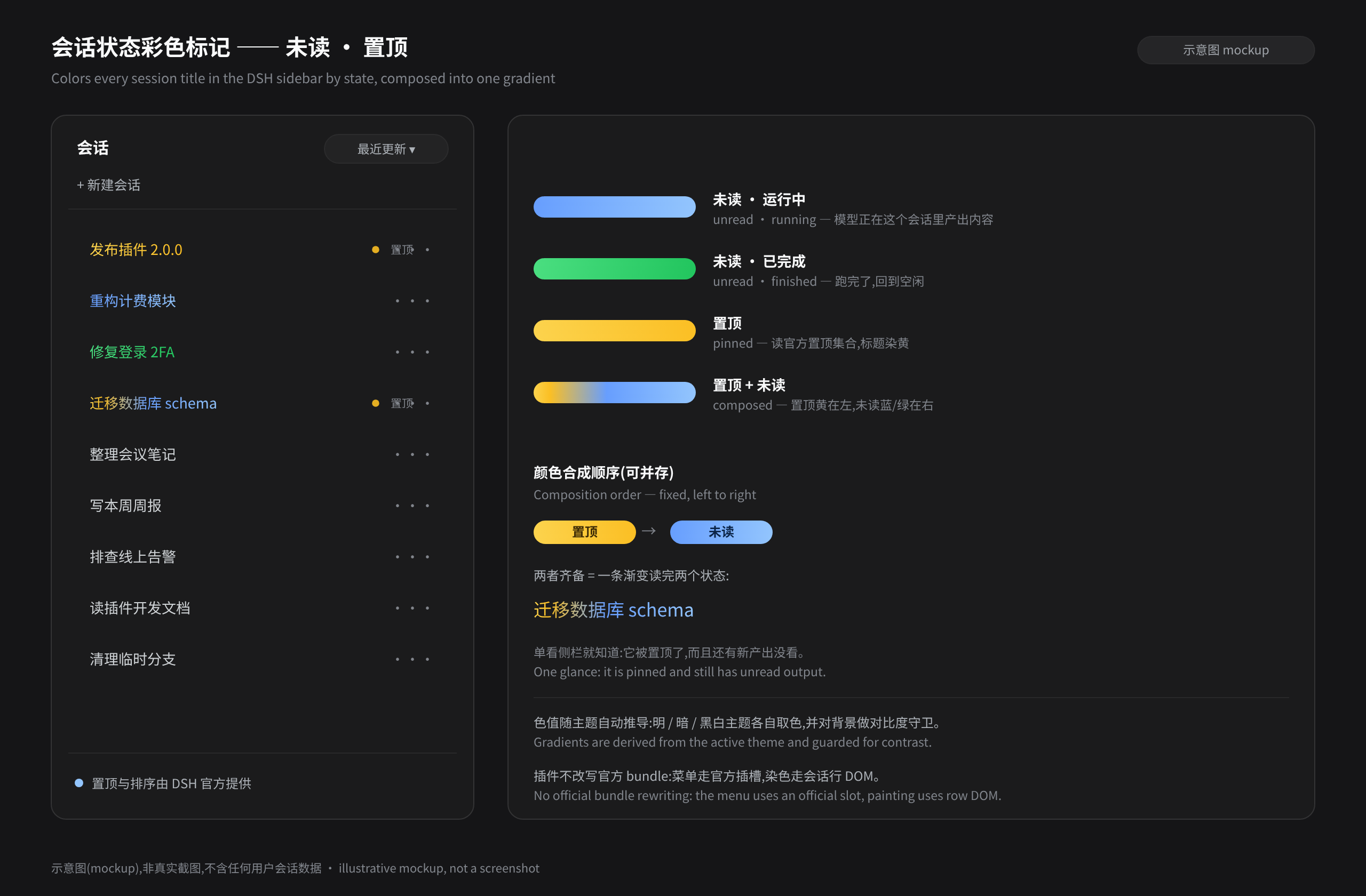
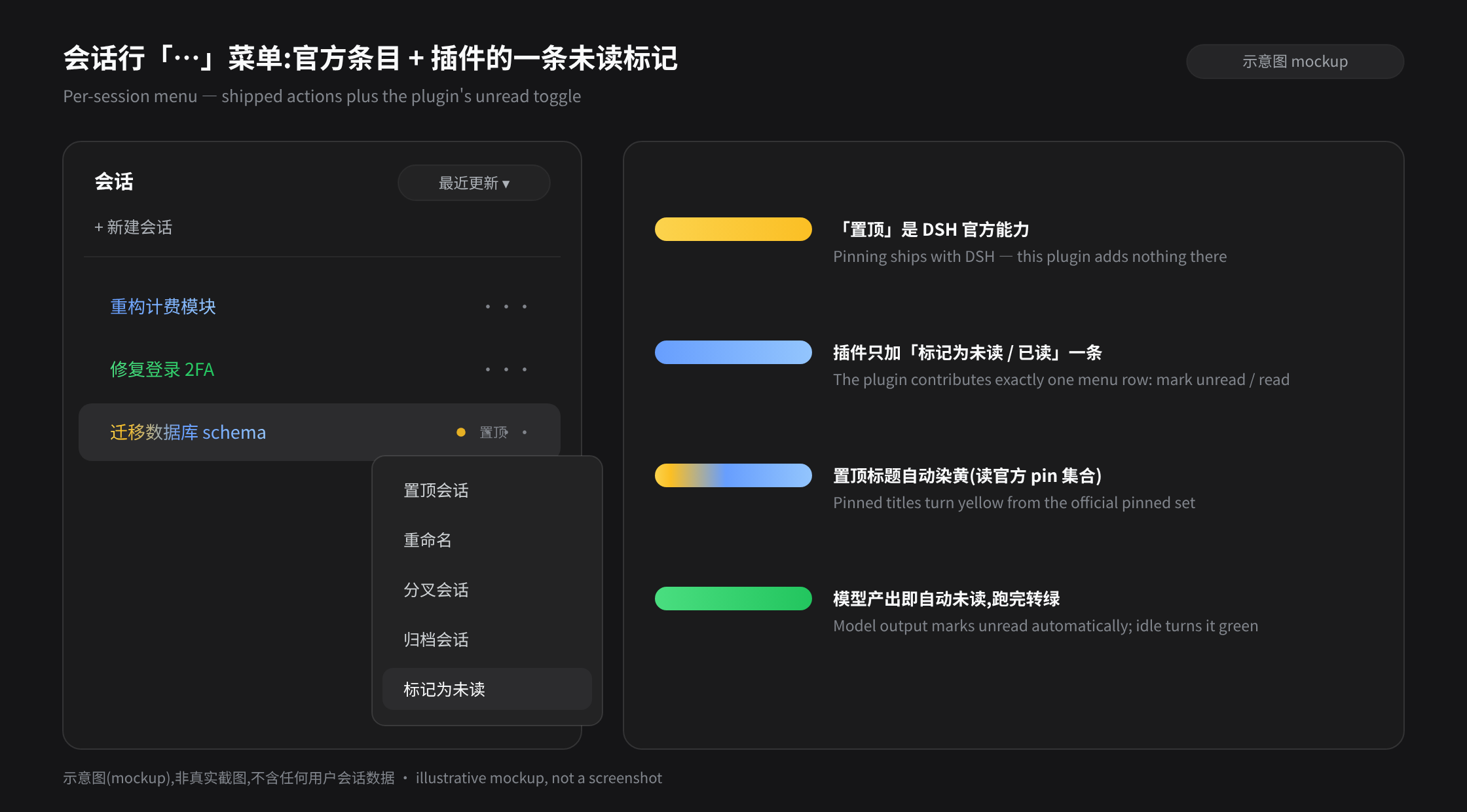
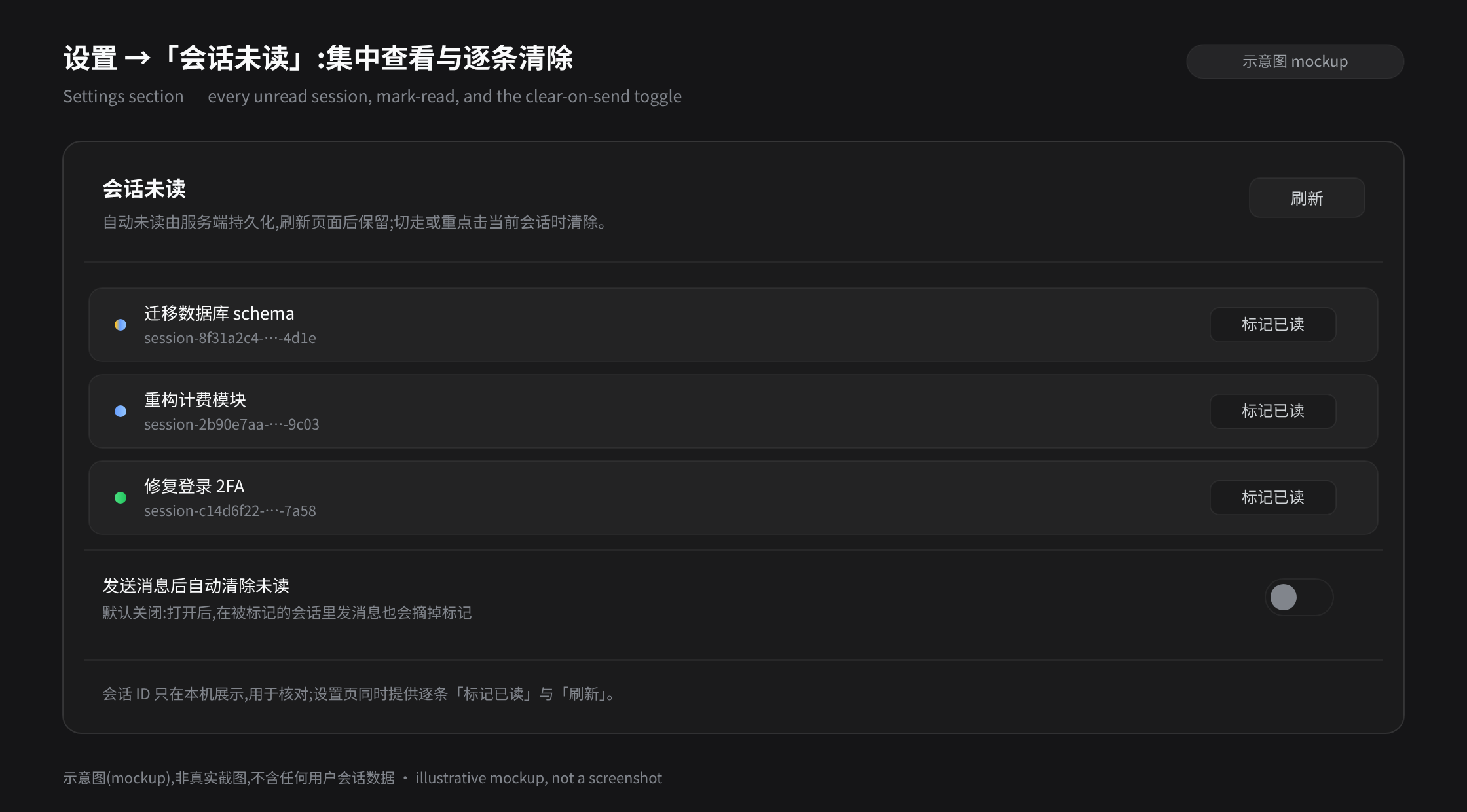
These are illustrative mockups generated by
assets/mockups/generate.mjsusing the real DSH theme tokens — not screenshots, and they contain no user session data.
Highlights
| State | Color | Trigger |
|---|---|---|
| Unread · running | brand-blue gradient | The model produced content in any session (including the one you have open) and that session is still running |
| Unread · finished | green gradient | The condition above stops holding (the session went idle) — the job is done |
| Pinned | yellow gradient | Official pin (session row "…" → "Pin session"); the plugin only reads the official pinned set |
| Both at once | yellow → blue/green | Composed in semantic order: pin leftmost, unread rightmost |
- Nothing to watch: a session that finishes turns blue → green on its own, so one glance at the sidebar tells you which sessions came back with results.
- Nothing lost: the unread set is persisted server-side and survives page reloads and process restarts.
- Purely additive: official bundles are never rewritten and official behavior is never replaced — the plugin only tags rows and paints titles, and uninstalls cleanly.
Features
- Automatic unread — the moment the model produces content in any session (including the one you have open) through a whitelisted event (
assistant/chunkcontent blocks,assistant/message,tool/result), that session gets the unread gradient. The color distinguishes work state: brand blue while running, green once the session went idle (the running flag is read from the session-list store and re-evaluated on every store update). - Clearing — opening, staying, and sending never clear the mark. Switching away from the current session (A → B) clears A; clicking the current session row a second time also clears it (the native "select = acknowledge" semantics). Both paths remove the mark locally at once and persist it to the host.
- Title painting (one composer) — all visuals collapse into a single path: row state → anchor colors → paint. Semantic order, left to right: pinned = yellow (leftmost) → unread = blue (running) / green (finished, rightmost). One state paints a whole two-stop gradient of that family (unread derives a same-family pair from the theme brand color, degrades on monochrome themes, and every end color passes a background-contrast guard); both states expand the segmented template (solid zones plus a transition). Gradients are written as inline styles on the title element, which React re-renders never overwrite, so no repaint is ever needed. Stops are adapted to the real text width: short titles compress the stops to px, long titles use container-width percentages.
- Clear on send (optional, off by default) — when enabled in settings, sending a message inside a marked session also drops that mark.
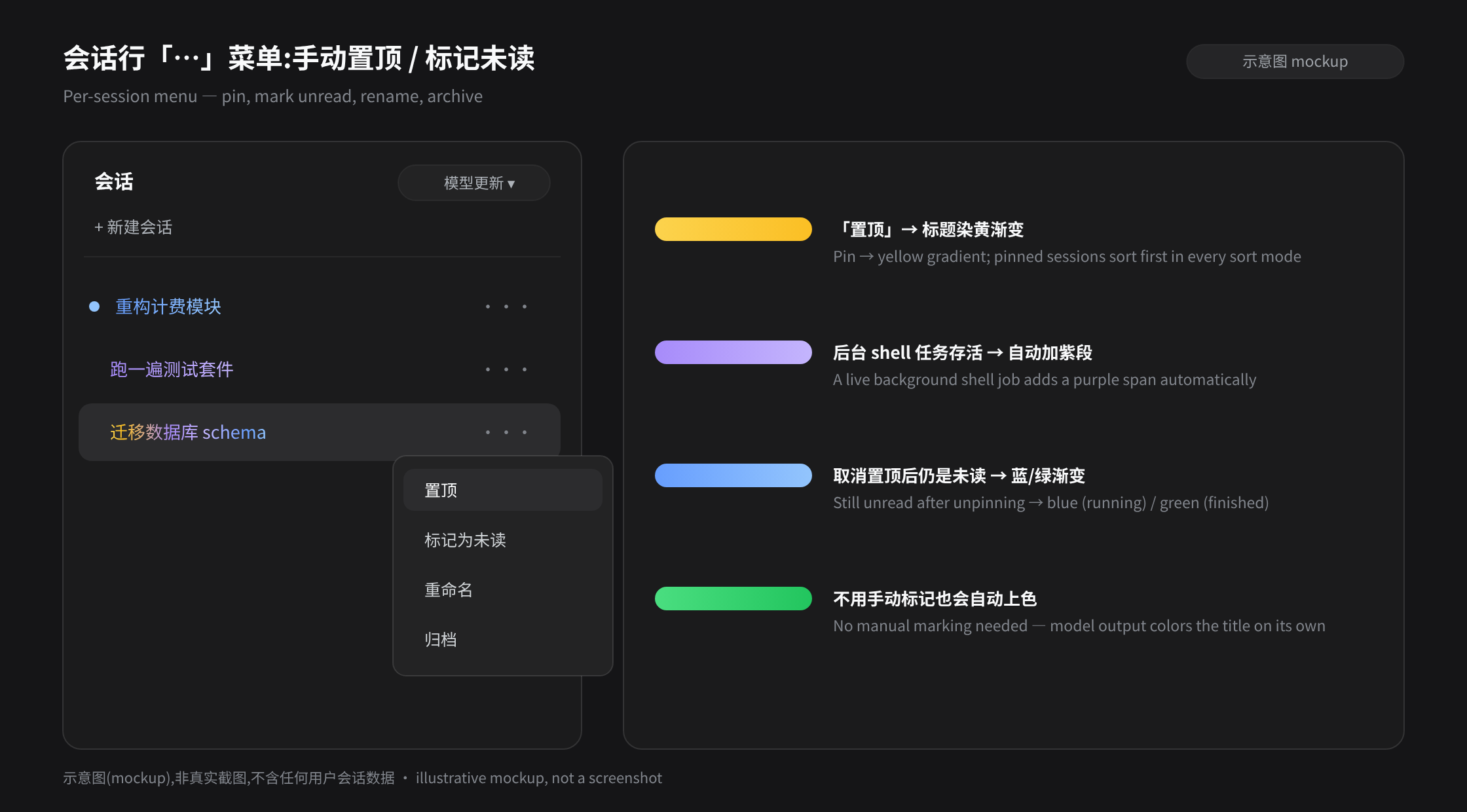
- Manual toggle — the session row "…" menu gains one "Mark as unread / Mark as read" entry, registered through the official
sidebar.workspaces.session.menu.itemslot and placed after the shipped entries. - Official pin, read-only — the pinned set comes from the official
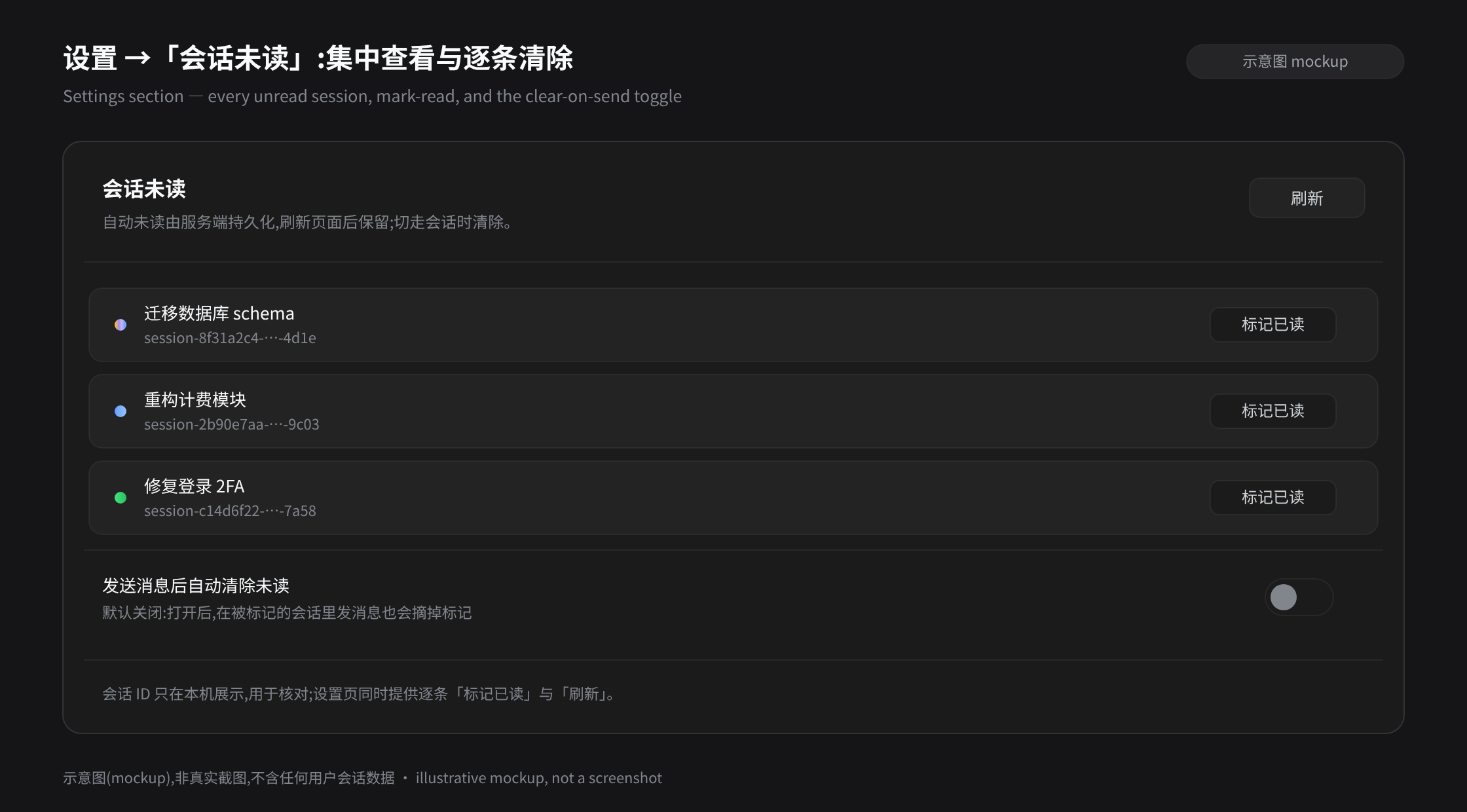
workspaces.listsnapshot (pinnedSessionIds, archived rows excluded per official semantics). The plugin never writes pins and never reorders for them; official pinning behaves exactly as shipped. - Settings section — Settings → "Session unread": every unread session (title, running marker, session id), a manual Refresh, per-row Mark read, and the clear-on-send toggle.
- Zero bundle rewriting — the menu and settings sections use official slots, and painting observes the session row DOM (
data-row-key="session:<id>"plus the title class suffix_title). There is no anchor-string replacement any more, and transformed output is never written back onto officialclient.jsfiles.
Install
dsh plugin --profile web add dsh-session-colorful-unread-pin-jobs@latest
From GitHub (equivalent):
dsh plugin --profile web add github:enterhalf/dsh-session-colorful-unread-pin-jobs
Uninstall:
dsh plugin --profile web remove dsh-session-colorful-unread-pin-jobs
Requires DSH ≥ 0.1.7-alpha.2 (the new sidebar: official pinning, official slots, and row data-row-key). On older DSH builds (npm latest is still 0.1.5-rc.3) stay on this plugin's 1.0.0.
Uninstall is clean: slot registrations, routes, event subscriptions, timers, and observers are all removed with the fiber. The unread set and settings stay in ~/.dsh/storages/dsh-session-colorful-unread-pin-jobs/ and are picked up again on reinstall.
How it works
- Unread data plane (host-persisted) — the host subscribes to
session/eventand marks the non-subagent session unread when a whitelisted event lands (idempotent; no disk write when nothing changed). Storage is~/.dsh/storages/dsh-session-colorful-unread-pin-jobs/unread.json(atomic write, at most 2000 entries with FIFO eviction, plus theclearOnSendsetting). The client reconciles againstGET /session-colorful-unread-pin-jobs/listevery 2 seconds; the host is authoritative. - HTTP plane (registered on the webServer route table under
/session-colorful-unread-pin-jobs):GET /list→{ ok, ids }POST /toggle{ id, unread }→{ ok, ids }GET/POST /settings→{ ok, clearOnSend }- (the v1
/top,/active, and/timestampsendpoints are gone along with the self-owned pin and sort planes)
- UI plane (official extension points):
- menu entry:
ctx.slots.inject('sidebar.workspaces.session.menu.item'); - settings page:
ctx.slots.inject('settings.section'); - painting: a
MutationObserverplus the 2-second poll drivesyncRowMarks(), which scans[data-row-key^="session:"], composes a gradient from the host unread set and the official pinned set (ctx.get('workspaces').list), and writes it as inline style on that row's title element; - copy: registered in the official locale namespace
session-colorful-unread-pin-jobs(follows the UI language; falls back to Chinese when no locale service is present).
- menu entry:
- One-time residue cleanup — 1.x wrote transformed output back onto official
client.jsfiles under the new architecture. On start, 2.0.0 checks whether a bundle still carries v1 injection markers and, if so, restores the original bytes from thebundle-*.client.js.origsidecar instoragesand realigns theclientModulesgraph. On a clean install this is a no-op.
Upgrading from 1.x to 2.0.0
Breaking changes (hence the major version):
- The plugin's own pinning is gone (menu entry,
topIdspersistence,/topendpoint, pin ordering partition). Use the official "Pin session" instead — it already persists pins and orders pinned sessions first. - The "Model updated" sort mode, the
/timestampsendpoint, and the Deep diving "since last agent output" second column are gone. - The "live background shell = purple" marker is gone (the new session-list snapshot no longer carries a jobs mirror, and the capability overlaps the official background-job UI).
- Official bundles are no longer rewritten, so anchor self-checks are unnecessary (
check-anchors/check-migrationwere replaced bycheck-env/check-host).
Upgrade steps:
- After upgrading the plugin, restart DSH (the host half loads with the process; the client half is hot-updated by
client-hmr's 500 ms poll and applies on a page refresh). - The unread set and the clear-on-send setting carry over;
topIdsinunread.jsonis ignored (never read or written again) — re-pin through the official menu. - Any on-disk residue is restored automatically by the host half; the
bundle-*.client.js.origsidecars stay as a v1 rollback path and may be deleted by hand.
Limitations
- Requires DSH ≥ 0.1.7-alpha.2: older builds have no official slots and no
data-row-key, so the UI plane does not activate (the host data plane still works).npm run check-envverifies the installed tree against the contract offline. - Painting depends on two stable row-DOM anchors:
data-row-key="session:<id>"and the title class suffix_title. If DSH changes either, the plugin needs re-adapting — but unlike the old bundle-anchor replacement, a mismatch only means "no color", never a broken page or menu. - Session rows inside a collapsed workspace group are not rendered, so those rows color when the group is expanded (the observer paints them as soon as they appear).
- "The current session" is the holder of
retainedBy.mainViewin the list store; each browser tab decides and clears independently. - Theme adaptation relies on the theme system writing the theme onto the body attribute and exposing the brand color through alias variables; a third-party theme that changes colors another way will not be followed.
- Automatic unread is decided at whitelisted model-event granularity: content-free anomalies such as
llm/retrydo not count.
Development
npm run build          # check and emit lib/index.js
npm run build:client   # check and emit lib/client.js
npm run check-host     # host-half unit tests: storage/migration, HTTP plane, v1 residue cleanup
npm run check-env      # offline check that the installed DSH tree exposes the official extension points
npm run check          # both of the above
dsh plugin --profile web add /path/to/dsh-session-colorful-unread-pin-jobs
License
MIT
Comments
Comments live in GitHub Discussions. Sign in with GitHub to post or react.