
Install
Inside DeepSeek Harness, with dsh-market
dsh plugin --profile web add dshmarket
Or from the command line
dsh plugin --profile web add dsh-voice-talk
Installing runs third-party code with your own permissions — it can read your files, use your credentials and reach the network. Review the source first, and pin a commit (github:owner/repo#sha) when you can.
README
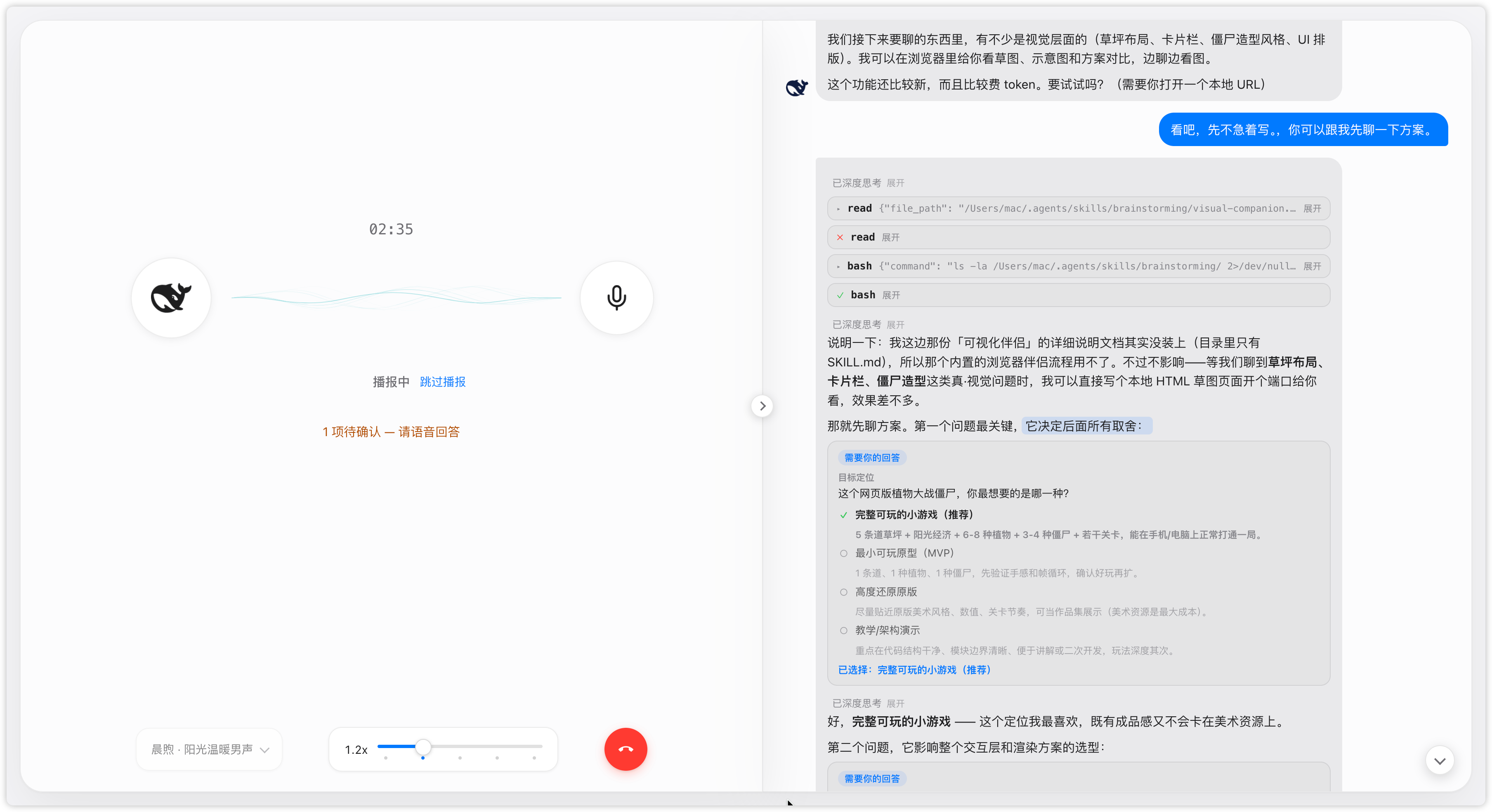
Voice chat mode for DSH Web: tap the mic to enter a full-screen call, speak and listen as you go, and replies are read aloud as they stream. Bilingual UI, light/dark theme aware, with speech-rate and voice controls.
English | 中文
Quick start
1. Install
dsh plugin --profile web add dsh-voice-talk
dsh web   # restart after install
Install from source:
git clone https://github.com/duoduoqian708/dsh-voice-talk.git
cd dsh-voice-talk && npm install && npm run build
dsh plugin --profile web add /path/to/dsh-voice-talk
Requires the dsh web profile: 0.1.0-rc.7+ (both the 0.1.0-rc.x and 0.1.5-rc.x host lines are supported); Chrome / Edge, microphone permission and a network connection are also needed.
2. Configure voice
Speech playback defaults to the system voice, free of charge: voice and rate are both adjustable — pick a voice that suits you and tune the rate, and it sounds great. For a more natural timbre, switch to Qwen (usage-based, ≈¥1 per 10k chars).
Speech recognition needs a cloud engine: get an API Key from Alibaba Cloud Model Studio, then paste it into Qwen's "Settings" under Settings → Plugins → Voice chat; the model and endpoint are built in.
3. Start talking
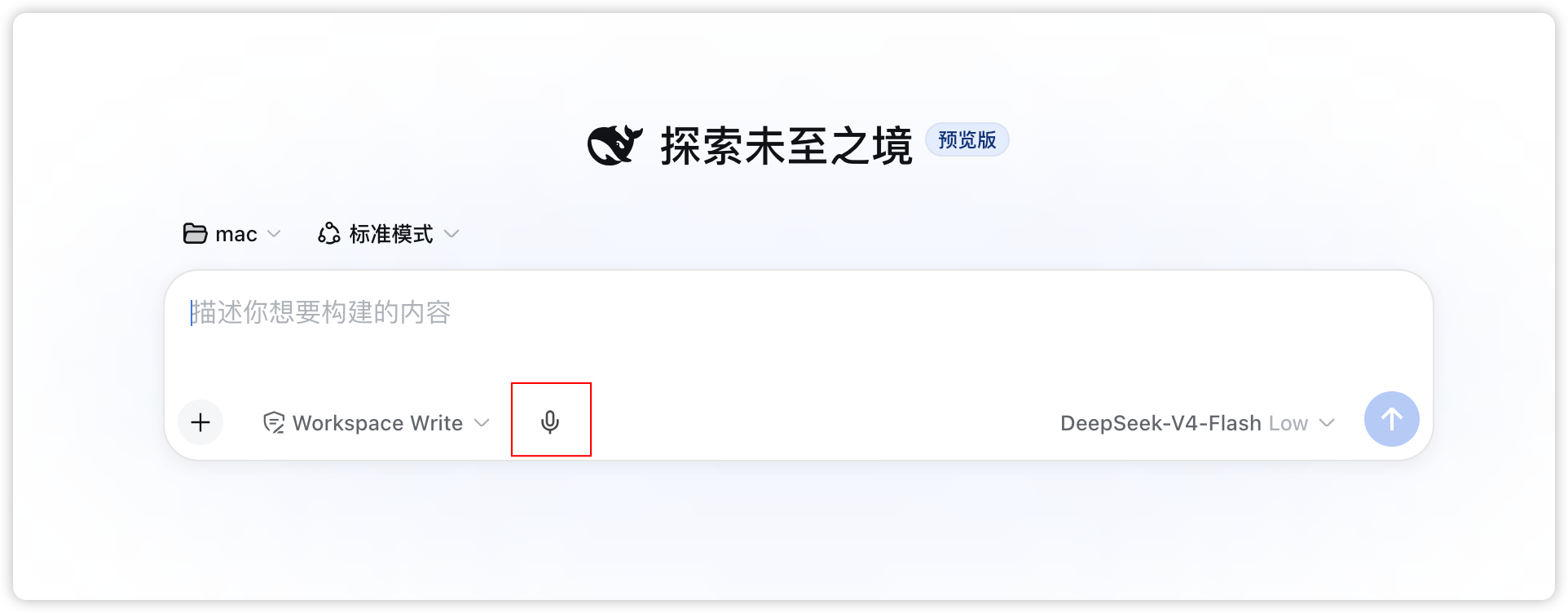
There is a mic icon next to the input box on the conversation page or workspace; tap it to enter the full-screen call and just start speaking. The red hang-up button or Esc exits; you can mute or collapse the panel mid-call.
Settings
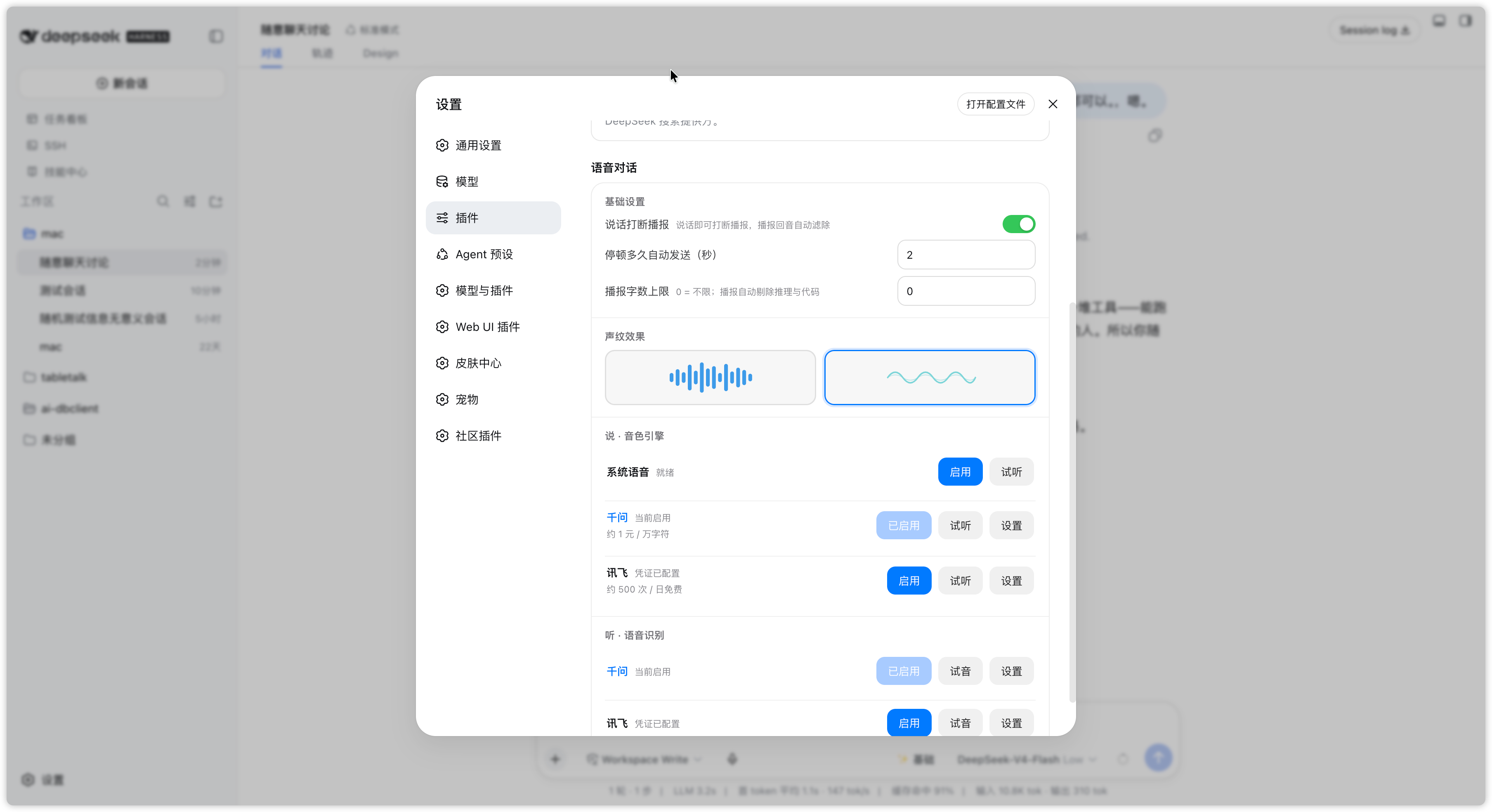
Changes on the settings page are persistent defaults; changes made in the call overlay apply to the current call only.
| Setting | Description | Default |
|---|---|---|
| Barge-in while speaking | Interrupt the readout by speaking; headphones recommended | Off |
| Auto-send after a pause (s) | How long a pause submits the utterance | 2 |
| Voice wave | Call-overlay waveform style: equalizer / ripple | Ripple |
| Rate | Readout speed, default per engine, adjustable per session | 1.0x |
Highlights
- Follows the system theme: light / dark out of the box.
- Bilingual UI (Chinese / English): follows the platform language setting.
- Keys stay on your machine and are never uploaded: the browser never sees them, and speech requests are proxied by the host.
- Open source under MIT: auditable and self-hostable.
Easter egg
Suppose you would rather not stare at a screen and feel like getting outdoors; suppose you happen to have a proxy port open — then take your phone out for a walk and talk through your development while strolling.
Feedback
Found a bug or have an idea? Reach us either way:
- Open a GitHub issue (preferred, easiest to track and fix)
- Comment on the plugin's card in the marketplace (shared with the plugin's discussion thread)
License
Comments
Comments live in GitHub Discussions. Sign in with GitHub to post or react.