
Install
Inside DeepSeek Harness, with dsh-market
dsh plugin --profile web add dshmarket
Or from the command line
dsh plugin --profile web add "https://github.com/bill277048-hash/DSH-guardian/releases/download/v1.0.0/botton-dsh-guardian-1.0.0.tgz"
Installing runs third-party code with your own permissions — it can read your files, use your credentials and reach the network. Review the source first, and pin a commit (github:owner/repo#sha) when you can.
Screenshots
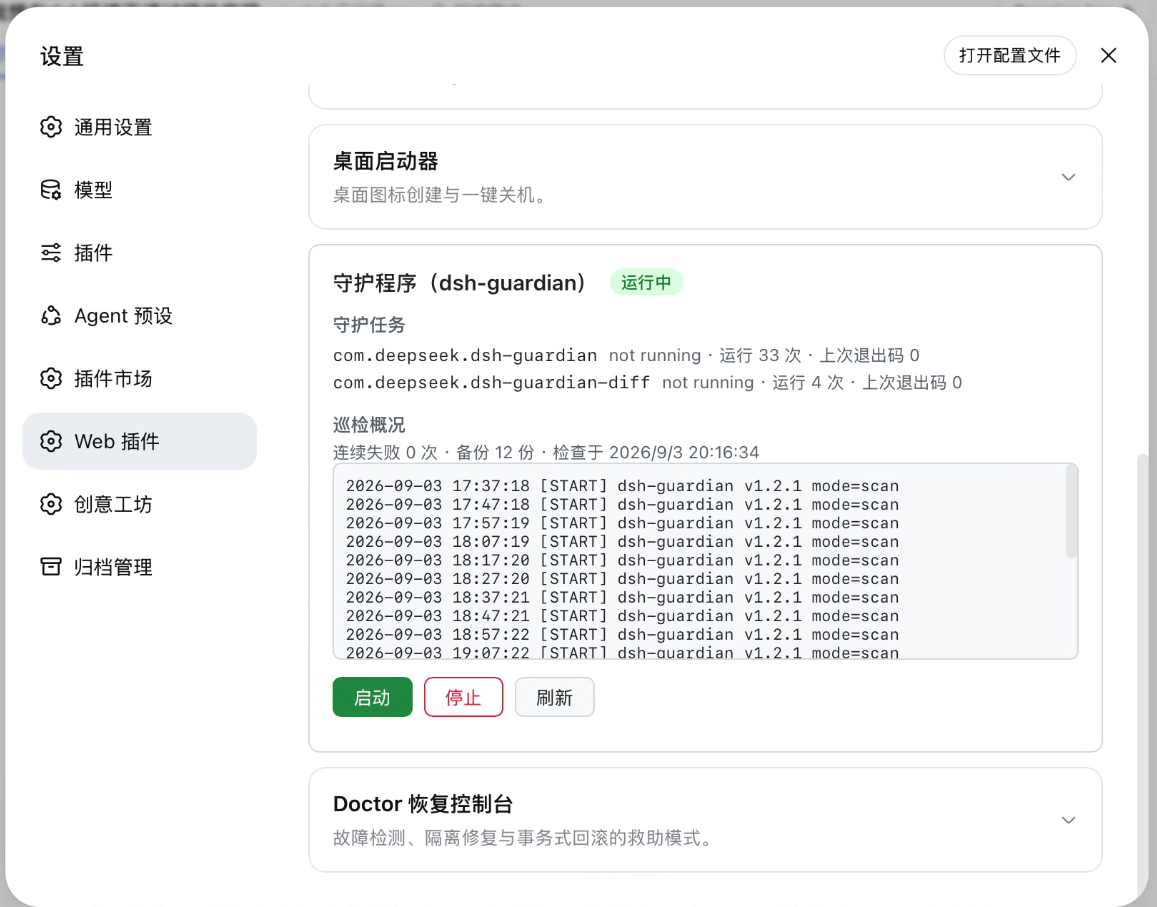
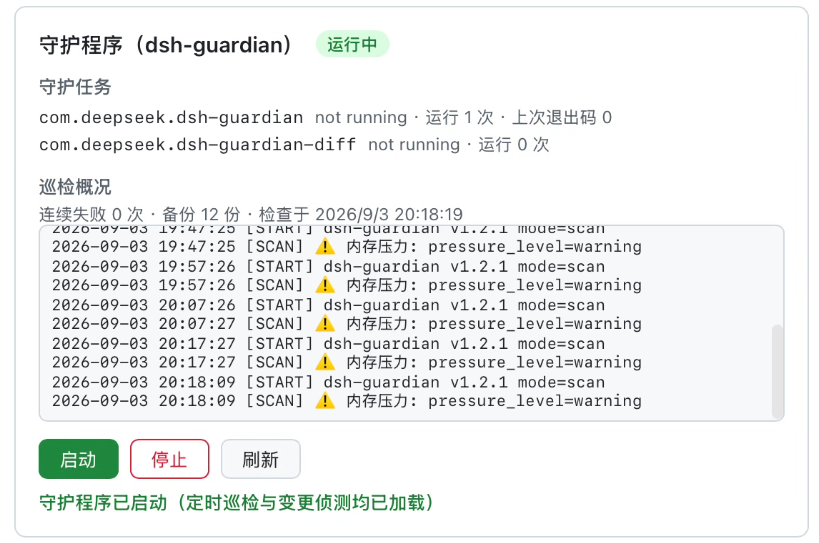
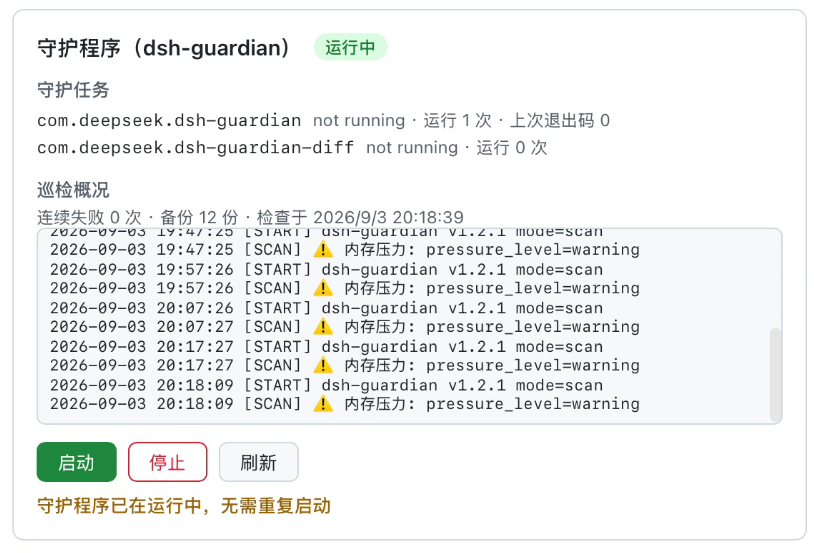
README
Manage macOS launchd guardian agents from the dsh WebUI — start, stop, and inspect status without opening a terminal. 中文文档
What it is
dsh-guardian is a pair of LaunchAgents (scheduled health scans + config-drift detection) that watch over a DeepSeek Harness (dsh) deployment. This plugin wraps their existing launchctl bootstrap / bootout logic in a WebUI panel — no behavior changes, just a UI.
Features
- Status overview: load state, run counts, last exit codes, and overall health (active / partial / stopped) for both agents, plus guardian log tail, failure count, and backup count
- One-click start / stop: identical to running
launchctlin a terminal — probe first, act only on what's needed, verify afterwards - Clear feedback for every edge case (12 status codes): duplicate start, stopping when not running, start/stop failure, post-action verification failure, concurrent operations (409 BUSY)
- Loopback-only API with Host / Origin / sec-fetch-site validation (DNS-rebinding and CSRF resistant)
Design
- Zero runtime dependencies, zero build step
- Thin wrapper only — panel operations and manual terminal commands are fully interchangeable
- Idempotent and race-tolerant: EIO5 (already-loaded / already-removed) is tolerated and settled by a
launchctl printre-check - Read-only status aggregation — never writes to guardian state
Requirements
- macOS (launchd gui domain), Node ≥ 22.19, dsh ≥ 0.1.1-rc.1
- The dsh-guardian scripts installed (this plugin is the control panel, not the guardian itself)
Install
Install from dsh-market, then reload dsh:
launchctl kickstart -k gui/$(id -u)/com.deepseek.dsh
Author
botton指北 — MIT License.
Comments
Comments live in GitHub Discussions. Sign in with GitHub to post or react.