
Install
Inside DeepSeek Harness, with dsh-market
dsh plugin --profile web add dshmarket
Or from the command line
dsh plugin --profile web add @ash-qw/dsh-theme-prts
Installing runs third-party code with your own permissions — it can read your files, use your credentials and reach the network. Review the source first, and pin a commit (github:owner/repo#sha) when you can.
Screenshots
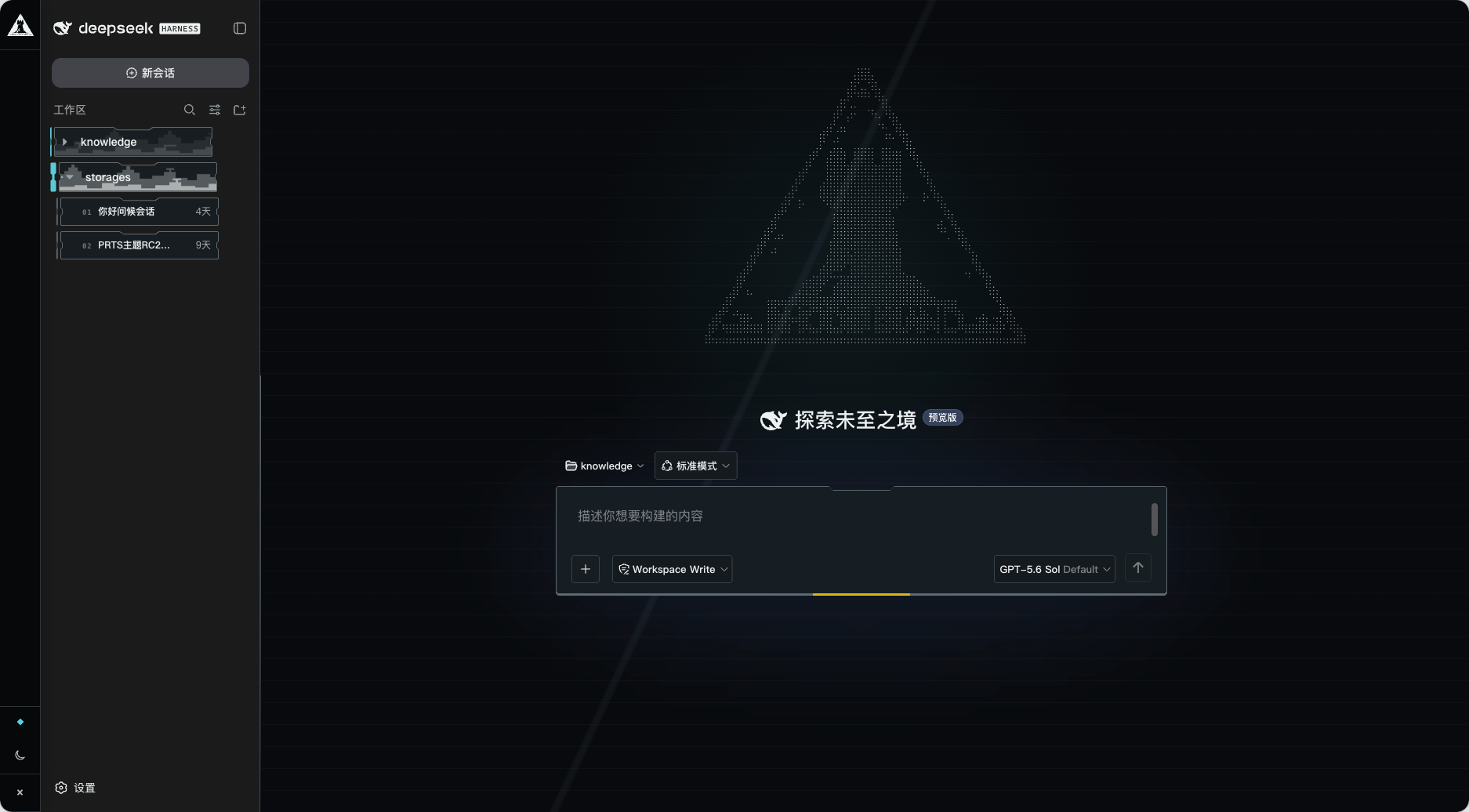
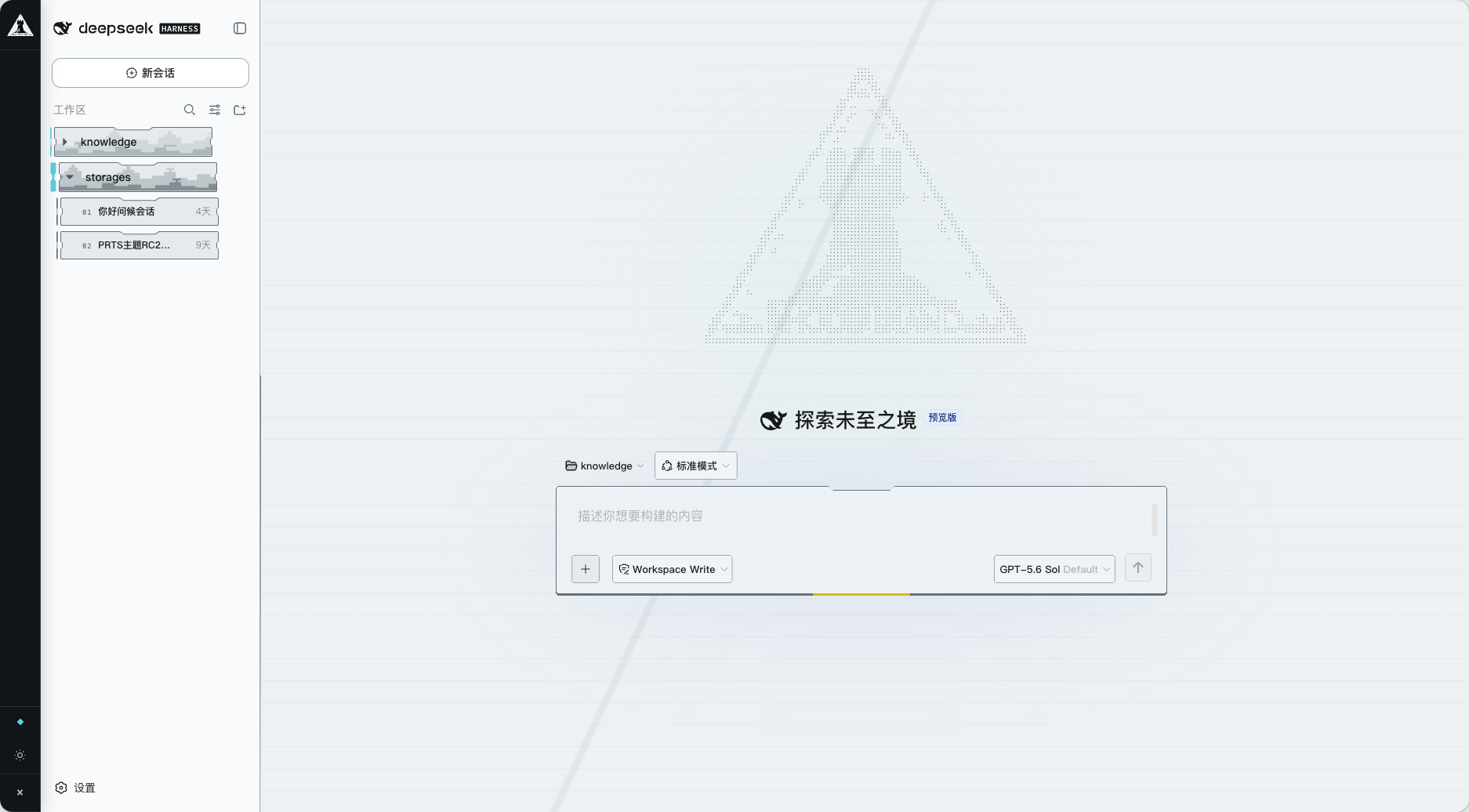
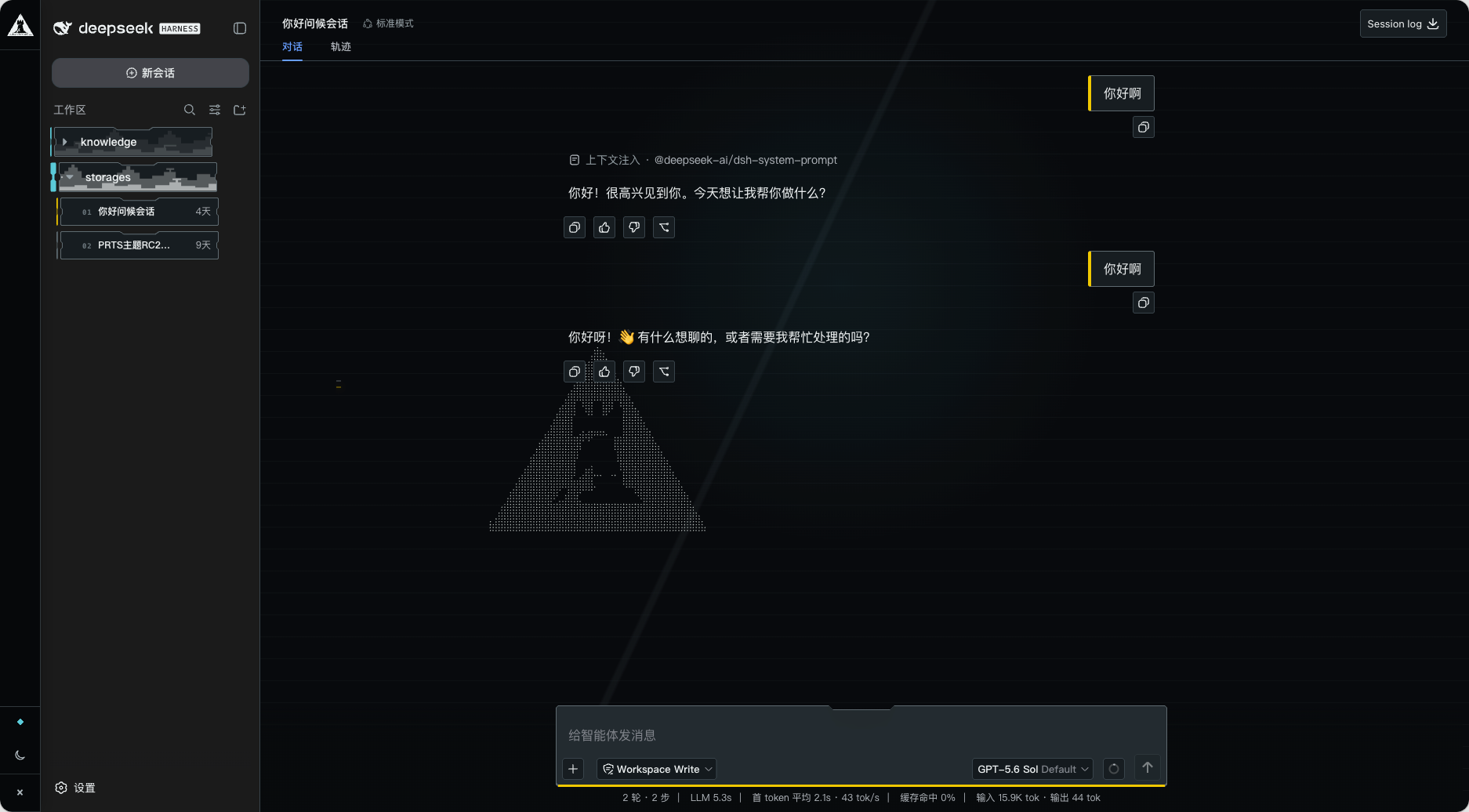
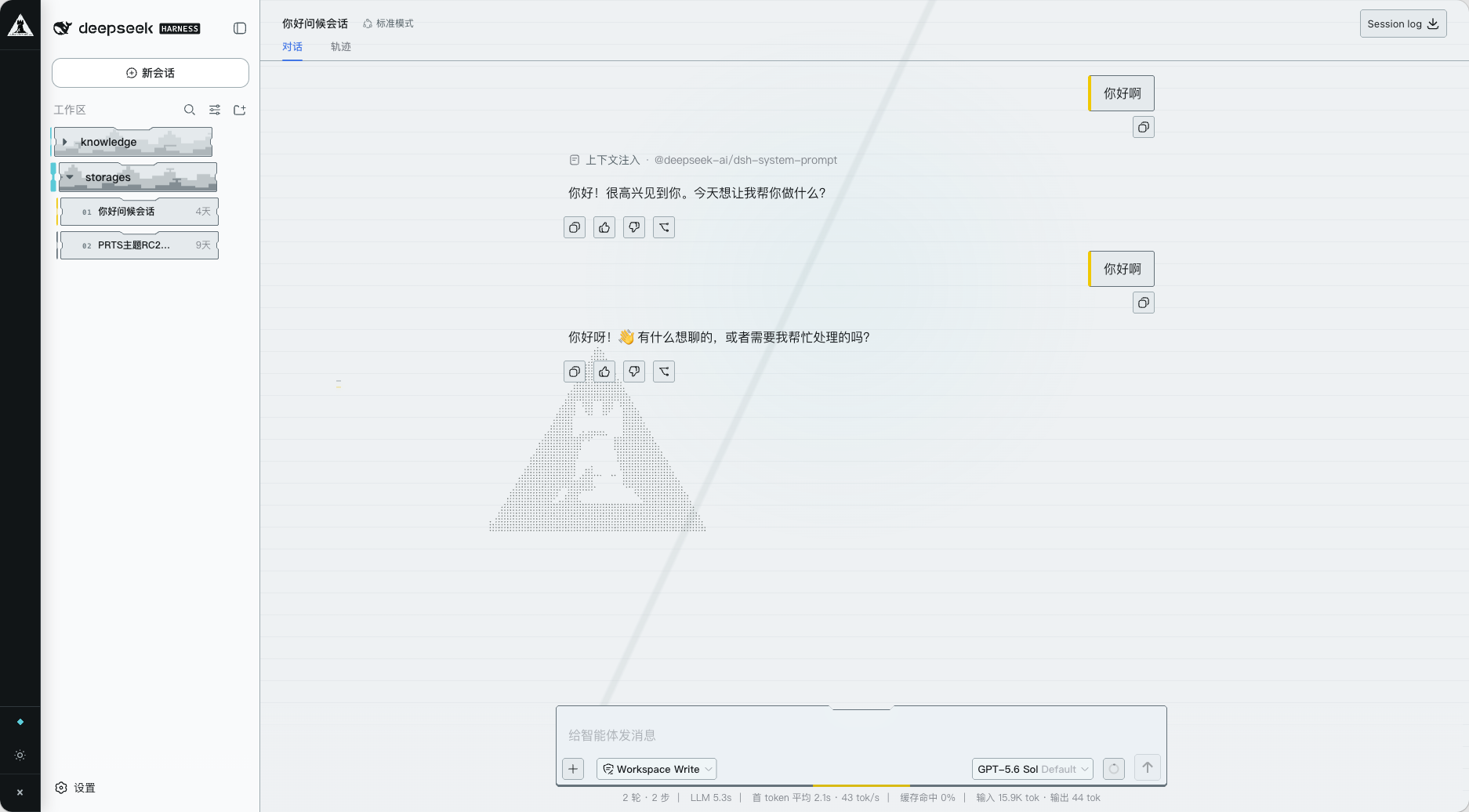
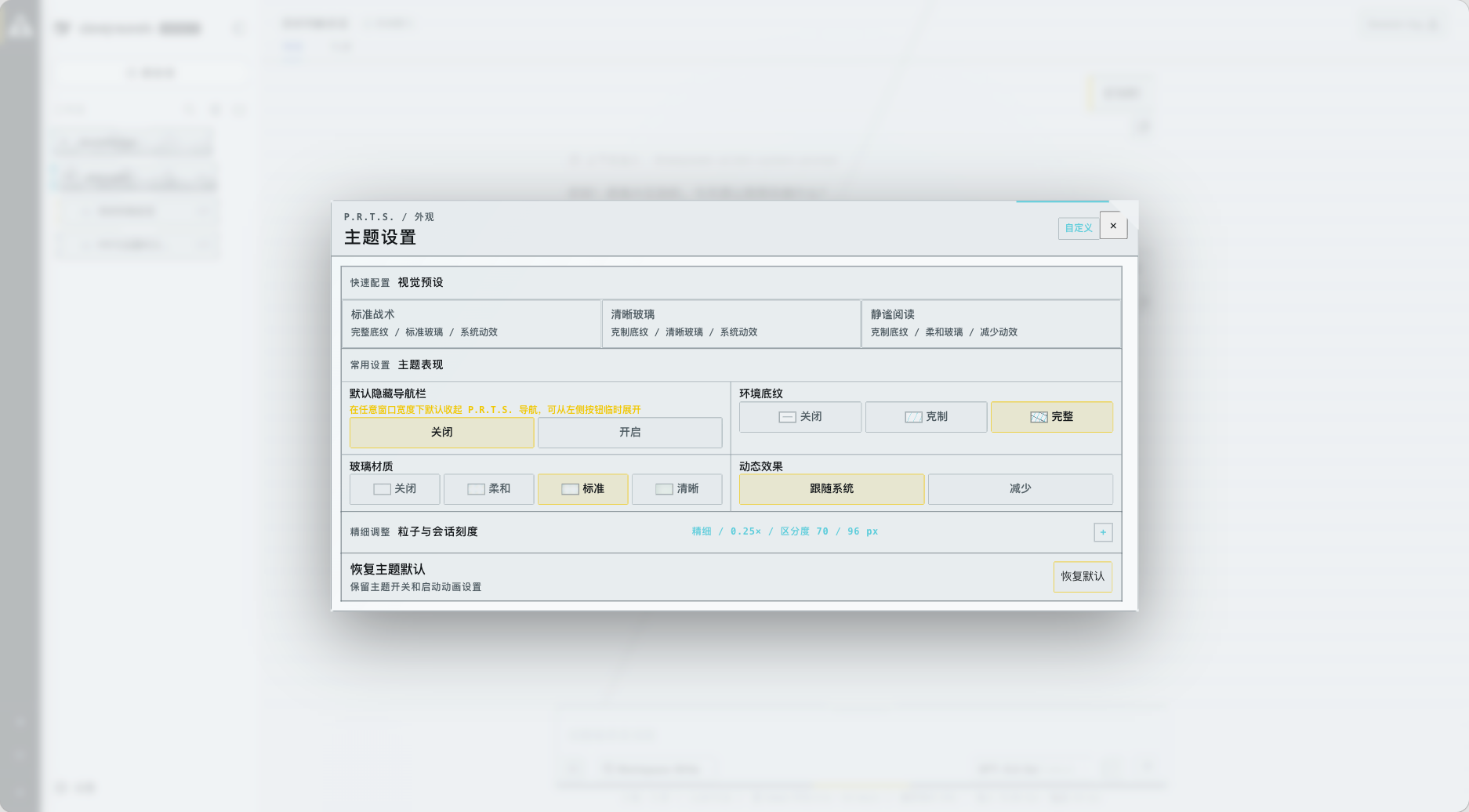
README
A personal, non-commercial Arknights / P.R.T.S. fan UI plugin for DeepSeek Harness Web. It keeps Harness behavior and data flow intact while presenting workspaces, sessions, and conversations as a Rhodes Island facility terminal.
[!IMPORTANT] This is an unofficial, personal Arknights fan theme. It is not affiliated with, sponsored by, authorized by, or endorsed by Shanghai Hypergryph Network Technology Co., Ltd. or any regional publisher.
The MIT License covers only original code created for this project. Certain recognizable Arknights names, character images, emblems, and derivative material included in the package are outside the MIT grant. This project grants users no right to copy, modify, redistribute, sublicense, or commercially use that third-party material.
Public availability of source material does not itself grant permission to reuse or redistribute it, and free or non-commercial use is not automatically authorized. See THIRD_PARTY_NOTICES.md for provenance and licensing boundaries.
This project and its release packages may be suspended, restricted, or have relevant material removed at any time in response to a rights-holder request, platform policy, or maintainer decision. Continued availability is not guaranteed.
The theme is disabled by default.
Compatibility
- Declared support is limited to DeepSeek Harness Web
0.2.0-rc.2, the version verified locally. The earlier0.1.7,0.1.5, and0.1.2release lines are no longer in the compatibility declaration. - The theme has been checked on a live
0.2.0-rc.2page for mounting, workspaces, session cards, and the composer. Browser regression tests cover the native conversation width control, session status, and pending interaction indicators. engines.dshinpackage.jsonuses the same exact version for plugin market compatibility checks. Other DSH versions require separate verification.- For DSH
0.1.7-rc.2, pin theme@ash-qw/dsh-theme-prts@1.0.2. For DSH0.1.2or0.1.5, pin theme@ash-qw/dsh-theme-prts@0.1.102.
Install and update
In an environment where DSH Web already runs normally, execute:
npx @deepseek-ai/dsh plugin --profile web add @ash-qw/dsh-theme-prts
Restarting DSH Web after installation or update is recommended to ensure the theme is fully loaded. Then enable it under “Settings → Plugins → P.R.T.S.” The Rhodes Island emblem at the upper left of the main interface opens the complete appearance controls.
The theme is published publicly on npm and requires no GitHub login or access token. Run the install command again to update to latest; to pin a release, use @ash-qw/dsh-theme-prts@<version>. If the command reports pnpm not found, install pnpm first.
Current feature set
- Facility-style P.R.T.S. / Rhodes Island / RIIC workspaces, sessions, and conversations;
- day/night modes synchronized with Harness, three appearance presets, and four material levels;
- city silhouettes, faction particle marks, session waveforms, and a P.R.T.S. startup sequence;
- the Harness-native conversation navigator, without overriding its structure, behavior, or appearance;
- desktop, tablet, phone, reduced-motion, and reduced-transparency accommodations;
- no runtime network requests, analytics, or telemetry.
Usage and settings
“Settings → Plugins → P.R.T.S.” provides the theme and startup-animation switches. The Rhodes Island emblem at the upper left of the main interface provides presets, environment texture, particle marks, interface material, navigation, and accessibility controls.
The theme does not proactively restyle menus, dialogs, or overlays created by third-party plugins.
Recovery and removal
Append ?prts-safe=1 to block all visual mounts while retaining the basic switches and recovery note under “Settings → Plugins → P.R.T.S.” Deleting dsh.ui.prts.v1 returns the next load to the default disabled state.
npx @deepseek-ai/dsh plugin --profile web remove @ash-qw/dsh-theme-prts
Restarting DSH Web after removal is recommended. Browser theme preferences are retained. Avoid enabling multiple full-page themes at once because their CSS may conflict.
Development
Node.js 18 or newer is required:
npm ci
npm run check
See CHANGELOG.md for release history and RELEASING.md for maintainer release instructions.
Comments
Comments live in GitHub Discussions. Sign in with GitHub to post or react.