
Install
Inside DeepSeek Harness, with dsh-market
dsh plugin --profile web add dshmarket
Or from the command line
dsh plugin --profile web add dsh-watcher
Installing runs third-party code with your own permissions — it can read your files, use your credentials and reach the network. Review the source first, and pin a commit (github:owner/repo#sha) when you can.
README
中文 · English
Watcher
Install
DSH Studio desktop app (recommended)
Open Settings → Plugins → Add plugin and enter this in “Package name or address”:
github:aa2246740/dsh-watcher#v0.7.0
The desktop plugin manager owns the Desktop profile and bundled package manager. This release commits lib/; normal use needs no clone, build, or DSHX installation. Follow the app if it asks you to reload or reopen after installation.
Web CLI
dsh plugin --profile web add github:aa2246740/dsh-watcher#v0.7.0
This official CLI command writes only the web profile; it cannot modify the Desktop App profile. For an already-running Web Host, reopen that Host once and reload the page.
DeepSeek Harness 0.2.0-rc.2 (@deepseek-ai/dsh@0.2.0-rc.2, dsh-v0.2.0-rc.2). The @deepseek-ai/dsh-* peer range is >=0.2.0-rc.1 <0.2.1: it accepts 0.2.0-rc.2 and stable 0.2.0, rejects alphas, and rejects 0.1.7-rc.2. Node ^22.19.0 or >=24.
A read-only plugin for DeepSeek Harness Web. Open the eye in the session header. A Session becomes a foldable work path: how many steps ran, how many tools fired, how long it took. Open a step for parallel branches, a tool result, or a reasoning row that stays folded until you ask.
It does not inject messages, invent hidden chain-of-thought, or replace the official Trajectory.
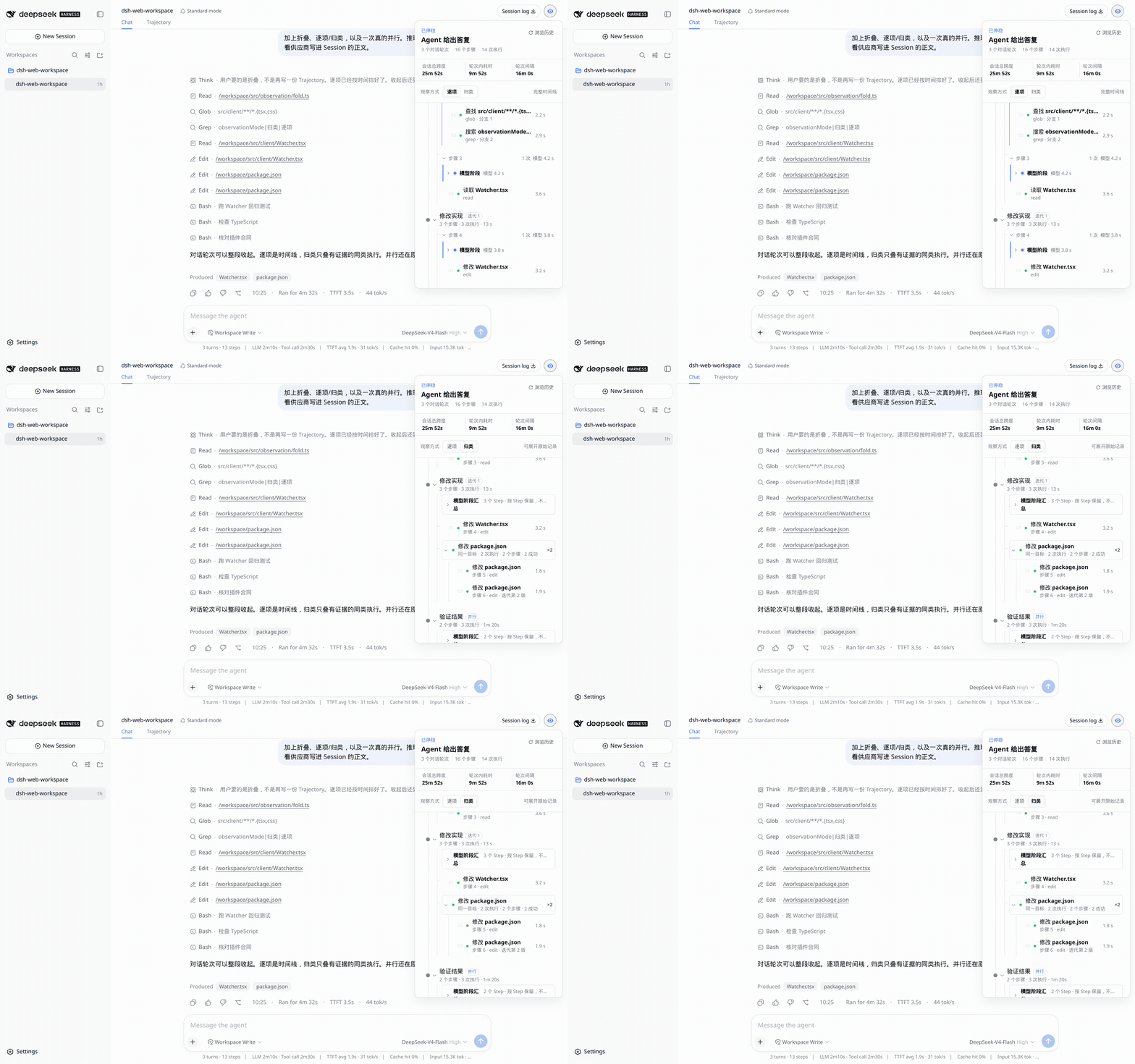
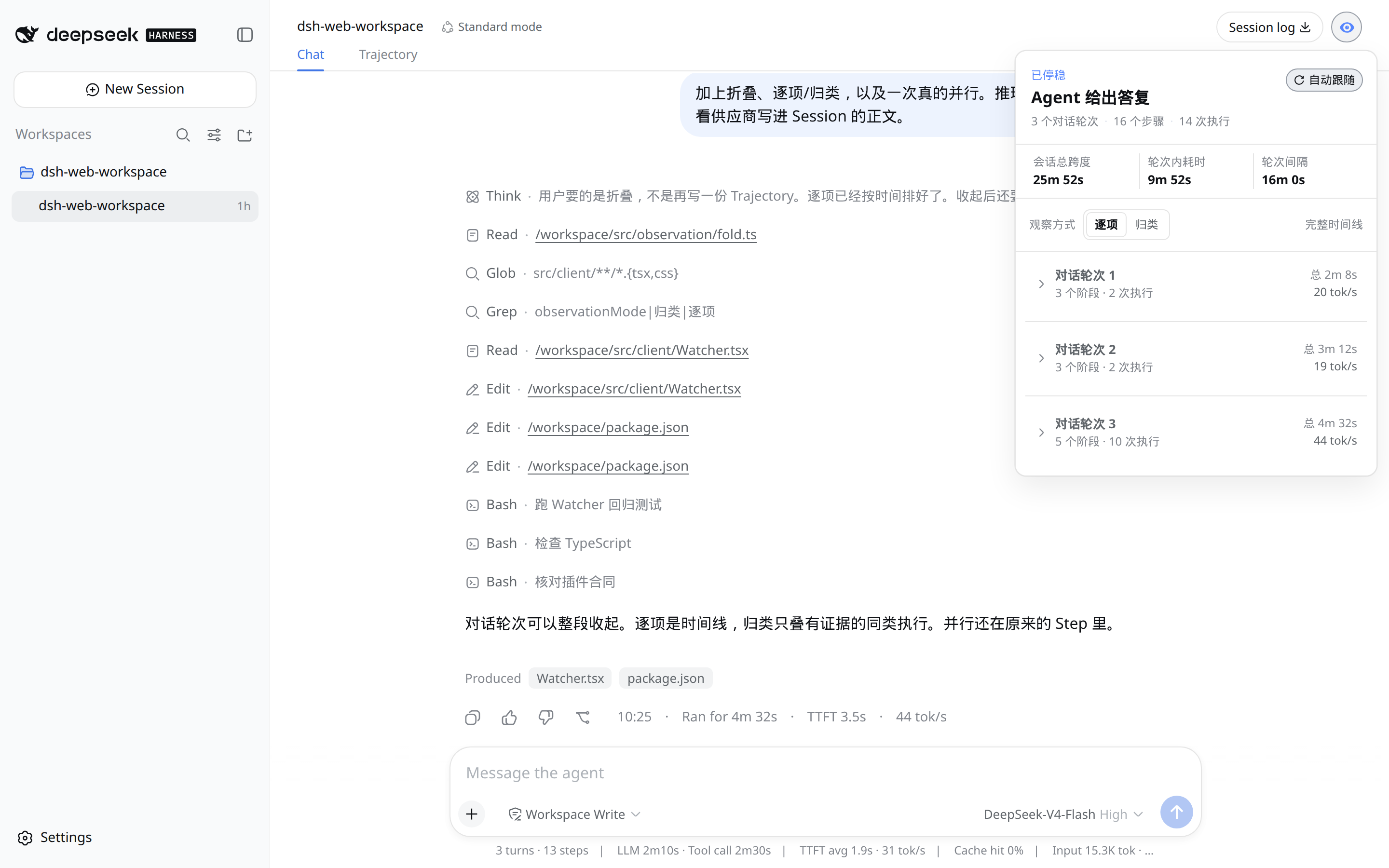
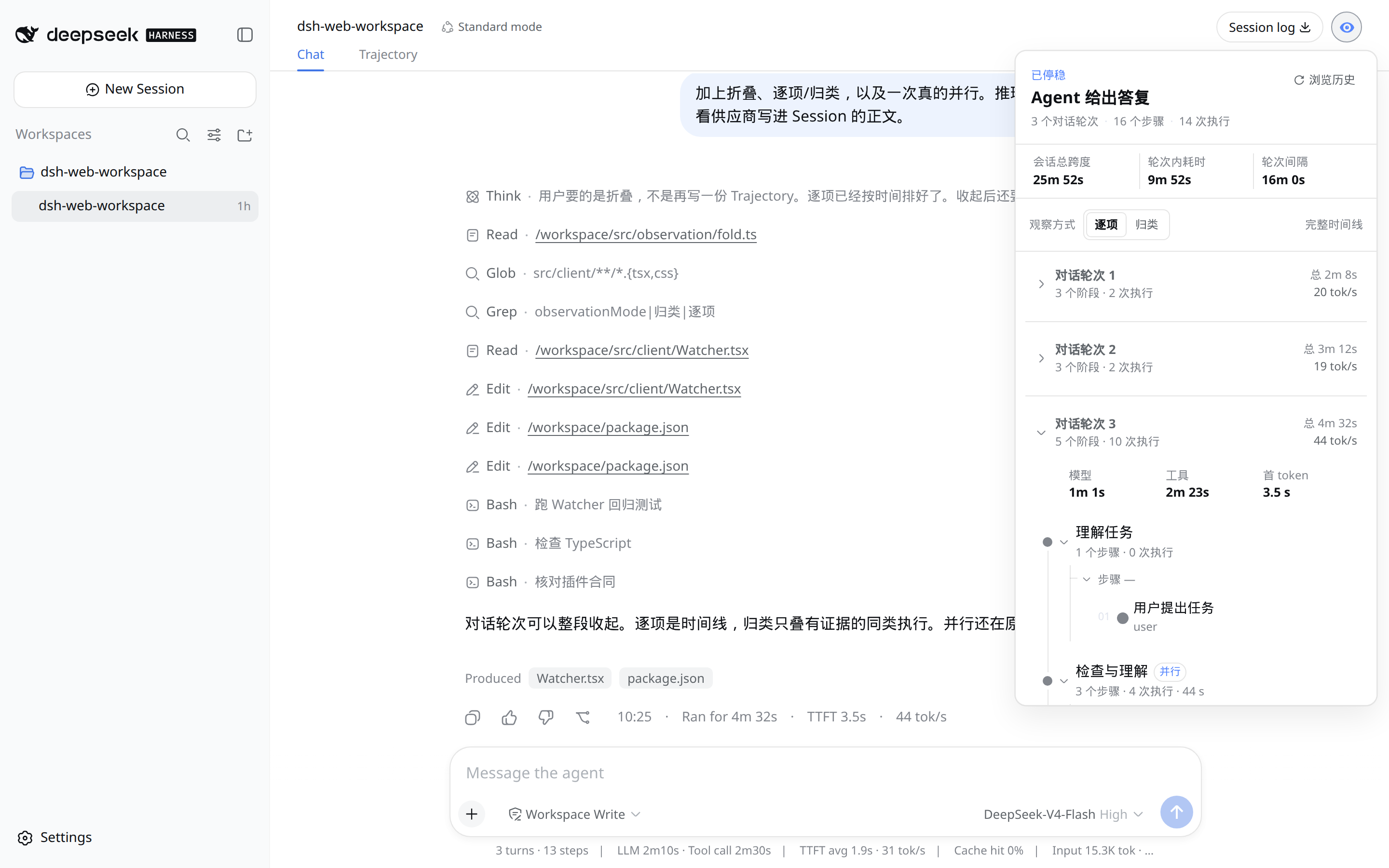
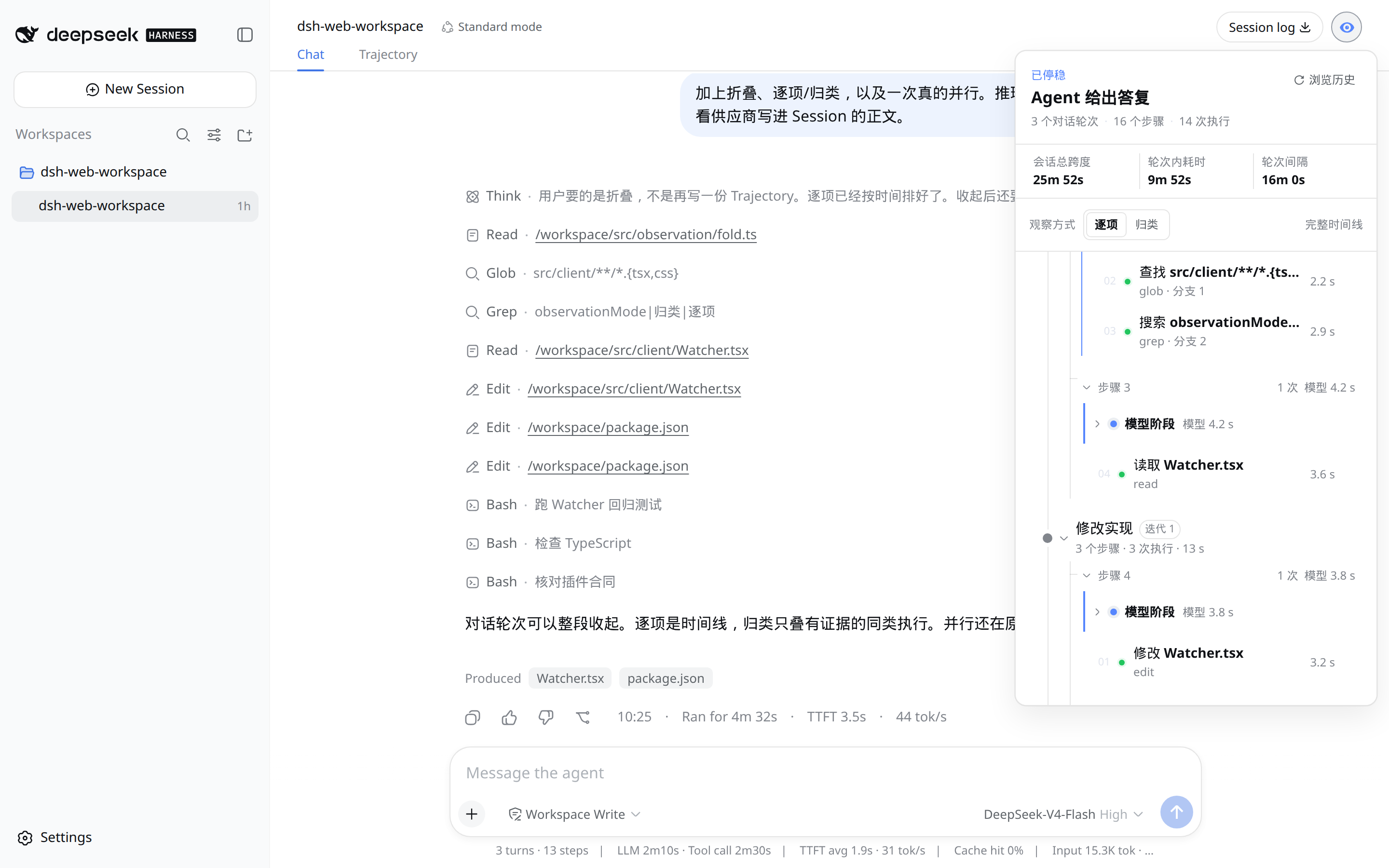
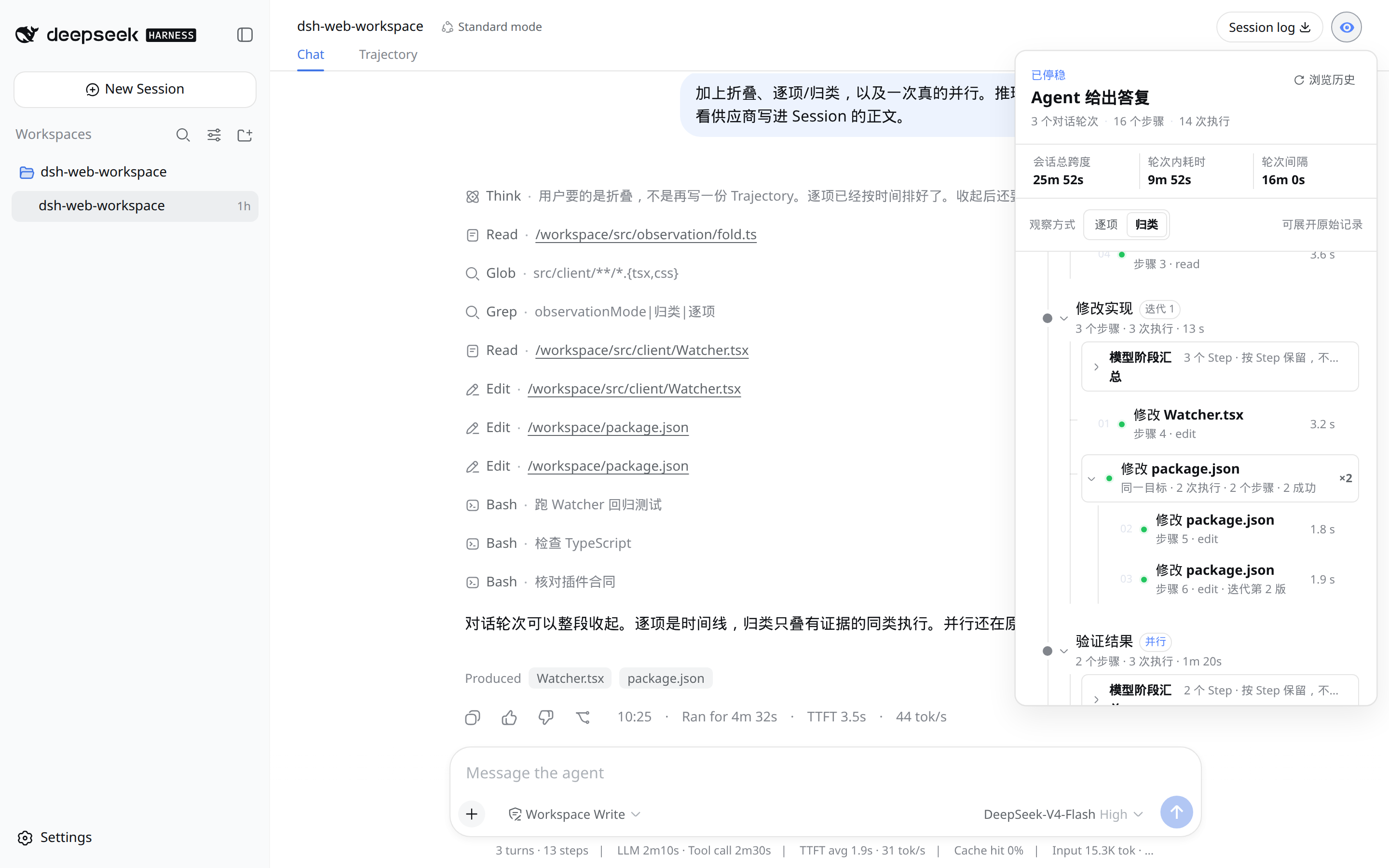
Grouped view only stacks what it can prove. Two different bash calls stay apart. The model stage shows only provider-visible reasoning already written into the Session. If nothing was recorded, it says so.
From a clone (development/local testing):
git clone https://github.com/aa2246740/dsh-watcher.git
dsh plugin --profile web add ./dsh-watcher
That path also needs pnpm, then reopen that Web Host and reload the page.
dsh plugin --profile web remove dsh-watcher
The public CLI manages web only; use the in-app “Add plugin” entry above for the Desktop App.
The settings summary and session HUD show Estimated cost (not “total value”) next to total tokens. Input / output / cache buckets are priced from pricing/models.yaml. A missing row is Unknown, never $0. A partial estimate keeps the known dollar in the main number and footnotes Some models unpriced. It is an estimate, not a bill. The default table covers mainstream DeepSeek, MiniMax, OpenAI, Anthropic, Gemini, Grok, GLM, and Qwen rows and is static (no live fetch). Override it in Watcher settings (localStorage key dsh-watcher:pricing-override:v1). PRs to the default table are welcome.
The interaction contract lives in DESIGN.md. MIT.
What's new in 0.7.0
- Targets official DeepSeek Harness 0.2.0-rc.2 (
dsh-v0.2.0-rc.2, SHA639ed015397290b3745d163aafe02ffee4aa3f84).@deepseek-ai/dsh-*peers are>=0.2.0-rc.1 <0.2.1: the range accepts0.2.0-rc.2and stable0.2.0, rejects alphas, and rejects0.1.7-rc.2. - Icons stay
IconChevronRightOutlineRegular,IconRefreshOutlineRegular,IconCheckOutlineRegular, andIconCopyOutlineRegular. Those four names are still exported by primitives atdsh-v0.2.0-rc.2. The size-suffixed names are still absent.
0.6.1
- Checked on official DeepSeek Harness 0.1.7-rc.2.
@deepseek-ai/dsh-*peers stay>=0.1.7-rc.1 <0.1.8, so install accepts0.1.7-rc.1and0.1.7-rc.2and rejects0.1.7-alpha.*. - Icons stay
IconChevronRightOutlineRegular,IconRefreshOutlineRegular,IconCheckOutlineRegular, andIconCopyOutlineRegular. rc.2 still does not export the size-suffixed names.
0.6.0
- Targets official DeepSeek Harness 0.1.7-rc.1.
@deepseek-ai/dsh-*peers are>=0.1.7-rc.1 <0.1.8, so install accepts0.1.7-rc.1and rejects0.1.7-alpha.*. - Icons are
IconChevronRightOutlineRegular,IconRefreshOutlineRegular,IconCheckOutlineRegular, andIconCopyOutlineRegular. rc.1 removed the size-suffixed exports and ships no aliases.
0.5.0
- The panel resizes. Drag the right edge, the bottom edge, or the corner grip; the frame stays put while it grows, and it can never shrink below the size it opened at.
- The HUD folds to one line. A
▾next to the scope switch collapses the timing panel to just the top bar, and the choice is remembered. - "定位现场" lands on the actual failure. It now selects the exact failing step and opens the inspector on it instead of scrolling to a bare turn header.
- Repeated failures no longer stack. One failure chain updates one card, and the title names its turn (
第 N 轮).
Plus the 0.4.5 fixes: the inspector back control no longer re-arms follow, the first range pick no longer rescans sessions, the projection state no longer stores a copy of its own view, and the timing panel's non-terminal slice is labelled correctly.
Older releases: CHANGELOG.md.
Build from source
Skip this for a normal install. Rebuild the committed lib/ with pnpm after TypeScript changes:
pnpm install
pnpm test
node scripts/link-harness-dependencies.mjs /path/to/harness
pnpm build
pnpm build needs a local Harness checkout that can resolve the @deepseek-ai/dsh-* peers. Do not use this path to install the plugin.
Watcher waits for the Chat projection on cold sessions before mounting its panel.
Comments
Comments live in GitHub Discussions. Sign in with GitHub to post or react.