
Install
Inside DeepSeek Harness, with dsh-market
dsh plugin --profile web add dshmarket
Or from the command line
dsh plugin --profile web add dsh-wsl-tool
Installing runs third-party code with your own permissions — it can read your files, use your credentials and reach the network. Review the source first, and pin a commit (github:owner/repo#sha) when you can.
Screenshots
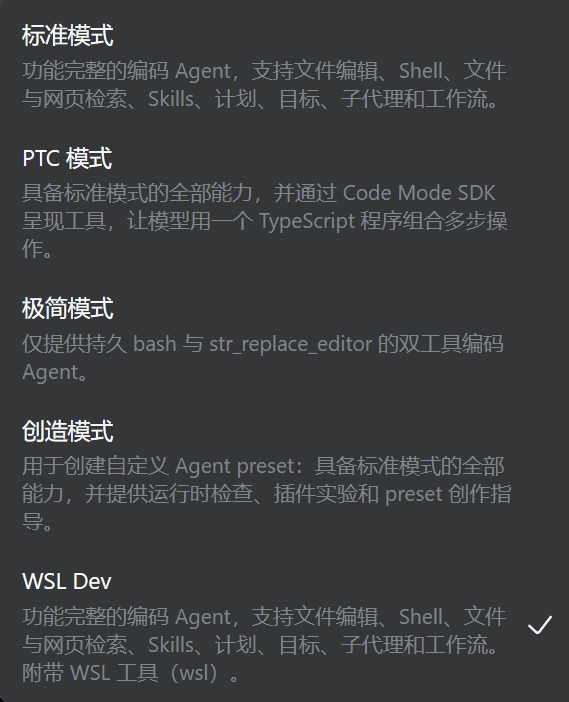
README
A model-facing WSL tool plugin for DeepSeek Harness (DSH). It lets an agent run
Linux commands through wsl.exe directly — no hand-written .sh scripts or pwsh
wrappers — and for command execution it essentially matches a native Linux DSH: a
real Linux kernel and bash, exit codes and signals, timeouts, truncation with spill
files, background jobs the built-in job tools read back, stdin, and automatic
Windows/WSL path translation.
Two limits are worth knowing before you rely on it. A wsl call runs below DSH's
sandbox, so a file policy does not confine it (see Sandboxing); and a
project kept on a Windows drive keeps Windows filesystem semantics — no POSIX
permissions, case-insensitive names, no file-change notifications — at a fraction
of the speed (see Notes).
Tools
The plugin registers three tools:
| Tool | Purpose |
|---|---|
wsl |
Run a Linux command and return stdout/stderr with exit-code, timeout and truncation markers. |
wsl-path |
Convert between Windows and WSL paths via wslpath. |
wsl-env |
Summarize the WSL environment (distros, kernel, cpu, mem, disk). |
wsl
Runs:
wsl.exe [-d <distro>] -e bash -lc "cd <workdir> && <command>"
and returns stdout/stderr with [exit code: N] / [killed by signal: ...] /
[timed out after Nms; the command was killed] / [output truncated: ...] markers.
<distro> is the caller's distro argument, else DSH_WSL_DISTRO, else omitted
entirely so wsl.exe uses the system default distribution — that is what makes
the package portable to a machine that has no Ubuntu-22.04.
A script longer than the Windows command-line limit (32767 characters) is fed to
wsl.exe [-d <distro>] -e bash -ls on stdin instead, so long commands work
without any size ceiling.
Pass stdin to write text into the command (the default is /dev/null, so an
interactive command gets EOF), and runInBackground: true for work that outlives
the call: the command becomes a job in the host's registry, which the model then
reads with the job_output tool and stops with job_kill — no extra tool
is involved. Background jobs need @deepseek-ai/dsh-tool-jobs in the preset's
composition; without it the call fails with that instruction instead of silently
running in the foreground.
wsl-path
Converts a path in either direction: C:\Users\me\a.txt -> /mnt/c/Users/me/a.txt
or /home/me/a.txt -> \\wsl.localhost\Ubuntu-22.04\home\me\a.txt. Direction is
auto-detected from the path, or forced with direction: 'win' | 'linux'.
wsl-env
Returns the distribution list, the probed distro, kernel and architecture, CPU count, memory and disk usage, and what the machine can actually do:
distro: Ubuntu-22.04 (system default)
Linux 6.6.87.2-microsoft-standard-WSL2 x86_64
nproc: 24
Ubuntu 22.04.5 LTS · WSL2 · cgroup v2
systemd: yes · docker: not installed
GPU: /dev/dxg present (GPU passthrough enabled) · nvidia-smi: GPU 0: NVIDIA GeForce RTX 5070 Laptop GPU
drives: /mnt/c /mnt/d
/etc/wsl.conf: [boot];systemd=true;[user];default=xiny; · .wslconfig: not set
launcher: WSL 版本: 2.6.3.0 · 内核版本: 6.6.87.2-1 · WSLg 版本: 1.0.71 · Windows: 10.0.26200.9457
so an agent can decide what is available before running commands: WSL1 vs WSL2,
whether systemd manages services, the cgroup version (matters for containers),
GPU passthrough, docker (installed / cli-only / daemon version), which drives are
mounted, and how /etc/wsl.conf and the Windows-side .wslconfig are
configured. Takes an optional distro.
Every fact is optional and degrades honestly: a probe that cannot run leaves its
line out, an empty value is stated (docker: not installed, .wslconfig: not set), a failed probe is reported in the summary instead of being dropped, and an
unknown distro is an error rather than a partial answer. Note that wsl --version
is localized, so its labels are passed through as the launcher printed them
rather than parsed by name; the Direct3D/MSRDC/DXCore versions are omitted.
Install
The published npm package is dsh-wsl-tool, not dsh-wsl: the registry
refuses dsh-wsl as too similar to the existing package is-wsl, and no token
or setting overrides that. The repository, the plugin and the market listing keep
the dsh-wsl name. The bundle patch points at its own entry by relative path, so
the folder under node_modules is free to differ — what has to match is the
specifier you install under.
Add the package to your DSH profile (
profiles/<profile>/package.json):{ "dependencies": { "dsh-wsl-tool": "file:<path-to-this-repo>" } }or run
dsh plugin add --profile <profile> dsh-wsl-toolto install from npm, ordsh plugin add --profile <profile> file:<path-to-this-repo>from a checkout (which names the dependency after this package).Nothing else. The package's
cordis.patch.ymlinserts thetool-wslrow itself when the bundle is loaded, process-wide, so the three tools are available to every agent preset without further wiring.Do not also list
tool-wslin a preset: DSH registers tools by name, and the second registration fails withtool "wsl" is already registered in this scope. One row, from the bundle.Restart DSH.
Compatibility
Verified against DSH 0.1.7-rc.2 (and 0.1.5-rc.2 before it): the tool schemas
pass DSH's own assertSupportedJsonSchema, the subprocess seam is exercised
against the real provider rather than a shim, and the background-job path is
checked against the real job registry, including the session-id ownership fence
that 0.1.7 tightened. test/real-seam.mjs is that check and it re-verifies a host
in about a minute, so point it at any DSH installation after an upgrade:
DSH_SUBPROCESS_LOCAL=/path/to/dsh/node_modules npm run test:real
A background job is owned by the calling session (owner: exec.agent.id), which
is what lets the model read it back with job_output/job_kill and what keeps
other sessions out; an execution with no agent starts the job unowned.
wsl parameters
| Param | Required | Type | Notes |
|---|---|---|---|
command |
yes | string | Linux command to execute |
description |
yes | string | short UI label |
workdir |
no | string | Linux path (/home/me, ~/src) or Windows path, default ~ |
timeoutMs |
no | number | timeout in milliseconds, default 600000 (10 min); the process is killed and the result marked as timed out |
distro |
no | string | WSL distribution; defaults to the system default distribution |
env |
no | object | extra environment variables to export (keys must be valid shell names) |
stdin |
no | string | text written to the command stdin (UTF-8) before it runs |
runInBackground |
no | boolean | run as a job and return its id immediately; read with job_output, stop with job_kill |
allowDangerous |
no | boolean | set true to run destructive commands |
translatePaths |
no | boolean | default true; set false to pass command through verbatim |
Configuration
| Environment variable | Default | Effect |
|---|---|---|
DSH_WSL_DISTRO |
(system default) | Pin the distribution for every call. |
DSH_WSL_TIMEOUT_MS |
600000 |
Default deadline for a model-issued command; timeoutMs overrides it per call. |
DSH_WSL_MAX_TIMEOUT_MS |
86400000 |
Ceiling for a per-call timeoutMs, mirroring the platform shell tools' maxTimeoutMs. The default deadline obeys it too. |
DSH_WSL_WORKDIR |
home |
Where a call starts without a workdir: home (the Linux ~), session (the session working directory, i.e. /mnt/<drive>/... for a Windows checkout), or any explicit path. |
DSH_WSL_MAX_OUTPUT_BYTES |
65536 |
Per-stream in-memory window (1 KiB – 8 MiB). Also raises the spill ceiling when set above 64 MiB. |
An unparsable or out-of-range value falls back to the default: one bad variable must not take all three tools down. Values are read once per mount, so a change takes effect on restart.
Notes
Each call runs in a fresh shell — no cwd/variables/functions persist between calls.
stdin is
/dev/nullunless you passstdin. An interactive command (read,cat, asudopassword prompt without-S) otherwise gets EOF immediately and cannot wait for input; nothing in this plugin can prompt. A password passed viastdinis recorded in the session transcript.The default
workdiris~; setDSH_WSL_WORKDIR=sessionto start in the session's working directory instead (see Configuration).The distro is the caller's
distro, elseDSH_WSL_DISTRO, else the system default; there is no hardcoded fallback name.An unknown distro is reported as a clear error (
distribution "X" is not registered) instead of a raw-1exit code, and any other launcher failure (Wsl/Service/WSL_E_*) is surfaced with its code rather than passed off as the command's own exit status.A background job outlives the call.
runInBackground: truereturns a job id (wsl-N) immediately and registers the work with the host's job registry, sojob_outputreads it (with the same markers as a foreground call) andjob_killstops it. The 10-minute default deadline does not apply in the background; an explicittimeoutMsstill does. A non-zero exit is reported ascompletedwith the exit code in the detail, exactly like the foreground rendering.Windows paths in
commandandworkdirare translated to/mnt/...automatically:C:\Users\me\a.txt->/mnt/c/Users/me/a.txt, and paths containing spaces work in either slash style and with several paths on one line:C:\Program Files\Git,C:/Program Files/Git,C:\Program Files (x86)\Steamandcp C:\a.txt D:\b.txt(both paths are translated) all behave;\\wsl.localhost\<distro>\home\xand\\wsl$\<distro>\home\x->/home/x;- text that only looks like a drive path is left alone: a single lowercase letter followed by
/(a:/b), a drive letter inside another expression (sed "s/C:\x/y/"), and a drive-like segment inside a URL; - set
translatePaths: falsewhen the path belongs to a Windows program launched through interop — WSL does not translate/mnt/c/...back, sonotepad.exe C:\file.txtneeds its original spelling. This affectscommandonly;workdiris always translated.
A
~inworkdiror in awsl-pathargument is expanded by the shell (~/my dirworks). Any other path is single-quoted, so$VARinside a path is not expanded.Output is capped at 64 KiB per stream. The tail is kept and the marker names the spill file holding the complete stream, so nothing is unrecoverable:
[stdout truncated: at most the last 65536 of 1288895 bytes were kept; full stream: C:\...\stdout.log]Host shell facts are forwarded into the distro, because WSL does not pass Windows environment variables across on its own:
DSH_SESSION_ID,DSH_SHELLandDSH_HOME(translated to its/mnt/...view) are exported ahead of the command, so a script sees the same session facts the platform's own shell tools inject. They are resolved per call from the host'sshellEnvregistry — the same source the other shell tools read — because they are session-scoped, not host constants; reading the host's ownprocess.envfinds nothing and silently forwards nothing.DSH_WEB_URLis deliberately not forwarded — it is a127.0.0.1URL for the Windows-side server, and in the default NAT networking mode WSL cannot reach Windows loopback (measured: HTTP 000 on both127.0.0.1and the host IP, which the server does not bind either). An explicitenventry always overrides a forwarded one.timeoutMsdefaults to 10 minutes so a wedgedwsl.execannot hang the call forever; pass a larger value for genuinely long work, up to theDSH_WSL_MAX_TIMEOUT_MSceiling (24 h by default) — a slip of the keyboard cannot mean "never time out". The value reported back is always the deadline actually armed. The timeout also kills the Linux-side process (the provider usestaskkill /T /Fon Windows).wsl-envalso states where the session's own files live, and whether that is a Windows drive mount:workspace: /mnt/d/DSHworkarea (Windows drive mount /mnt/d — builds, installs and git are much slower here; prefer a path under /home when it matters)It is worth believing. Measured on the author's machine: a 128 MB sequential write ran at ~2.1 GB/s on ext4 against ~247 MB/s on
/mnt/d, and creating 400 small files took under 10 ms against 0.72 s (a later re-run: 884 vs 116 MB/s, and 13 ms against 745 ms — the ratios hold at roughly 8× and 50×).It is not only slower.
/mnt/<drive>is a 9p (drvfs) mount, so it keeps Windows filesystem semantics:chmod/chowndo not stick (achmod 600reads back as777), names are case-insensitive (so a case-sensitive import only fails on Linux CI), symlinks and the executable bit are synthetic, and inotify does not work at all — a watcher inside the distro receives no events for writes from either side (measured with an inotify probe on/mnt/d: zero events for a Windows-side write and for a Linux-side write, while the same probe on ext4 reported create, modify and close-write). Dev servers,--watchmodes and file-watching tests are therefore blind on a Windows drive. Keep a project under/homewhen it matters: it recovers real semantics, real watch events, and the speed above.Destructive commands are refused unless the call passes
allowDangerous: true:- any recursive delete —
rm -r,rm -rf,rm -r -f,rm -R --force,rm --recursive— because with stdin on/dev/nullnothing prompts, sorm -r treedeletes silently. Eachrminvocation is judged on its own command segment, sorm a -f; rm b -rcannot combine into a pass; ddonto a block device,mkfs, partitioning/wiping tools (fdisk,parted,wipefs,mkswap, …), power control (shutdown,reboot,systemctl reboot, …), redirection onto a block device, and fork bombs;- the guard tolerates the ways a command word can be spelled (
sudo rm -r -f,bash -c "rm -rf /",find . -exec rm -rf {} +,rm$IFS-rf,\rm -rf,$(which rm) -rf) but matches device/power tools at command position, so inspecting them is fine:man fdisk,grep -rn reboot /var/log/syslogandecho "the mkfs tool formats disks"all run.
- any recursive delete —
Repeated launcher noise is stripped from stderr: the localhost-proxy warning and procps'
screen size is bogusline.Uses
wsl.exe -e(--exec) so quoting and$VARexpansion behave like a normal shell; the default--pass-through mangles single quotes and variables.
Sandboxing
DSH's file sandbox is enforced at two points: the shell executors
(@deepseek-ai/dsh-bash-sandbox, -pwsh-sandbox, which wrap the exact argv
through ctx.sandbox) and the filesystem service (@deepseek-ai/dsh-fs-sandbox,
a policy fence on the two mutations). wsl is in neither. It spawns
wsl.exe through the host subprocess service, below that layer, so a
workspace-write policy does not confine it: it can write anywhere the Linux
side can, and anywhere under /mnt/<drive> that Windows permits.
That is not a gap this plugin can close by "joining" the sandbox. On Windows the
sandbox resolves to an ACL / restricted-token runner, while the file work happens
inside the Linux kernel: a write to /home/... touches the distro's own
filesystem image, which no Windows token constrains, and a write to /mnt/c/...
travels through the filesystem bridge, where ACL enforcement is not something to
rely on. Wrapping wsl.exe would confine the launcher, not the writes — and a
false sense of isolation is worse than a documented absence. (The platform's own
dsh-fs-sandbox is candid about its own limits too: "containment, not a security
boundary".)
What wsl does have is the destructive-command guard described above: a
deterministic refusal list, not a kernel boundary. Treat this tool as able to
touch anything your WSL installation can, and grant it accordingly.
Install from the plugin list
The package declares a dsh.bundle manifest (see package.json), so once the
repository is listed it can be installed by name, e.g.
dsh plugin add dsh-wsl-tool, and storefronts will offer it for one-click
install. Installing from a local path (file:) as shown above keeps working
either way.
How it works
The plugin is a cordis module that injects the host-plane tools and
subprocess registries. index.js is only the entry point; the implementation
is split by concern:
| Module | Responsibility |
|---|---|
lib/config.js |
Defaults and environment overrides, resolved once per mount. |
lib/paths.js |
Shell quoting and Windows -> WSL path translation. |
lib/guard.js |
The destructive-command rules. |
lib/result.js |
Launcher-noise filters, truncation facts, marker rendering. |
lib/diagnostics.js |
The wsl-env capability probe, its parser and its lines. |
lib/runner.js |
The single spawn path plus launcher-error classification. |
lib/tools/*.js |
The three tool definitions (schema, execute, presentCall). |
apply()resolves the configuration and registers three tools, each with a JSON-schema parameter definition, an output schema, arenderhook and an asyncexecute.- Every call goes through one spawn path (
runner.runWsl):wsl.exe -d <distro> -e bash -lc "<exports; cd workdir && command>"through the hostsubprocessservice, with stdout/stderr capped at the configured window (spilling to disk up to 64 MiB), a 3 s grace period after abort, and a deadline that defaults to 10 minutes. The plugin's own probes get a 30 s ceiling so a wedged WSL service cannot hang a tool call forever. enventries are exported at the front of the command so they reach the Linux side reliably; Windows drive paths are rewritten to/mnt/...before the command is built.- Output is returned as
{ exitCode, signal, timedOut, timeoutMs, truncated, stdout, stderr, stdoutTotalBytes, stdoutDroppedBytes, stderrTotalBytes, stderrDroppedBytes, stdoutSpillPath, stderrSpillPath, jobId }; therenderhook formats it into text with the markers listed above. The truncation marker quotes the window size rather than a count derived from the decoded text, which can be off by a byte or two when the window starts inside a multi-byte character. jobIdis set only by a background start; every other path returnsnull, so the declared shape holds for both.- Launching and settling are separate steps (
runner.launch/settle) because a background job has to hand the registry a synchronouscancel/donepair while a foreground call simply awaits the same settle. A cancelled job maps the provider's early-termination rejection ontokilled, sinceJobHooks.donemust never reject. - A destructive-command guard splits the command into
;/&/|/newline segments, judges eachrminvocation on its own flags, and matches the device/power tools at command position before dispatch.
The plugin publishes no services of its own, so it sits loose in an agent preset without a realm.
Development
The plugin is plain ESM with no build step or runtime dependencies outside the DSH host plane. Iterate by pointing a profile dependency at the checkout:
{ "dependencies": { "dsh-wsl-tool": "file:/path/to/dsh-wsl" } }
then restart DSH and exercise the tools from a session that uses a preset
containing the tool-wsl row.
Tests
npm test          # 260+ checks against real WSL, with a shim standing in for ctx.subprocess
npm run test:real # the same checks against the REAL provider, plus the seam-fact suite
npm test substitutes only ctx.subprocess, with a shim that reproduces the
seam's bounded tail windows, spill files and termination ladder, and drives the
three tools against the real WSL installation. It covers path translation,
workdir quoting, the destructive guard, distro selection, exit-code/timeout/
truncation markers, wsl-path, wsl-env, argument validation, configuration
parsing, launcher-error classification, the returned shape against each declared
output.schema, and a token budget for the model-facing catalog.
npm run test:real runs that same suite against LocalSubprocessRuntime — the
shim must not drift from the real seam — and then test/real-seam.mjs, which
checks the facts a shim cannot vouch for (that readFrom(0).nextOffset is the
whole-stream total, that the spill file holds the complete stream, that a
timeout really kills the Linux side of wsl.exe) and validates every published
schema with DSH's own assertSupportedJsonSchema. It needs a DSH installation:
DSH_SUBPROCESS_LOCAL=/path/to/dsh/node_modules npm run test:real
Syncing a profile
A file: dependency is a copy, so editing this checkout does not change what
DSH loads. After any change:
npm run sync                  # copies into ~/.dsh/profiles/web/node_modules/dsh-wsl
npm run sync -- /path/to/profiles/<profile>/node_modules/<your-key>
The target must be the folder your profile's dependency key created (the default above is this checkout's own key); the plugin loads its entry by relative path, so the folder name itself never matters.
then restart DSH — the plugin is imported once at load.
Releasing — the tag-triggered workflow, the npm name, and the catalog entry — is
documented in PUBLISHING.md.
Listing
The repository carries the dsh-plugin topic and is listed under the wsl
category of the awesome-dsh-plugin community list.
Comments
Comments live in GitHub Discussions. Sign in with GitHub to post or react.