
Install
Inside DeepSeek Harness, with dsh-market
dsh plugin --profile web add dshmarket
Or from the command line
dsh plugin --profile web add dsh-codex-timeline
Installing runs third-party code with your own permissions — it can read your files, use your credentials and reach the network. Review the source first, and pin a commit (github:owner/repo#sha) when you can.
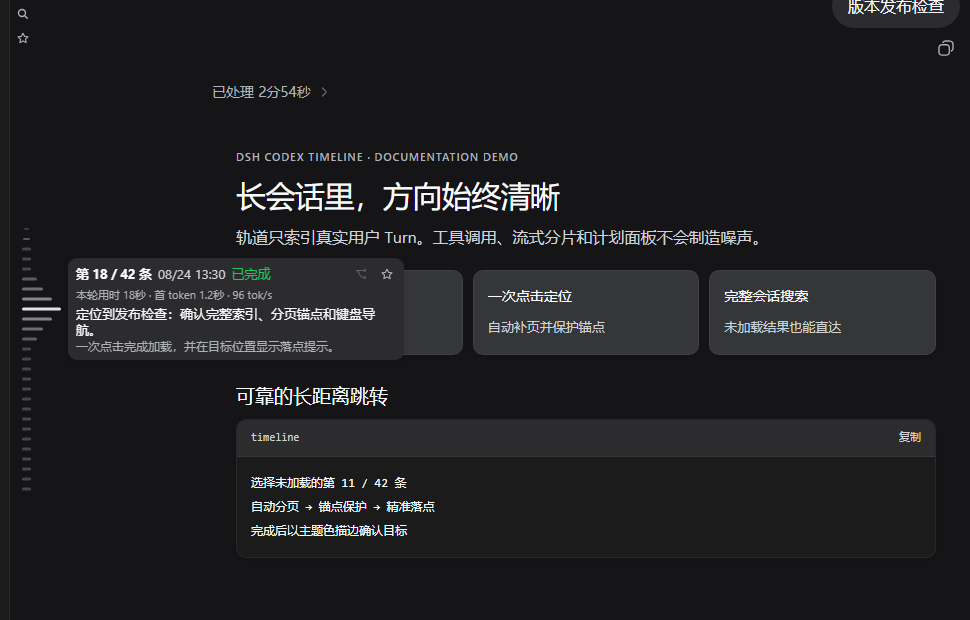
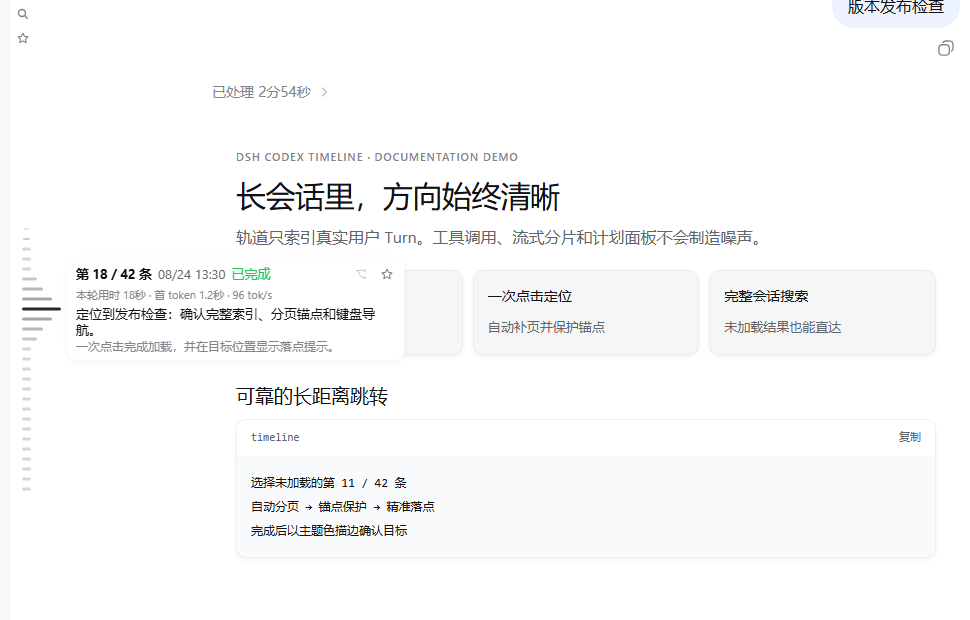
Screenshots
README
Source compatibility update: 0.6.4 / DSH 0.2.0-rc.1. Settings live under Settings → Built-in plugins → Timeline and persist in the profile
cordis.patch.yml. Cold history uses read-only storage handles; forks open through the official workspace service.
English | 中文

DSH Codex Timeline enhances turn navigation in DeepSeek Harness Web. Version 0.6.4 adds a presentation adapter for the virtualized rail in DSH 0.2.0-rc.1, restoring the hover gradient, left/right placement, marker spacing, and favorite filtering. Session loading and branching use official APIs. Disabling enhancements restores the official rail.
The plugin adds the capabilities the official navigator does not yet provide: complete-session search, favorites, branching from a selected Turn, a time-and-token-rich Turn preview, and the existing personalization controls.
[!IMPORTANT] Plugin
0.6.4supports DSH0.2.0-rc.1. Keep0.6.0for DSH0.1.2-alpha.3.
Features
- Enhances DSH's native turn navigator with a staircase wave and highlight motion.
- Saves favorite Turns and filters the navigator to favorites.
- Searches the complete conversation and jumps directly to a selected Turn.
- Previews Turn content, time, and token information.
- Creates a new branch from a completed Turn.
- Customizes the navigator side, offsets, marker spacing, and number of visible Turns.
Preview
Idle
Hover and Turn preview
Compatibility
DSH introduced a native turn navigator in the 0.1.2 series. Since 0.6.0, this plugin enhances that native navigator with search, favorites, branching, previews, staircase motion, and layout customization instead of creating a separate timeline.
- DSH
0.2.0-rc.1,0.1.7-rc.1/0.1.7-rc.2: use plugin0.6.4. - DSH
0.1.2-alpha.3: use plugin0.6.0. - Earlier DSH releases: use plugin
0.5.5, which provides the complete standalone timeline.
Install the legacy plugin by specifying its npm version:
dsh plugin --profile web add "dsh-codex-timeline@0.5.5"
You can also download the v0.5.5 source archive. The current install.ps1 accepts the 0.1.7 and 0.2.0 versions listed above; do not use it to install the legacy plugin.
Installation
Prebuilt packages are available from npm and GitHub Releases. Restart DSH after installation. Desktop users can install the package name through plugin management; CLI users should select their actual profile, such as
webordesktop.
The following steps apply to DSH 0.2.0-rc.1 and the 0.1.7 versions listed above. For earlier DSH releases, select the legacy plugin version from the compatibility list.
Confirm the installed runtime first:
dsh --version
Install the npm release:
dsh plugin --profile web add dsh-codex-timeline@0.6.4
For local development, link this checkout directly:
.\install.ps1 -Profile web -Source "E:\Program\DSH_plugin\dsh-codex-timeline"
Restart DSH Web and refresh the browser. Preferences live under Settings → Built-in plugins → Timeline.
Privacy
Complete-history search reads the current conversation through the same-origin Host route /codex-timeline/search and returns only Turn summaries, bounded context, and time/token metrics already present in the local log. Search text, favorites, and interaction state are not sent to the model, telemetry, or third parties.
Development and validation
pnpm install
pnpm run check
pnpm pack --pack-destination artifacts
scripts/verify-dist.mjs prevents the old Conversation copy, custom navigation seat, Portal, private runtime dependencies, or local machine paths from re-entering the package. It also verifies the DSH 0.2.0-rc.1 slot, session API, settings, and branch-anchor contracts.
License
MIT. This release no longer redistributes the official Conversation or TurnNavigator; see NOTICE for interoperability and attribution details.
DSH 0.2.0-rc.1 compatibility update (2026-09-29)
Supports DSH 0.2.0-rc.1 and retains compatibility declarations for 0.1.7-rc.1 / 0.1.7-rc.2. Host packages are optional peers, not production dependencies, preventing stale core packages from being installed into the profile. Restart DSH after upgrading. Future host versions require compatibility validation.
Comments
Comments live in GitHub Discussions. Sign in with GitHub to post or react.