
Install
Inside DeepSeek Harness, with dsh-market
dsh plugin --profile web add dshmarket
Or from the command line
dsh plugin --profile web add dsh-plugin-smooth-stream
Installing runs third-party code with your own permissions — it can read your files, use your credentials and reach the network. Review the source first, and pin a commit (github:owner/repo#sha) when you can.
README
简体中文 | English

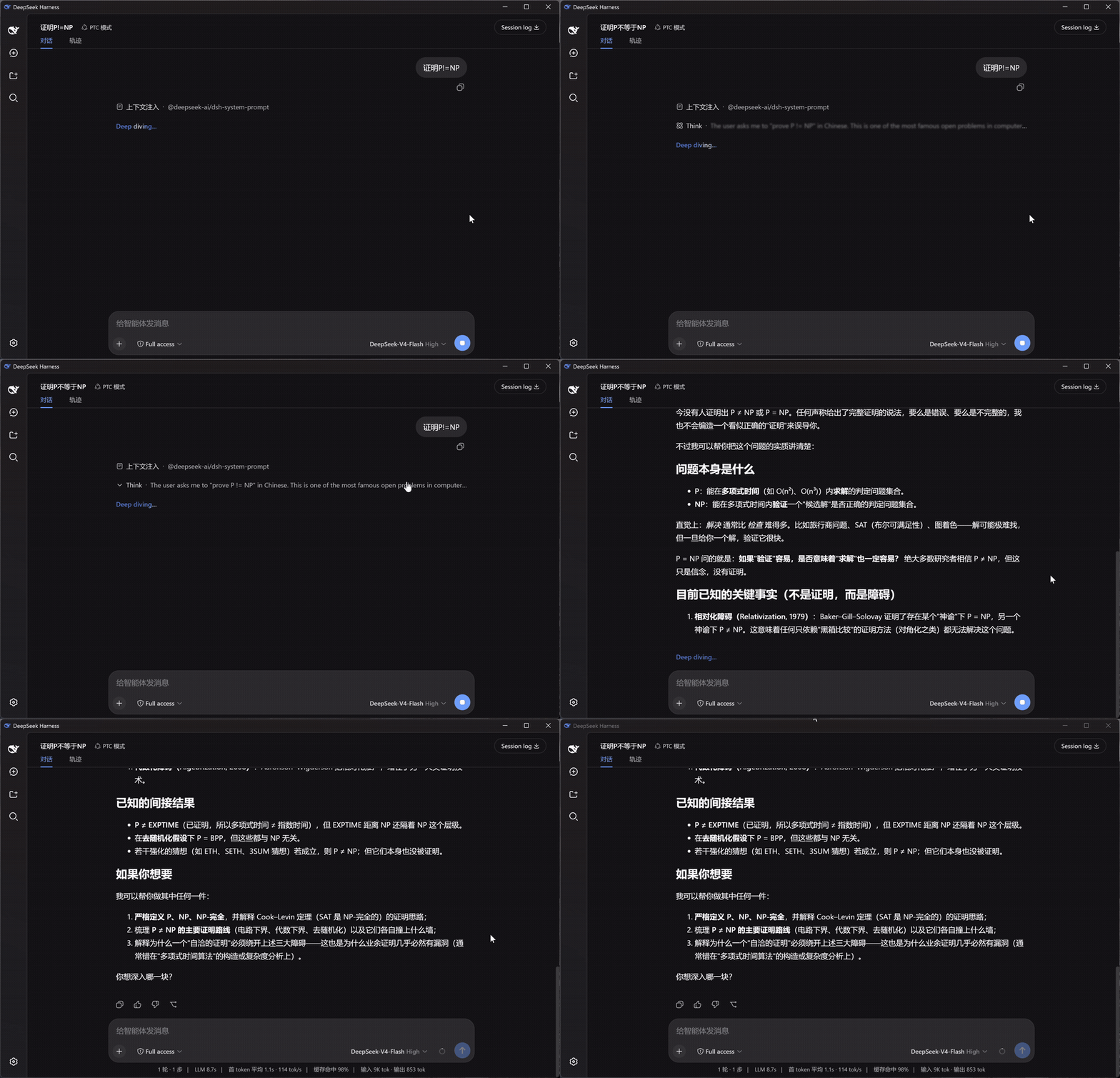
Replaces token-by-token streaming twitch with paragraph-batched, fading reveals. Scroll follows smoothly while streaming, and reasoning blocks show a live one-line summary.
Left: native DSH rendering · Right: Smooth Stream — same question, started together:
Install
dsh plugin --profile web add dsh-plugin-smooth-stream
Takes effect in any open session. Settings live under Settings → Smooth Stream.
What it changes
- Paragraph-batched reveal — body text no longer jitters in token by token; it accumulates and enters a paragraph at a time with a fade. Batch boundaries avoid unclosed code fences and tables, so half-rendered Markdown never appears.
- Smooth scroll-follow — while streaming, the conversation glides toward the bottom covering a fraction of the remaining distance each frame: large appends catch up without teleporting. Scrolling up hands control back to you; returning to the bottom re-engages the follow.
- Reasoning summary — while thinking runs, the collapsed row live-scrolls its latest line, with soft fades instead of hard clipping at both edges. When a turn completes, a closing underline retracts — finished, not merely stopped.
- Markdown & math — body text renders through the host's own renderer: code highlighting, copy buttons, tables and KaTeX math look exactly like native output.
Settings
The Smooth Stream section in the settings panel; changes apply live and persist:
| Setting | Default | Notes |
|---|---|---|
| Enable Smooth Stream | On | Off hands rendering back to the built-in view instantly — handy for comparing |
| Reveal animation | Fade | Fade / Rise / Dissolve / Wipe / Focus / Glow / Iris / Soak |
| Animation duration | 520 ms | Entrance duration (120–1200 ms) |
| Batch size | 500 chars | Text accumulated before a batch reveals; smaller feels more live, larger reads calmer |
| Smooth scroll-follow | On | The streaming-time scroll glide |
Includes a live preview and one-click reset. The settings UI follows DSH's display language.
Reveal styles
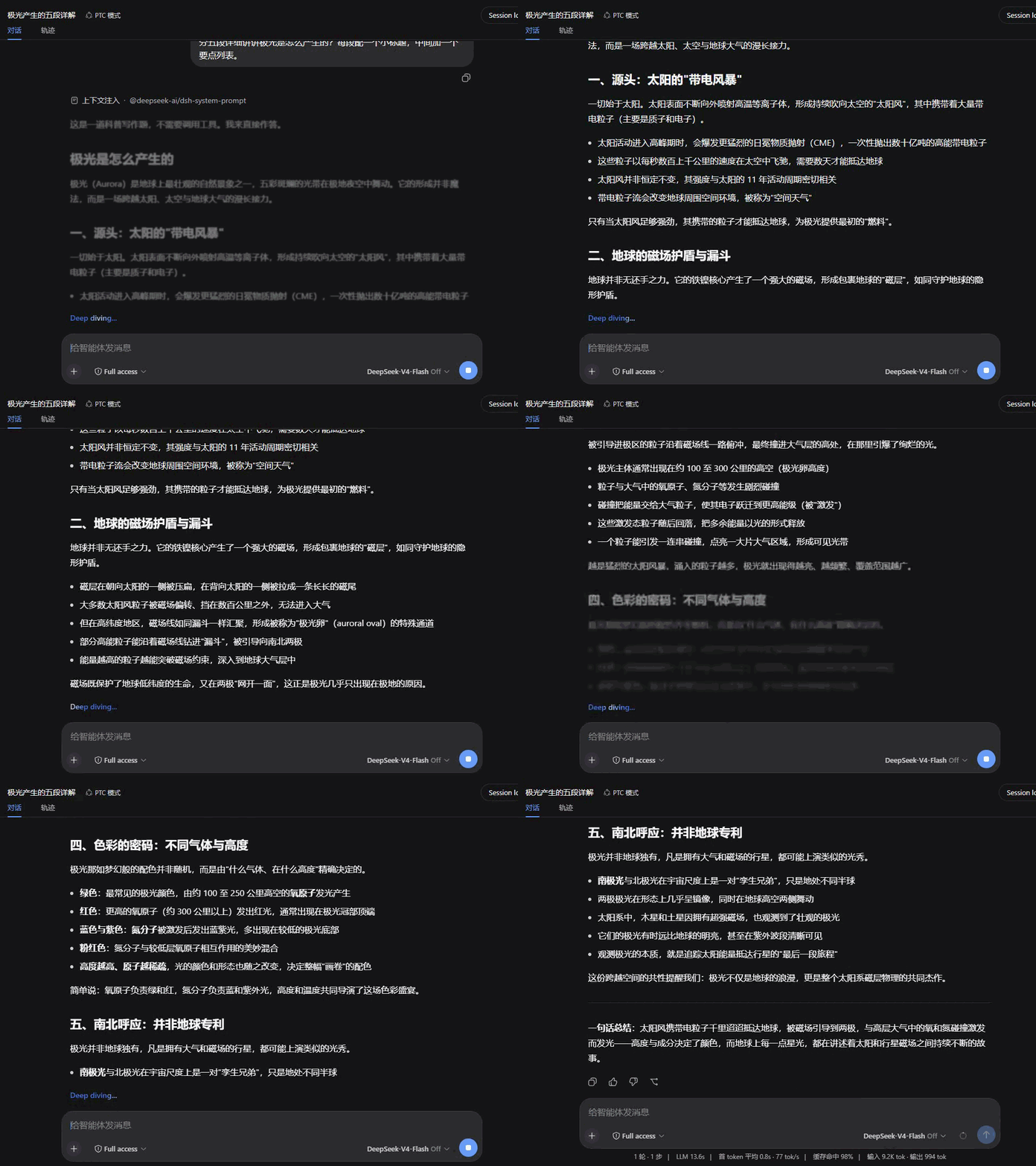
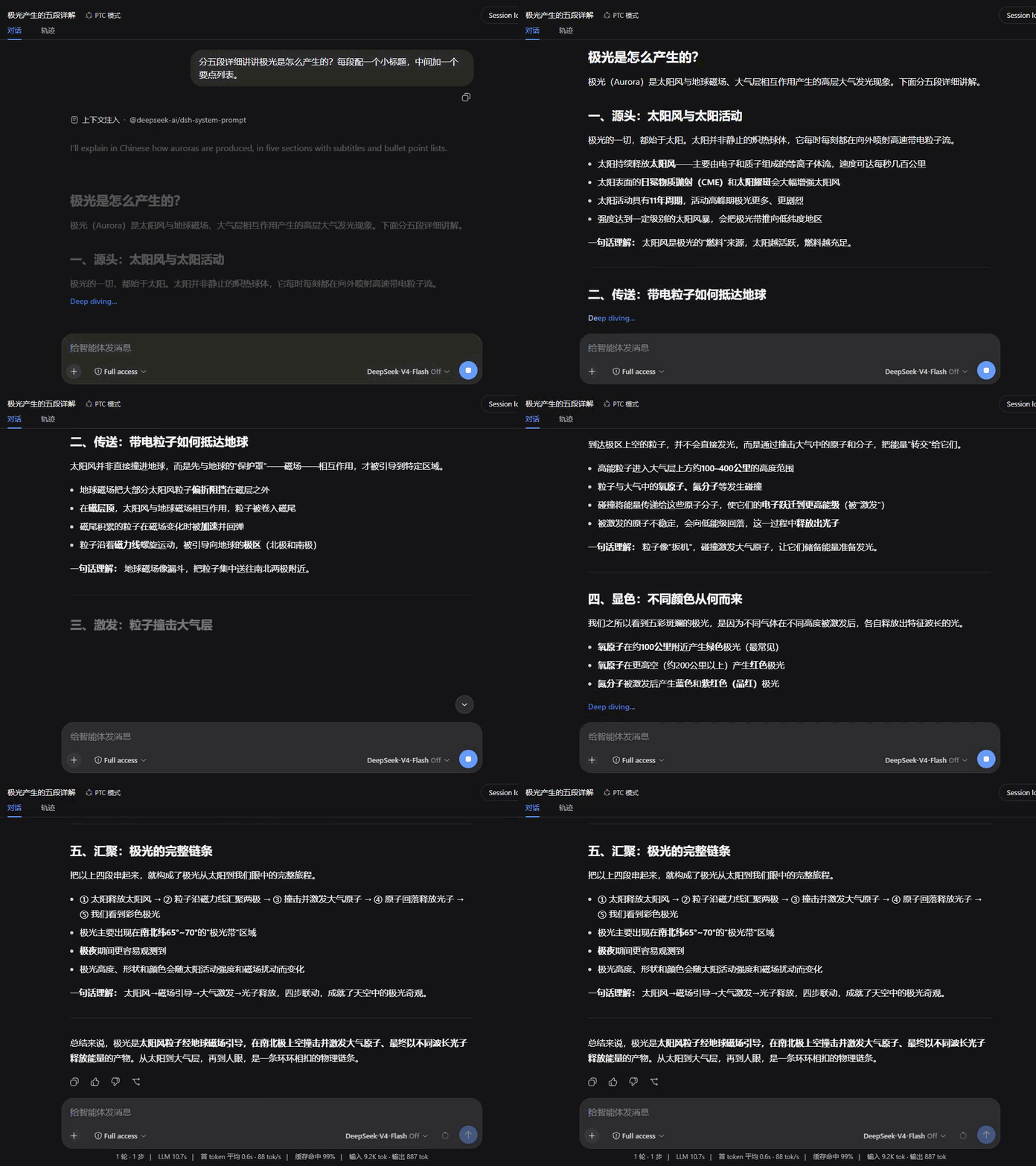
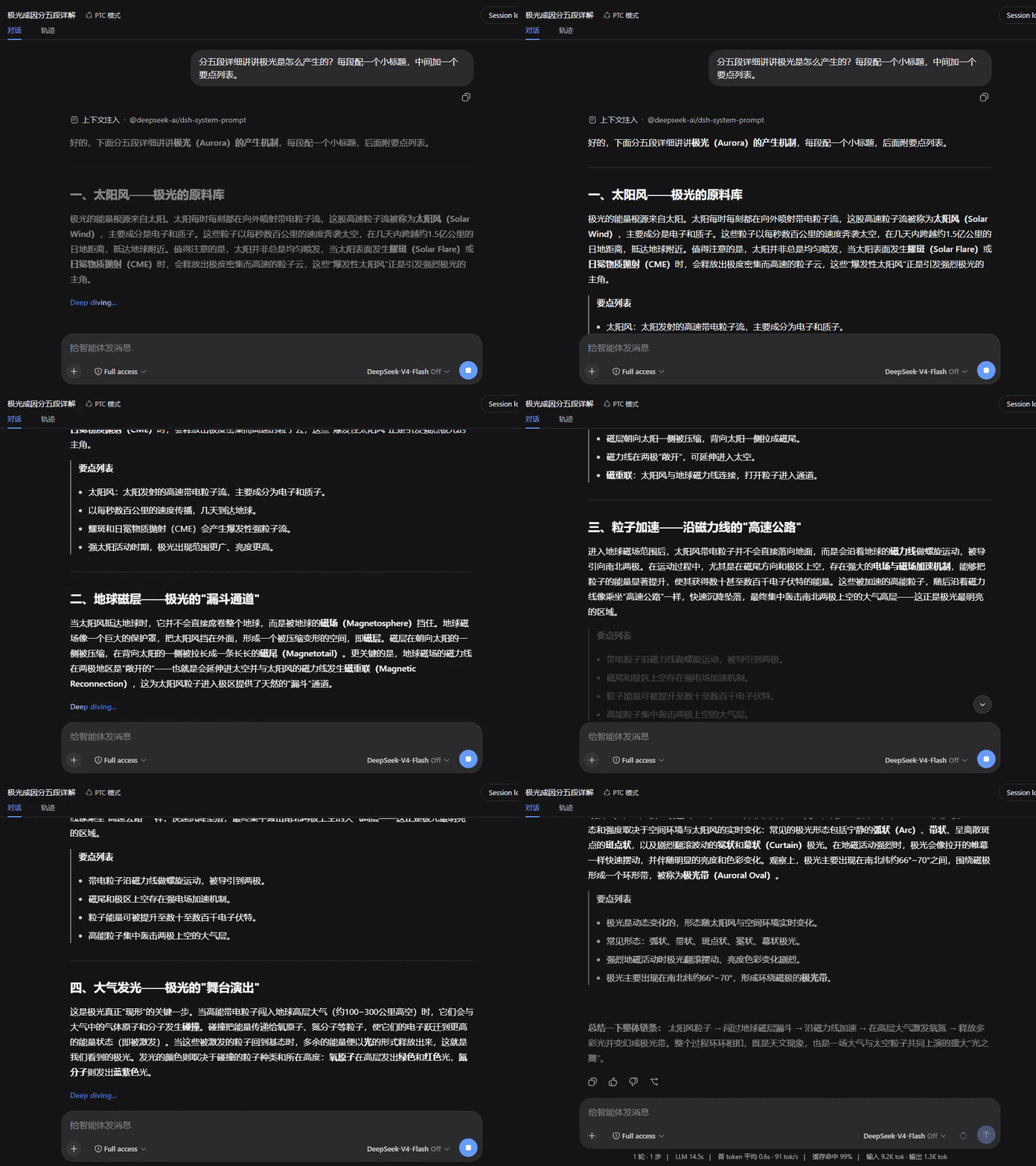
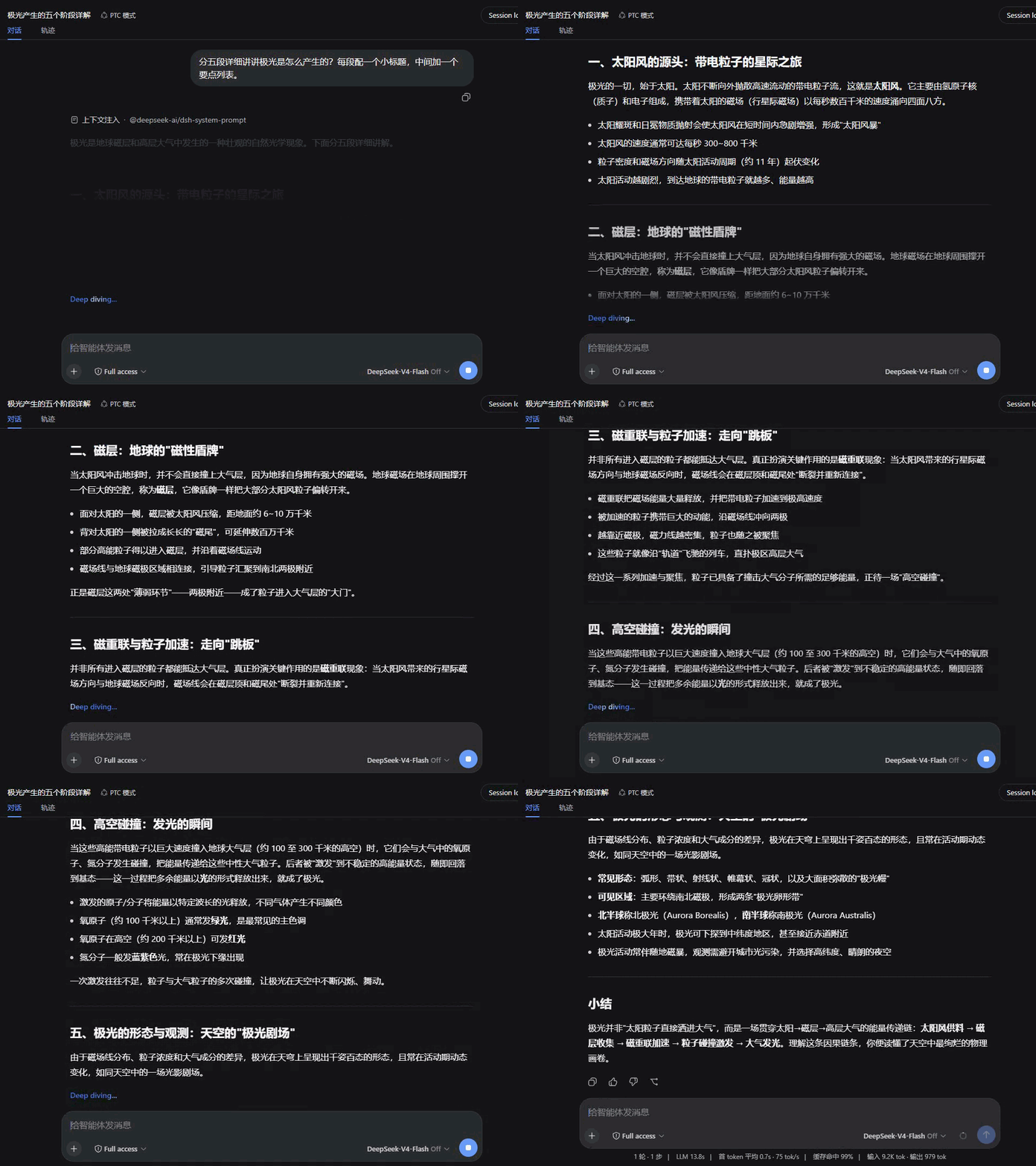
Eight entrances, each tuned to its own rhythm; all recorded over the same reply for a direct comparison.
| Fade | Rise |
|---|---|
 |
 |
| Dissolve | Wipe |
 |
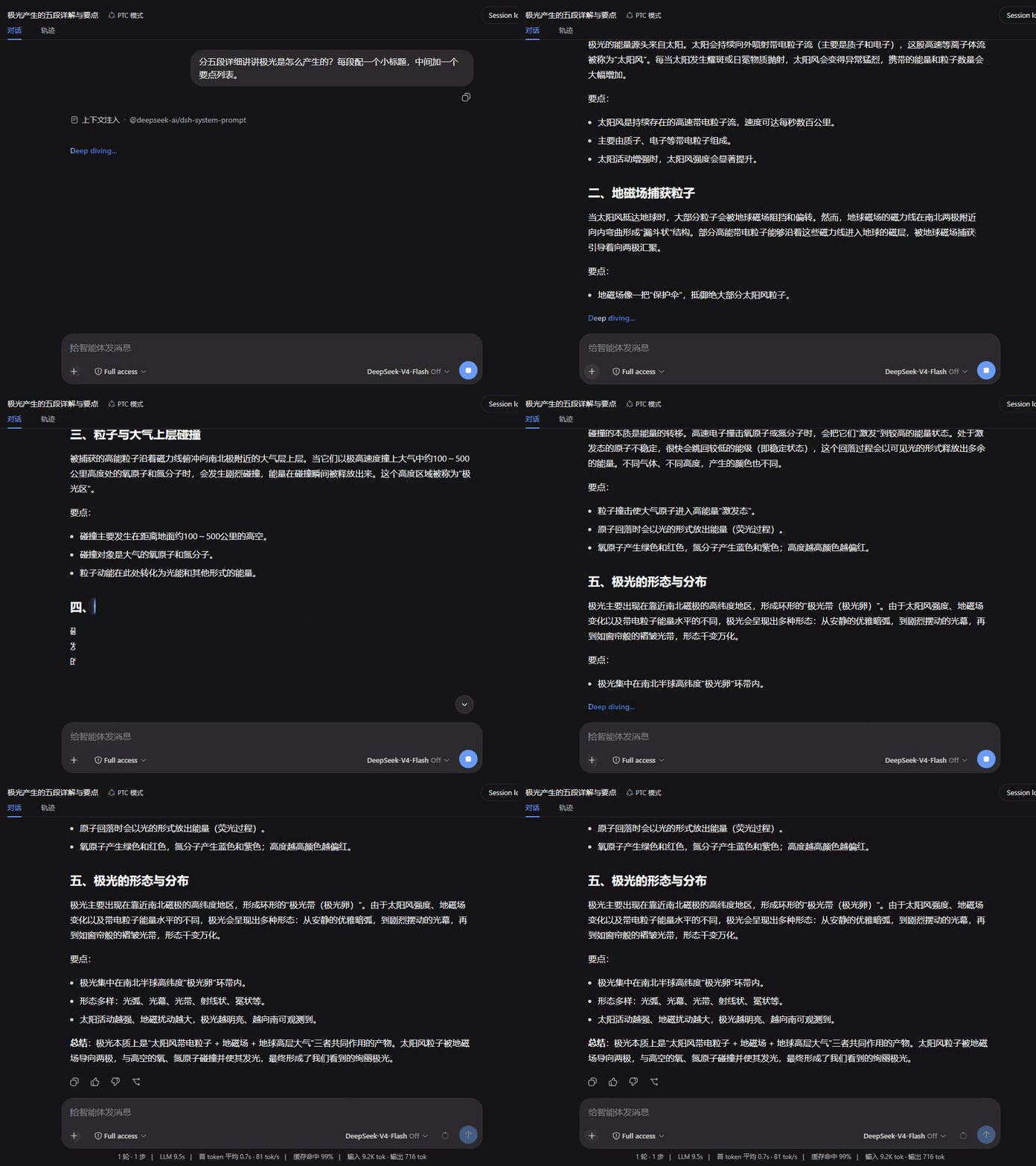 |
| Focus | Glow |
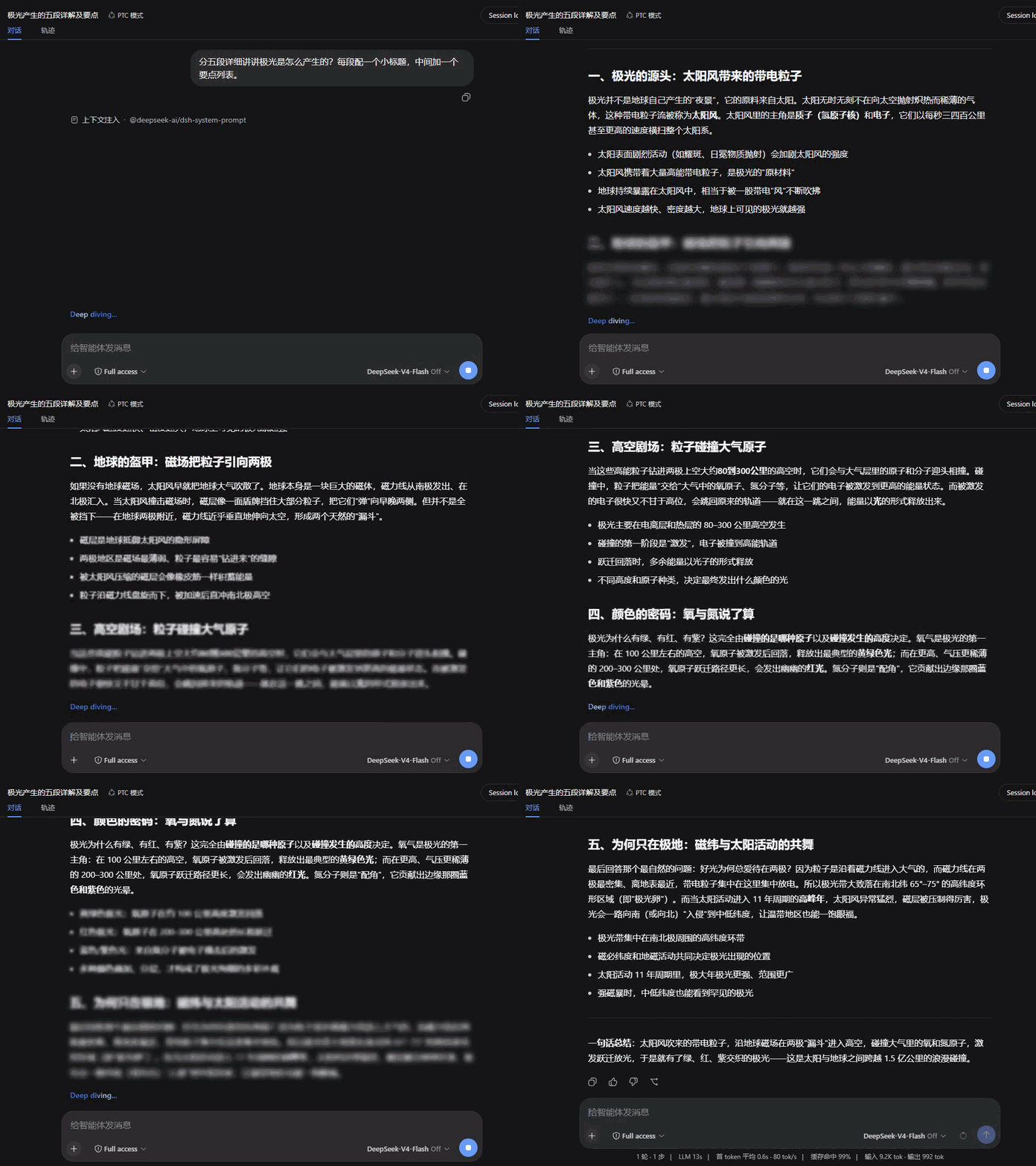 |
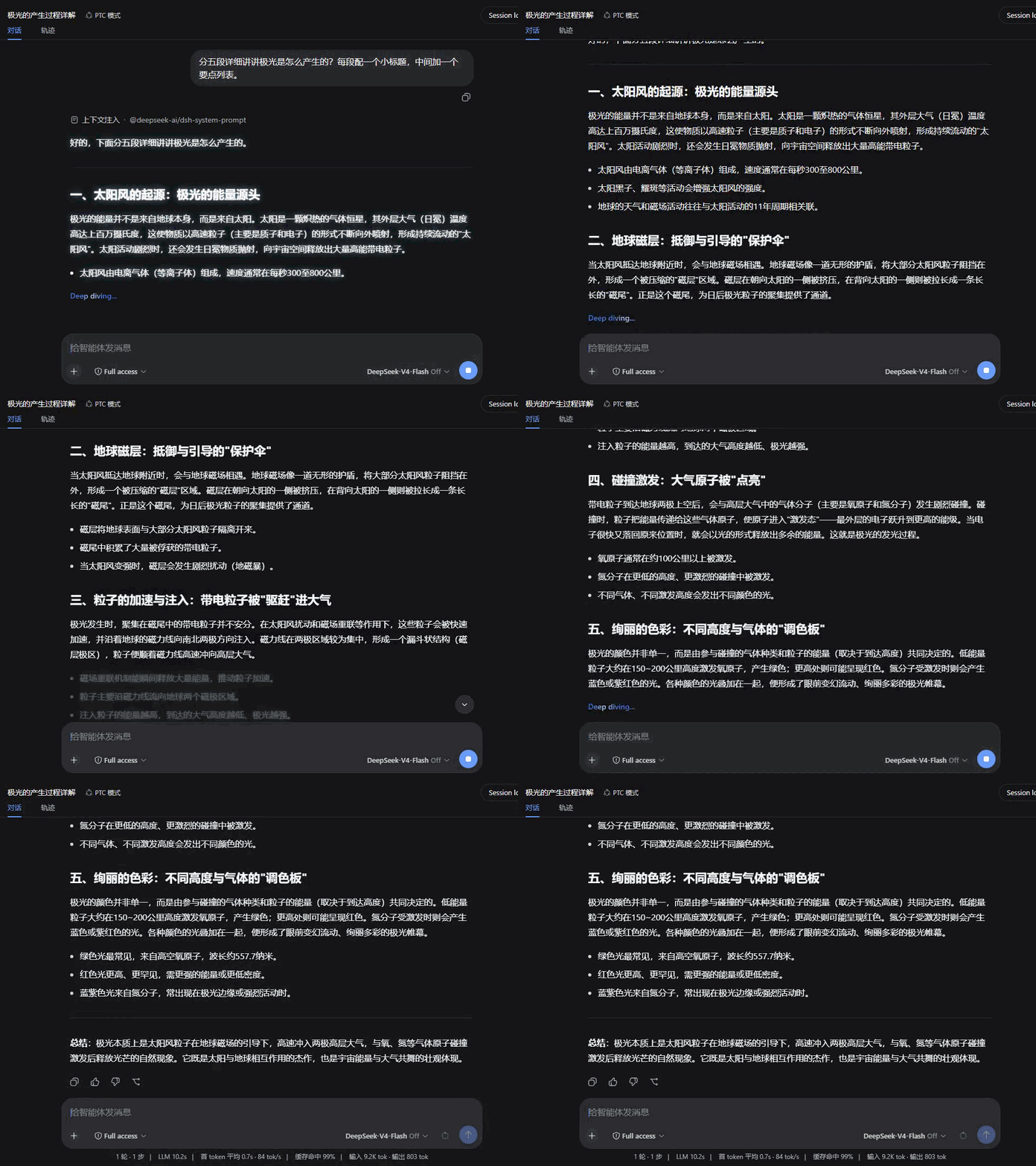 |
| Iris | Soak |
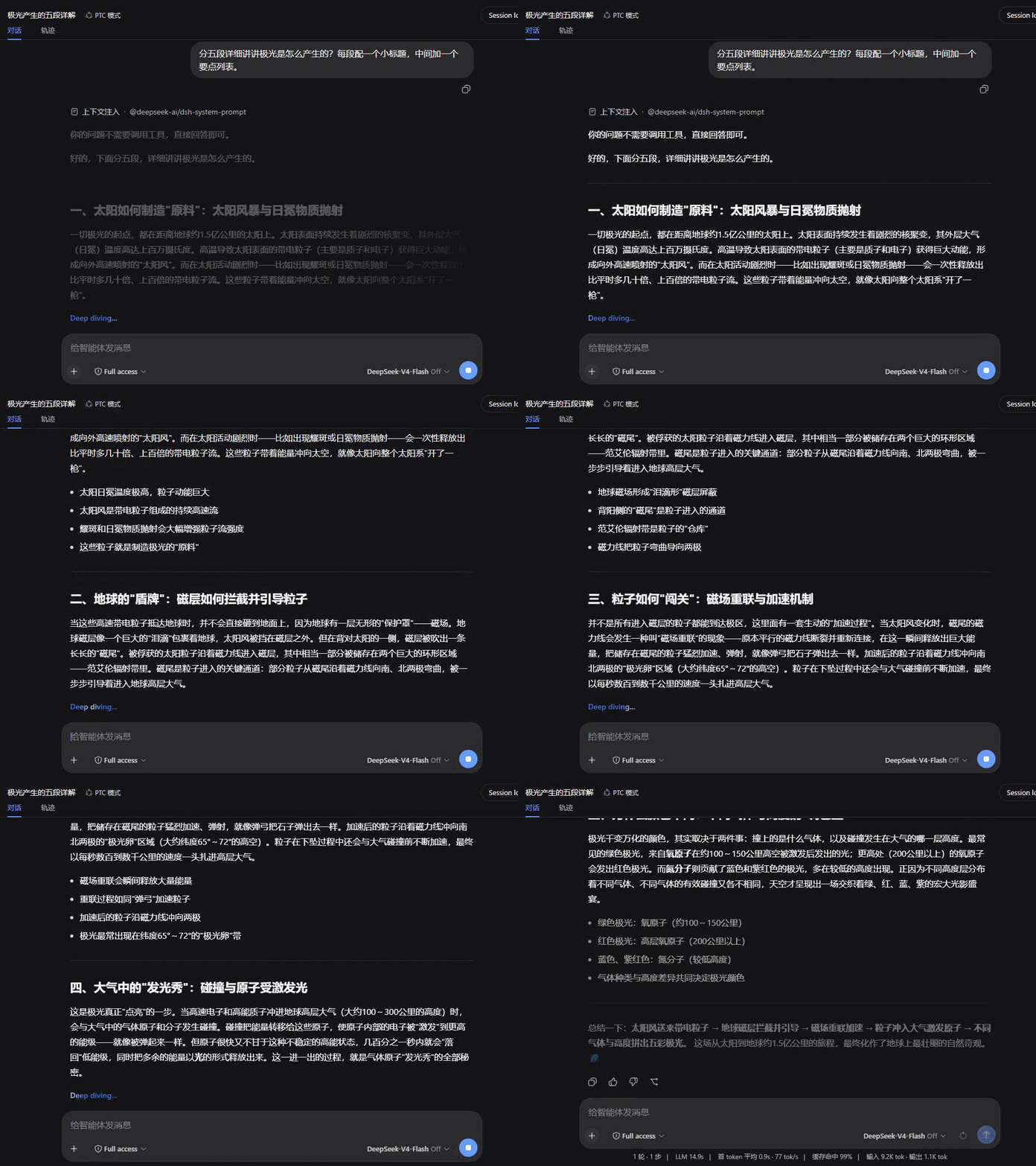 |
 |
Compatibility
Version 1.3.0: Load on official dsh 0.2.0-rc.2. Rendering still registers on conversation.chat.node and settings.section.
Version 1.2.0: Declare the current UI renderer service provider and the verified DSH release range. Existing rendering behavior passes the current host checks.
The declared host range is >=0.2.0-rc.2 <0.3.0-0; official dsh 0.2.0-rc.2 satisfies it. Keep the previous plugin release on older DSH. Validation record.
Download the archive from the GitHub Release, then run dsh plugin --profile desktop add ./dsh-plugin-smooth-stream-1.3.0.tgz.
This release targets DSH 0.2.0-rc.2. Run npm ci, npm test, and npm run check:package to verify the build and package. Restart DSH after updating.
- Uses the host client services, Markdown and image APIs; automated tests cover loading and component rendering.
- This plugin owns the conversation view's assistant rendering (the
assistant-stepcell ofconversation.chat.node) and is mutually exclusive with other plugins that take over the same rendering — with both installed, only one wins. - Respects
prefers-reduced-motion: with reduced motion enabled, all animation and smooth scrolling switch off. - A rendering failure degrades to plain text for that message instead of breaking the conversation.
License
Comments
Comments live in GitHub Discussions. Sign in with GitHub to post or react.