
Install
Inside DeepSeek Harness, with dsh-market
dsh plugin --profile web add dshmarket
Or from the command line
dsh plugin --profile web add "https://github.com/Snowball-labbot/Portfolio-OS/releases/download/v0.2.1/dsh-portfolio-os-0.2.1.tgz"
Installing runs third-party code with your own permissions — it can read your files, use your credentials and reach the network. Review the source first, and pin a commit (github:owner/repo#sha) when you can.
Screenshots
README
This plugin publishes its README in Chinese only.
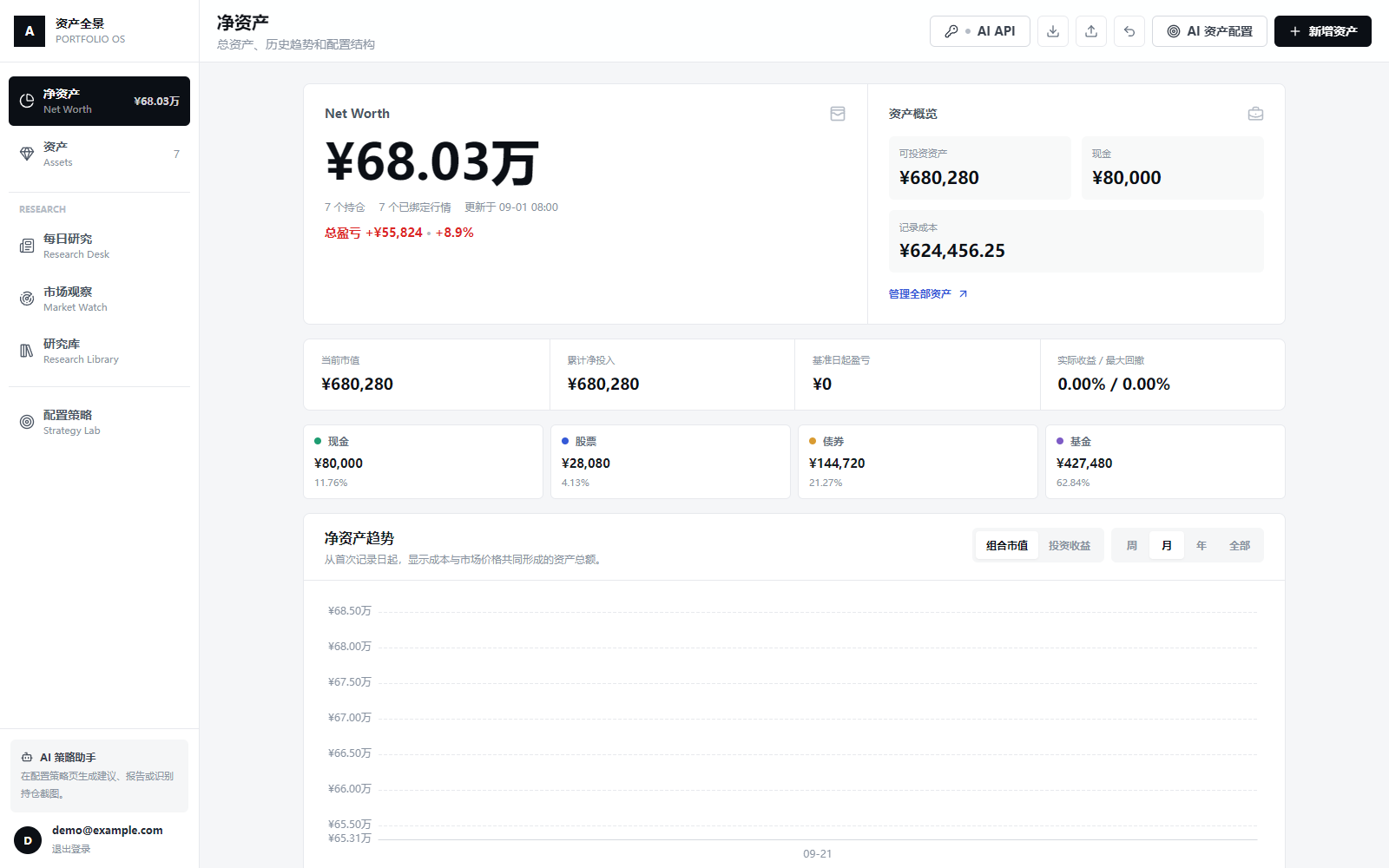
Portfolio OS 的 DSH Desktop 市场插件。安装后会启动随包附带的 Windows Runtime,并在 DSH 内以独立全屏页面打开资产投研平台。
使用方式
- 从 DSH 插件市场安装“资产投研”。
- 点击 DSH 侧栏的“资产投研”。首次启动会初始化本地 SQLite 数据库。
- 在右上角“AI API”中配置 Agnes 或其他 OpenAI-compatible API。
- 在本地注册账号并导入自己的资产备份。
无需 Docker、Python、Node.js 或源代码。数据默认保存在 %LOCALAPPDATA%\PortfolioOS,卸载插件不会自动删除用户数据。
开发模式
仓库开发时可在插件配置中增加:
sourceDir: D:/path/to/Portfolio-OS-Marketplace
pythonExecutable: D:/path/to/python.exe
发布包不使用这些字段。GitHub Release 中的插件包已内置 Windows Runtime,安装后无需再下载后端依赖。
从 GitHub Release 安装
dsh plugin --profile <你的测试 Profile> add https://github.com/Snowball-labbot/Portfolio-OS/releases/download/v0.2.1/dsh-portfolio-os-0.2.1.tgz
建议固定具体版本,不要在正式资产数据上安装未固定的分支快照。
Comments
Comments live in GitHub Discussions. Sign in with GitHub to post or react.