
Install
Inside DeepSeek Harness, with dsh-market
dsh plugin --profile web add dshmarket
Or from the command line
dsh plugin --profile web add dsh-settings-nav-order
Installing runs third-party code with your own permissions — it can read your files, use your credentials and reach the network. Review the source first, and pin a commit (github:owner/repo#sha) when you can.
Screenshots
README
dsh-settings-nav-order
Long-press and drag to reorder the settings panel's nav sections.
English · 中文
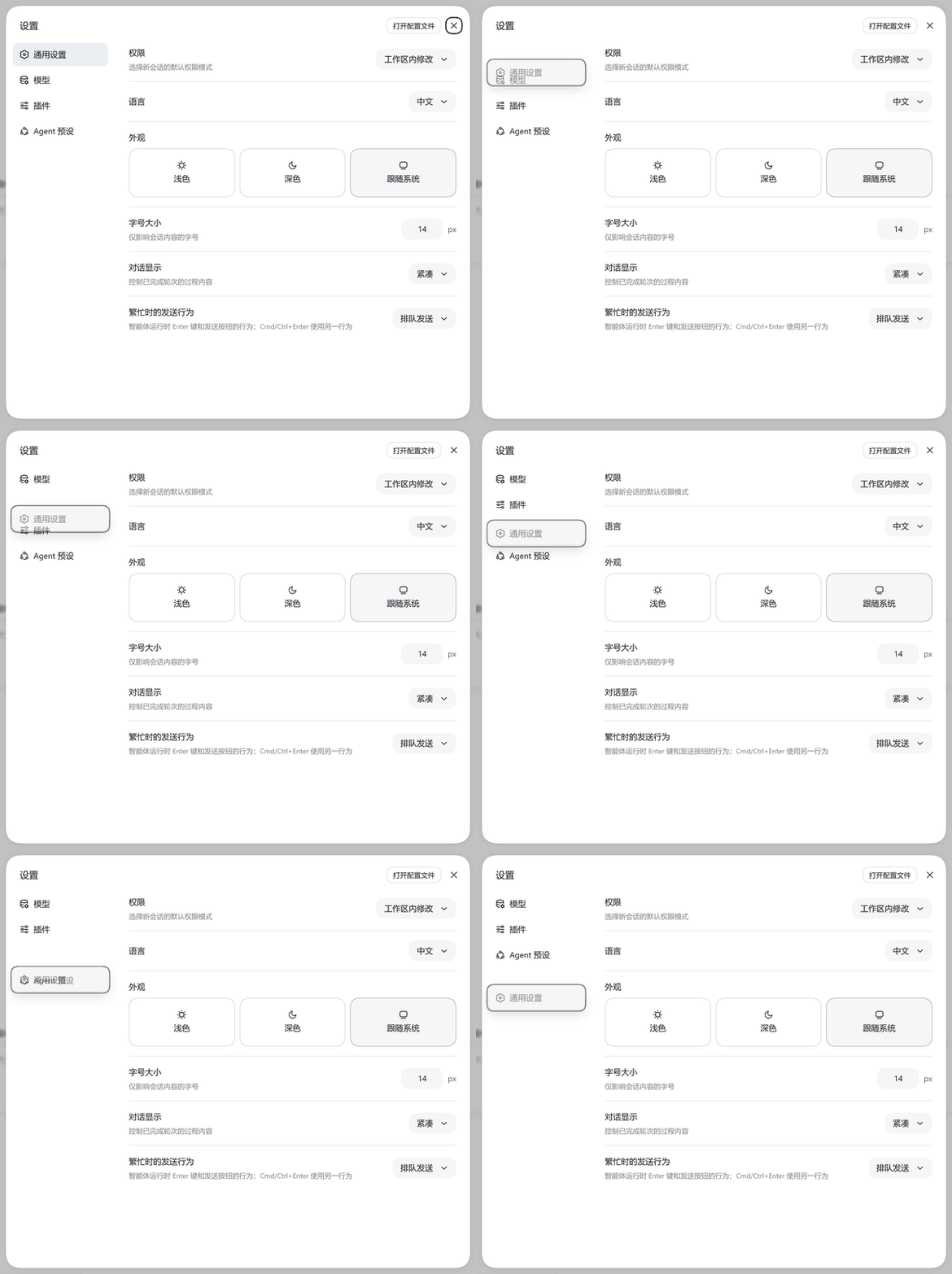
Long-pressing "通用设置" (General) and dragging it down — the dragged row turns translucent and follows the cursor; releasing saves.
What it does
In the DeepSeek Harness settings panel, the order of nav sections is fixed by each plugin's own order value. The more plugins you install, the harder it gets to arrange them the way you work.
This plugin adds a hidden gesture: long-press any section for ~0.3 s, drag it up or down, release to save. Next time you open the settings panel, your order is still there.
It ships no UI of its own — no new settings page, no slot registrations, no visual change to the nav. You will not find it anywhere in the interface. That is deliberate.
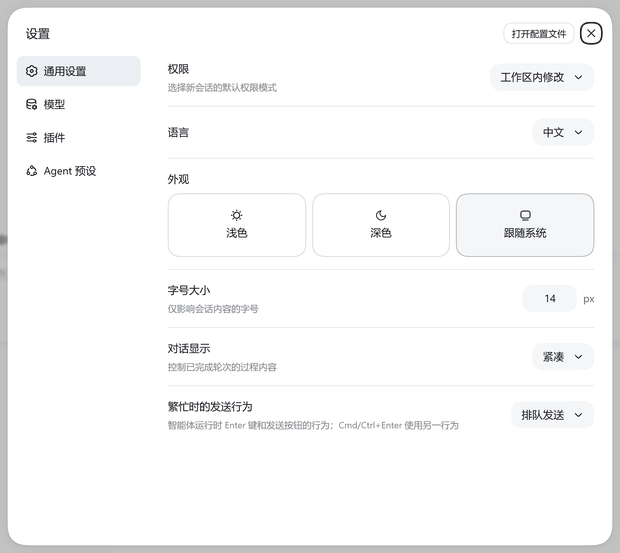
| Before | |
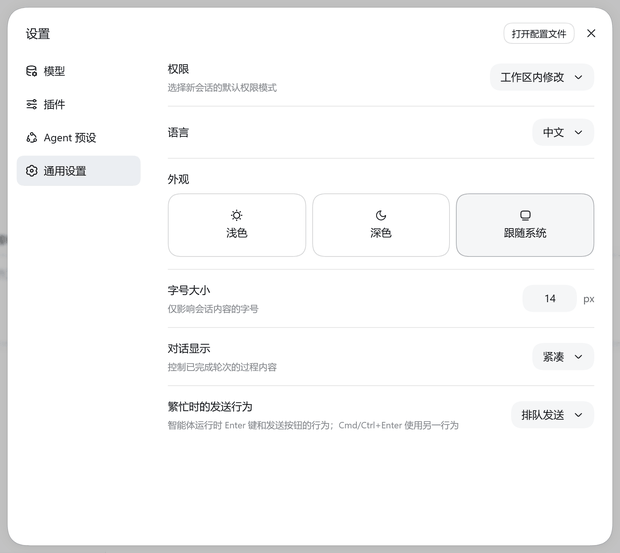
| After | |
Features
- Long-press to drag — after a 0.3 s hold the row becomes 50% translucent with an outline and shadow, and follows the pointer vertically in real time
- Release to save — the order is written to the plugin's own folder; there is no save button
- Survives restarts — your order is re-applied the next time the panel opens
- Accidental-drag protection — primary button only; moving more than 6 px during the hold cancels the drag; the click that ends a drag is swallowed so you never switch pages by accident
- Render-resistant — a
MutationObserverfollows panel re-opens and React re-renders, re-applying your order every time - Clean uninstall — removes every listener, observer and style, and restores the official order immediately
- Does not touch shared config — never writes
settings.yaml, never modifies external data
Installation
Requires Node.js plus dsh and pnpm:
npm install -g @deepseek-ai/dsh pnpm
Then install the plugin (replace web with your profile name):
dsh plugin --profile web add dsh-settings-nav-order
Restart dsh afterwards — a newly added bundle is not hot-applied to a running process:
dsh --profile web
Then refresh the browser page and open the settings panel (the gear at the bottom of the sidebar).
Installing from GitHub source also works:
dsh plugin --profile web add github:<owner>/dsh-settings-nav-order
Usage
- Open the settings panel (the gear button at the bottom of the sidebar)
- Long-press any section in the left nav for ~0.3 s
- It turns translucent and follows your pointer — drag it to the position you want
- Release — the order is saved immediately
To go back to the official order, see "Uninstall" below.
Where the data lives
The order record is written inside the plugin's own folder:
<plugin dir>/data/order.json
It looks like this:
{
  "version": 1,
  "order": ["general", "models", "plugins", "agent-presets", "jet-hub"]
}
This is the plugin's entire data footprint — one file.
Explicit boundaries
| Thing | Behaviour |
|---|---|
~/.dsh/settings.yaml |
Never written. No settings namespace is registered |
| Other plugins' files | Never touched |
| Your existing config and sessions | Never modified |
| Any external data | Not changed |
Why not use the official ctx.settings (which writes settings.yaml)? Because that is a shared config file, and by design DSH does not clean up a plugin's namespace section when the plugin is uninstalled — it lingers forever. An order record is a preference cache, not configuration, so keeping it in the plugin's own folder is cleaner: it disappears with the folder on uninstall, leaving zero residue.
Uninstall
dsh plugin --profile web remove dsh-settings-nav-order
After uninstalling:
- The official order is restored immediately — the cleanup logic explicitly puts the nav DOM back into the official ledger order (
ctx.slots.entries('settings.section')sorted ascending byorder); it does not rely on React happening to re-render - Every event listener, observer and style is removed
dsh plugin removedrops the package from the profile'sdsh.profile.bundles, so the patch layer it ships stops being loaded
You need to restart
dshand refresh the page to see the nav restored. To go back to the default order without uninstalling, just deletedata/order.jsonand refresh.
How it works
The settings nav list is not a Slot — it is rendered directly by the settings panel. So the plugin:
- Reads the
settings.sectionledger (ctx.slots.entries) and computes the row order with the exact same algorithm the panel uses - Locates the nav list with a stable selector:
[role="dialog"][aria-modal="true"] > nav > div:last-child - Pairs DOM buttons with ledger entries by label text (falling back to positional pairing only when nothing matches by text and the counts are equal)
- Once the long-press is established, moves DOM nodes with
insertBeforeand applies atranslateYto the dragged row so it tracks the pointer - Uses a
MutationObserver(with a storm watchdog) to follow panel re-opens and re-renders, re-applying the order - Persists the order via the Host half's
GET/POST /api/settings-nav-order/order
Every style, subscription, observer and listener hangs off the plugin's fiber, so stopping or uninstalling cleans up and restores everything automatically.
Prior art this builds on (same architecture):
dsh-settings-nav-organizer— provided the battle-tested pattern for locating the nav DOM, reading the ledger, the storm watchdog, and fiber cleanup@choi-p/dsh-footer-order— provided the "DOM child ↔ ledger entry id" pairing strategy and demonstrated a truly traceless uninstall
Known limitations
- The nav list is not a Slot, so this plugin relies on a DOM selector. If DSH changes the settings panel structure (the
nav > div:last-childlayer), dragging breaks — the selector needs updating. Failure is silent (nothing errors, dragging just stops working), so re-verify after upgrading DSH. - Dragging only changes the display order; it does not modify any plugin's
ordervalue. When other plugins add or remove settings pages, entries not present inorder.jsonappear at their official position. - If the Host route is unavailable (for example right after installing, before a restart), the plugin degrades to session-only behaviour and says so in the browser console.
Troubleshooting
Open the browser console (F12); every log line from this plugin is prefixed with [settings-nav-order]:
| Log | Meaning |
|---|---|
已载入顺序记录:N 项 |
Started fine; N is the number of saved entries |
顺序已保存:a → b → c |
The drag was saved |
顺序记录读取失败… |
The Host route is unreachable — did you restart dsh? |
mutation 风暴,挂起观察器 2 秒 |
The page is re-rendering heavily; the plugin is protecting itself |
If dragging does nothing at all:
// 1) does the selector find the nav list?
document.querySelector('[role="dialog"][aria-modal="true"] > nav > div:last-child')
// 2) does its <button> count match the number of settings sections?
If clicking the nav does nothing either, check whether another full-screen overlay (such as an onboarding dialog) is on top of it — that would swallow drags too.
Compatibility
| DSH | Verified working on 0.1.5-rc.2 |
| Platform | web |
| Node.js | ^22.19.0 || >=24.0.0 |
| Dependencies | None at runtime (react is provided by the host) |
License
Comments
Comments live in GitHub Discussions. Sign in with GitHub to post or react.