
Install
Inside DeepSeek Harness, with dsh-market
dsh plugin --profile web add dshmarket
Or from the command line
dsh plugin --profile web add dsh-chat-avatar
Installing runs third-party code with your own permissions — it can read your files, use your credentials and reach the network. Review the source first, and pin a commit (github:owner/repo#sha) when you can.
Screenshots
README
This plugin publishes its README in Chinese only.
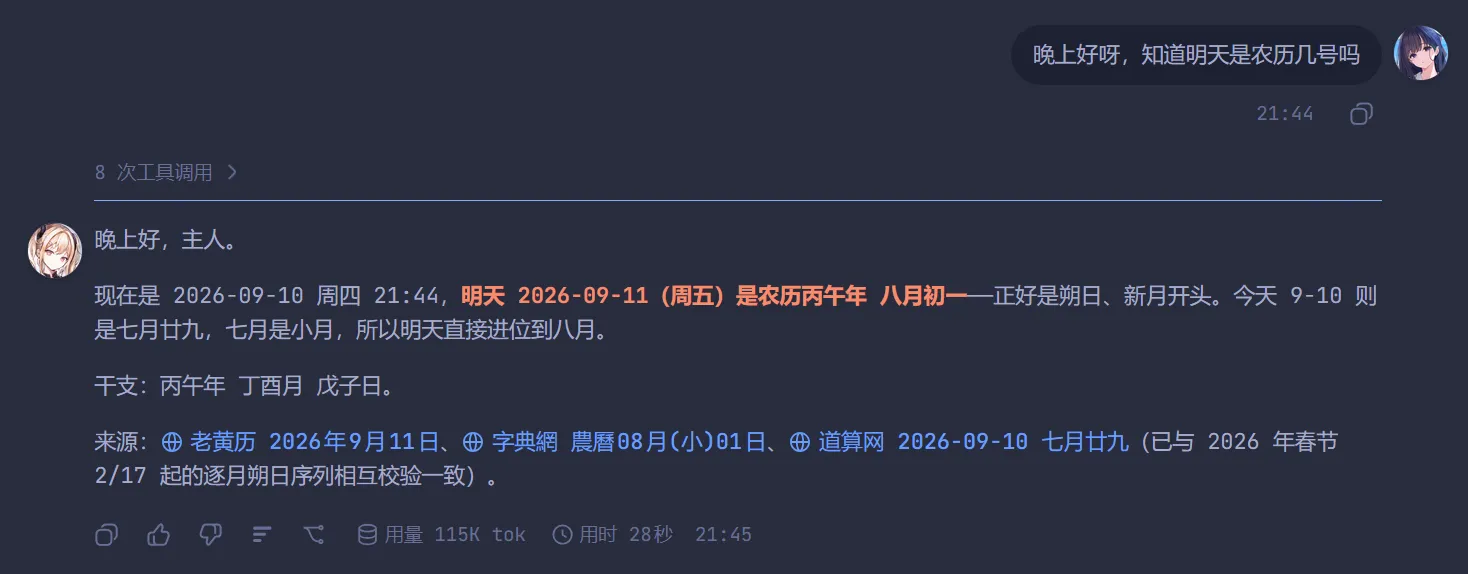
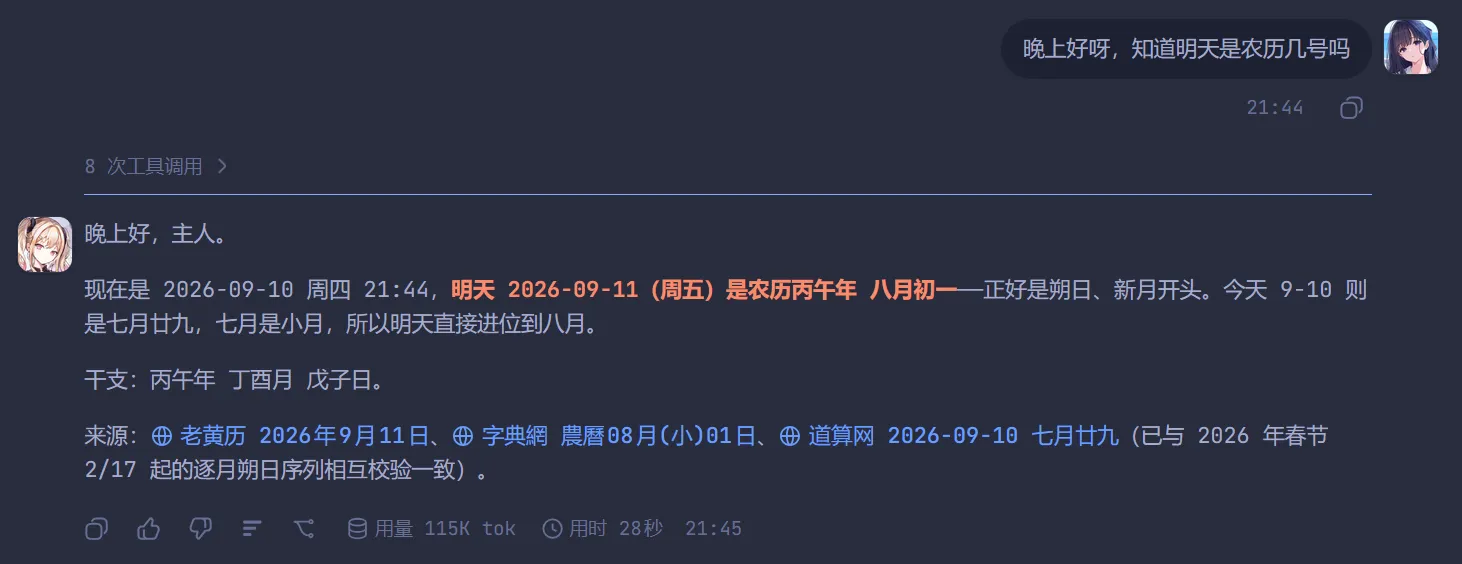
给 DeepSeek Harness(dsh)的 Web 界面加头像:每轮 AI 回复左侧一个、你的每条输入右侧一个,两侧各自可自定义。
An avatar plugin for the DeepSeek Harness Web UI: one avatar on the left of each turn's final AI reply, one on the right of each of your messages.
功能 / Features
- AI 头像 —— 每轮最终 AI 回复左侧,贴该条消息第一行的左上角。一轮只有一个:轮次开始时挂在第一条助手步骤上,出现更靠后的步骤就移过去,整轮结束停在最终回答上。
- 用户头像 —— 每条输入(含运行期追问)右侧,贴第一行右上角。
- 两侧各自可配:显示 / 隐藏、上传图片(PNG / JPG / WebP / GIF,动态图会动,≤ 20MB)、尺寸 16–128 px、头像框形状(圆形 / 方形,默认圆形)。
- 没上传就不显示:不会出现空头像框,也没有内置默认图。
- 设置入口:设置 → 左侧边栏 →「头像」。
- 不依赖任何
@deepseek-ai/*包(客户端只用slots,宿主只用webServer),没有 peer 版本耦合问题。
安装 / Install
# 从 npm 安装(推荐:包已预构建,免 allowBuilds 授权)
dsh plugin --profile web add dsh-chat-avatar

# 从 GitHub 安装(源码安装,会本地跑一次构建)
dsh plugin --profile web add github:Rabbit-bot-No-002/dsh-chat-avatar

# 从本地目录
dsh plugin --profile web add link:/path/to/dsh-chat-avatar
npm 包页面:https://www.npmjs.com/package/dsh-chat-avatar
装好后刷新页面;如果是从 GitHub 源码安装且 pnpm 拦了构建脚本,按提示把该包加入 profile 的 allowBuilds 再重跑安装。
License
MIT
Comments
Comments live in GitHub Discussions. Sign in with GitHub to post or react.