
Install
Inside DeepSeek Harness, with dsh-market
dsh plugin --profile web add dshmarket
Or from the command line
dsh plugin --profile web add @pakiknowledge/dsh-client-ui-skin-claude
Installing runs third-party code with your own permissions — it can read your files, use your credentials and reach the network. Review the source first, and pin a commit (github:owner/repo#sha) when you can.
README
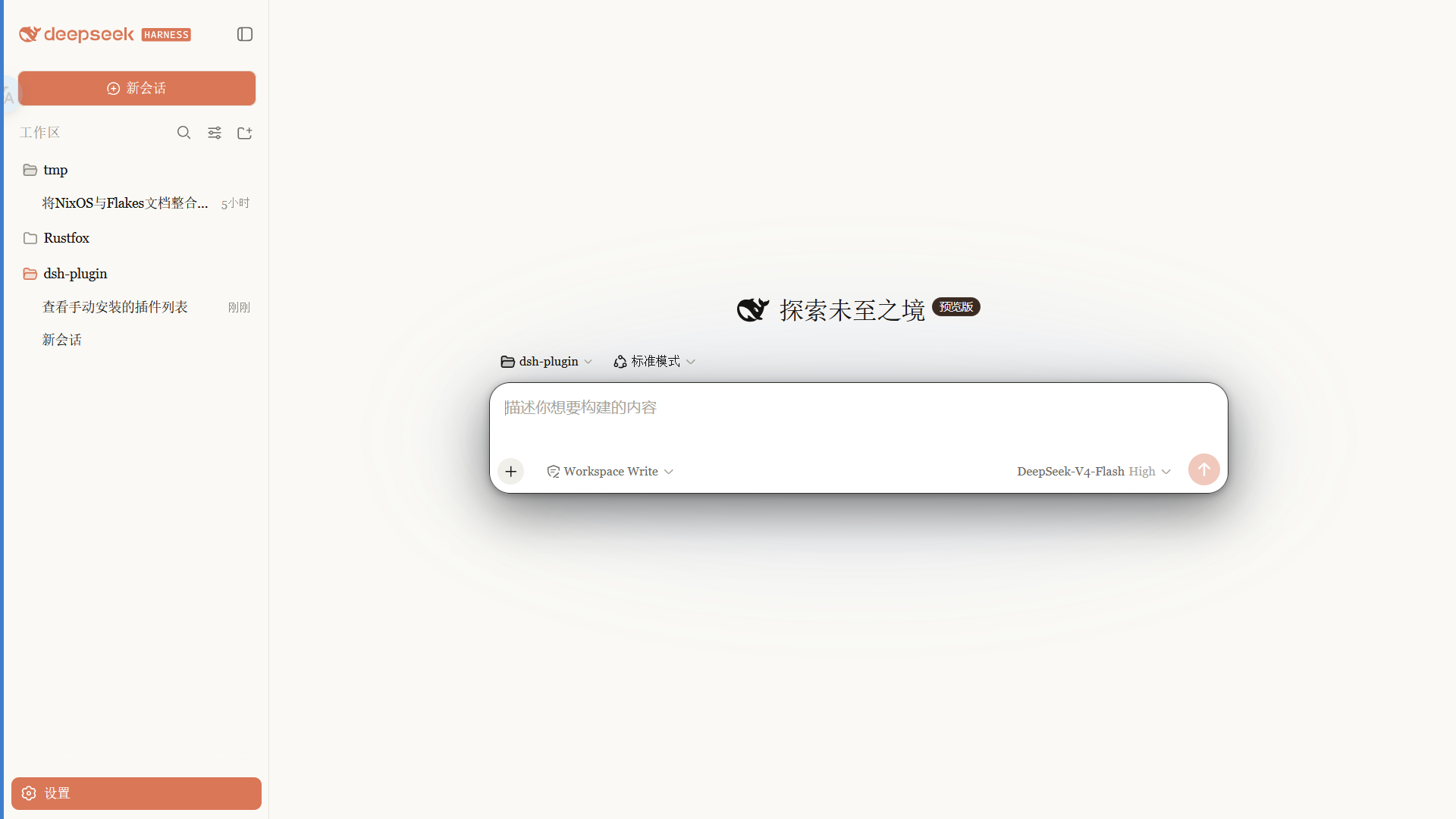
A Claude-style skin for the DSH Web GUI: warm-black canvas, clay accent, built-in Anthropic font modes, follows the native light/dark theme.
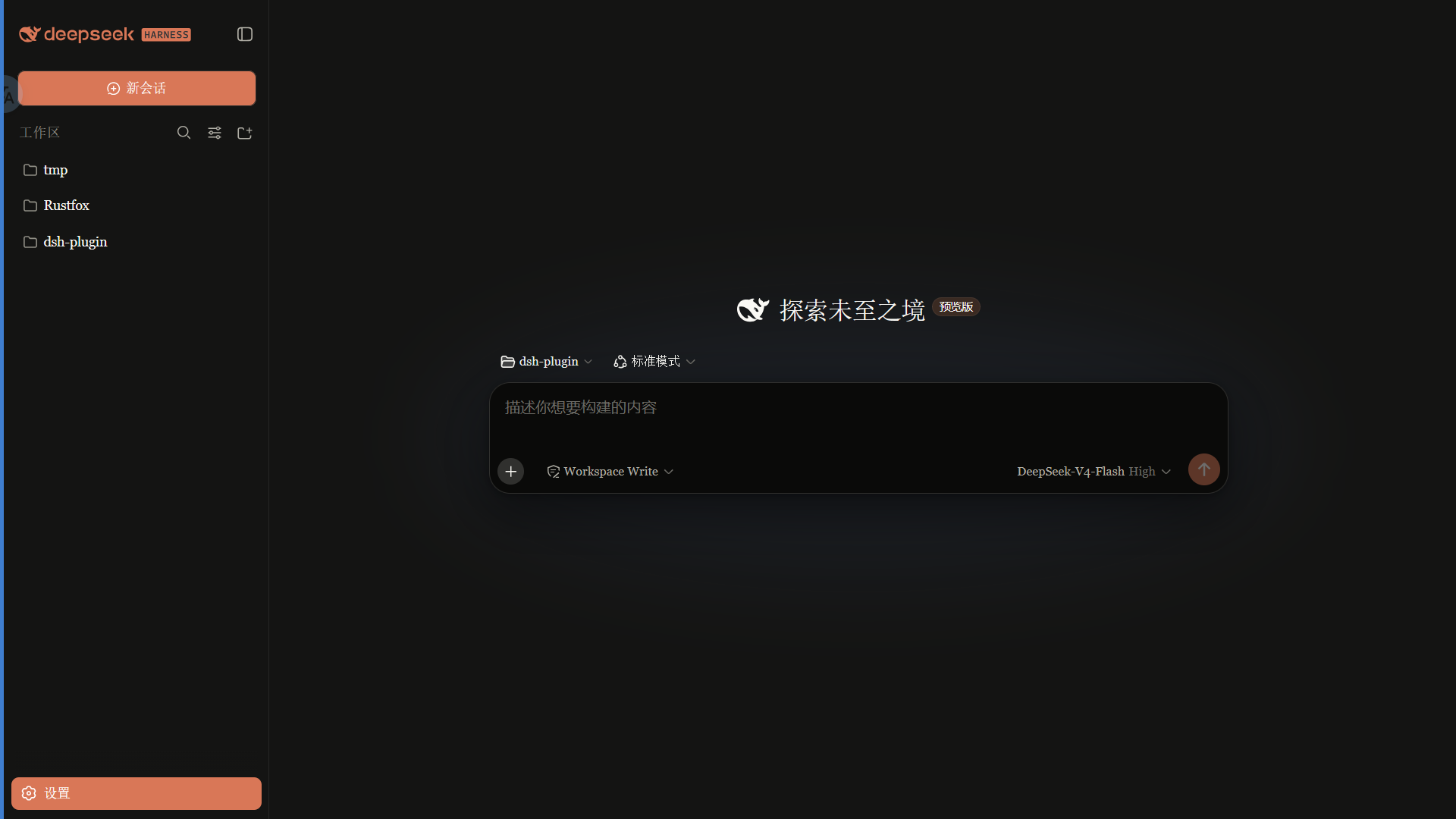 ·
· 
Features
- Warm-black (#141413) canvas with an Anthropic clay (#d97757) accent
- Font modes:
- Anthropic native (default): Anthropic Sans for UI, Anthropic Serif for conversation, Anthropic Mono for code
- Skin serif: keeps the original serif UI style
- System default: leaves DSH fonts untouched
- Slim scrollbars, clay selection/focus, pill badges
- Light and dark variants that follow the system theme
Fonts
Important: the npm package does not ship font files. Font files are available in the
fonts/folder of this repository; install them manually, then refresh/restart the web UI.
| Font | Used for | File |
|---|---|---|
| Anthropic Sans Web Text | UI | fonts/AnthropicSansWebText.ttf |
| Anthropic Serif Web Text | Conversation / Markdown | fonts/AnthropicSerifWebText.ttf |
| Anthropic Mono Variable | Code / code blocks | fonts/AnthropicMonoVariable.ttf |
Install: on Windows double-click each .ttf → Install; on macOS import with Font Book. Refresh the page afterwards.
The Anthropic fonts are proprietary to Anthropic and are provided for personal use only. They are not covered by the MIT license (see the font notice in LICENSE).
Install
From npm (recommended, prebuilt, no build permission needed):
dsh plugin --profile web add @pakiknowledge/dsh-client-ui-skin-claude
Or from GitHub:
dsh plugin --profile web add github:PAKIKNOWLEDGE/dsh-client-ui-skin-claude
Restart dsh web, then refresh the page.
Switching fonts
Open Settings → General → Font style:
- Anthropic native (default): Sans UI / Serif body / Mono code
- Skin serif: Georgia-style serif UI
- System default: keep DSH's default fonts
The selection applies instantly and is saved in browser localStorage.
If you previously installed
dsh-anthropic-fontsseparately, remove it first to avoid two font overrides fighting each other.
Switching skins
Only one skin is active at a time. Edit ~/.dsh/cordis.patch.yml:
# outside the dsh-skin managed section
- insert:
    - id: ui-skin-claude
      name: '@pakiknowledge/dsh-client-ui-skin-claude'
(and add disabled: true to the currently active skin's row). The config watcher hot-reloads within seconds; refresh the page.
Uninstall
- Remove the
ui-skin-claudeinsert row from~/.dsh/cordis.patch.yml. dsh plugin --profile web remove @pakiknowledge/dsh-client-ui-skin-claude- Restart
dsh web.
License
MIT
Comments
Comments live in GitHub Discussions. Sign in with GitHub to post or react.