
Install
Inside DeepSeek Harness, with dsh-market
dsh plugin --profile web add dshmarket
Or from the command line
dsh plugin --profile web add dsh-claude-style
Installing runs third-party code with your own permissions — it can read your files, use your credentials and reach the network. Review the source first, and pin a commit (github:owner/repo#sha) when you can.
Screenshots
README
DSH Claude Style
A theme plugin that brings the look and feel of Claude Code Desktop to the DeepSeek Harness Web GUI.
Claude Code Desktop, right inside DSH.
Preview
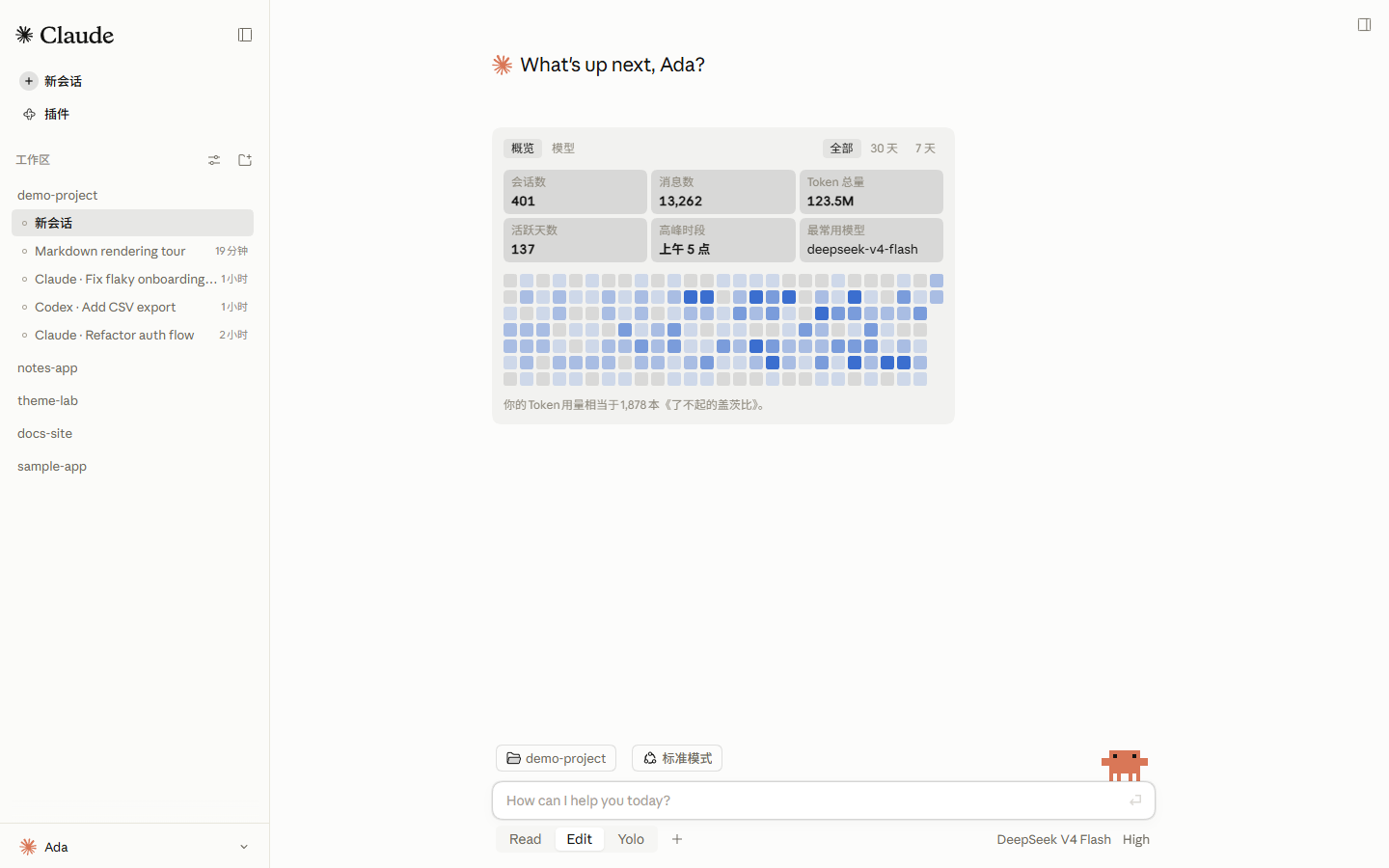
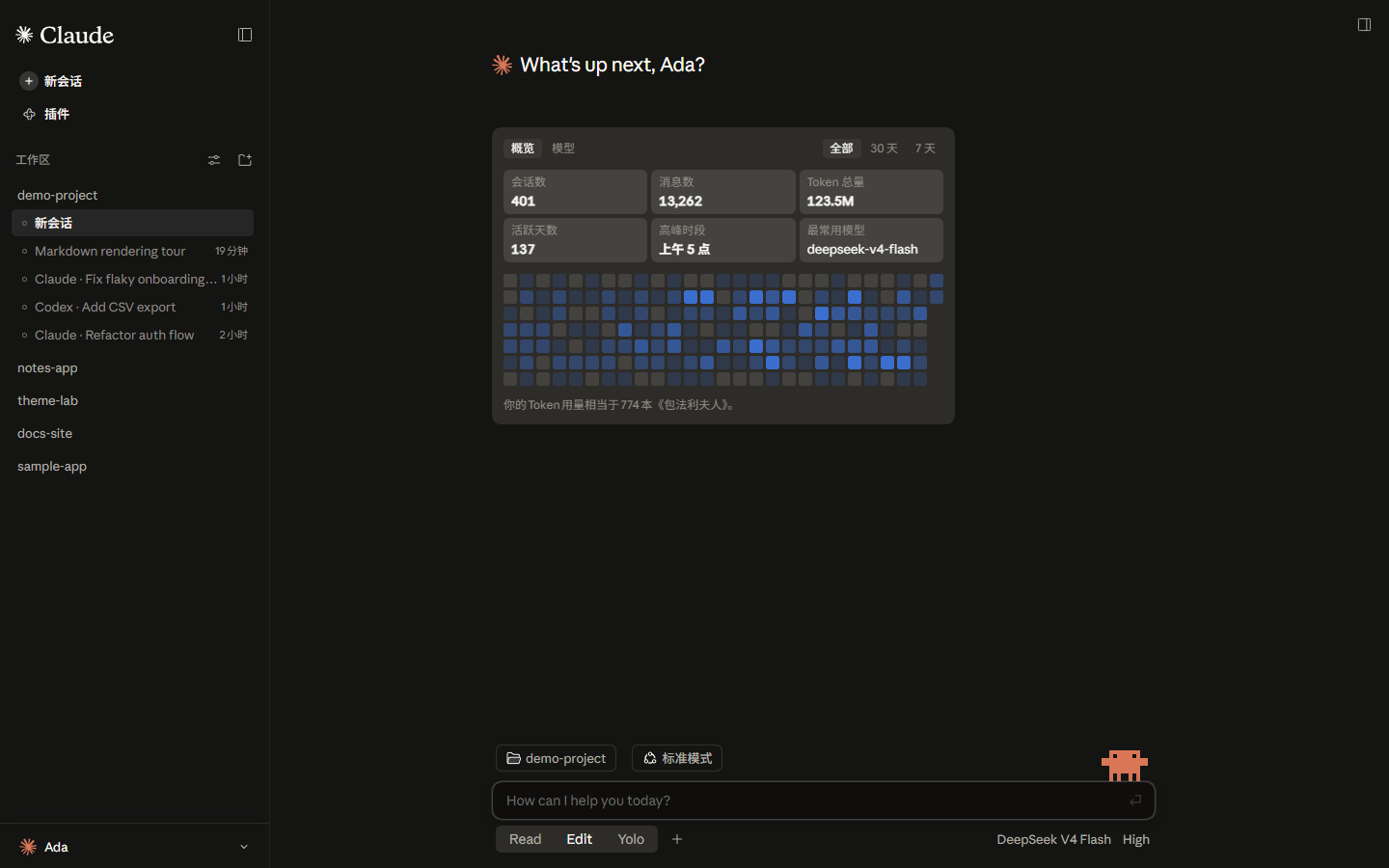
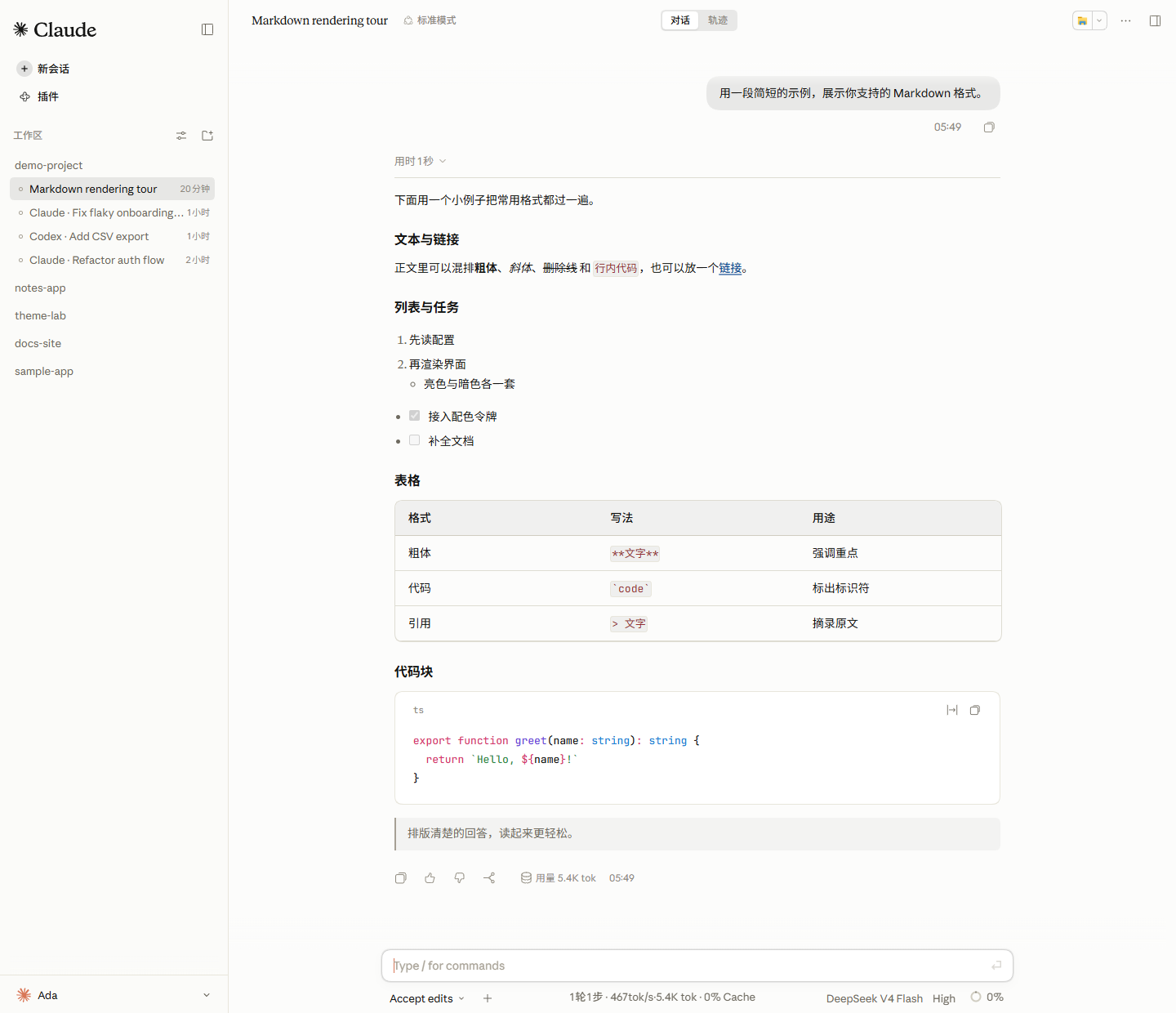
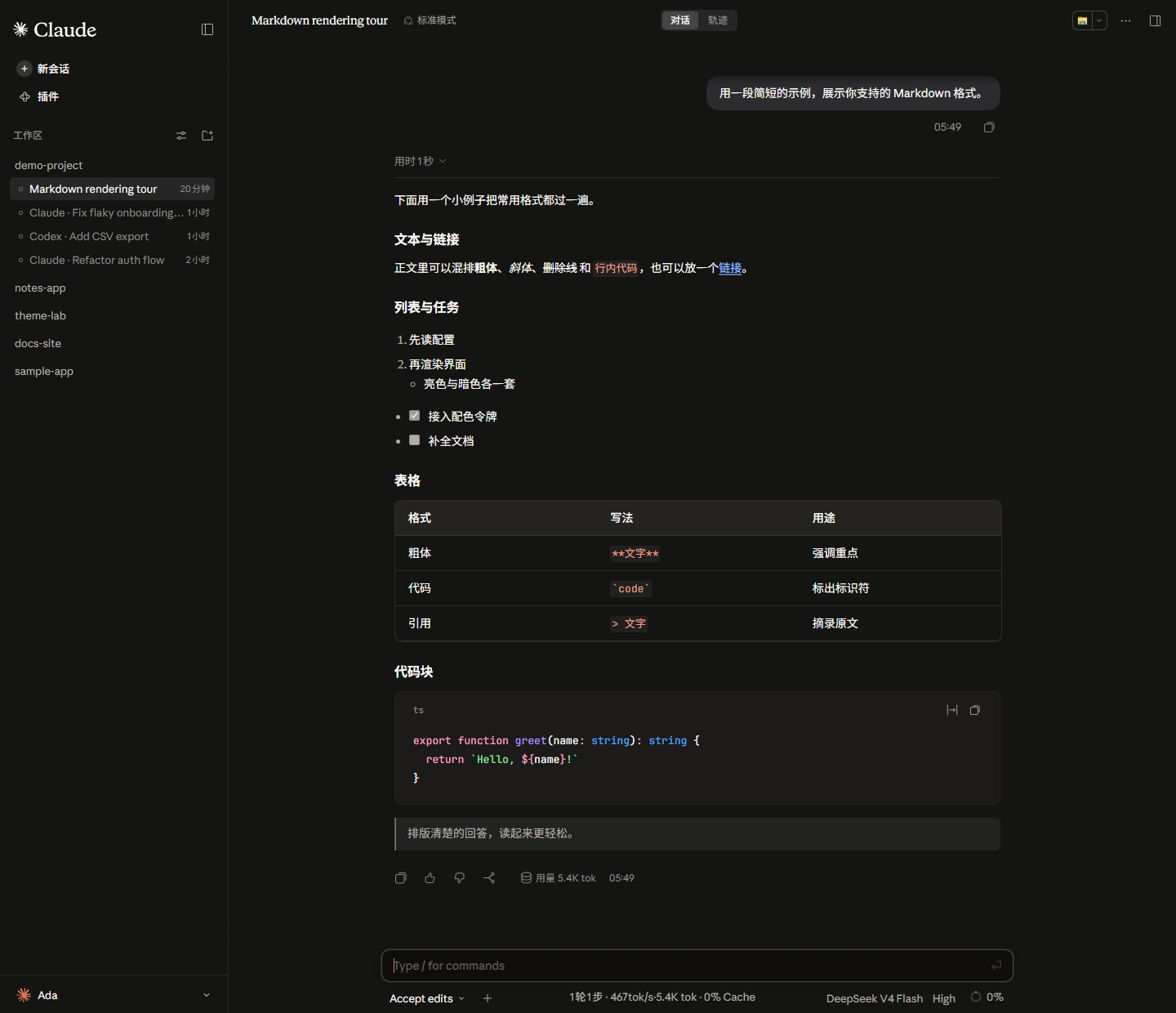
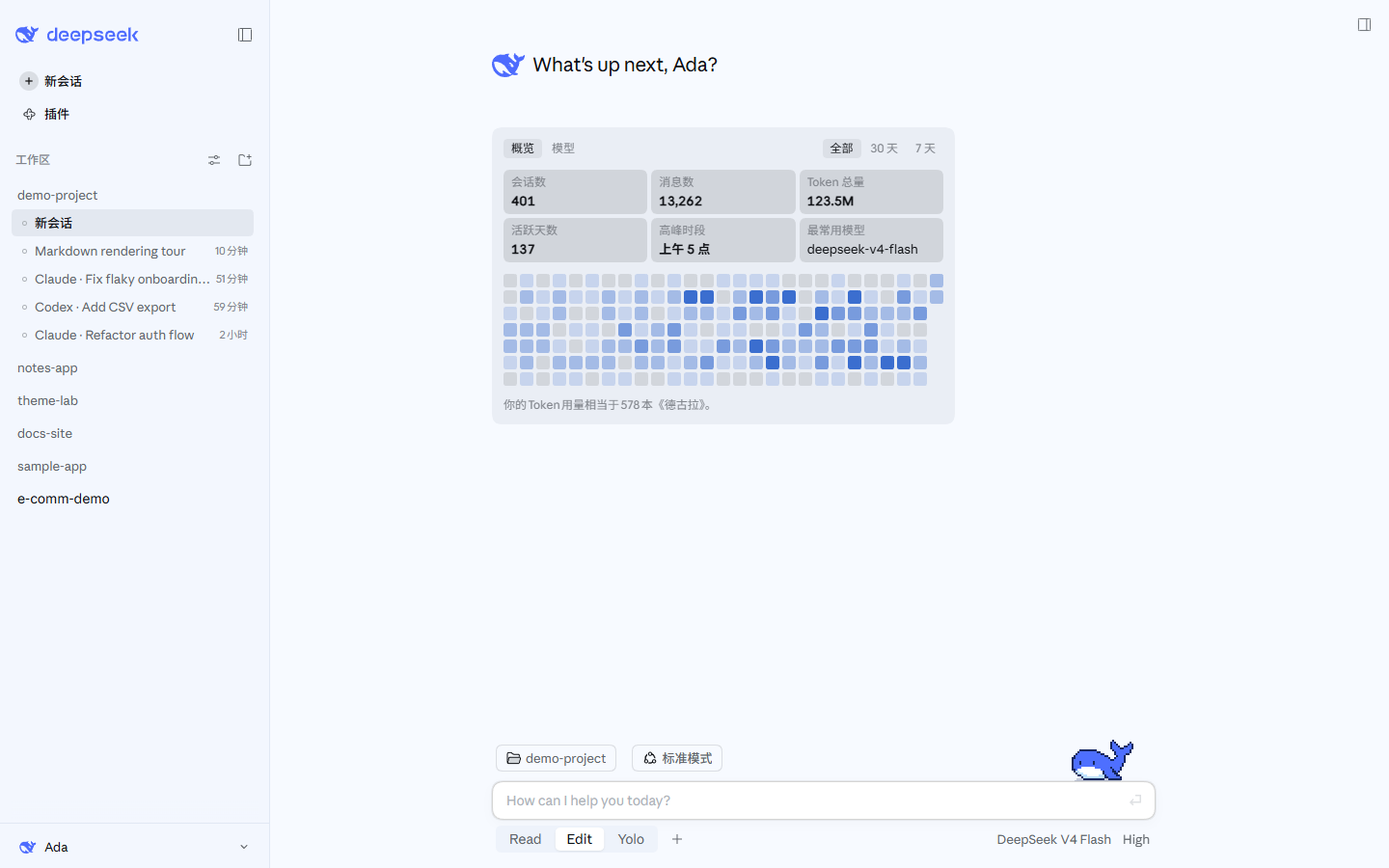
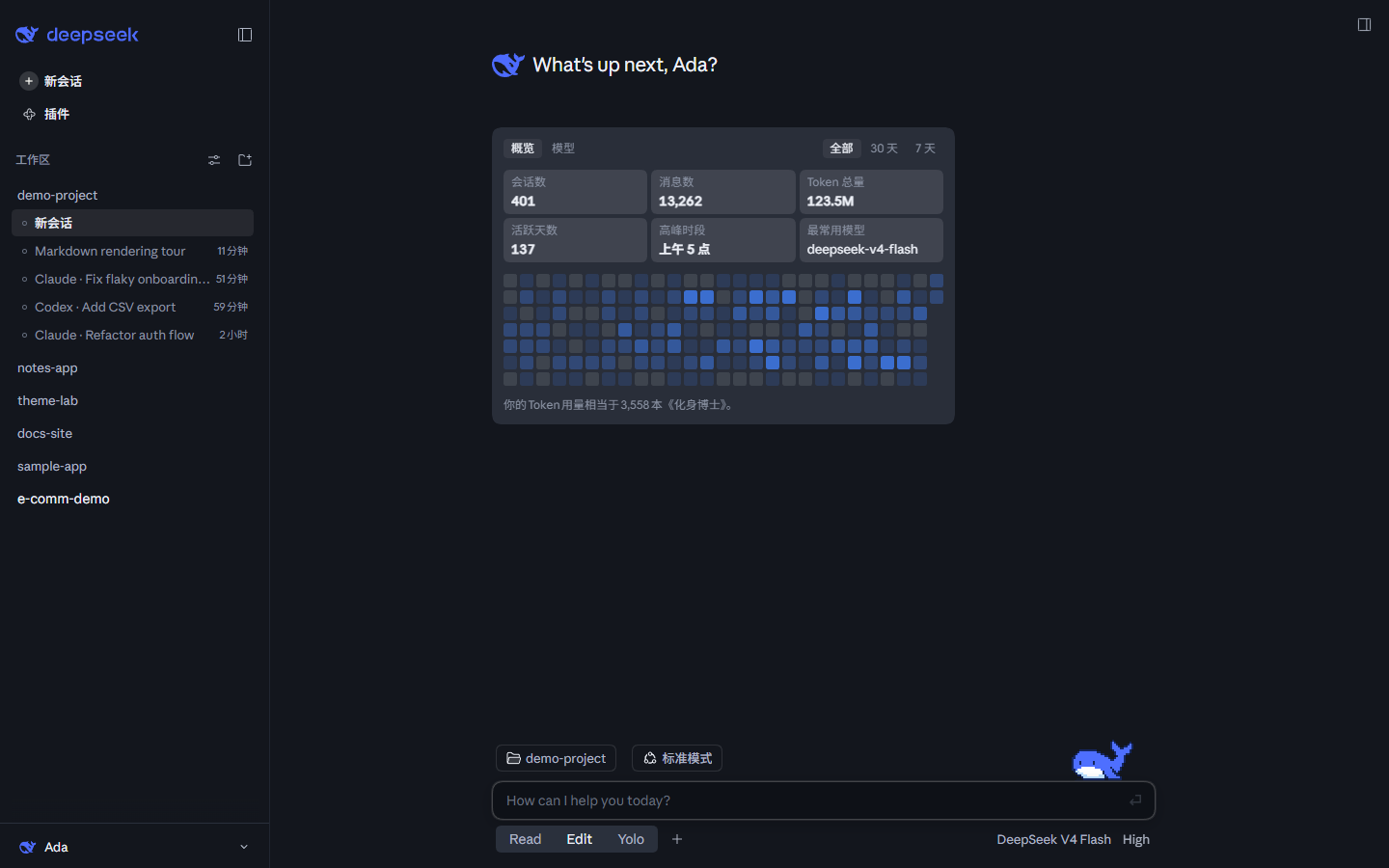
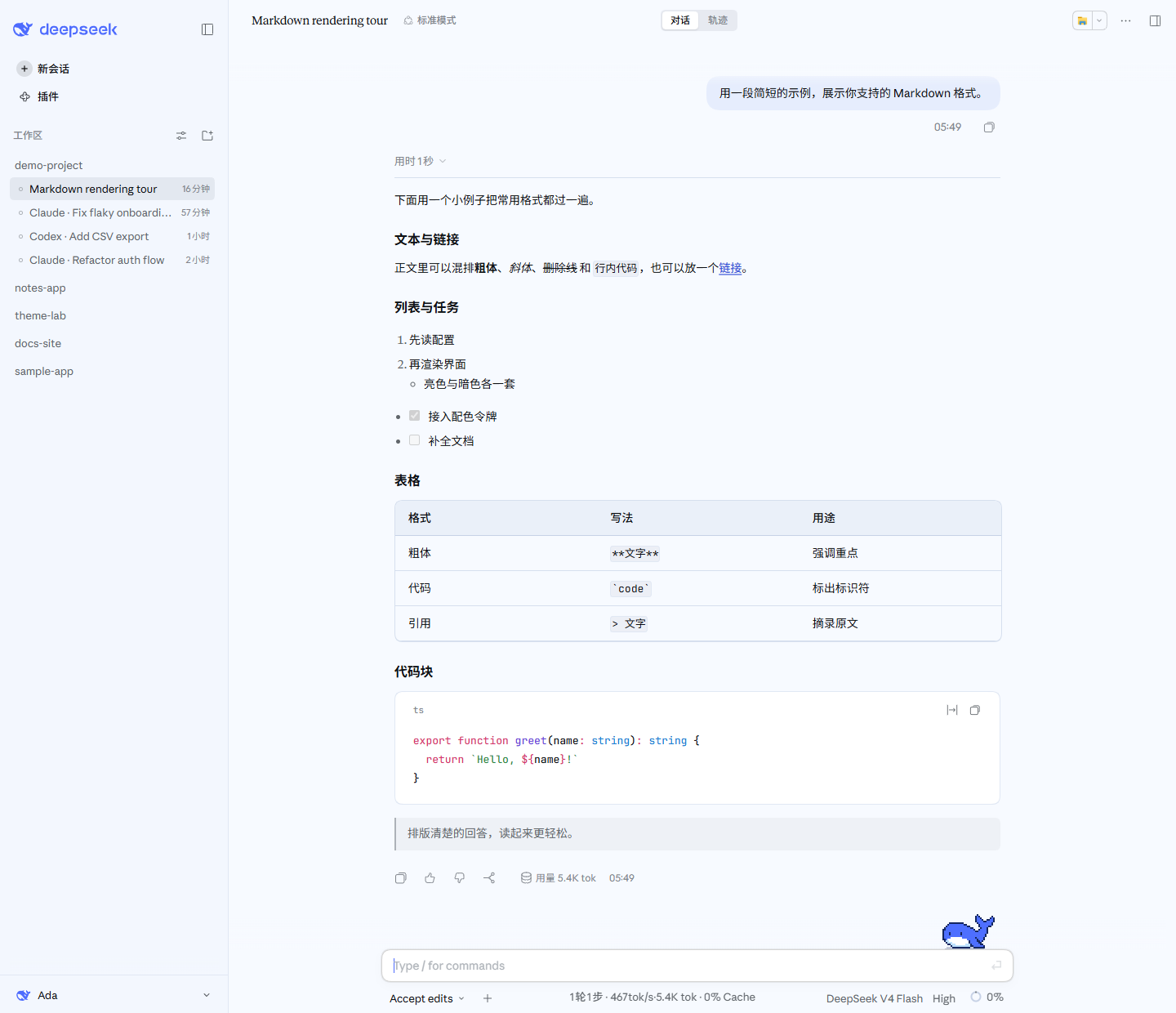
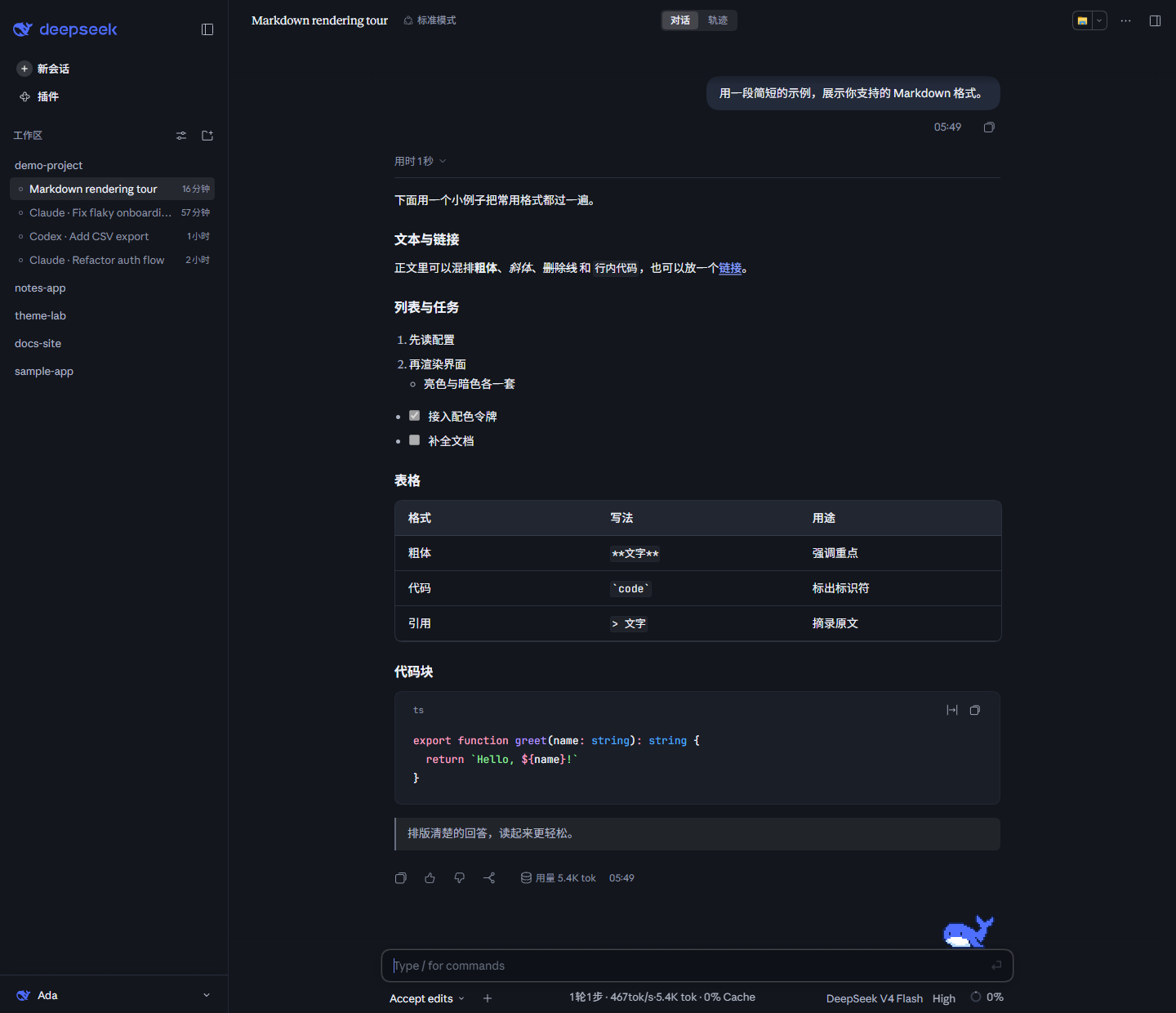
The settings page's Brand mark row switches between the Claude and DeepSeek palettes, and light/dark follows your system's color mode. In each group the top row is the Studio home page and the bottom row a Markdown conversation, light on the left and dark on the right.
Claude
Light mode pairs an ivory canvas
#FCFCFBwith a pale sidebar#FBFBF9; dark mode uses warm black#141413. Ember orange#D97757is the single action accent across both canvases, and Claude Code's pixel crab stands on the Studio home page's composer.
DeepSeek
Light mode is a white with a touch of sky blue,
#F7FAFF, with the sidebar at#F3F7FE; dark mode is a blue-black#13161D. The accent is DeepSeek's brand blue#4D6BFE, and Deepy the pixel whale stands on the composer on the home page and in conversations alike.
The workspaces, sessions, usage figures and nickname in the screenshots are sample data.
Fonts
Important: the Anthropic fonts are not bundled with the npm package. They are available for download in this repository under
fonts/. You can either install them on your system, or skip the install entirely — drop the two.ttffiles into the plugin package'sfonts/directory and the host will serve them as webfonts (the files are identical, so the result is the same). Either way, refresh or restart the web UI for the fonts to take effect.
| Font | Used for | File |
|---|---|---|
| Anthropic Sans Web Text | Interface / UI | fonts/AnthropicSansWebText.ttf |
| Anthropic Serif Web Text | Conversation body / Markdown | fonts/AnthropicSerifWebText.ttf |
| JetBrains Mono Variable | Code / code blocks | fonts/JetBrainsMonoVariable.ttf, fonts/JetBrainsMonoItalicVariable.ttf |
To enable the Anthropic fonts, choose one of the following:
① Install them on your system — on Windows, double-click each .ttf and choose "Install"; on macOS, import them with Font Book.
② Skip the install — copy the .ttf files into the plugin package's fonts/ directory, then refresh the page.
The Anthropic Sans and Serif fonts are the property of Anthropic, licensed for personal use only, and are not covered by this project's MIT license.
Installation
- From the official plugin page, add the plugin below and it installs.
dsh-claude-style
- From a terminal:
dsh plugin --profile web add dsh-claude-style                  # npm package (recommended)
dsh plugin --profile web add Nwflower/dsh-claude-style         # GitHub source
- From the plugin market
Keep only one theme enabled at a time. dsh ≥ 0.1.7 is required, and a restart of DeepSeek Harness brings the full feature set.
Documentation
| Document | Contents |
|---|---|
| Design tokens | Palette, typography, shapes, source layout, and host-selector discipline (in English) |
| Architecture decisions | Single-file bundling, the single-scheduler rule, the feature contract, the account surface, and their trade-offs |
| Changelog | Version history |
| Contributing | Building from src/, commit conventions, and the screenshot and regression tooling (in English) |
Acknowledgements
The animation frames of Deepy the pixel whale come from the Deepy whale theme pack drawn by calmly-eating-bugs (@wp3171216237), and ship with the plugin by the author's permission. Many thanks to the author! GIFs of all 20 animations, contributed by the author, are in showcase/gifs/.
Related projects
Running several themes at once? Try dsh-skin-manager — it switches between all installed themes from a single settings page.
Want to import your Claude Code / Codex session history into DSH and keep the conversation going? Try the author's other plugin, dsh-chat-import.
Star History
Comments
Comments live in GitHub Discussions. Sign in with GitHub to post or react.