
Install
Inside DeepSeek Harness, with dsh-market
dsh plugin --profile web add dshmarket
Or from the command line
dsh plugin --profile web add github:Limitinfinitude/DSH-Right-Sidebar
Installing runs third-party code with your own permissions — it can read your files, use your credentials and reach the network. Review the source first, and pin a commit (github:owner/repo#sha) when you can.
Screenshots
README
中文 | English
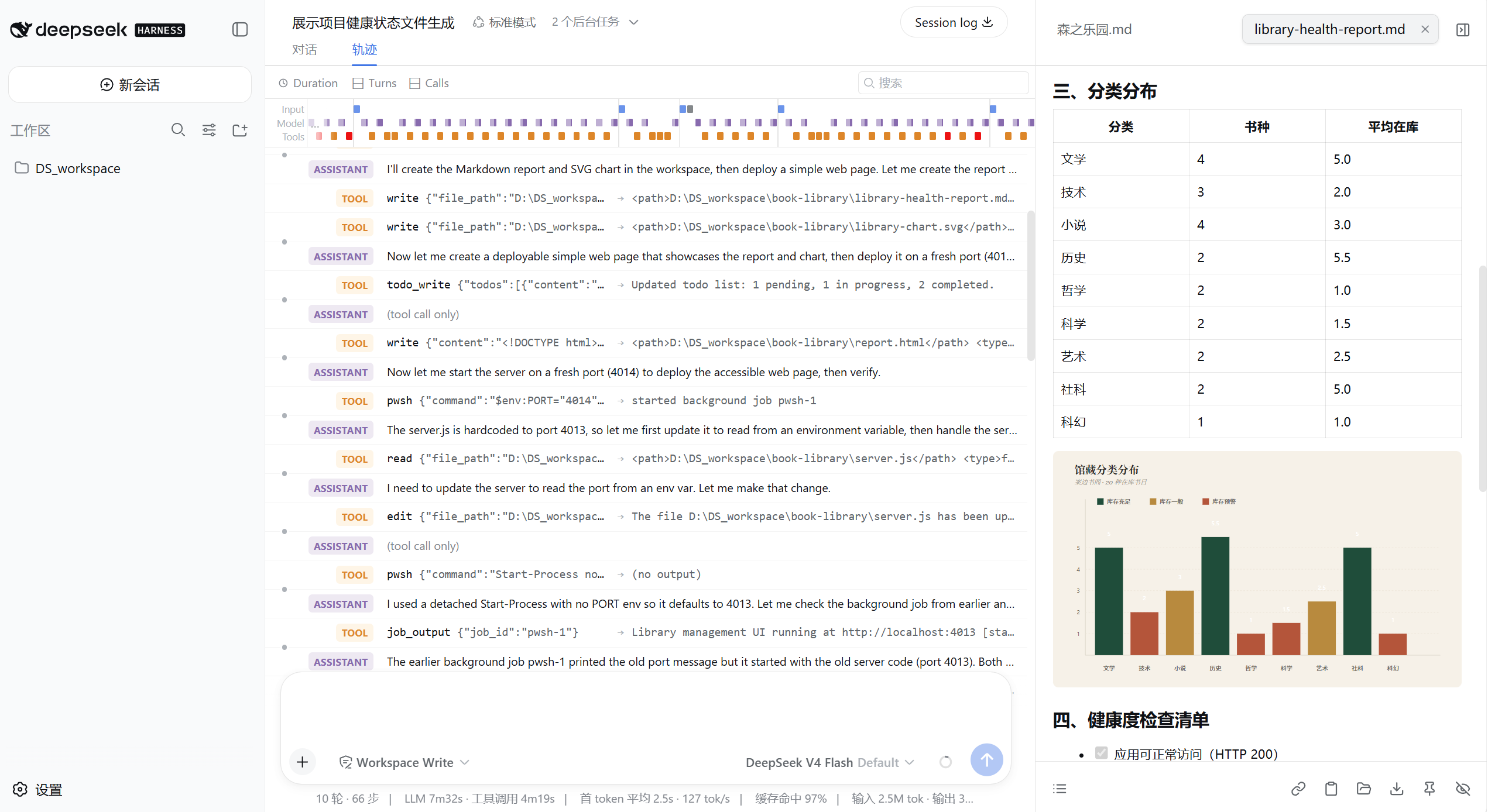
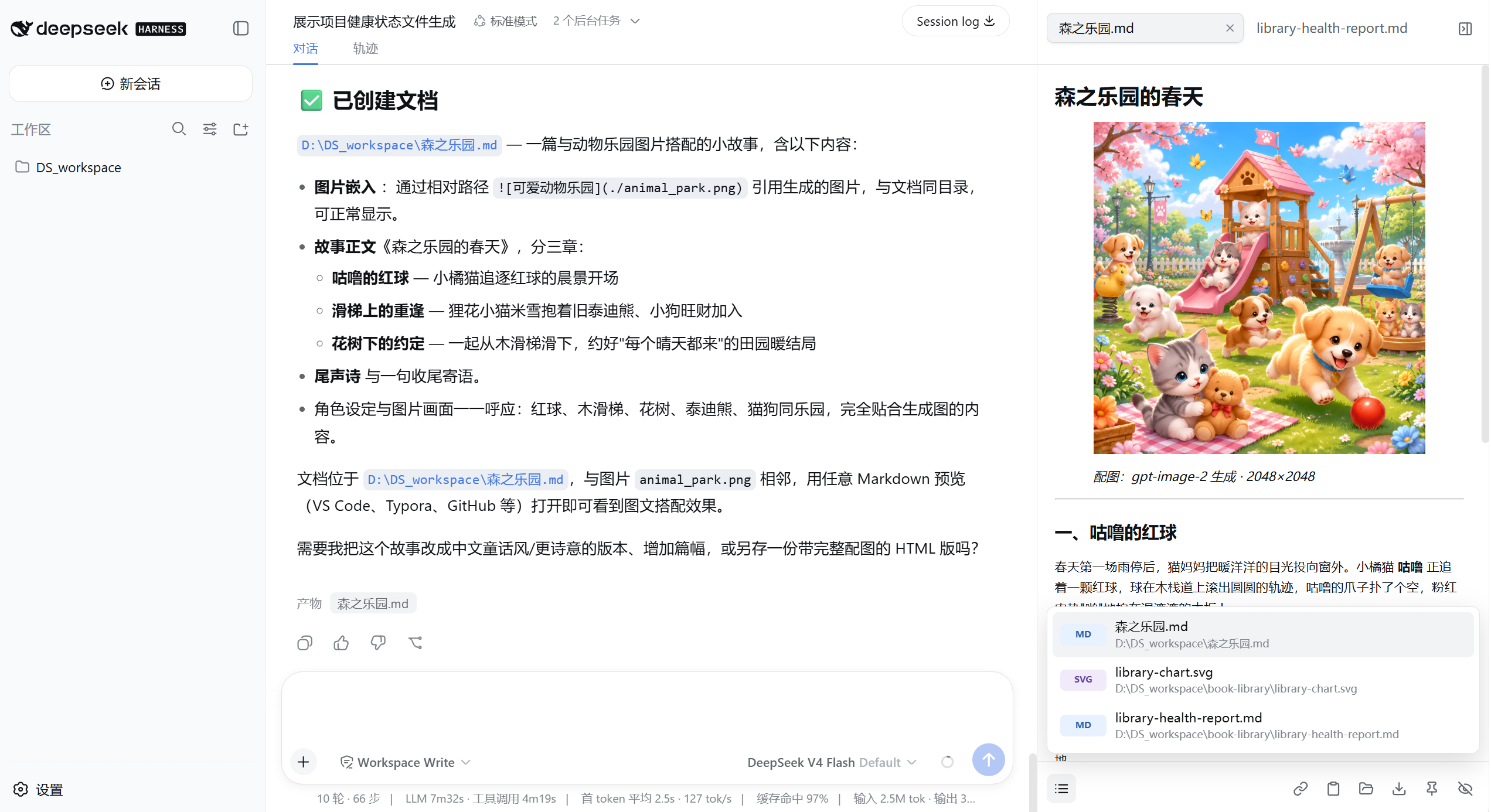
DSH Right Sidebar is a native output workspace for DeepSeek Harness. It keeps the reports, diagrams, images, data, and documents generated in a session beside the conversation instead of scattering them across the workspace and tool history.
Purpose
Output Dock is not a file manager, and it does not surface every file in a project. It keeps only results a person can read, inspect, download, or use. Source code, configuration, dependencies, and HTML source files remain the responsibility of the DSH workspace.
- Permanent right-edge entry that can open automatically, collapse, and restore manually
- Session-aware outputs, tab order, and closed-tab state
- Automatic refresh when the agent updates an output at the same path
- HTTP(S) file URLs explicitly delivered by the agent, plus uniquely matched incomplete workspace paths
- Closeable, draggable stacked tabs that retain readable names in a narrow sidebar
- A footer catalog that filters outputs by type (docs, images, data, media, with counts), searches by name or path, groups them by turn, and reopens closed outputs or closes every tab at once
- File sizes in the catalog, refreshed whenever the agent rewrites the same output
- Direct, rendered Markdown editing with silent save after typing stops, plus saving and failure feedback
- Copy path or content, download, reveal the containing directory, pin, or hide an output
- A quality-check badge that surfaces broken links, SVG and HTML problems, and failed media loads
- Per-item unhide with a hidden count, and a draggable edge that persists the sidebar width
- Keyboard shortcuts:
Alt+]/Alt+[cycle outputs,Alt+Wcloses the current tab,Alt+Otoggles the sidebar, andEscdismisses popovers
Preview Coverage
| Category | Supported now |
|---|---|
| Automatic outputs | Markdown (md, mdx, markdown), PDF, SVG, images (PNG, JPEG, WebP, GIF, AVIF, BMP, ICO, TIFF), video (MP4, M4V, WebM, OGV, MOV), and audio (MP3, WAV, OGG, OGA, OPUS, M4A, FLAC, AAC) |
| On-demand outputs | TXT, JSON, JSONL, CSV, TSV, and IPYNB; shown only when the agent explicitly mentions the file path or name |
| Not displayed | Source, HTML/HTM, configuration, logs, YAML, TOML, XML, INI, CONF, and other project-internal files |
- JSON/JSONL: collapsible tree, search, expand/collapse all, formatted raw view, and invalid-line reporting
- CSV/TSV: quoted and multiline fields, filtering, numeric/text sorting, pagination, and resizable columns
- TXT: line numbers, full-text search, match count, wrapping, and 250-line pages for bounded DOM size
- Image/SVG: fit, actual size, zoom, drag-to-pan, dimensions, and a transparency checkerboard
- Video/Audio: the browser's native player with an external-open control; nothing is transcoded
- PDF: the browser's built-in PDF reader with refresh and external-open controls
HTML files are project source. A deployed website should instead be provided by the agent as an
accessible URL in the conversation. This keeps a frontend or full-stack project with many js,
ts, css, and configuration files from drowning out its actual deliverables.
Use
- Ask DSH to generate a report, diagram, image, PDF, or data file.
- Rich outputs such as Markdown, PDF, SVG, and images automatically open the sidebar with the newest output selected.
- Data files such as TXT, JSON, and CSV enter the output list only when the agent explicitly mentions them, and they do not replace the active rich preview.
- Switch between outputs through tabs; reopen a closed item from the footer catalog.
- Use "Reveal directory" when you need the source or project files in the DSH workspace.
Install
DSH Right Sidebar requires a DSH Web build that exposes the session-scoped details.overlay slot
and named details-surface APIs.
git clone https://github.com/Limitinfinitude/DSH-Right-Sidebar.git
cd DSH-Right-Sidebar
npm install
npm run build
dsh plugin --profile web add .
Refresh the DSH Web session after installation.
Performance and Security
The dock does not poll files or ports while idle. Output content is fetched only after selection,
and complex previews initialize on demand. JSON search traverses the data once, tables are capped at
10,000 rows, and TXT rendering is paginated. Media files stream through native players without being
fetched as text. The browser bundle is approximately 188 KB gzip.
Files inside a workspace are path-validated. Agent-produced outputs outside registered workspaces can be accessed temporarily after same-origin authorization from DSH. Up to 256 authorized external roots are retained, and each expires after six hours. Markdown and SVG are sanitized before rendering, binary files are read-only, and HTML/HTM source is never embedded in the dock.
Network outputs require authorization from the same-origin DSH page and are read through a bounded proxy that forwards no cookies or authorization headers. Only supported file extensions are accepted; responses are limited to 16 MB with a 10-second timeout. A bare URL must have delivery-oriented context, while an explicit Markdown file link is accepted directly, so ordinary reference links stay out of the dock. Incomplete paths resolve only when exactly one file matches inside registered workspaces; ambiguous names are rejected instead of guessed.
Development
npm test -- --run
npm run typecheck
npm run build
License
Comments
Comments live in GitHub Discussions. Sign in with GitHub to post or react.