
Install
Inside DeepSeek Harness, with dsh-market
dsh plugin --profile web add dshmarket
Or from the command line
dsh plugin --profile web add dsh-origin-plugin
Installing runs third-party code with your own permissions — it can read your files, use your credentials and reach the network. Review the source first, and pin a commit (github:owner/repo#sha) when you can.
Screenshots
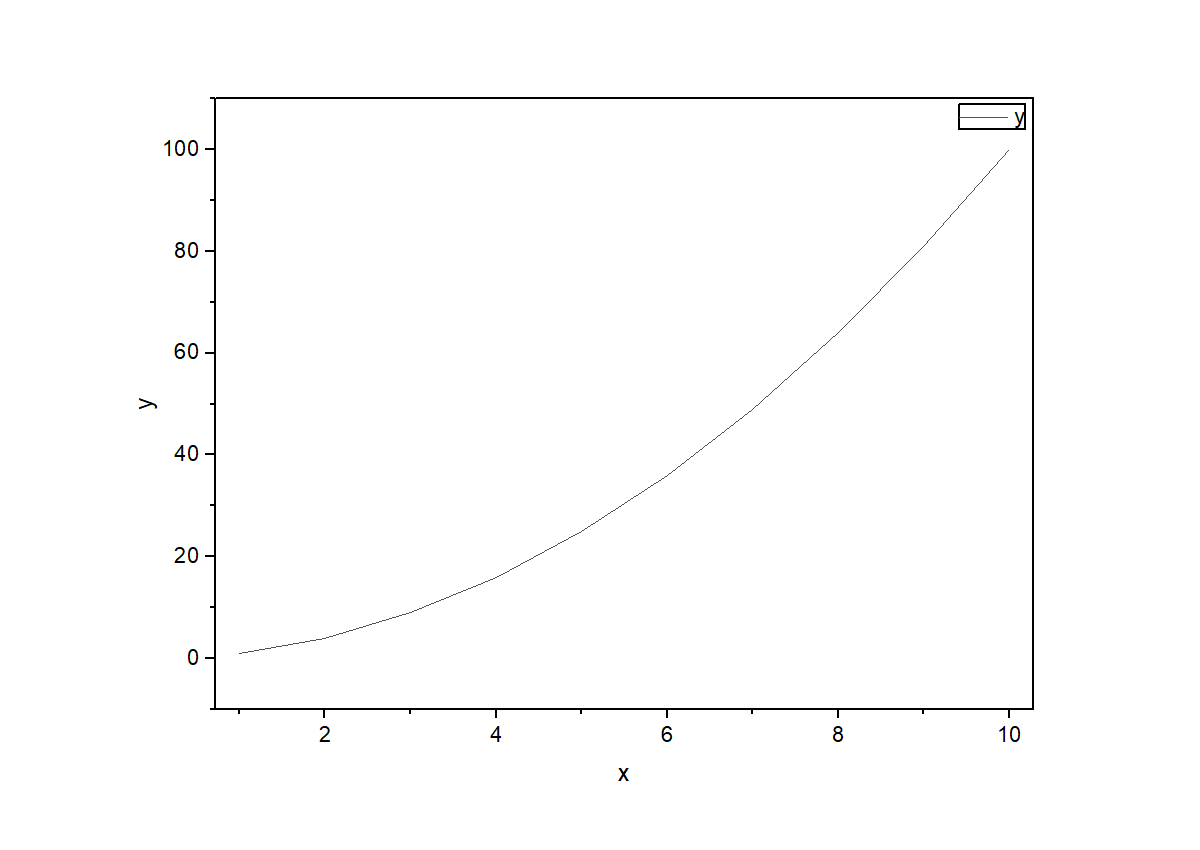
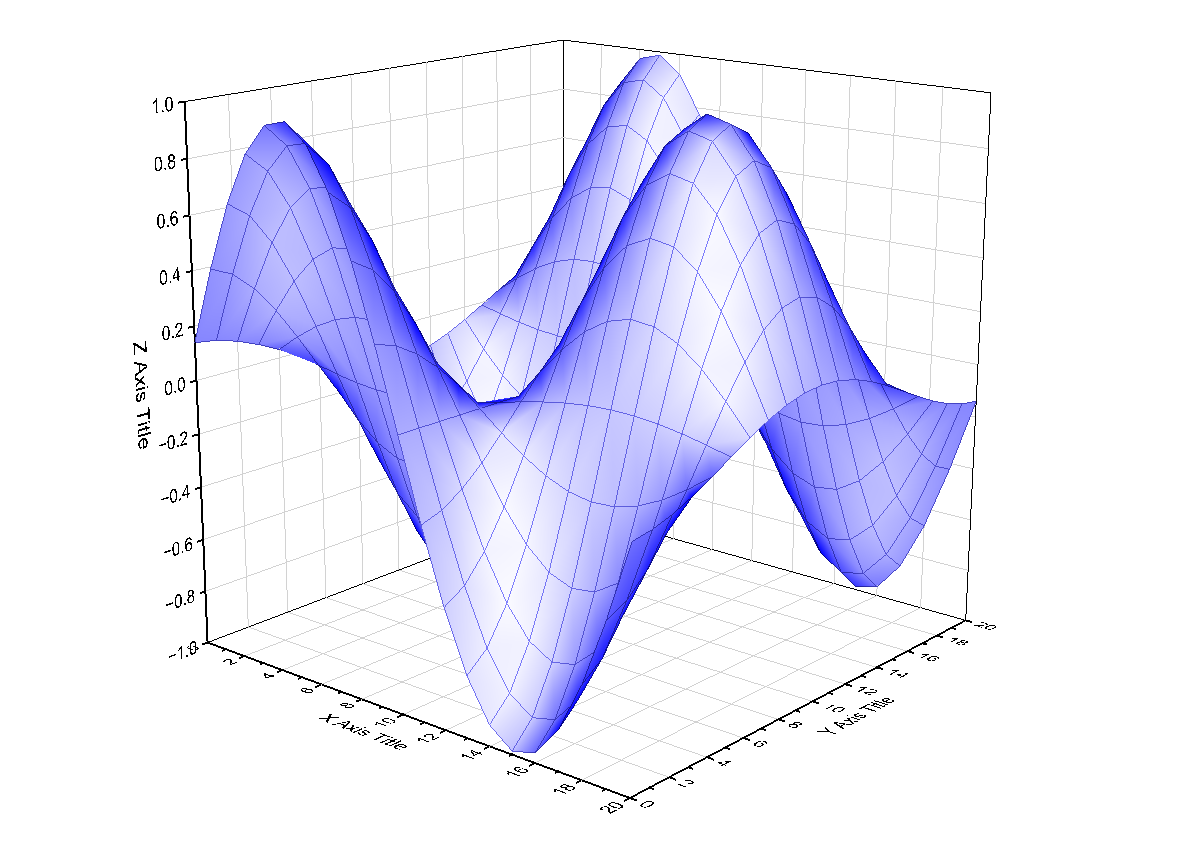
README
New here? Start with the Beginner's Quickstart — four ways to run it (Origin button / copy-paste scripts / MCP client / inside DSH), pick yours, done in 1–3 minutes. This page is the capability reference; the Chinese README.md is authoritative.
Drive OriginLab Origin from AI chat over MCP — on your own machine, over COM, with no network round-trip to anyone else's server.
Why this instead of a text-to-figure tool
The deliverable is an editable Origin project file (OPJU) plus a reproducible FigureSpec YAML — every line, marker and axis property stays hand-tunable in Origin and reproducible months later. Text-to-figure / text-to-SVG routes (AutoFigure-like) emit one-off vector objects aimed at method diagrams, not experimental data plots; editability granularity and scientific reproducibility are on different levels.
Install
| Route | Command | Best for |
|---|---|---|
| A. Origin button | python scripts/build_origin_app.py, then install the generated .opx |
People who never touch a terminal |
| B. Copy-paste scripts | Send skills/origin-scripting/SKILL.md to any AI |
Zero install, works with any AI |
| C. MCP client | python install.py (auto-detects Cursor / Claude Desktop / Kimi / Cline / Continue / VS Code) |
AI client users |
| D. HTTP (shared Origin) | python origin_mcp_http.py --port 8731 |
Several AIs, one Origin |
| E. Inside DSH | Install dsh-origin from the plugin market |
DSH users |
| F. npx | npx dsh-origin-plugin |
Quick try |
Requirements: Windows, Origin 2021+ (2026 tested), Python 3.10+.
Fast path: one call, one figure
{"columns": {"x":[1,2,3,4,5], "y":[1,4,9,16,25]}, "intent": "journal", "fmt": "png"}
origin_figure does import → plot → verify → export → (optional) delivery in a single call
(~1 s). The old route took 6–10 tool round-trips; because ~80% of perceived latency is model
decision turns, collapsing the turns is what actually makes it feel fast.
What's in the box (70 tools / 34 error codes)
- Plotting — 2D (line/scatter/line-symbol/column/histogram/box/bar/error bars), 3D, contour, domain templates (stacked spectra, XRD triple, dual-Y, forest, multi-panel)
- Fine-grained editing — per-curve color/width/symbol/visibility, axis, legend anchors, page geometry, window management, remove/swap curves, sort/transpose
- Analysis — fitting with initial/fixed/weighted params, peak analysis, statistics batch (t-test / ANOVA / PCA / Kaplan-Meier), FFT, integration, correlation
- Matrix tools — write / read / plot matrices (surface, contour, wireframe)
- Bridges — matplotlib figure → Origin, PowerPoint assembly with panel letters, OriginLab Graph Gallery template search, EPS/SVG/PDF/TIF/EMF export
- Reusable style templates — save a finished graph as a template and apply it to others (lab-wide consistent styling)
- Trust layer — readback graded
verified/readback_only/unverified, modal-dialog watchdog, LabTalk destructive-command gate, export file-magic validation, 12-image dHash visual regression baseline, stable error codes with a recovery map - Declarative — FigureSpec YAML (diff-able, replayable), MCP Resources read-only snapshots
Science boundaries
No fabricated data · uncertain columns raise a confirmation question · derived columns are labelled · statistics carry a confidence note · unsupported operations are refused explicitly rather than silently ignored. 15 measured failure modes are documented in COMPATIBILITY.md.
Test
python -m pytest tests/ -q              # offline tests always; live tests skip without Origin
python origin_mcp_server.py --offline-test
python origin_mcp_server.py --selftest  # full chain, needs Origin
MIT License. Not affiliated with OriginLab.
Comments
Comments live in GitHub Discussions. Sign in with GitHub to post or react.