
Install
Inside DeepSeek Harness, with dsh-market
dsh plugin --profile web add dshmarket
Or from the command line
dsh plugin --profile web add github:Eve-146T/DSH-CODEX-SUBSCRIPTION-POOL
Installing runs third-party code with your own permissions — it can read your files, use your credentials and reach the network. Review the source first, and pin a commit (github:owner/repo#sha) when you can.
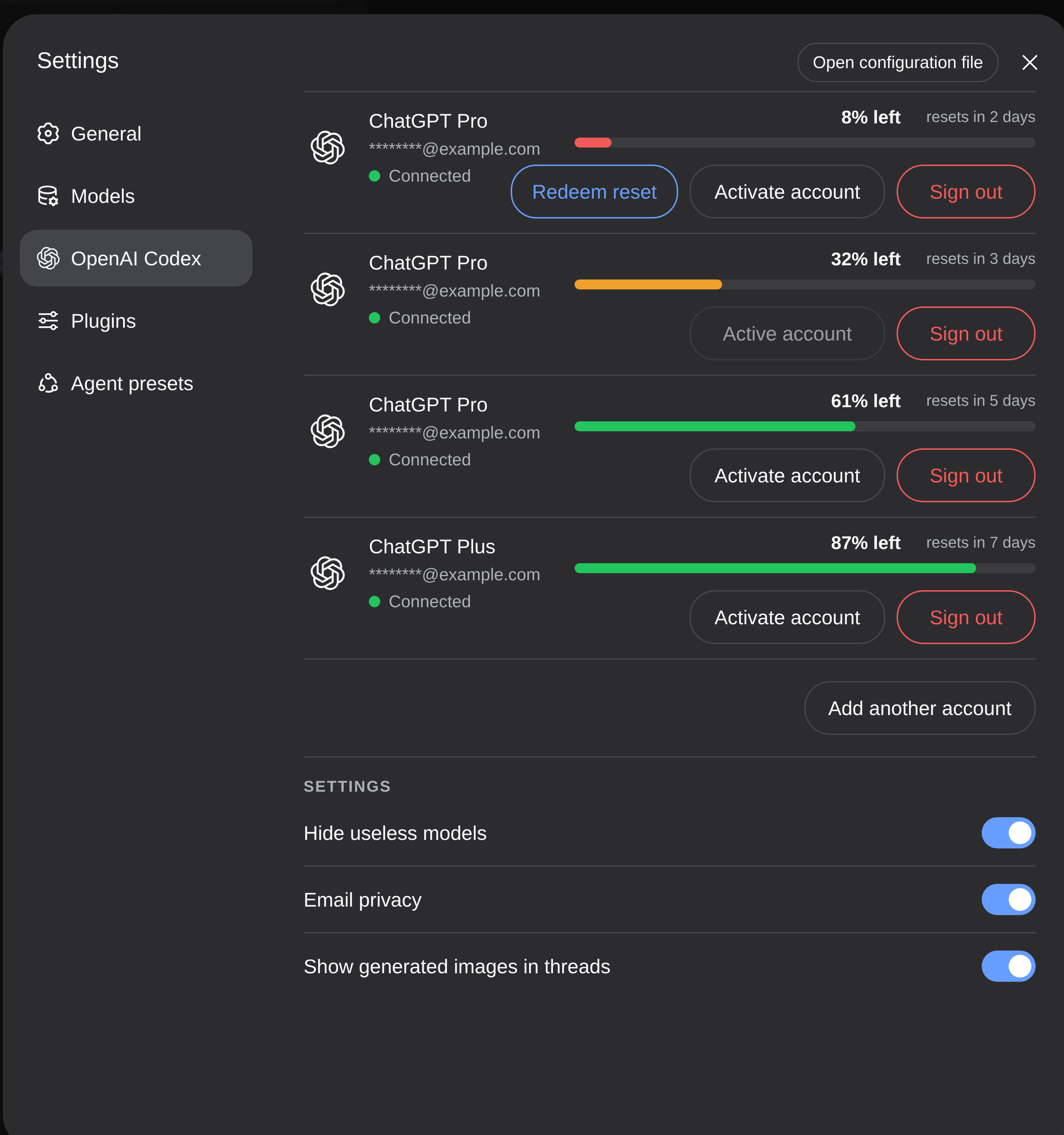
Screenshots
README
OpenAI Codex Plugin for the DeepSeek Harness
Lets you manage your pool of OpenAI subscriptions in DSH.
Features
- Multi-account OpenAI Codex OAuth and usage controls
- Web search and image generation
- Chinese UI follows the language selected in DSH
- Model identity and routing guidance for agents
- The official OpenAI Docs skill, vendored from openai/skills
The plugin adds a durable runtime-context snapshot that tells an agent its
active provider/model, the models advertised by the openai-codex adapter,
what Sol, Terra, and Luna are for, and which orchestration tools accept an
explicit model. DSH writes this snapshot at session start and replaces it only
when the active model or advertised catalogue changes; it is not repeated on
every request.
Install the DeepSeek Harness Codex plugin
Add it to your DSH Web profile:
dsh plugin --profile web add github:Eve-146T/DSH-CODEX-SUBSCRIPTION-POOL
Tutorial
# install the plugin
dsh plugin --profile web add github:Eve-146T/DSH-CODEX-SUBSCRIPTION-POOL
# restart dsh
dsh --profile web
Then:
- Open Settings
- Click OpenAI Codex in the sidebar and login
- Choose OpenAI Codex as the provider in the Models tab
The optional model filter recognizes GPT-6 and Astra rollout entries while keeping the current model selection unchanged.
Development
pnpm install
pnpm run build
pnpm test
dsh plugin --profile web add ./openai-codex-auth
License
This project is distributed under GPL-3.0-only. The vendored OpenAI Docs skill retains its upstream license.
Comments
Comments live in GitHub Discussions. Sign in with GitHub to post or react.