
Install
Inside DeepSeek Harness, with dsh-market
dsh plugin --profile web add dshmarket
Or from the command line
dsh plugin --profile web add dsh-cool-terminal
Installing runs third-party code with your own permissions — it can read your files, use your credentials and reach the network. Review the source first, and pin a commit (github:owner/repo#sha) when you can.
Screenshots
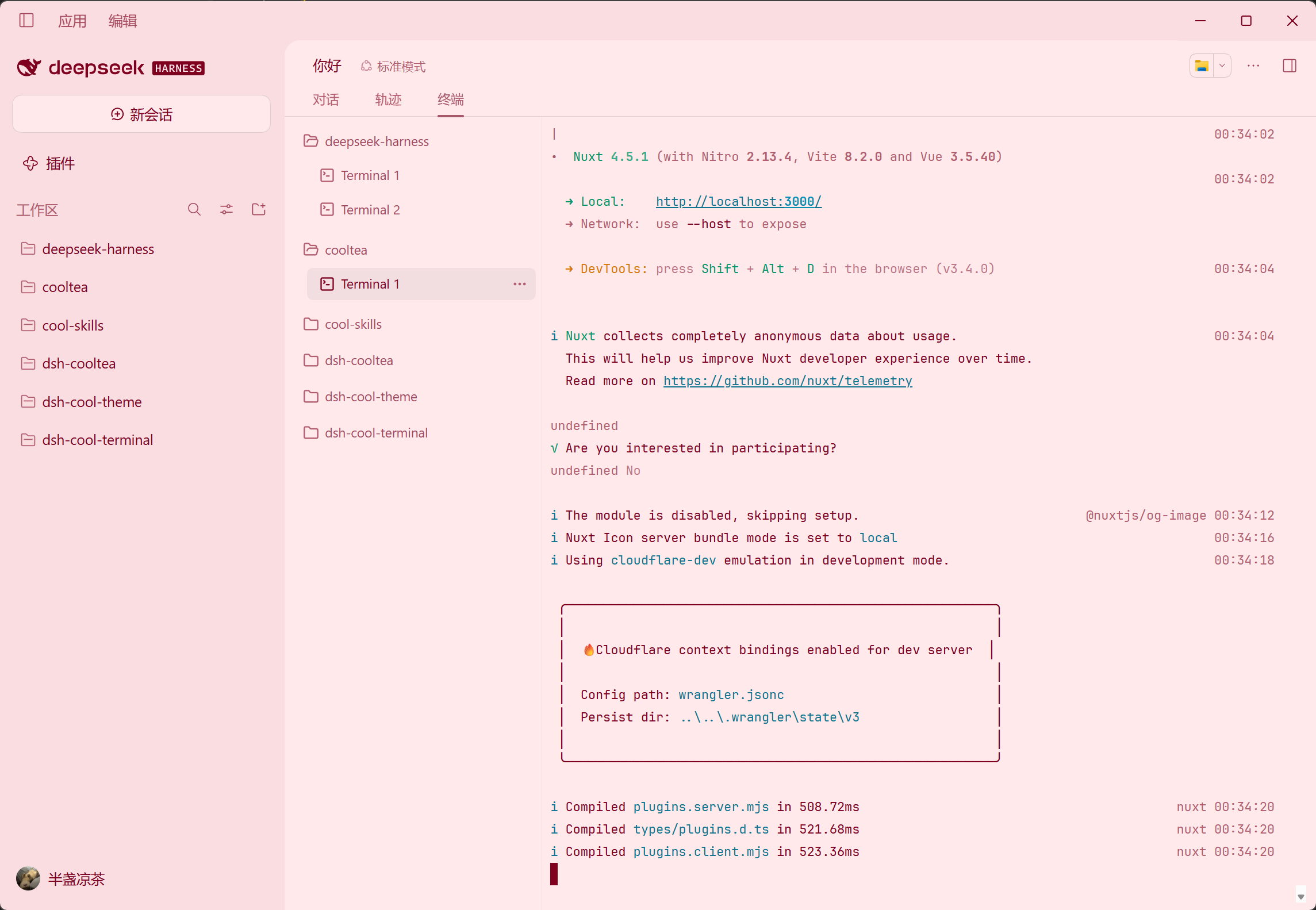
README
English · 中文
Description
DeepSeek Harness terminal plugin — a real shell, a real working directory, persistent state, and common-command management.
Features
- Grouped by workspace — Consoles are grouped by your DSH Workspaces automatically, staying tidy no matter how many you open.
- Persistent across sessions and reloads — Shell sessions, scrollback, and the current path are preserved across conversation switches and page reloads, picking up right where you left off.
- Per-console command history — Each console keeps its own history; pressing
↑never pulls in commands from other consoles. - Common command management — Add, edit, delete, and use the common commands you create.
- Theme-aware — Rendered with DSH theme variables, compatible with most theme plugins.
Installation
Use DSH's add-plugin feature and enter the package name: dsh-cool-terminal.
Current limitations
- Consoles run a real local shell as the DSH process user — this is not the confined one-shot shell, so treat them as a localhost-trusted environment.
- Consoles are process-local and do not survive a DSH restart.
- A console's size is fixed at creation; resizing is not supported yet.
Contributing
Contributions via Issues and PRs are welcome.
// Clone project
git clone https://github.com/CoolTea001/dsh-cool-terminal.git

// Install dependencies
cd dsh-cool-terminal
pnpm install

// Start local development
pnpm run dev

// Local install: use DSH's add-plugin feature and enter the local project path

// Restart DSH service
dsh web
License
MIT © CoolTea
Comments
Comments live in GitHub Discussions. Sign in with GitHub to post or react.