
安装
在 DeepSeek Harness 里通过 dsh-market 安装
dsh plugin --profile web add dshmarket
或使用命令行
dsh plugin --profile web add github:polohot/dsh-adrian-inject-context
装任何插件都等于在你的机器上跑第三方代码,权限和你本人一样大——能读你的文件、用你的凭据、访问网络。请先审阅源码,并尽量锁定 commit(github:owner/repo#sha)。
README
该插件的 README 只有英文版本。
Inject Context for DeepSeek Harness (DSH): persist your own context entries and have them injected as a standalone Remember: row — right after your message — on every turn or once per session, per entry.
Features
- Standalone sourced row — never touches the initial system prompt or the shared runtime-context snapshot
- Simple / Advanced datasets — two independent context lists; the active mode's dataset is what gets injected (exclusive)
- Per-entry checkboxes — toggle any entry on/off, applies from the next request
- Per-entry frequency (v0.3.0) — each entry has an Every turn switch: ticked (default) the entry is injected right after every message; unticked it is injected only at the start of a session and never again — restart-safe, detected from the session's persisted sourced-message surface plus in-memory per-session tracking
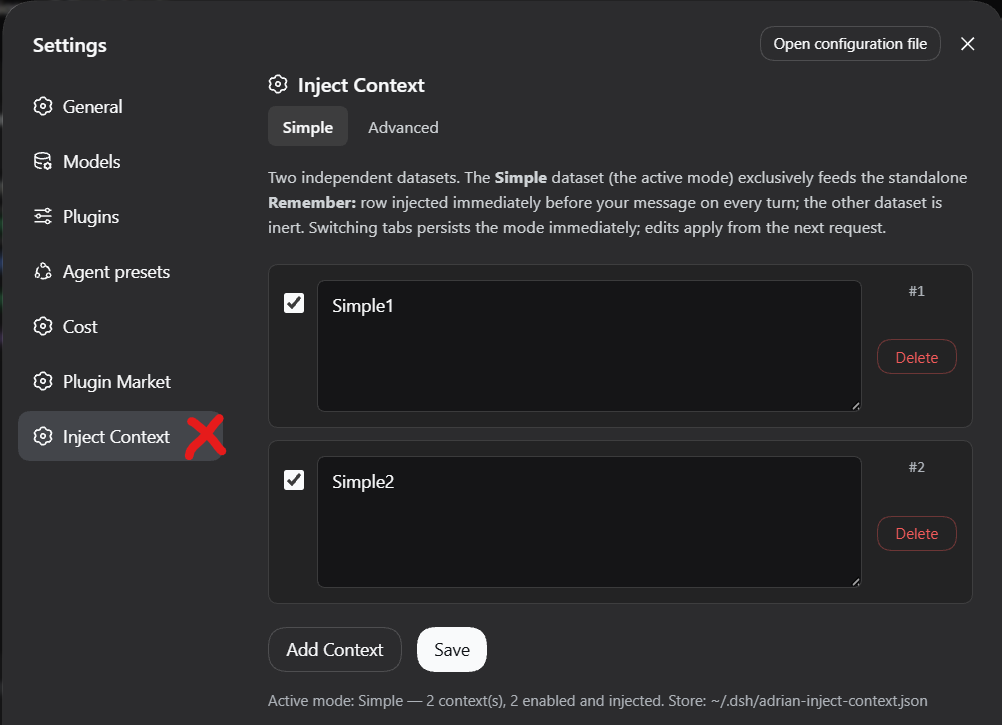
- Native Settings UI — Settings → Inject Context: add, edit, delete, toggle, save
- Persistent — datasets and active mode survive sessions and restarts
- Standalone manager page — also available at
/adrian-inject-context
Screenshots
Settings → Inject Context — manage your datasets
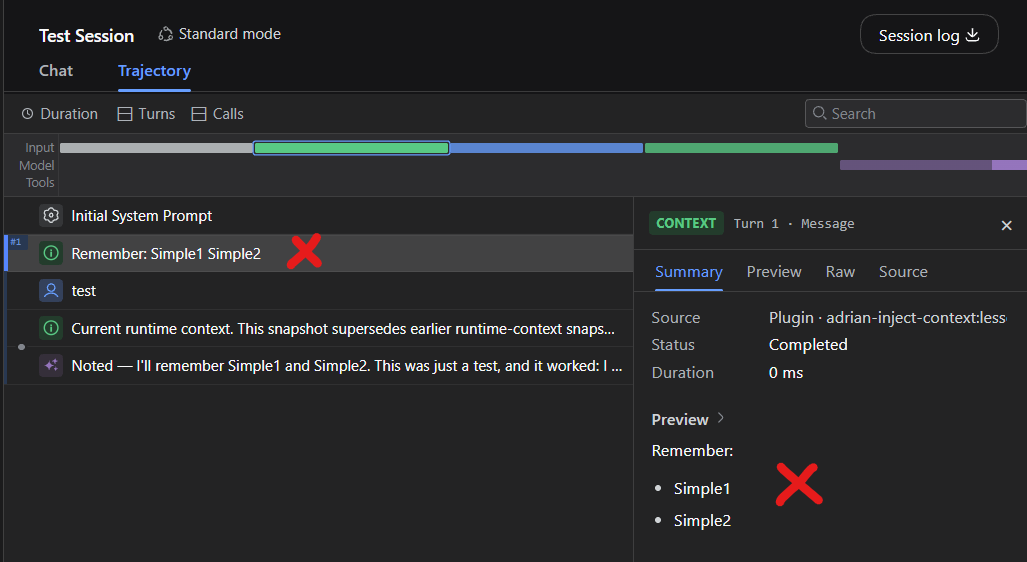
Remember: row in the Trajectory
Install
dsh plugin --profile web add polohot/dsh-adrian-inject-context
Usage
- Open Settings → Inject Context
- Add context entries; per row, two switches:
- Enabled — off = never injected
- Every turn (ticked by default) — ticked = injected right after every message; unticked = only the first message of a session
- Pick the active tab (Simple/Advanced) — its dataset feeds the injection
- Send any message and check the Trajectory: your message sits above the
Remember:block (order: SYSTEM → your message →Remember:)
Per-entry frequency (v0.3.0)
| Enabled | Every turn | Behavior |
|---|---|---|
| off | — | never injected |
| on | ticked | injected right after every message of every session (the default, and the migration default for existing entries) |
| on | unticked | injected only at the start of a session (its first turn), never again in that session |
Once-per-session entries are restart-safe: a process restart never re-injects a once-entry into a session that already carries it. Prior injection is detected from the session's persisted sourced-message surface (the adrian-inject-context:lessons rows) plus in-memory per-session tracking while the process lives. Unticking an entry mid-session lets it appear on the next message exactly once more, then never again — per dataset, so Simple and Advanced stay fully independent.
Configuration
Store: ~/.dsh/adrian-inject-context.json (schema v2, auto-migrated from v1):
{
  "version": 2,
  "mode": "simple",
  "simple":   { "lessons": [{ "id": 1, "text": "…", "enabled": true, "everyTurn": true }] },
  "advanced": { "lessons": [] }
}
everyTurn was added in v0.3.0 without a schema bump — entries missing the field default to true (the previous every-turn behavior).
Requirements
- DeepSeek Harness
dsh≥ 0.1.2-rc.1 (tested on web profile)
How it works
Host-side: an agent/pre-step waterfall listener composes the block per step — all enabled every-turn entries plus enabled once-entries not yet delivered to that session — and splices the plugin's own independently-sourced user-role message right after the turn's user message (the same pattern as dsh-agent-instructions), freshly read from the store on every step. It never injects into an empty entering batch (the agent loop's turn-close signal). Client-side: a settings-section module renders the manager against two host routes. Zero system-prompt modification.
License
MIT
评论
评论存放在 GitHub Discussions。用 GitHub 账号登录后可发表评论或点表情。