
安装
在 DeepSeek Harness 里通过 dsh-market 安装
dsh plugin --profile web add dshmarket
或使用命令行
dsh plugin --profile web add github:hawkhai/wechat-ocr
装任何插件都等于在你的机器上跑第三方代码,权限和你本人一样大——能读你的文件、用你的凭据、访问网络。请先审阅源码,并尽量锁定 commit(github:owner/repo#sha)。
README
该插件的 README 只有英文版本。
Great thanks to IEEE by his Project IEEE/QQImpl] and article.
This project is based on it and reduced the product size by using protobuf-lite instead of protobuf.
This project provided a direct Python interface for calling in sync mode as well as other languages support including but not limited with c++/java/c#.
DeepSeek Harness plugin
This repository can be installed as a DeepSeek Harness plugin:
dsh plugin add github:hawkhai/wechat-ocr
It registers wechat_ocr_recognize, a model-facing tool that accepts a local image path and returns recognized text together with WeChat OCR's structured result. OCR runs locally; the image is not sent to an external OCR service.
Configure wechatOcrPath (the WeChat 3.x WeChatOCR.exe, WeChat 4.x wxocr.dll, or Linux OCR binary) and wechatPath (the matching WeChat runtime directory) in the plugin row. You may instead set WECHAT_OCR_PATH and WECHAT_PATH. The default python must match one of the bundled Windows extension builds (CPython 3.7, 3.11, or 3.12); pythonBin and moduleDir are configurable.
Prepare for usage
To work with this project, you need to prepare the wechat OCR binary and the wechat runtime folder.
For wechat 3.x, the wechat OCR binary is wechatocr.exe, it might be:
C:\Users\yourname\AppData\Roaming\Tencent\WeChat\XPlugin\Plugins\WeChatOCR\7061\extracted\WeChatOCR.exe
and the wechat runtime folder might be:
C:\Program Files (x86)\Tencent\WeChat\[3.9.8.25]
Wechat 4.0 is now supported!
For wechat 4.0, the wechat OCR binary is wxocr.dll, it might be:
C:\Users\yourname\AppData\Roaming\Tencent\xwechat\XPlugin\plugins\WeChatOcr\8011\extracted\wxocr.dll
and the wechat runtime folder might be:
C:\Program Files\Tencent\Weixin\4.0.0.26
Warning
WeChat 4.0 OCR binary is wxocr.dll, but this project built a DLL named wcocr.dll
Their names are similar, DO NOT confuse them.
Linux is now supported
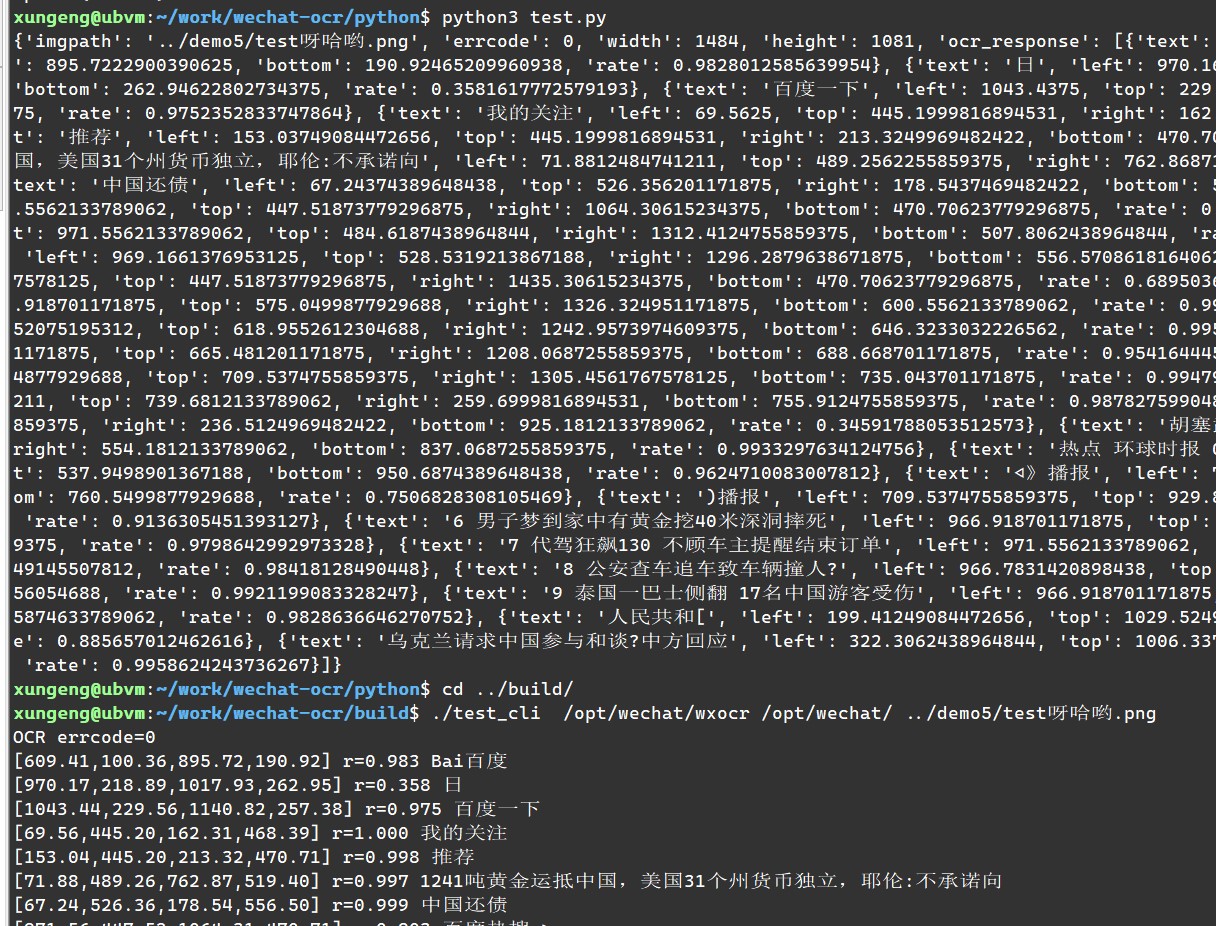
Typically, You should use /opt/wechat/wxocr as the OCR exe path and /opt/wechat/ as the WeChat folder path.
The other usages are similar to those on Windows.
C++ interface
You can use the following code to test it:
CWeChatOCR ocr(wechatocr_path, wechat_path);
if (!ocr.wait_connection(5000)) {
	// error handling
}
CWeChatOCR::result_t result;
ocr.doOCR("D:\\test.png", &result);
You can also pass nullptr to the second parameter of doOCR to call in async mode and wait the callback.
In this case, you need to subclass CWeChatOCR and implement the virtual function OnOCRResult.
Python interface
Rename the built wcocr.dll to wcocr.pyd and put it in the same directory as test.py.
You can use the following code to test it:
import wcocr
wcocr.init(wechatocr_path, wechat_path)
result = wcocr.ocr("D:\\test.png")
Currently, the python interface only supports sync mode.
Java interface
- see java/Test.java
- I'm not so familiar with java and don't know how to pass complex data structures, so I just passed a JSON string from cpp to java.
- The added DLL export function
wechat_ocrcan also be used in other scenarios.
C Sharp (C#) interface
- see
c_sharpfolder. - It's important to ensure the built dll is copied to the folder test_cs.exe in! always copy the 64bit version dll!
- It's ok to built a 32bit test_cs.exe and copy the 32bit dll, you can try.
评论
评论存放在 GitHub Discussions。用 GitHub 账号登录后可发表评论或点表情。