
安装
在 DeepSeek Harness 里通过 dsh-market 安装
dsh plugin --profile web add dshmarket
或使用命令行
dsh plugin --profile web add github:TheGoodMorty/chat-pace
装任何插件都等于在你的机器上跑第三方代码,权限和你本人一样大——能读你的文件、用你的凭据、访问网络。请先审阅源码,并尽量锁定 commit(github:owner/repo#sha)。
截图
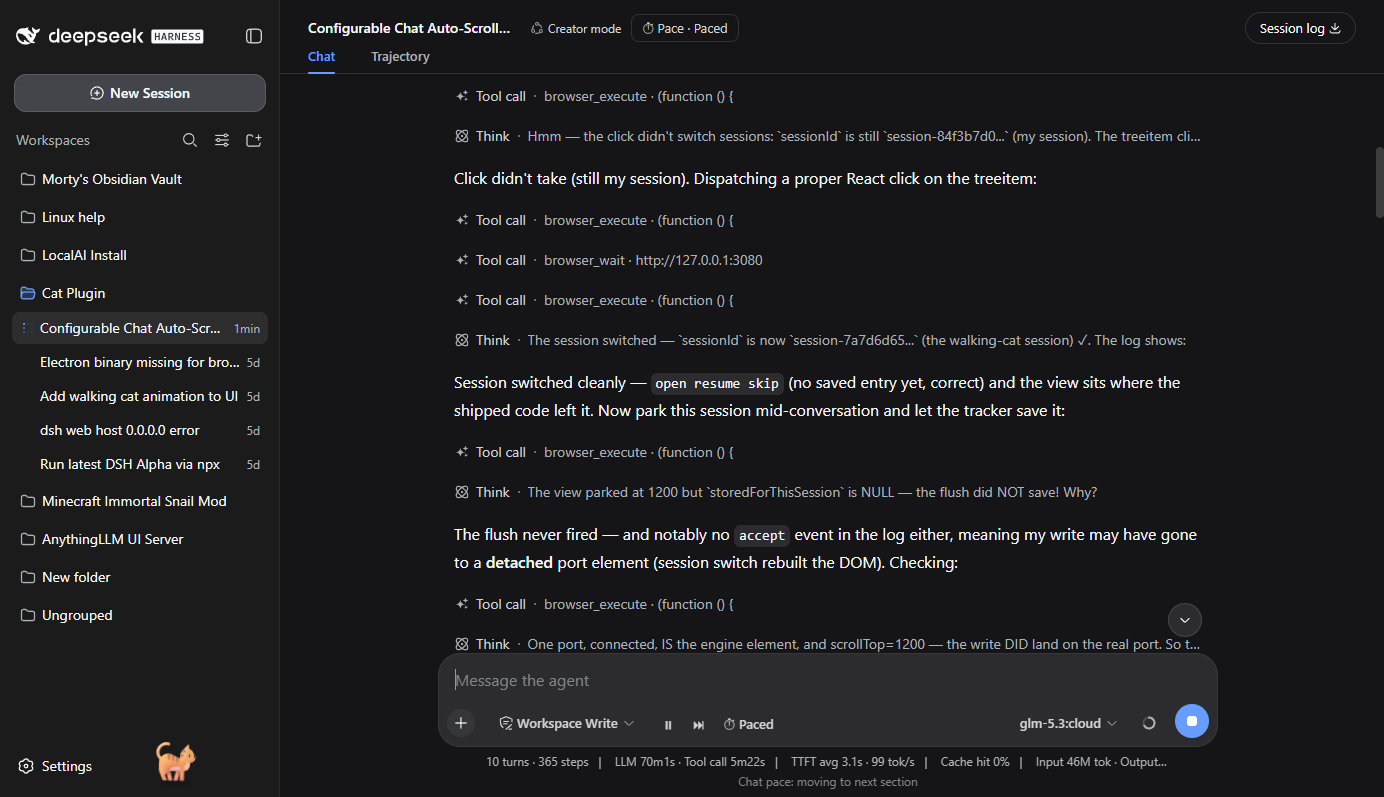
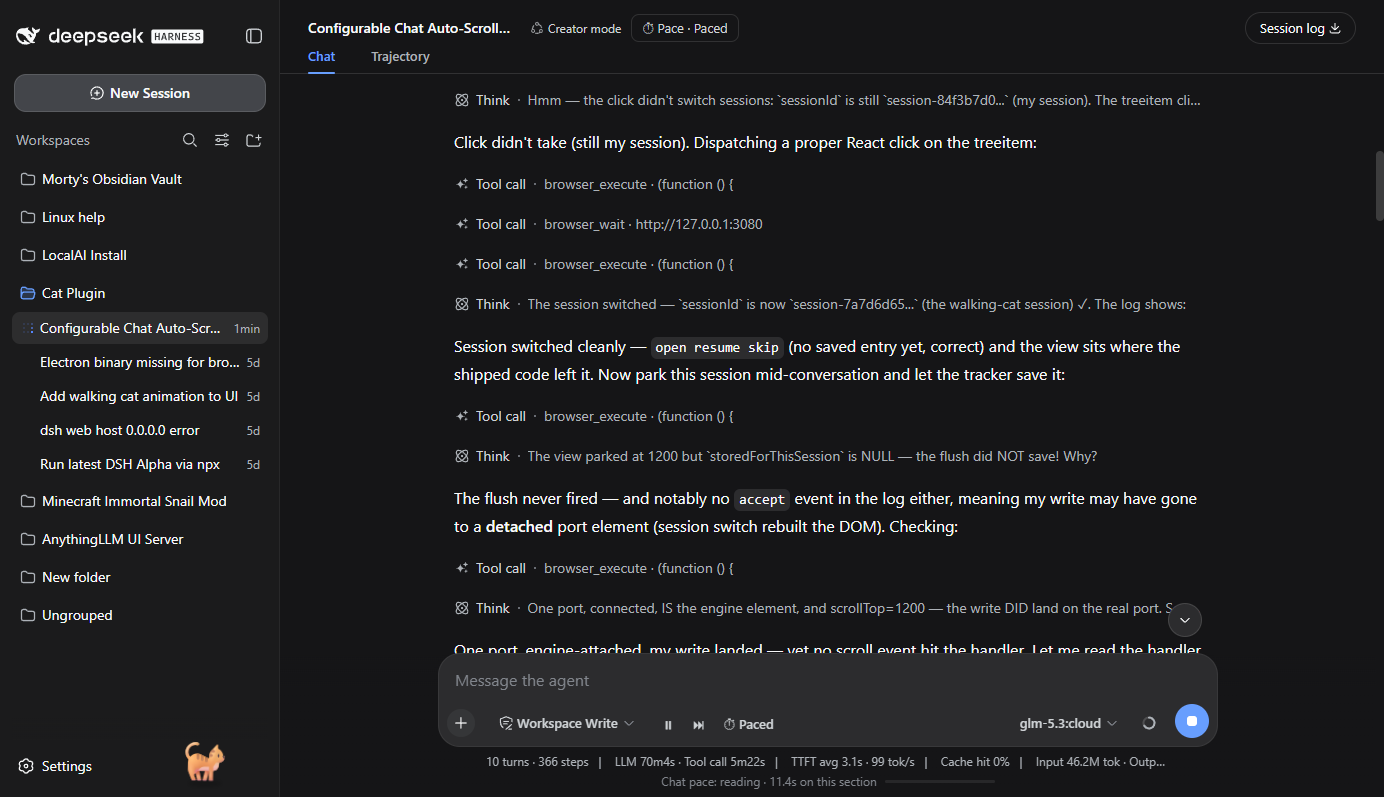
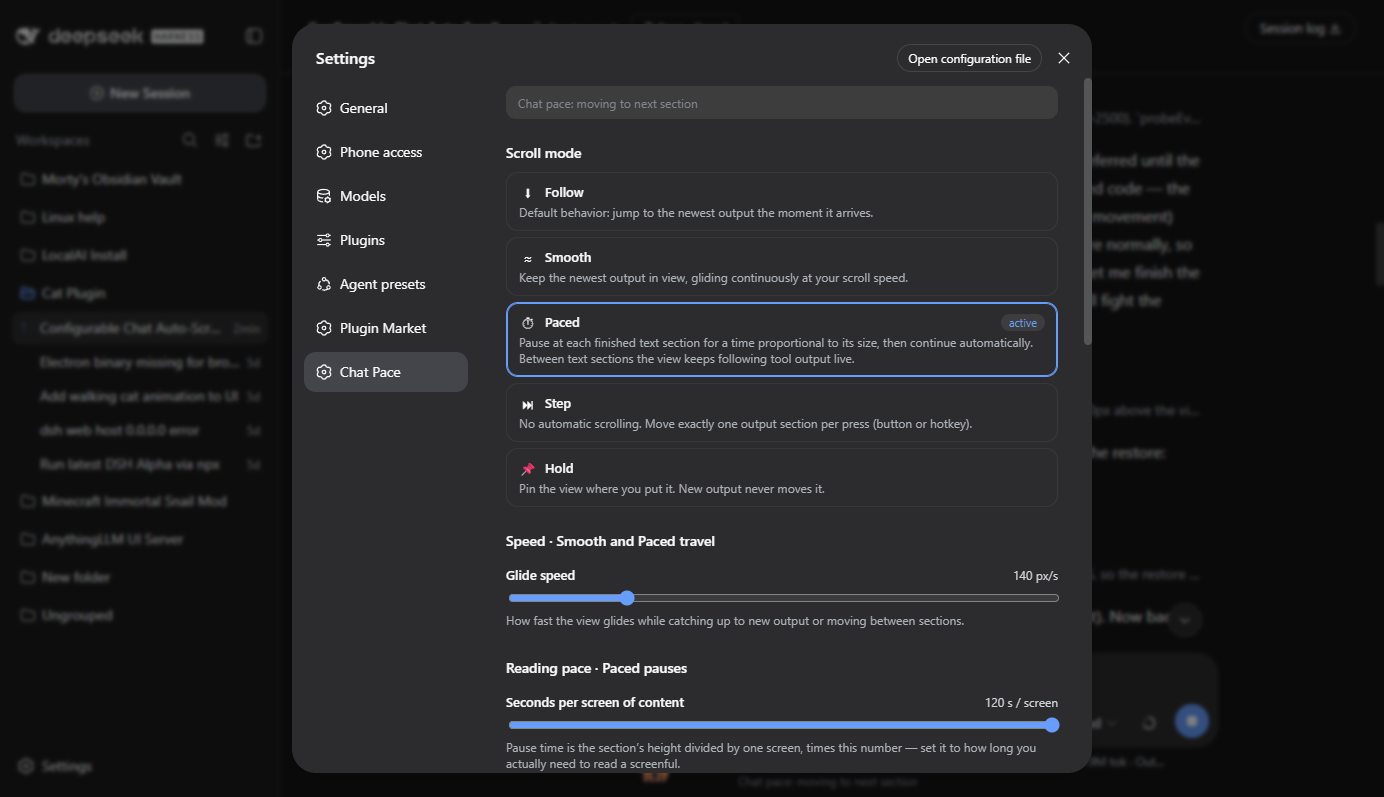
README
该插件的 README 只有英文版本。
Configurable chat auto-scroll for the DeepSeek Harness web UI — agent output never flies by faster than you can read.
Adds five scroll modes, on-screen controls, global hotkeys, a full settings page, and per-session reading-position memory. Works alongside the shipped follow logic instead of replacing it, so any mode can be left on safely.
Install
dsh plugin add TheGoodMorty/chat-pace
Then restart the DSH server (compositions are read at boot) and refresh the page. The controls appear in the composer tool row, the composer dock, the session header, and under Settings → Chat Pace.
Modes
| Mode | Behavior |
|---|---|
| Follow | Shipped default: jump to the newest output instantly. |
| Smooth | Keep the newest output in view, gliding at a configurable px/s. |
| Paced | Section-by-section reading: glide to each settled text section, pause for sectionHeight / screenHeight × seconds-per-screen, then continue. Tall sections spend the pause drifting through themselves. Between text sections the view keeps following tool output live, and while a text section is being written the view holds still so the text arrives unread below the fold. Sections already fully visible when they settle are skipped — they streamed in front of you. |
| Step | No auto-scroll; one section per press (button or hotkey), optionally animated. |
| Hold | The view is pinned; new output never moves it. |
An "output section" is each settled assistant message (assistant-step with
status settled/interrupted); tool results and command rows can be opted in.
The Paced reading pause is clamped between a configurable minimum and maximum (up to 80 s), so a single huge section never freezes the view for minutes, and tall sections drift through their text at reading speed instead of sitting still.
Controls
- Composer tool row — pause/resume, next-section, and the mode menu (always visible)
- Composer dock — live status line and reading-pause progress bar
- Session header — mode menu button
- Settings → Chat Pace — every option: mode, glide speed, seconds-per-screen reading pace, pause clamps, section kinds, behavior toggles, session open position, and a hotkey recorder with conflict detection
- Global hotkeys (defaults):
F9pause/resume,Ctrl+ArrowDownnext section,Ctrl+ArrowUpprevious,Ctrl+Endjump to latest
User wheel/touch input instantly takes control back from any auto-scroll mode; an optional toggle resumes automatically when you scroll back to the bottom.
Settings persist in localStorage (dsh-chat-pace-settings-v1).
Session open position
"When a session opens" (Settings → Chat Pace) decides where a conversation
lands when you open or switch to it: Top, Bottom, or Where I left
it. The last reading position of every session is remembered per-session
in localStorage (dsh-chat-pace-scrollpos-v1) regardless of this setting —
as a row anchor plus offset, so it survives content growth and window
resizing — so enabling "Where I left it" later still restores sessions you
left before turning it on. Restores run on timers (not
requestAnimationFrame), yield instantly if you touch the view mid-restore,
and hold their position against the UI's own layout restores for up to
12 seconds.
How it coexists with the shipped follow logic
The shipped ChatView snaps to the bottom on content growth while the reader
is at the bottom, and disengages when a scroll event shows reader movement.
chat-pace recognizes those snaps (floor-adjacent jumps arriving with
scrollHeight growth and no recent user input) and restores the reader's
anchor row; the restore reads as reader movement to the shipped handler, so
it disengages by itself. Smooth/paced motion is written frame-by-frame as
engine-authored scrollTop values — ordinary reader scrolls to the shipped
code — so the two never fight over a frame. Reader intent is tracked via
wheel/touch/pointer/scroll-key listeners on the scrollport.
Support
A minimal read-only diagnostic handle is exposed as
window.__chatPaceDebug in the page console: the engine state, the live
settings (via getSettings()), and a bounded ring of recent engine
decisions (scrollLog). If something misbehaves, that log is the fastest
way to pinpoint it.
License
评论
评论存放在 GitHub Discussions。用 GitHub 账号登录后可发表评论或点表情。